

Are you shouting into the void on LinkedIn, trying to find genuine B2B prospects amidst a sea of holiday snaps and inspirational quotes? It's a common headache for service businesses. You’re hunting for high-value clients, but the standard platform is built for broad networking, not precision selling. This is where mastering Sales Navigator transforms your entire approach.
This guide provides an actionable roadmap, showing you exactly how this powerful tool can help you find, engage, and convert your ideal customers. We'll move beyond the basics to give you proven strategies for building a predictable sales pipeline. This is exactly where LinkedIn Sales Navigator comes in.
What Exactly Is Sales Navigator?
Think of your standard LinkedIn profile as a busy city square—it’s crowded, chaotic, and full of distractions. Sales Navigator, on the other hand, is like a private, high-tech office overlooking that square, complete with a sophisticated GPS. It cuts through the noise, giving you a dedicated interface to find, track, and connect with potential clients.
Its entire purpose is to help you build strategic relationships by using LinkedIn’s massive professional network in a much smarter, more structured way. It’s an environment built from the ground up to help you pinpoint key decision-makers with incredible accuracy, turning cold outreach into warm conversations.
The Power of Targeted Prospecting
Sales Navigator isn’t just a slightly better search bar; it’s a full suite of tools designed to give you a serious competitive edge. And this shift to data-driven sales is catching on fast. By 2024, Australian companies reported a nearly 40% year-on-year increase in their use of sales intelligence platforms just like this one.
Even more telling, over 65% of Australian sales professionals said these tools led to a measurable jump in the quality of their leads. You can dig deeper into these Australian sales recruitment trends to get the full picture.
The platform's interface is clean and built for one thing: efficient lead generation and management.

As you can see, the dashboard neatly organises recommended leads, saved accounts, and important alerts, making it simple to keep track of every opportunity.
In short, it helps you:
- Find the right people with advanced filters that go way beyond the basics, letting you search by seniority, company size, recent job changes, and more.
- Track key updates on your target accounts, like leadership changes or major company news, so you always have a relevant reason to reach out.
- Engage with genuine insights by showing you what your prospects are talking about and care about before you even send that first message.
By pulling all this together, Sales Navigator turns prospecting from a frustrating guessing game into a strategic, insight-led process. It sets the stage for more meaningful conversations that actually lead to better sales outcomes.
Getting to Grips with Sales Navigator’s Core Features
To really understand what Sales Navigator can do, you need to stop thinking of its features as a simple checklist. Think of them as an interconnected toolkit designed for precision prospecting. Each tool builds on the last, taking you from broad, hopeful searching to strategic, meaningful relationship building.
This isn't about casting a wide net and hoping for the best. It's about using a highly advanced sonar to find exactly who you're looking for, right when they need you. Let's break down the core components that make this happen.
Pinpoint Prospects with Advanced Search
The heart and soul of Sales Navigator is its Advanced Lead and Account Search. Forget the basic filters you’re used to on the standard LinkedIn platform. Here, you can build hyper-targeted prospect lists using criteria like seniority level, company growth rate, and even recent job changes.
For example, a marketing consultant could filter for "Heads of Marketing" at tech companies in Sydney with 50-200 employees that have posted on LinkedIn in the last 30 days. This level of detail makes sure your outreach is always relevant and never feels like spam.
By refining your audience so precisely, you stop wasting time on unqualified leads. All your energy goes where it will deliver the best results. It’s the difference between a generic email blast and a personalised, high-impact conversation.
Uncover Hidden Opportunities with AI
Think of Lead Recommendations as your personal AI assistant, quietly working away in the background. Based on your search history, saved leads, and sales preferences, the platform intelligently surfaces new opportunities you might have otherwise missed.
This proactive feature is a game-changer for discovering lookalike prospects who fit your ideal client profile but weren't captured in your initial searches.
Organise Your Pipeline with Custom Lists
Finding a great lead is only the first step. The real magic happens when you start organising them. Saving Leads into custom lists lets you segment your pipeline and track every prospect without letting anyone fall through the cracks.
You can create lists based on:
- Priority: High-priority, medium-priority, long-term nurture.
- Service Interest: Grouping leads who are interested in specific services you offer.
- Sales Stage: Prospects in the initial outreach, follow-up, or proposal stage.
This simple act transforms a chaotic prospecting effort into a structured, manageable workflow. If you want to dive deeper, our guide on how to use LinkedIn Sales Navigator offers more advanced list-building strategies.
Reach Decision-Makers Directly
InMail Messages are your direct line to key prospects. They allow you to bypass connection requests and land your message straight in their inbox, where it’s far more likely to be read. With a generous monthly allowance, you can craft personalised, value-driven messages that genuinely stand out.
Better yet, TeamLink turns cold outreach into a warm introduction. This feature shows you if anyone on your team is already connected to a prospect, giving you a trusted bridge to start a conversation. This approach dramatically increases your chances of getting a positive response.
The effectiveness of these tools is clear. Australian market research shows that 78% of SMEs using Sales Navigator reported better lead conversion rates. This is largely because the platform supports the self-service buying journey favoured by local B2B buyers. You can explore more on these Australian sales trends to understand the market better.
Choosing the Right Sales Navigator Plan
Picking the right Sales Navigator plan can feel like a big commitment, but it really just boils down to one question: what are your actual sales goals? LinkedIn has cleverly structured its plans to fit everyone from solo consultants to massive, integrated sales teams. Getting your head around these tiers is the first step to making a smart investment.
The three main plans are Core, Advanced, and Advanced Plus. Each one builds on the last, layering in more features for bigger scale and better teamwork. Nailing the right choice means you get all the tools you need without forking out for bells and whistles you’ll never touch.
This infographic shows just how much of a performance jump a small sales team can see when they match their plan to their growth strategy.
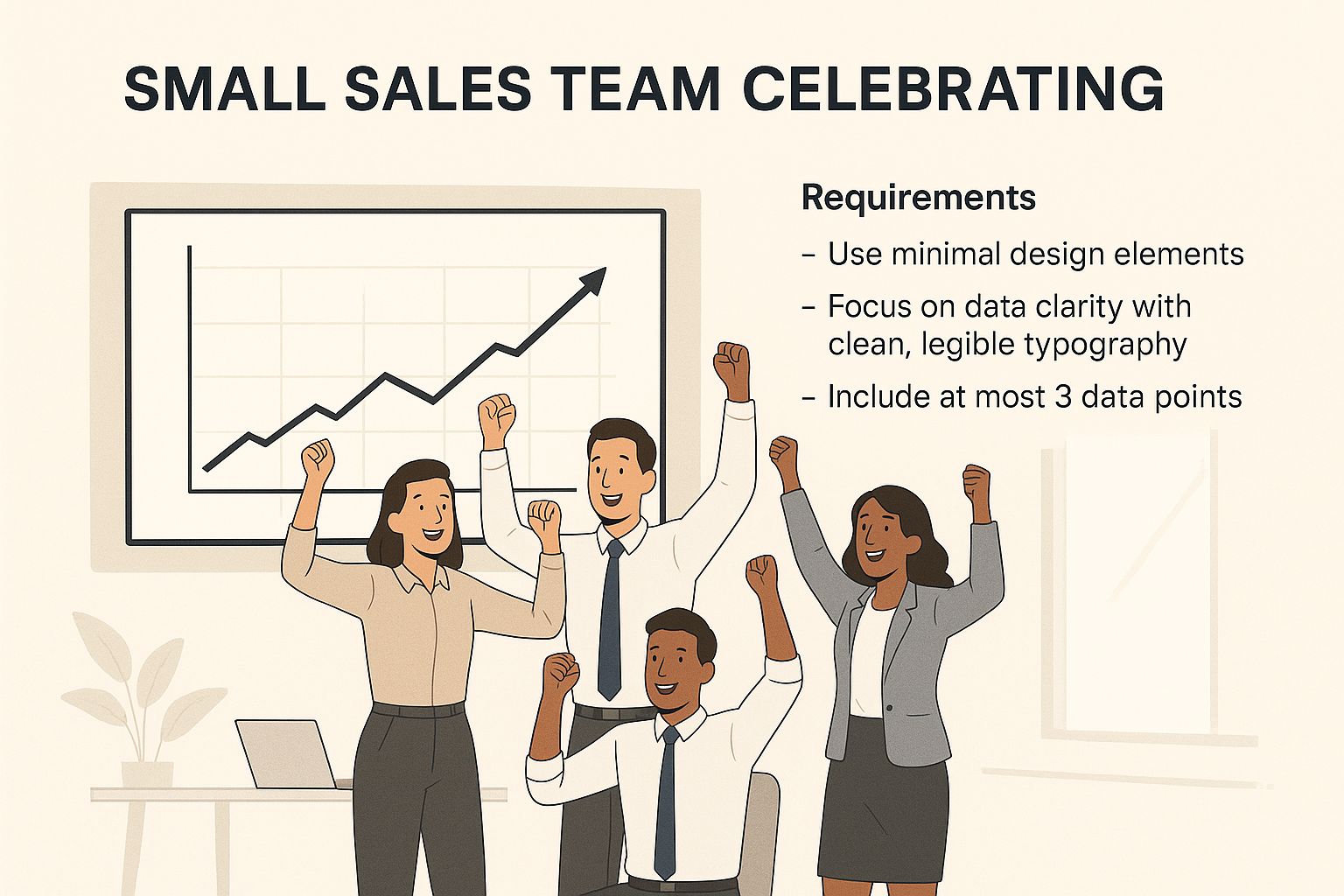
As you can see, it’s not just about boosting individual stats. The right tools create a collaborative buzz that drives the whole team forward.
Sales Navigator Core
Think of the Core plan as the perfect launchpad for individual professionals. We're talking solo consultants, freelancers, or business owners who are their own sales department. It gives you all the essential prospecting tools you need, including advanced search filters and 50 InMail credits a month.
If your main game is building targeted lead lists and sending out personalised messages for your own business, Core has you covered. It's powerful enough to generate a steady flow of quality leads without the extra complexity of team features.
Sales Navigator Advanced
The Advanced plan is built for sales teams. The absolute standout feature here is TeamLink, which lets you see if prospects are already connected to your colleagues. Straight away, this opens the door for warm introductions—a massive step up from the Core plan.
This tier is ideal for businesses with a small to medium-sized sales team where sharing insights and working together is key. It helps stop team members from accidentally chasing the same lead and makes the most of everyone's combined network to open more doors.
Sales Navigator Advanced Plus
For the big players—large organisations and enterprises—Advanced Plus offers the whole kit and caboodle. The game-changer here is its deep CRM integration. This plan automatically syncs leads, accounts, and activities between Sales Navigator and your company's CRM, like Salesforce.
That seamless flow of data is a non-negotiable for enterprise-level sales operations that rely on heavy-duty tracking, reporting, and automated workflows. If your business lives and dies by its CRM data for managing your pipeline and tracking performance, this is the plan you need.
For a deeper dive into making your entire LinkedIn profile work harder, check out our complete guide to LinkedIn marketing.
Sales Navigator Plan Comparison
To make it even clearer, here’s a side-by-side look at what each plan offers. This should help you pinpoint exactly where your business fits.
| Feature | Sales Navigator Core | Sales Navigator Advanced | Sales Navigator Advanced Plus |
|---|---|---|---|
| Best For | Individuals, freelancers, and solo business owners. | Small to medium-sized sales teams. | Large enterprises with established sales operations. |
| Key Feature | Advanced lead search and 50 InMail credits. | TeamLink for warm introductions and team collaboration. | Deep CRM integration (e.g., Salesforce, Microsoft Dynamics). |
| Use Case | Building personal lead lists and direct outreach. | Leveraging team networks and sharing prospect insights. | Automating data sync and enterprise-level reporting. |
| InMail Credits/Month | 50 | 50 | 50 |
| CRM Sync | Manual data entry only. | Manual data entry only. | Full, automated sync for leads, accounts, and activities. |
Ultimately, the best plan is the one that aligns with your current team structure and your future growth ambitions. Start with what you need now, and remember you can always upgrade as your team and sales process evolve.
Your Step-by-Step Setup Guide for Success
Jumping into Sales Navigator without a plan is like getting into a race car without adjusting the mirrors or the seat. To actually win, you need to configure your account from day one. This practical guide walks you through the essential first steps to turn the platform into your personalised lead-generation machine.
By following these simple setup actions, you'll make sure the leads and accounts recommended to you are genuinely relevant, saving you hours of painful manual searching down the line.
Configure Your Sales Preferences First
Your first port of call is setting your Sales Preferences. Think of this as giving Sales Navigator a detailed map of your ideal customer profile. It uses this exact information to power its AI recommendations, so getting it right from the start is critical for receiving quality leads.
Here’s what to focus on:
- Geography: Specify the regions, cities, or countries you serve. For an Australian business, you might target "Sydney, New South Wales" or "Melbourne, Victoria."
- Industry: Select the specific industries your services are for. Don't be vague.
- Company Size: Define the number of employees your ideal clients have.
- Function & Seniority Level: Pinpoint the exact job roles and seniority levels of the decision-makers you need to reach, like a "Marketing" function and "Director" seniority.
Getting granular here tells the algorithm precisely who you want to talk to. This initial setup is the foundation for everything else you'll do on the platform.
Create Your First Saved Searches
Once your preferences are dialled in, it's time to build your first Saved Searches. This feature is your 24/7 prospecting assistant, constantly scanning LinkedIn for new leads and accounts that match your exact criteria.
Start by creating separate saved searches for both leads and accounts. For example, a recruitment agency might create a saved search for "HR Managers in the Australian technology sector with 51-200 employees."
Pro Tip: Use Boolean operators (AND, OR, NOT) to really refine your results. Searching for "Marketing Director" NOT "Assistant" will filter out junior roles, giving you a much cleaner, more targeted list of senior decision-makers.
Saving these searches means you'll get alerts whenever a new person or company fits your ideal profile. It automates a huge chunk of your prospecting workflow.
Build and Manage Custom Lead Lists
As you start spotting promising prospects, don't just leave them sitting in a saved search. Organise them into custom lead lists. This is how you segment your pipeline and tailor your outreach strategy properly.
You could create lists based on:
- Priority: High-Value Targets, Q3 Follow-Ups
- Service Interest: SEO Prospects, LinkedIn Coaching Leads
- Sales Stage: Initial Contact, Proposal Sent
This level of organisation is non-negotiable for managing your relationships effectively and making sure no valuable opportunity falls through the cracks.
Finally, start saving key accounts to your account lists. This is an absolute game-changer. When you save an account, Sales Navigator sends you real-time alerts on crucial company events—things like funding announcements, significant growth, or key leadership changes. These alerts give you the perfect, timely reason to reach out with a relevant message, dramatically increasing your chances of starting a real conversation.
Proven Strategies for Service-Based Businesses
For service-based businesses—think agencies, consultants, and financial advisors—Sales Navigator isn't just another prospecting tool. It's a relationship engine. Your success isn't about blasting out hundreds of messages; it's about precision, timing, and genuine trust-building.
The real magic happens when you align Sales Navigator’s features with the consultative way you already sell. Forget casting a wide net. Your goal is to pinpoint specific trigger events and professional shifts that signal a real need for your expertise. This flips your outreach from a cold pitch into a perfectly timed, relevant solution.
Identify High-Intent Prospects
The advanced filters are your best friend here. Go way beyond just job titles and industries to find decision-makers who are actively showing signs they need to make a change or grow—which is exactly when they need external help.
Here’s how it works in practice:
- A marketing agency can filter for executives who moved into a Head of Marketing role in the last 90 days. New leaders are almost always looking to make a quick impact and are far more open to bringing on new partners.
- A financial advisor can set up alerts for founders whose companies just closed a new funding round. That’s a huge capital injection and a massive sign they’ll need smart wealth management advice.
- A business consultant can search for companies with rapid headcount growth. This screams growing pains—think operational, cultural, or strategic challenges. It's the perfect entry point for a conversation.
This targeted approach means you’re only talking to people who are already thinking about change, making your services feel less like a sale and more like a solution.
Craft Value-First InMail Messages
Nothing gets you ignored faster than a generic, copy-paste InMail. In the service world, your first message has to give value, not just ask for a 15-minute chat. The aim is to start a real conversation by showing you know your stuff.
The best InMail messages are short, personal, and offer a specific insight tied to a prospect's recent activity or company news. It proves you've done your homework and you're actually interested in helping them.
Before you even think about hitting 'send', check their recent posts or company updates. Reference something specific they said or a challenge their company mentioned. It builds instant rapport. For more tips on getting your profile and messaging right, check out our guide to building a powerful LinkedIn presence.
Time Your Outreach with Company Updates
The "Account Alerts" feature is a non-negotiable for service businesses. It tells you about key company moments that create the perfect excuse to reach out. By keeping an eye on these updates, you can time your message to be incredibly relevant.
A company posting about expanding into a new market is a huge signal for a logistics consultant. An organisation announcing a new product line is a green light for a digital marketing agency. Using these real-time insights means you’re not just another message in their inbox—you're a timely answer to a problem they're focused on right now.
Common Sales Navigator Mistakes to Avoid
Signing up for a powerful tool like Sales Navigator is the easy part. The real challenge? Making sure you don't fall into the common traps that sabotage your efforts and turn your subscription into a wasted expense.
So many users make the same mistakes, completely undermining what the platform can do. Even the slickest features won't help if your basic approach is broken. By sidestepping these frequent blunders, you can turn your prospecting from a frustrating time-sink into a pipeline-building machine.
Sending Generic InMail Messages
This is, without a doubt, the number one mistake. Firing off generic, templated InMail messages screams "sales pitch" from a mile away and is the fastest ticket to being ignored. Prospects on LinkedIn are sharp—they can spot a copy-paste job instantly, and it kills your credibility on the spot.
Your outreach has to be personal and add value. It's that simple. Before you even think about hitting 'send', take two minutes to scan their profile. Look at their recent activity. Did they post something interesting? Do you share a connection? Did their company just announce something big? Mentioning it shows you've done your homework and aren't just another random salesperson in their inbox.
Your goal with an InMail isn’t to close a deal on the first touch. It’s just to start a conversation. Offer a genuine insight or share a resource you think they'd find useful. That’s how you position yourself as a helpful expert, not a pest.
Neglecting to Organise Your Leads
Another critical error is not saving and organising your leads into custom lists. Without this basic housekeeping, your prospecting quickly becomes a chaotic mess. You'll lose track of great prospects, forget who you need to follow up with, and have zero real visibility over your pipeline.
Think of it this way: effective organisation isn't optional, it's the backbone of your entire sales process. The moment you find a promising prospect, save them to a specific, relevant list.
You should be creating lists based on things like:
- Priority: Who are the hot leads you need to focus on now, versus those for long-term nurturing?
- Industry: Grouping leads by their specific sector makes tailored follow-ups a breeze.
- Sales Stage: Are they in the initial outreach phase, follow-up, or waiting on a proposal?
This systematic approach makes sure no one falls through the cracks and helps you tailor your follow-up game for maximum impact. A tidy Sales Navigator account is the foundation of a predictable and scalable sales engine.
Got Questions About Sales Navigator?
Jumping into a powerful tool like Sales Navigator usually brings up a few questions. It’s a big step up, so let’s clear up the most common queries we hear from business owners.
How Is It Different from LinkedIn Premium?
This is a big one. While both are paid subscriptions, they're built for completely different jobs. Think of LinkedIn Premium as a booster for your personal profile – it helps with your career and general networking by showing you who’s viewed your profile and giving you a few extra InMails.
Sales Navigator, on the other hand, is a dedicated sales and prospecting machine. It’s not for job hunting; it’s for lead generation. It gives you advanced search filters, smart lead recommendations, and company tracking tools that simply aren't available in Premium. It’s the difference between a Swiss Army knife and a surgeon's scalpel.
Can It Integrate with My CRM?
Yes, but how well it plays with your CRM depends on the plan you choose. The top-tier Advanced Plus plan is where the magic happens, offering deep, automated integration with big players like Salesforce and Microsoft Dynamics. This means your leads, accounts, and activities sync up perfectly between both platforms, giving you one clean source of truth for all your sales data.
The Core and Advanced plans don’t have this auto-sync feature, so you’d be stuck moving data across manually. For any team that lives and breathes inside their CRM, the Advanced Plus plan is pretty much essential to get the full efficiency boost.
Is Sales Navigator Worth It for a Small Business?
For most service-based small businesses, the answer is a definite yes. If your whole client acquisition model is built on finding and building relationships with high-value B2B clients, the investment can pay for itself in a matter of months. The platform's knack for pinpointing your ideal clients with laser precision saves you hundreds of hours of grunt work.
But here’s the catch: the return only comes if you actually use it. You have to commit to making it part of your daily sales habits—building lists, tracking key accounts, and sending out smart, personalised messages. If you do that, it can easily become your number one lead-generation engine. It's a strategic investment, not just another software subscription.
Ready to stop guessing and start building a predictable sales pipeline? Homer Digital Marketing helps service businesses like yours use the power of LinkedIn and AI to attract the right clients and scale without the chaos.
Discover how our expert strategies can fuel your growth today!
