

Your Business Google Profile is a free, powerful tool from Google that controls how your business shows up in Search and on Maps. Don't think of it as just another online listing; it's your digital front door for attracting local Australian customers.
Why Your Google Profile Is Your Best Local Marketing Tool
So many businesses make the mistake of treating their Google Business Profile (GBP) as a static, set-it-and-forget-it listing. That passive approach is a massive missed opportunity.
A well-optimised profile is genuinely one of the most effective ways to generate local leads and drive real-world results like phone calls, website clicks, and even foot traffic. It’s the modern-day equivalent of having a shop on the busiest corner in town.
For service-based businesses in Australia—from plumbers in Perth to consultants in Sydney—a strong GBP is non-negotiable. It’s often the very first impression you make on potential customers who are actively searching for your exact skills. This is your chance to stand out from the competition by showcasing your services, sharing customer reviews, and giving people the essential info they need, right when they need it.
Connecting with Customers Ready to Buy
The real magic of a Google Business Profile is its ability to connect you with customers at the precise moment they need your help. When someone searches "electrician near me," they aren't just browsing; they have a problem that needs solving now.
Local SEO trends in Australia show just how valuable a polished profile is for turning these searches into paying customers. Nearly half of all Google searches have local intent, and a staggering 88% of Australians who search for a local business on their phone will either call or visit that business within 24 hours. This immediate connection is what translates into tangible growth.
Here’s a look at the Google Business Profile dashboard—your central hub for managing your entire online presence.

From this one screen, you can edit your business information, reply to reviews, and post updates that go straight to your potential customers.
Turning Your Profile into a Lead Magnet
An inactive, half-finished profile isn't just sitting there; it's a missed opportunity, every single day. On the other hand, a dynamic, frequently updated profile acts as a powerful lead-generation machine.
By actively managing your profile, you're sending strong signals to Google that your business is relevant and trustworthy. The reward? Better visibility in local search rankings.
Here’s what an optimised profile can do for you:
- Boost Your Visibility: A complete and active profile is far more likely to appear in Google’s "local pack" (that coveted map box at the top of search results), putting you right in front of people looking for your services.
- Build Trust and Credibility: Think about it. Positive reviews, high-quality photos, and quick answers to questions all show customers that you’re a reputable and reliable choice.
- Drive Direct Action: Features like click-to-call buttons, messaging, and website links make it incredibly easy for customers to take that next step and get in touch.
To help you visualise this, here’s a quick breakdown of the core parts of your profile and why they're so critical for winning over local customers.
Key Profile Areas and Their Impact
| Profile Component | Why It Matters for Your Business | Direct Customer Impact |
|---|---|---|
| Business Name, Address, Phone (NAP) | Establishes your identity and location for Google's algorithm. Consistency across the web is key. | Customers can find and contact you easily. Inaccurate info creates frustration and lost leads. |
| Services & Categories | Tells Google exactly what you do, helping you rank for specific service-related searches. | Users immediately see if you offer what they need, qualifying leads before they even click. |
| Customer Reviews | Builds social proof and trust. Google uses review signals as a major ranking factor. | 90%+ of consumers read reviews before choosing a business. Good reviews are a powerful sales tool. |
| Photos & Videos | Showcases your work, your team, and your service area. Humanises your business. | Helps customers visualise the quality of your work and builds confidence in your brand. |
| Google Posts & Updates | Allows you to share offers, news, and updates directly in search results. Shows Google your profile is active. | Keeps your audience engaged and informed, encouraging repeat business and promoting special deals. |
Each of these elements works together to create a powerful, trustworthy signal to both Google and your potential customers.
Your Google Business Profile isn't just a directory listing; it's an interactive platform. It’s your digital storefront, your reputation manager, and your direct line to customers who are ready to hire you.
By investing just a small amount of time into this free tool, you can create a sustainable source of high-quality local leads. If you're ready to turn your profile into a cornerstone of your marketing, our comprehensive guide on Google Business Profile optimisation can provide deeper insights.
Now, let's walk through exactly how to create, verify, and optimise your profile to unlock its full potential.
Claiming and Setting Up Your Profile
Getting your business seen on Google starts right here. Whether you’re creating a brand new profile from scratch or claiming one that already exists, this initial setup is the absolute bedrock of your local SEO success. A strong foundation means everything you build on top of it—from photos to reviews—works that much harder for you.
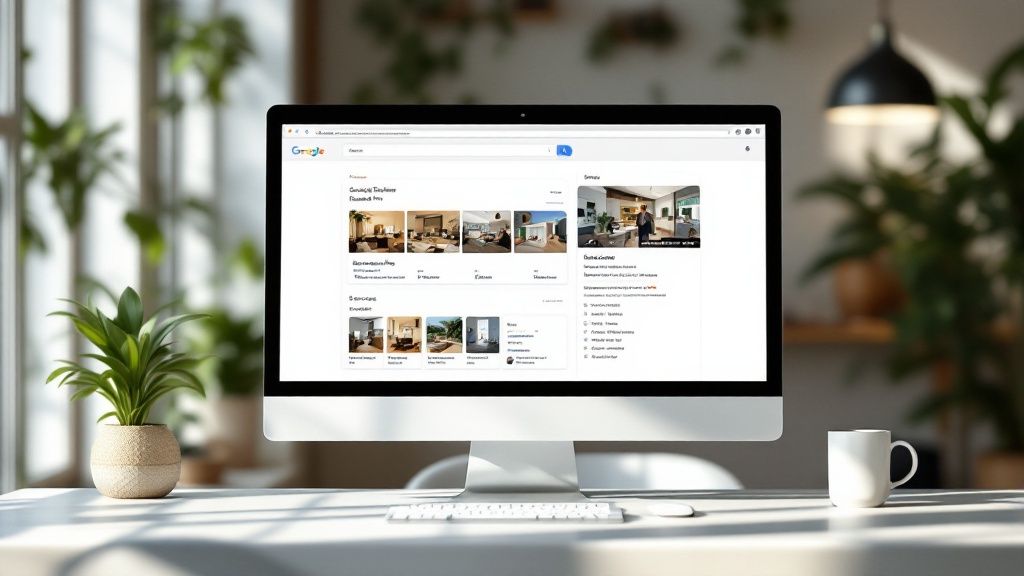
This isn’t just about filling in boxes; it's about making smart, strategic choices that directly influence how easily potential customers can find you. Think of it as drawing the perfect map for Google to follow right to your (digital) doorstep.
Starting Your Journey
The first step is dead simple: search for your business name on Google or Google Maps.
If a profile pops up, you might see an option like "Own this business?" or "Claim this business." This happens all the time—Google often creates basic listings automatically from other online data.
If nothing shows up, no worries. Head straight to the Google Business Profile website and click "Manage now." You'll be walked through the first few steps of adding your business name and other key details.
Don’t panic if a profile for your business already exists. It’s a super common scenario. The key is to claim ownership as quickly as possible so you can take control of the information customers are seeing.
The Critical Role of Your Business Category
Choosing the right category is probably one of the most important decisions you'll make during this whole process. It's how you tell Google exactly what you do, and it directly impacts the search terms you'll show up for.
You need to be specific. Instead of just "Builder," choose something like "Custom Home Builder" or "Renovation Builder." You can add secondary categories later, but your primary one packs the biggest punch.
Put yourself in your customer’s shoes. What words would they type into Google to find someone like you? Thinking like this helps you pick categories that match real search behaviour, giving you an edge from day one.
Ensuring NAP Consistency
Your Name, Address, and Phone Number (NAP) are the three pillars of your local digital identity. It is absolutely vital that this information is 100% consistent everywhere it appears online, from your own website to other directories.
- Business Name: Use your actual, real-world business name. Don't be tempted to stuff it with keywords or locations (e.g., "Best Plumbers Sydney"). This is a fast track to getting your profile suspended.
- Address: If you're a service-area business that travels to clients (like a mobile mechanic or an electrician), you can hide your physical address and define a service area instead. This is a must-do for home-based businesses.
- Phone Number: Use your main business phone number. A local landline is often best as it reinforces your local presence.
Any inconsistencies confuse both Google and potential customers, which will only hurt your authority and search rankings. A clean, consistent NAP is a massive trust signal.
Dealing with Common Hurdles
Sometimes, the setup doesn't go as smoothly as planned. You might find out someone else has already claimed your profile—maybe a former employee or a marketing agency you used years ago. If that happens, you’ll need to go through Google’s process to request ownership from the current manager.
Duplicate listings are another common headache. If you find more than one profile for your business, you need to get them merged by contacting Google support. Multiple listings split your reviews and dilute your ranking power, so fixing this should be a top priority. For a deeper dive, check out our guide on what to put on your Google Business Profile.
It's shocking, but 55% of Australian local businesses still haven't claimed their Google Business Profile. This leaves a massive opportunity for proactive owners to get ahead. With Google dominating over 92% of Australia's search market, being visible here isn't optional. Ranking at the top matters, as the first result grabs nearly 40% of all clicks. A well-managed profile isn't just nice to have—it's a huge competitive advantage.
Navigating the Verification Process
Alright, so you’ve filled out the basics of your Google Business Profile. The next step is a big one: verification.
Think of this as Google’s way of doing a background check. It’s the gatekeeper that confirms you’re a legitimate, operating business, and it’s non-negotiable if you want your profile to go live and start attracting customers. It can feel like a bit of a hurdle, but getting it right is crucial for building trust.
For Aussie businesses, Google has a few different ways to get you verified. Knowing what to expect can make the whole thing a lot less painful.
Common Verification Methods
Here’s the thing: you don’t get to pick your verification method. Google decides which option is best based on your business type and location, and that’s the one you’ll be offered.
The most common ways you might be asked to verify are:
- Postcard by Mail: The old-school classic. Google mails a postcard with a unique code to your business address. This can take up to two weeks, so patience is key.
- Phone or Text: If you're eligible, this is the quickest way. You'll get an automated call or a text with a code sent straight to your business number.
- Email: Similar to the phone option, a code gets sent to your business email (it usually has to be one linked to your domain, like
you@yourbusiness.com.au). - Video Verification: This is becoming the go-to for service-based businesses without a traditional shopfront. It involves recording a short video to prove you’re real.
The image below shows how simple things, like adding a photo, contribute to a complete, trustworthy profile.
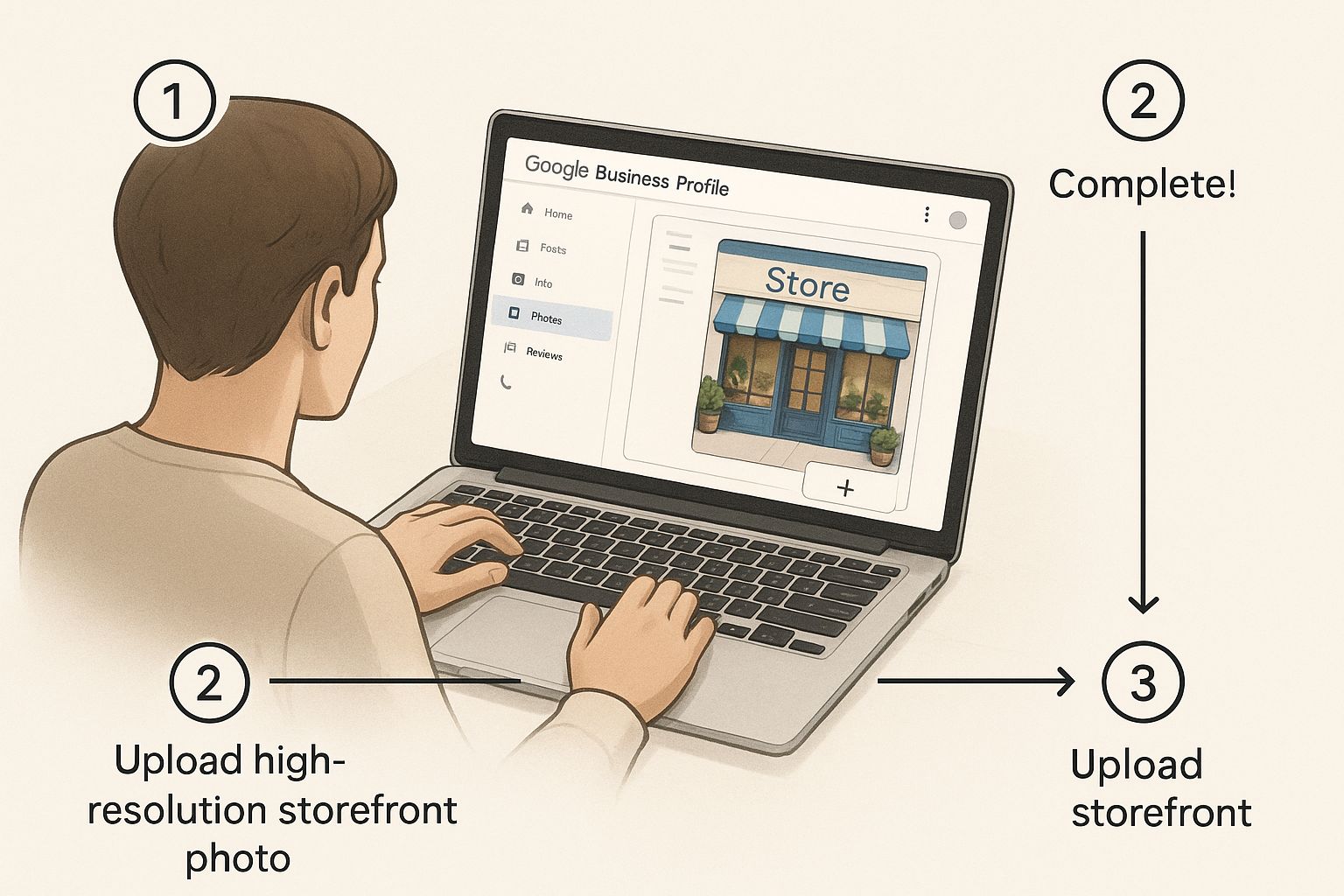
Whether it’s a photo you upload or a verification video you record, visual proof is everything when it comes to showing Google you’re the real deal.
Acing the Video Verification
The idea of a video verification can seem a bit intimidating, but it’s actually pretty simple once you know what they’re looking for. It's all about preparation.
To nail it on the first try, make sure you can clearly show the following in one continuous recording:
- Your Location: Start outside. Show the street name and maybe a neighbouring business to give Google some context of where you are.
- Business Signage: Got a branded work vehicle? A sign on your home office door? Make sure your business name and logo are easy to see.
- Proof of Business: This is a big one. Have official documents ready to show the camera, like your ABN registration, a business utility bill, or your insurance papers.
- Tools of the Trade: Show them you do what you say you do. Film your workspace, your equipment, or any branded materials you use daily.
A wobbly, unclear video is the fastest way to get rejected. Use a steady hand, and if you need to explain what you're showing, speak clearly. Your goal is to leave Google with zero doubt about your business's legitimacy.
Troubleshooting Common Issues
Sometimes, things just don't go to plan. If that postcard hasn’t shown up after 14 days, you can request a new one. Before you do, triple-check the address you entered was 100% accurate, right down to the postcode and any unit numbers.
What happens if Google rejects your verification? Don’t panic. They’ll usually tell you why. Often, it's because the video wasn't clear enough or there was a mismatch in your details. Read the feedback carefully, get your proof in order, and try again. A little bit of patience here goes a long way.
Optimise Your Profile to Dominate Local Search
A verified profile is your ticket to the game, but optimisation is how you win. Now that your Google Business Profile is claimed and verified, it’s time to turn it from a basic listing into a machine that pulls in local customers and puts you miles ahead of the competition.
This isn't about ticking boxes. It's about strategically fleshing out every single section. Every detail you add tells Google what your business is about, who you serve, and why you deserve to be at the top of the search results.
Let’s get into exactly how to fine-tune each part.
Craft a Compelling Business Description
You get 750 characters for your business description. Think of it as your elevator pitch. This is your chance to tell potential customers who you are, what you do, and what makes you their best choice.
Don't just list your services. Weave in the keywords your local customers are actually searching for.
For instance, a plumber in Melbourne could write: "Your trusted local plumber in Melbourne's eastern suburbs, specialising in emergency blocked drain repairs, hot water system installation, and gas fitting. With over 15 years of experience, we offer reliable, 24/7 service for homes and businesses."
See how that’s not only informative but also packed with search terms like "emergency blocked drain repairs" and "hot water system installation"? That’s how you improve your visibility.
Pro-Tip: Google’s AI tools can whip up a business description for you based on your website. It’s a decent starting point, but always go back and edit it. Make sure it sounds like you and nails your unique value.
Select the Right Categories and Attributes
Choosing your primary category is one of the biggest SEO moves you can make on your profile. Get it right. Be specific. Instead of just "Consultant," choose "Business Management Consultant." This one choice has a massive impact on the searches you show up for.
Once you’ve locked in your primary category, add secondary ones to cover everything else you do. A "Landscape Gardener" could also add "Lawn Care Service" and "Garden Design."
But don’t stop there. Service attributes are gold. These are the little tags on your profile like "Online appointments," "On-site services," or "Free quotes." They help you connect with customers searching for businesses that offer those specific things.
Showcase Your Work with High-Quality Media
Photos and videos are non-negotiable. They build trust and show off your skills before a customer even picks up the phone. A profile with photos gets 42% more requests for driving directions and 35% more clicks to their website. That's a huge difference.
Your goal is to build a visual portfolio that answers questions before they’re even asked.
- Show Before and Afters: For trades like painting or landscaping, these are pure magic.
- Showcase Your Team: A friendly photo of your crew makes your business feel human and trustworthy.
- Upload Videos: A quick, 30-second clip of your team on the job or a walkthrough of a finished project can seriously boost engagement.
Always use high-quality, well-lit images. And here’s a tip from the trenches: geotag your photos with the job's location before you upload them. It’s a subtle but powerful local signal for Google.
Stay Active with Google Posts
Think of Google Posts as mini-blog updates that appear right on your Business Profile. They're a brilliant way to keep your listing looking fresh and active, which Google’s algorithm absolutely loves.
Use them to share:
- Offers: Promote a special discount or a seasonal deal.
- Updates: Announce a new service or show off a project you just wrapped up.
- Events: Let people know about a webinar or local event you're part of.
Posts stay live for seven days (unless it's an event), so try to get a new one up at least once a week. Always include an image and a clear call-to-action button like "Learn More" or "Call Now."
The screenshot below shows the "Add update" button—this is your direct line to your customers.
This simple feature keeps your profile dynamic and shows both Google and your customers that you’re active and open for business.
Detail Your Products and Services
Don’t make people guess what you do. Use the "Services" or "Products" section to create a detailed, itemised list of everything you offer. For each service, you can add a description and even a price.
This level of detail is an SEO goldmine. When someone searches for something super-specific, like "solar panel cleaning," having that exact term listed as a service on your profile dramatically increases your chances of showing up. It removes all the guesswork for search engines and users. Building out this section properly is a cornerstone of our recommended Google My Business optimisation strategy.
Enable Messaging and Manage Your Q&A
Today’s customers want answers, and they want them now. By turning on the messaging feature, you let potential clients text you directly from your listing. You have to be responsive here—a quick reply can be the difference between landing a job or losing it to a competitor who answered faster.
The Q&A section is another powerful tool that most businesses ignore. Anyone can ask a question on your profile, and anyone can answer it. So get in there first. Ask and answer your own frequently asked questions to control the narrative and give people helpful info upfront.
The data doesn’t lie. The average Aussie business gets around 67 actions per month from their GBP listing, including about 36 website clicks and 18 phone calls. With 64% of Australian consumers using these profiles to find contact details, keeping your info complete and accurate is clearly vital for driving real business. Find out more about how these Google Business Profile features translate into sales.
Mastering Reviews and Customer Engagement
Once your Google Business Profile is fully optimised, customer feedback becomes its lifeblood. Reviews are so much more than just star ratings; they're the most powerful form of social proof you have and a massive factor in how Google ranks you in local searches.
Building a five-star reputation isn't a "set and forget" task. It's an active, ongoing process that involves both encouraging positive feedback and expertly managing the negative.
This is where you show everyone your commitment to customer service. Every single response, whether to a glowing review or a sharp criticism, is a public display of your brand's values. Getting this right builds immense trust and can even turn a sour experience into a win for your business.
Encouraging a Stream of Positive Reviews
The best way to get good reviews? Do consistently excellent work. Simple. But even your happiest customers often need a gentle nudge. The trick is to make it ridiculously easy for them to share their experience while the good feeling is still fresh.
You don't want to be pushy. Instead, build the "ask" naturally into your process.
- Timing is Everything: The perfect moment is right after you've finished a job and the client is beaming. A simple, "I'm so glad you're happy with the result. If you have a moment, we'd be so grateful if you could share your experience on our Google profile" works wonders.
- Create a Direct Link: Don't make people hunt for your profile. Use a free tool to generate a direct link that takes them straight to the review window. Pop this link in your email signature, on your invoices, and in any follow-up messages.
- Use QR Codes: If you have branded vehicles, leave-behind flyers, or other client-facing documents, a QR code linked to your review page is a fantastic, low-effort way for clients to leave feedback on the spot.
By making the process seamless, you remove all the friction that stops most happy customers from ever leaving a review.
Responding to Every Single Review
Replying to reviews is non-negotiable. It shows you're an engaged business owner who actually values what customers have to say. In fact, businesses that respond to reviews are seen as 1.7 times more trustworthy than those who don't. Try to reply within 24 hours.
For the good ones, a genuine "thank you" is great, but you can do better. Mention a specific detail from their comment to show you've actually read it. Instead of a generic "Thanks for the review," try: "Thanks so much, Sarah! We're thrilled you loved the new garden lighting we installed. It was a pleasure working with you."
Your responses aren't just for the person who left the review; they're for every future customer who reads them. Each reply is a marketing opportunity to showcase your professionalism and care.
A Framework for Handling Negative Feedback
A bad review can feel like a punch to the gut. But your response can completely change the story. The goal isn't to win an argument; it's to show accountability and a real commitment to making things right.
Here's a simple but effective framework for your reply:
- Acknowledge and Thank: Start by thanking them for their feedback, even if it’s harsh. "Thank you for taking the time to share your experience with us."
- Apologise and Empathise: Offer a sincere apology that their experience didn't live up to expectations. "We're very sorry to hear that you were not satisfied with the service you received."
- Take it Offline: This is the most important step. Provide a direct contact to discuss it further. This shows you're serious about fixing it and moves a potentially heated debate out of the public spotlight. "Our manager, David, would like to connect with you directly to sort this out. Please call him on [Phone Number] or email [Email Address]."
This approach almost always de-escalates the situation and shows other potential customers that you take complaints seriously. It can often lead to a customer updating their negative review to a positive one once you've resolved their issue.
Dealing with Fake or Malicious Reviews
Unfortunately, fake reviews happen. If you get a review that clearly violates Google's policies (e.g., it's spam, completely off-topic, or from a disgruntled ex-employee), you can—and should—report it.
Find the review, click the three little dots, and select "Report review." Provide a brief, clear reason why it violates the guidelines. While removal isn't guaranteed, it’s always worth the effort to keep your business google profile clean and authentic.
Common Google Business Profile Questions
As you get your hands dirty managing your Google Business Profile, a few curly questions are bound to pop up. Every business runs into different scenarios, and you need straight answers. We’ve pulled together the most common queries from Aussie service-based business owners to help you get past those hurdles and keep your profile pulling its weight.
How Often Should I Update My Profile?
Consistency is king. A profile that just sits there collecting dust signals to Google that you might be inactive. The easiest way to avoid this is to add a new Google Post at least once a week. It’s a simple action that keeps your profile looking fresh and tells the algorithm you're an active, engaged business.
Beyond that, try to upload new photos at least once a month, especially after finishing a big project that really shows off your best work. It’s also a great habit to give your profile a quick audit every quarter. Double-check that your hours, contact details, service list, and service area are all 100% accurate. The more current your info is, the more Google will trust and show your listing.
What Should I Do About Competitor Spam?
It's infuriating when you see a competitor bending the rules to get an unfair advantage. You might spot rivals stuffing keywords into their business name (think: "Sydney's Best Emergency Plumber 24/7") or suddenly racking up a suspicious number of five-star reviews overnight. Don't just get mad—get proactive.
If you see something that's clearly wrong, use the "Suggest an edit" feature right on their profile. For more serious violations like fake reviews or dodgy business names, you’ll need to fill out Google's business redressal complaint form. Stay professional and give clear evidence to back up your claim. While there's no guarantee of an instant fix, reporting spam helps clean up the local search results for everyone.
Responding to competitor spam is about maintaining a level playing field. By reporting clear violations, you're not just helping your own business; you're helping Google provide more accurate and trustworthy results for customers.
Can I Have a Profile if I Work From Home?
Absolutely. A Google Business Profile is practically built for service-area businesses (SABs) that don’t have a public shopfront. This is a game-changer for countless Aussie tradies, consultants, and mobile service providers who work from a home office or go directly to their clients.
When you're setting things up, Google will ask for a business address for verification. But you can—and should—choose to hide this address from the public. Instead, you'll define your service area by listing the specific suburbs, cities, or postcodes you cover. This means your business will show up in local searches and on Google Maps for customers in that area, all without putting your home address on display.
Why Was My Profile Suspended and How Do I Fix It?
Getting a suspension notice is a shock, but it’s almost always fixable if you handle it right. Suspensions usually happen when a profile breaks one of Google's guidelines.
The most common culprits are:
- Keyword Stuffing: Jamming descriptive words or locations into your official business name.
- Incorrect Address: Using a P.O. box or virtual office instead of a real, physical location.
- Suspicious Activity: A sudden, unnatural flood of positive or negative reviews can raise a red flag.
- Mismatched Information: Your business name or address on your website doesn't match what's on your profile.
If you get suspended, the first thing to do is carefully read Google's guidelines and figure out what went wrong. Fix the problem on your profile if you can still access it. Next, you have to submit a reinstatement request form. Provide clear, solid proof that your business is legit and now follows the rules. This could be your ABN registration, photos of your branded van, or a utility bill with your business name and address. Be patient—the review process can take a while.
Optimising and managing your profile is a powerful step towards attracting your ideal clients. If you're ready to take your local visibility to the next level with proven strategies, Homer Digital Marketing can help.
