

Spending hours crafting brilliant LinkedIn content, only to be met with deafening silence? You’re not the only one. It’s a classic case of what Maini Homer, founder of Homer Digital Marketing, calls the “post and pray” method—where you push out great content, but it never lands in front of the people who can actually sign the cheques.
If you’re a business owner, consultant, or service professional frustrated with wasted time on LinkedIn, this guide will show you a proven system for turning the platform into a predictable client machine. This is your actionable guide on how to use LinkedIn Sales Navigator for powerful lead generation.
Learning how to use LinkedIn Sales Navigator effectively allows professionals to move beyond passive posting and start targeted conversations with real decision-makers.
What is LinkedIn Sales Navigator (and Why It Matters in 2025)
Let’s be clear: LinkedIn Sales Navigator is not just a premium version of your regular LinkedIn feed. It’s a dedicated sales intelligence platform designed to transform LinkedIn from a passive networking site into an active sales pipeline. While your free account is like broadcasting on a public radio station, Sales Navigator is like having a direct phone line to every decision-maker you want to reach.
Its entire purpose is to help you find the right people at the right companies, track their activity, and engage with them at the perfect moment. In crowded B2B markets (like consulting, recruiting, or IT services), personalized conversations win deals much faster than public posting alone.
The Problem with Relying Only on Public Posting for Leads
If your LinkedIn efforts feel like shouting into a void, it’s not a content problem—it’s a strategy problem. Relying on content alone is a slow, unpredictable way to generate leads. It’s like setting up a stall at a busy market but never speaking to a single person, just hoping your ideal client wanders by.
Here are the limits of a free account:
- You’re talking to the wrong crowd: Most of your likes and comments come from peers, not the high-value clients you need.
- No direct line to decision-makers: You can’t easily find and engage the specific C-suite executives or department heads with buying power.
- You’re flying blind: A free account won’t alert you to critical buying signals, like a target company getting a new round of funding or a key decision-maker changing jobs.
This is where a dedicated LinkedIn lead generation tool changes the game. It allows for laser-focused outreach, turning your LinkedIn from a passive profile into an active sales machine.
“Without Sales Navigator, most people rely on ‘post and pray’ content strategies that don’t convert. It allows for laser-focused outreach—reaching decision-makers directly instead of wasting time on random connections.” — Maini Homer, Founder of Homer Digital Marketing
Maini’s Proven Three-Step Process: Identify → Connect → Convert with Navigator
Having access to LinkedIn Sales Navigator is one thing; knowing how to turn it into a client-generating machine is another. The real power is in the process. Maini Homer, a LinkedIn specialist with 27 years in business, has refined this into a simple, three-phase workflow that turns Sales Navigator from a passive database into an active sales pipeline: Identify → Connect → Convert.

This systematic approach is how you stop guessing and start building a predictable stream of high-value leads.
Phase 1: Identify with Precision Targeting
First, build a hyper-targeted list of prospects who match your Ideal Client Profile (ICP). This is where you swap the broad approach of free LinkedIn for the laser-focused precision of Sales Navigator.
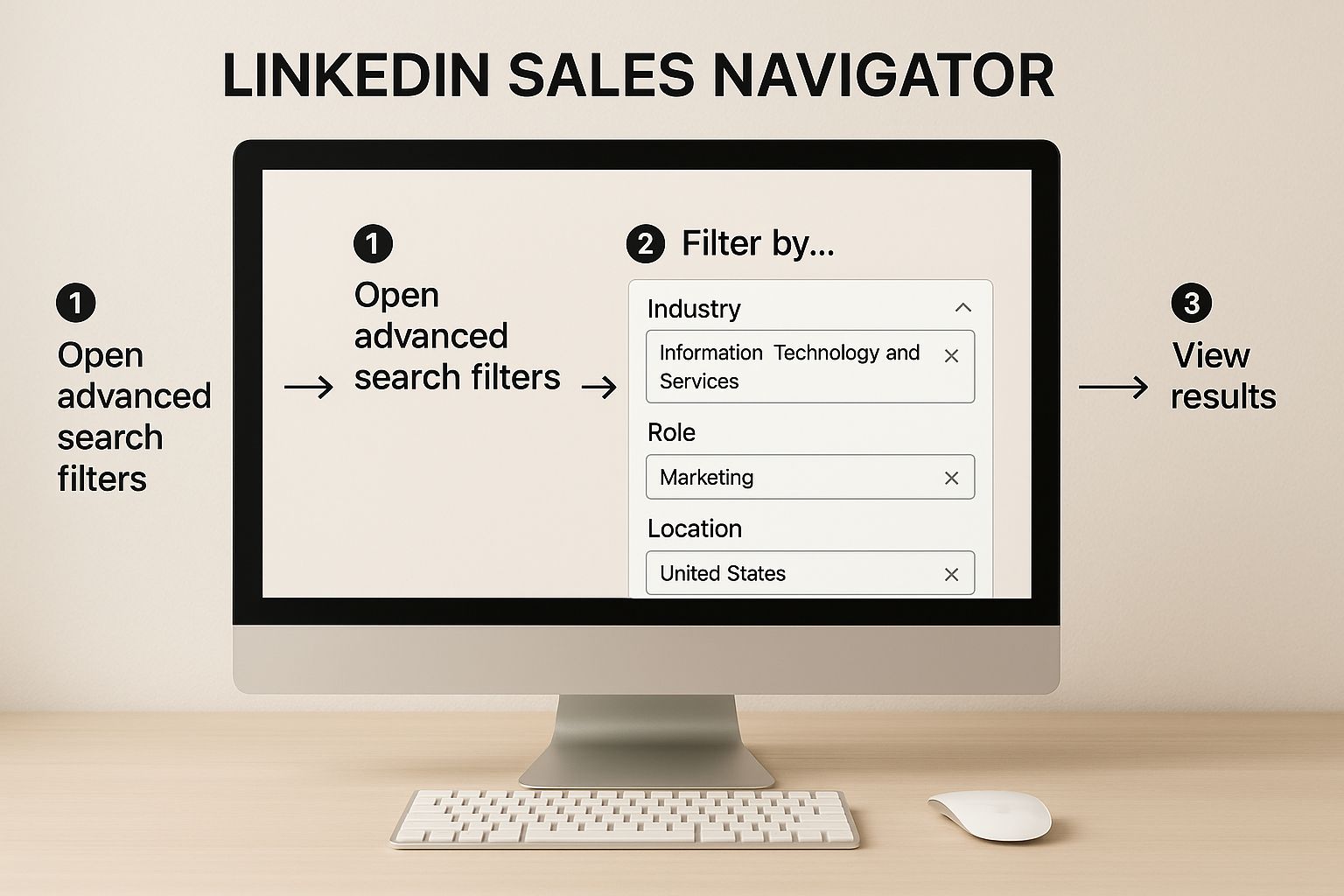
- Advanced Filters: Go beyond job titles. Use advanced filters to identify your ICP by industry, role, location, and company size. For example, target “Marketing Directors” at “IT companies with 50-200 employees” in your city.
- Smart List-Building: Create and maintain dynamic lead lists that update automatically as prospects change jobs or companies post relevant updates. This keeps your pipeline fresh without manual effort.
This is where LinkedIn Sales Navigator becomes essential because it allows you to filter prospects by industry, role, company size and location with far greater precision than standard LinkedIn search.
Phase 2: Connect with Personalised Outreach
With your list ready, it’s time to connect. Generic connection requests are a fast track to being ignored. The key is what Maini calls “Content + Conversation”—pairing your outreach with value-driven engagement.
- Replace Generic Requests: Instead of a blank request, send a thoughtful, research-based DM. Reference a prospect’s recent post, a shared connection, or company news. For example: “Hi [Name], I saw your recent post on lead generation challenges and it really resonated…”
- Automation with a Human Touch: Use tools to manage scale, but always keep conversations authentic and personal. The goal isn’t to sell in the first message; it’s to start a genuine conversation.
Phase 3: Convert Conversations into Clients
The final phase is turning these warm connections into clients. Don’t rush to the pitch. Continue the conversation by sharing helpful resources or asking insightful questions.
Once you’ve built rapport, the transition becomes natural:
“Based on our chat, it sounds like you’re focused on [solving a specific problem]. I have a few ideas that might help. Would you be open to a brief 15-minute call next week to explore them?”
This makes the “ask” a logical next step, not an abrupt sales pitch. By following this framework, LinkedIn Sales Navigator becomes the engine for a predictable client acquisition system.
Client Success Stories and Real-World Results
Theory is one thing, but tangible results are what matter. Here are real-world examples of how Maini Homer has helped clients use these exact best LinkedIn prospecting strategies.
- From 10 to 5,000+ Connections: Maini guided a client from just 10 connections to over 5,000 in six months. By using Sales Navigator’s advanced targeting, they built an international network of decision-makers, opening up global business opportunities that were previously out of reach.
- Unlocking Off-Market Deals: A buyer’s agent was struggling with inbound leads. Maini helped them leverage Navigator to build a network of off-market referral partners (mortgage brokers, financial planners). The result was a steady stream of high-quality inbound leads, bypassing the competitive public market entirely.
- Signed Client in 48 Hours: In a standout case, a client closed a deal just 48 hours after the first connection. They used Sales Navigator’s “Posted content” filter to find a prospect actively discussing a problem they could solve. A timely, personalized DM led to a call the next day and a signed contract immediately after.
These stories prove that a direct, personalized approach built on the back of Sales Navigator’s intelligence wins deals faster and more consistently than public posting alone.
Practical Tips for Getting ROI from Navigator Quickly
Ready to turn your subscription into profit? You don’t need to master every feature. Focus on these high-impact actions to see a return on your investment quickly.
- Create Dynamic Saved Searches: This is your automated lead pipeline. Set up a search for your Ideal Client Profile with filters like “Changed jobs in past 90 days” or “Posted about ‘lead generation’ in the last 30 days.” Save the search, and Sales Navigator will alert you to new, warm leads who fit your criteria.
- Integrate It into Your Daily Workflow: Dedicate just 15-20 minutes each morning to Sales Navigator. Check your alerts for job changes and company news, engage with your saved leads’ content, and send a few highly personalized connection requests. Consistency is key.
- Leverage TeamLink for Warm Introductions: Before sending a cold message, check TeamLink to see if a colleague can provide a warm introduction. This simple step dramatically increases response rates by building instant trust.
By embedding these habits into your daily routine, you can quickly transform Sales Navigator from a monthly expense into your most valuable revenue-generating asset.

When used correctly, LinkedIn Sales Navigator transforms LinkedIn from a networking platform into a structured lead generation system for winning high-value clients.
Your Questions About Sales Navigator Answered
Jumping into a new tool always brings up a few questions. Let’s tackle the most common ones about LinkedIn Sales Navigator.
Is Sales Navigator Worth It for a Small Business?
Absolutely. For a consultant, coach, or small service-based business, the conversation shouldn’t be about the monthly cost, but about the cost of not taking action. Closing just one extra high-value client a year could deliver a massive return on your subscription. The time it saves you from scattergun prospecting is invaluable.
How Quickly Can I See Results?
While it’s different for everyone, many professionals who stick to a focused strategy see real progress within 30-60 days. One of our clients even closed a deal in just 48 hours from their first connection! Unlike content marketing, which takes months to build momentum, direct outreach with a LinkedIn lead generation tool can spark conversations almost immediately.
What Is the Biggest Mistake New Users Make?
The most common error is treating Sales Navigator like a bigger version of free LinkedIn and blasting out generic, spammy messages. The tool’s greatest strength isn’t its scale; it’s the insight it provides. Use the intel—a prospect’s recent post, a job change—to craft a personal message that starts a real conversation. And make sure your profile is ready for the attention; if you’re wondering “does your LinkedIn profile really matter?“, the answer is a firm yes.
Editorial Note
Homer Digital Marketing publishes research, guides and insights on LinkedIn strategy, lead generation and digital visibility for modern businesses.
