
Setting up a LinkedIn Company Page is one of the quickest wins for any service-based business. It instantly gives you a professional home base on the platform, moving your brand beyond just your personal profile. Are you ready to stop treating LinkedIn like a resume and start using it as a client-attraction machine? Good. The whole process is surprisingly quick—you can have it done in less than 30 minutes. This guide will show you exactly how to create a LinkedIn Company Page that builds credibility and drives growth.
Why a Company Page Is Your Business Growth Engine
If you’re a service business owner, you might wonder if a Company Page is worth the effort, especially if your personal profile gets decent engagement. The short answer is an emphatic yes. Relying only on your personal profile is like running your business from a personal bank account—it might work for a while, but it looks unprofessional and seriously limits your growth.
A Company Page is your brand's central command post on the world's biggest professional network. It legitimises your business, giving potential clients a place to instantly verify who you are and what you offer. Your personal profile is about you; the Company Page is about your business.
Personal Profile vs Company Page for Your Business
It's easy to get the two confused, but they serve very different purposes. Here's a quick breakdown to clarify where each one shines.
| Feature | Personal Profile | Company Page |
|---|---|---|
| Primary Goal | Build your personal brand & network | Build your business brand & authority |
| Connections | Connect with individuals (colleagues, peers) | Gain followers (clients, employees, partners) |
| Content Focus | Personal insights, career journey, opinions | Official updates, services, company culture |
| Analytics | Basic post views & profile stats | Advanced follower & visitor demographics |
| Advertising | Cannot run ads | Full access to LinkedIn's ad platform |
| Employee Tagging | Can be listed as an employer | Serves as the official employer entity |
Ultimately, you need both working together. Your personal profile builds relationships, while your Company Page builds the brand that backs you up.
Establish Unshakeable Credibility
First impressions count. When a high-value prospect looks you up, a polished Company Page signals that you’re an established, credible business, not just a freelancer. It’s that simple.
This professional authority is built with features you only get with a Company Page:
- Employee Connection: When your team lists your business as their employer, they automatically link back to your page. Every employee becomes a walking, talking brand advocate.
- Showcase Pages: You can create dedicated sub-pages to highlight specific services or target niche markets, allowing for super-focused messaging.
- Official Content Hub: It’s the official home for your company updates, case studies, and industry insights, building your authority over time.
This separation is vital. It lets you build a brand that exists beyond any one person, which is key for long-term stability and growth. For more on this, check out our guide on LinkedIn optimisation strategies.
Your LinkedIn Company Page is the digital anchor for your brand's reputation. It's not just a profile; it's proof of your professional legitimacy and a platform for scalable growth.
Unlock Powerful Growth Tools
Beyond just looking the part, a Company Page unlocks a whole suite of business tools that personal profiles simply don't have. These are designed for lead generation, hiring, and market research. Without a page, you’re leaving powerful tools on the table that your competitors are already using.
For service businesses in Australia, this is a no-brainer. LinkedIn's Aussie user base is expected to hit 18.0 million members by late 2025—that's over two-thirds of the country's internet users. The platform is now a mainstream business tool, not just a niche network for recruiters.
The biggest advantage? Access to LinkedIn's advertising platform. You can run highly targeted ad campaigns to reach decision-makers based on their industry, job title, company size, and more. On top of that, LinkedIn Analytics gives you priceless data on your follower demographics and post performance, so you can fine-tune your strategy and actually measure your results.
Getting Your Assets Ready for a Flawless Setup
A polished LinkedIn Company Page doesn't just happen when you click "Create Page". Honestly, one of the biggest mistakes I see is businesses rushing this part, ending up with a page that looks half-finished right out of the gate.
Think of this as your pre-flight checklist. Getting these key pieces sorted before you start means the actual setup is a breeze. It’s the difference between a frantic scramble and a smooth, professional launch that makes a great first impression.
Perfecting Your Visuals
Your logo and cover banner are the first things people see. They’re your digital storefront, so getting them right is non-negotiable for building credibility. Fuzzy or awkwardly cropped images just scream amateur, and that's an instant turn-off.
Here are the exact specs you need to nail:
- Company Logo: The sweet spot is 300 x 300 pixels. This little square follows you everywhere—next to your posts, in comments, and in search results. Make sure it's a crisp, high-res version of your logo that’s still recognisable when it's tiny.
- Cover Banner: You'll want this at 1128 x 191 pixels. This is your billboard. Use it to show off what makes you unique, feature your team, or even promote a current offer. My advice? Keep it clean. A strong image with a sharp tagline beats a cluttered, text-heavy banner every single time.
Nailing Your Core Message
Once your visuals are sorted, it’s time to get your words right. This is where you tell your story and, crucially, where you can start weaving in the keywords that will help people find you.
Your tagline and 'About' summary are prime real estate for SEO. They tell both the LinkedIn algorithm and your ideal clients exactly who you are and what problems you solve.
First up, your tagline. You've got 120 characters to play with here, so make it short and punchy. It sits right under your company name and should instantly tell people what you do and who you do it for. For a buyer's agent, something like "Helping Sydney First-Home Buyers Secure Their Dream Property" works perfectly.
Next, draft your 'About' summary. With up to 2,000 characters, you've got room to move. This is your chance to tell your story, break down your services, and speak directly to your audience's biggest challenges. I always recommend using short paragraphs and bullet points to make it easy to scan. Most importantly, sprinkle in the keywords and phrases your potential clients are actually searching for. A well-written 'About' section doesn't just inform visitors—it massively boosts your chances of showing up in search results.
Bringing Your LinkedIn Company Page to Life: A Step-by-Step Walkthrough
Got your logo, banner, and copy sorted? Good. Now for the main event—actually building your LinkedIn Company Page. This is the hands-on part, but don't stress, it's a lot simpler than it sounds. I'll walk you through every click so you can get your page live with confidence.
Kicking Off the Creation Process
First up, log into your personal LinkedIn profile. You can’t create a Company Page without one.
Look for the 'For Business' menu in the top-right corner of your screen—it’s the little grid of squares. Click it, and a dropdown menu will appear. You'll want to scroll right to the bottom and select 'Create a Company Page +'. That single click is where it all begins.
Selecting the Right Page Type
LinkedIn will immediately ask what kind of page you want to build. For most service-based businesses, this is a no-brainer.
You’ll see a few options:
- Company: This is the one you'll almost certainly need. It’s designed for pretty much any business, from one-person consultancies to small agencies and larger firms.
- Showcase Page: Think of this as a sub-page that lives under your main Company Page. It's for spotlighting a specific service line or initiative. You won’t need this just yet.
- Educational Institution: Exactly what it sounds like—for schools and universities.
Go ahead and select 'Company'. This takes you to the main setup screen where you'll start plugging in your business's core details. This is where all that prep work pays off.
Filling in Your Core Business Details
Now you're looking at a form asking for your business's foundational info. It's time to start putting those assets you prepared to good use.
Here’s a quick rundown of what you’ll need to fill in:
- Name: Your official business name goes here.
- LinkedIn public URL: This is a big one for branding. LinkedIn auto-generates a messy URL, so you’ll want to customise it immediately to something clean and professional, like
linkedin.com/company/your-business-name. It’s easier to share and just looks better. - Website: Pop in your business website's URL.
- Industry: Pick the best fit from the dropdown menu.
- Company Size: Choose the employee range that matches your business.
- Company Type: Options include things like Sole Proprietorship, Privately Held, or Partnership. Pick the one that accurately describes your business structure.
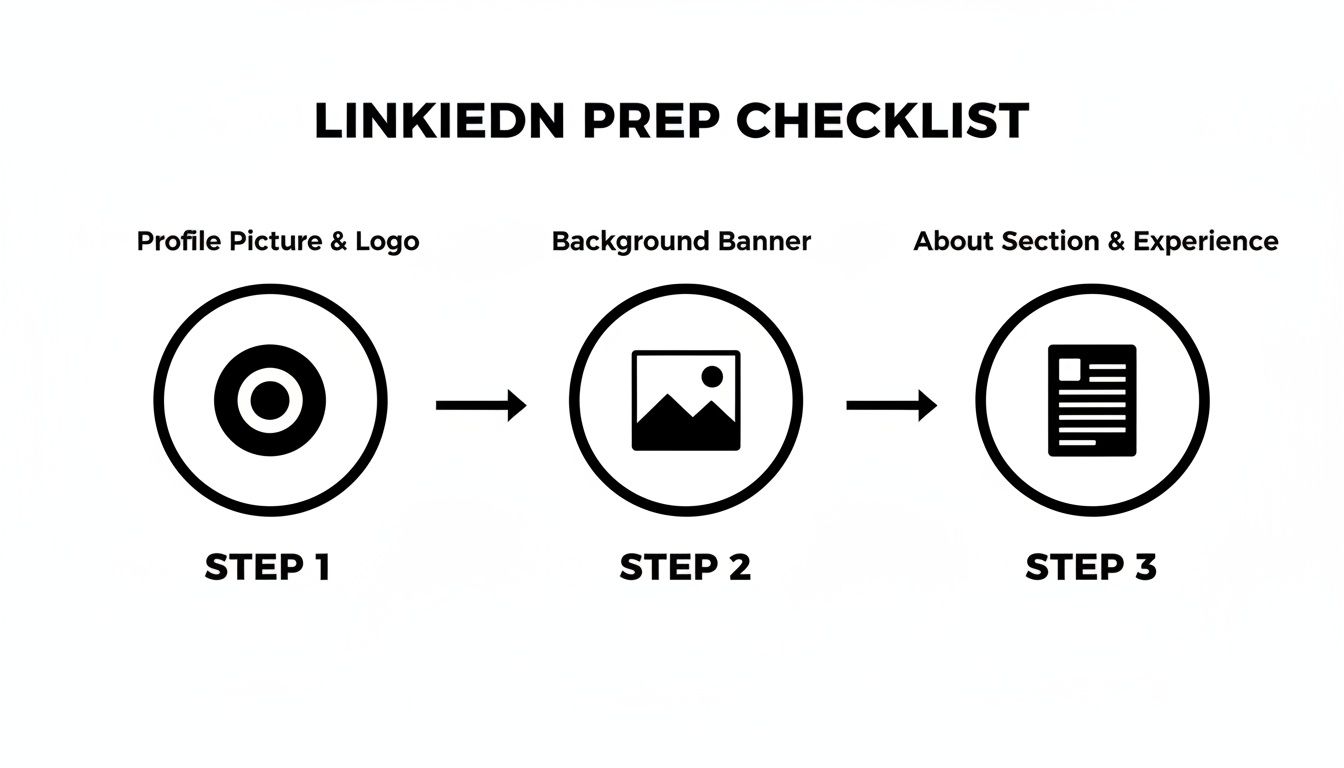
Filling out each of these fields properly is your first step in telling LinkedIn’s algorithm exactly what your business does and who it's for.
Uploading Your Visual Assets
Next, you'll upload your logo and that slick cover image you designed. Just click the placeholders for the profile picture and banner to upload the files. This is the moment your page starts to look like a real, legitimate brand hub.
- Logo: Upload your 300×300 pixel logo file.
- Tagline: Copy and paste that punchy, 120-character tagline you wrote earlier.
See why having your logo, banner, and 'About' text ready to go is so important? It makes this part of the process a breeze.
Finally, you’ll need to tick the verification box, which confirms you have the right to create the page on behalf of the company. Give everything a quick once-over to make sure it's all correct, then hit the 'Create page' button.
And just like that, your LinkedIn Company Page officially exists. It's pretty bare-bones right now, but the foundation is solid.
You’ve successfully figured out how to create a LinkedIn Company Page. If you want another take on the setup, this guide on how to make a LinkedIn business page is a great resource. And if you’re also looking to sharpen up your personal brand, you might want our expert tips for a complete LinkedIn profile makeover.
Now, let's move on to the important part: optimising your new page to actually attract clients.
Optimising Your Page to Attract Ideal Clients
Okay, you’ve got the bones of your LinkedIn Company Page set up. But let’s be honest, just having a page isn’t going to get you very far. Now it’s time to turn that static digital business card into a machine that actually brings in clients.
This is where the real work—and the real results—begin.
An unoptimised page is like having a shop with no sign out front. Sure, people might wander in by accident, but you won't consistently attract the right kind of customers. By tweaking a few key areas, you can seriously boost your page’s visibility in both LinkedIn and Google searches, making sure it gets seen by the people who genuinely need your services.
Weave Keywords into Your Page's DNA
Think of keywords as the breadcrumbs that lead your ideal clients right to your digital doorstep. When a potential customer searches for something like "commercial real estate advice Sydney" on LinkedIn or Google, you want your page popping up near the top.
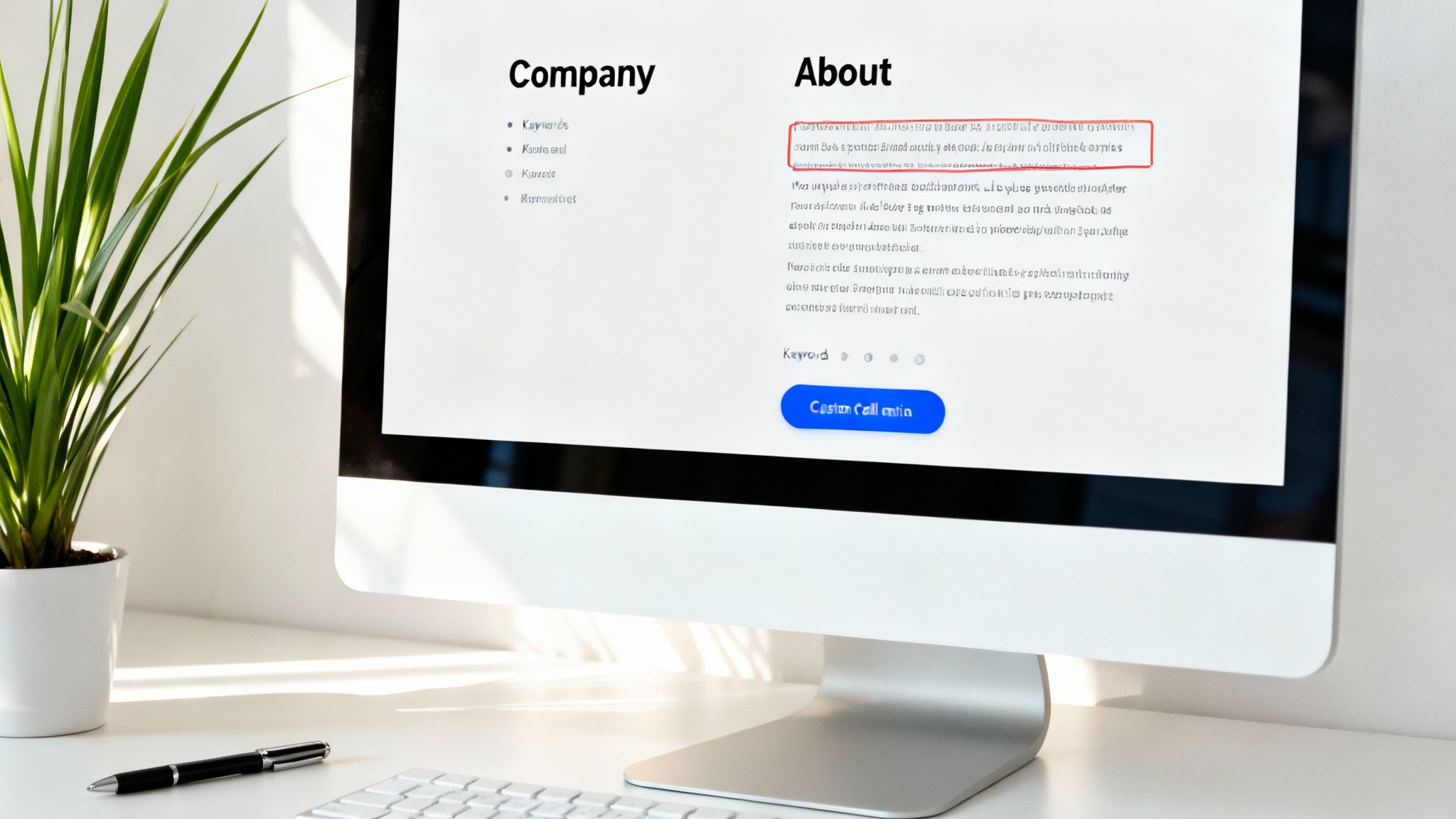
That all starts with strategically placing the right keywords throughout your page. The two most critical spots are your tagline and your ‘About’ section. These carry a lot of weight with search algorithms.
- Your Tagline: This is your 120-character elevator pitch. It needs to instantly tell people who you help and what you do, while including your main keyword. A business coach, for example, might use: "Empowering Melbourne Service Businesses to Scale Profitably."
- Your ‘About’ Section: With 2,000 characters to play with, this is prime SEO real estate. Don't just list what you do. Tell a story. Address your clients' biggest headaches and sprinkle in the exact keywords and phrases they’d use when looking for a solution.
Of course, you can't pick the right keywords if you don't know who you're talking to. Before you go any further, it's a good idea to create an Ideal Customer Profile to get crystal clear on your audience. This will make your messaging so much more powerful.
Hit That "All-Star" Page Status
LinkedIn literally rewards you for being thorough. The platform has a "Page completion" meter, and hitting the top level—often called 'All-Star' status—sends a strong signal to its algorithm that you're a credible and active business.
The payoff? Better visibility in search results. It’s a simple win.
To get there, you just need to make sure every section is properly filled out.
Your All-Star Checklist:
- Logo and Cover Image: Make sure they’re high-quality and sized correctly.
- Company Description: That compelling, keyword-rich 'About' section we just talked about.
- Website URL: A direct link back to your business website.
- Company Size and Industry: This helps LinkedIn categorise you correctly.
- Headquarters Location: Add your main business address.
- Your First Post: Yep, you need to have at least one update published.
An 'All-Star' page isn't just for show. LinkedIn has said that completed pages get 30% more weekly views. It’s a small effort for a big impact, so don't skip it.
Set Up a Powerful Call to Action
Once someone lands on your page, what do you want them to do next? Don't leave it to chance. LinkedIn gives you a custom call-to-action (CTA) button right at the top, and it’s your best tool for guiding visitors.
Instead of the default "Follow," you can direct people towards an action that actually moves your business forward.
Custom CTA Buttons Available:
- Visit website
- Contact us
- Learn more
- Register
- Sign up
For most service businesses, "Visit website" is the smart choice. It sends traffic straight to a dedicated landing page, your services page, or your contact form. A consultant might use "Learn more" to link to a key case study, while an agency offering a free strategy session could use "Sign up." Pick the one that creates the smoothest path from discovery to inquiry for your business.
Pin a Strategic Welcome Post
Your page feed is always moving, with new content pushing the old stuff down. But LinkedIn lets you pin one post to the very top. Think of this as your permanent welcome mat and your chance to direct every new visitor's attention.
Please, don't waste this prime spot on a generic "Welcome to our page!" post. Use it to showcase something genuinely valuable.
Ideas for a High-Impact Pinned Post:
- Feature a Lead Magnet: Pin a post linking to a free guide, checklist, or webinar that solves a problem for your ideal client.
- Showcase a Client Testimonial: A powerful video or quote from a happy client builds instant trust and social proof.
- Explain Your Signature Service: Create a post that clearly breaks down the benefits and results of your main offer.
- Promote a Consultation: Directly invite visitors to book a discovery call to talk about their needs.
Whatever you choose, make sure your pinned post is visually appealing (use a good image or video) and has a clear call to action in the text. This guarantees that every single person who lands on your page immediately sees your most important message.
Growing Your Audience and Sparking Engagement

You’ve built and optimised your LinkedIn Company Page. Great. But now comes the real work: bringing it to life with an engaged audience.
An empty page, no matter how perfectly polished, won't generate leads or build your authority. The goal is to create a thriving community, and that all starts with getting your first followers through the door.
Let's walk through some authentic, sustainable ways to grow your audience and spark conversations that actually turn followers into clients. This isn't about vanity metrics; it's about building a genuine asset for your business.
Secure Your First 100 Followers
Getting those first followers is always the hardest part. But you have a powerful, untapped resource right at your fingertips—your existing network. This is the low-hanging fruit you should pick immediately to give your page some crucial early momentum.
LinkedIn lets you invite your personal connections to follow your Company Page. You get a monthly allowance of credits for this, so be strategic. Start with colleagues, past clients, and industry peers who are most likely to support you.
A page with 100 followers just looks far more credible than one with only a handful.
Turn Your Team into Brand Advocates
Your employees are your single greatest marketing asset. Simple as that.
When they engage with your page's content, their networks see it, amplifying your reach far beyond your own followers. This is called employee advocacy, and it’s incredibly powerful for organic growth.
Encourage your team to:
- List your company on their personal profiles. This automatically links back to your page.
- Share key company posts with a quick, personal comment.
- Like and comment on your page’s content to boost its visibility in the algorithm.
These simple acts of internal engagement send strong positive signals to LinkedIn, helping your content get seen by a much wider audience.
A single share from an employee can expand your content's reach exponentially. It's not just about what the company posts; it's about what the team amplifies. This is the secret sauce for organic growth.
Develop a Content Strategy for Service Businesses
Generic, salesy content won't cut it. To attract and engage your ideal clients, your posts have to be valuable, relevant, and human. For service-based businesses, this means ditching the hard sell and focusing on building trust and demonstrating expertise.
Actionable Content Ideas:
- Client Success Stories: Don't just say you get results—prove it. Share a short case study or a quick testimonial video from a happy client.
- Behind-the-Scenes Glimpses: Show the people behind the brand. Feature a team member, share a snapshot from a client meeting, or talk about a lesson you learned this week.
- Value-Packed 'How-To' Posts: Solve a small part of your audience's biggest problem. A real estate agent could share "3 Common Mistakes First-Home Buyers Make," for example.
- Ask Engaging Questions: Spark a conversation by asking for your audience's opinion on an industry trend or a common challenge they face.
By consistently showing up with content that educates, inspires, or helps your audience, you build the trust that’s essential for effective LinkedIn lead generation.
Think of your page as a long-term asset. If you focus on providing genuine value, the right audience will follow. The key is consistency and authenticity in every single post.
Common Questions About Creating Your Page
Even after you've got your page set up, it's normal to have a few questions buzzing around. Let's clear up some of the most common hurdles and queries business owners run into, so you can manage your new page with total confidence.
How Long Until My Page Appears in Search Results?
This is a big one, but the good news is you won't be waiting long. A new LinkedIn Company Page is usually indexed and searchable within a few hours, or a couple of days at most.
Want to give it a nudge? Make sure your page is 100% complete. A keyword-rich ‘About’ section, a crisp logo, and a sharp banner image are non-negotiable. Go ahead and publish your first few posts and share the page URL from your personal profile—these actions signal to LinkedIn and Google that you're active and open for business.
Can I Convert My Personal Profile into a Company Page?
Short answer: no. You can’t directly flip a personal profile into a Company Page. They’re built for entirely different things. Your personal profile is your professional identity, while the Company Page is your brand’s official home base.
While you do need to create the page from scratch, you should definitely use your personal profile to give it a launch boost. As the page admin, invite your connections to follow it. It’s the single fastest way to build that initial audience.
What Are the Requirements to Create a Page?
LinkedIn has a few gatekeeping rules to make sure pages are legit. Before you can hit ‘create’, your personal profile needs to meet these criteria:
- Age and Strength: Your profile must be at least seven days old and have a strength rating of 'Intermediate' or 'All-Star'.
- Connections: You need to have a decent number of connections. LinkedIn is a bit vague on the exact number, but a brand-new profile with a handful of connections won't cut it.
- Company Email: This is the most important one. You must have a verified company email address (like
yourname@yourcompany.com.au) linked to your account. Generic emails from Gmail or Outlook won't work for page creation.
How Many Admins Can a Company Page Have?
You can—and absolutely should—have more than one admin. Relying on a single person is a huge risk. If they leave the company or get locked out of their account, you could lose access to your page forever.
Best practice is to assign at least two trusted people Super Admin access. You can also give out more limited roles like Content Admin (for posting and managing comments) or Analyst (for viewing page analytics). This lets you delegate tasks securely without handing over the keys to the kingdom. Thinking about how to create a LinkedIn Company Page also means thinking about how you'll manage it safely down the track.
LinkedIn Company Pages are a surprisingly powerful channel. The most-followed pages have more followers than the entire population of Australia, which shows just how much attention well-managed brands can command. You can see more insights on the top 100 most-followed companies over at b2bgrowthco.com.
At Homer Digital Marketing, we help service-based businesses like yours turn their LinkedIn presence into a powerful client-attraction system. If you're ready to grow your visibility and scale with proven strategies, let's talk. Learn more at https://homerdigitalmarketing.com.
