

Your Google Business Profile is a free, high-impact tool from Google that controls how your business appears on Google Search and Maps. Think of it less as a simple listing and more as your digital front door—it's often the first place local customers who are ready to buy will find you, check your credibility, and decide whether to call you or a competitor.
This guide provides proven, actionable steps to turn your profile into a powerful lead-generation machine.
Why Your Business Profile on Google is a Local Powerhouse
Many service business owners treat their Google Business Profile as just another online directory—a box to tick and then forget about. That’s a huge mistake. The reality is, for local customers with high purchase intent, this profile often matters more than your actual website.
An unloved, unoptimised profile is like having a shop with no sign on the door. People looking for exactly what you offer will walk right past. When you get it right, though, your profile acts as your 24/7 receptionist, your top salesperson, and your reputation manager, all rolled into one. For tradies, real estate agents, or wellness practitioners, it's the single most powerful tool for turning local searchers into paying clients.
Here’s a look at how your profile appears in search, giving potential customers everything they need at a glance.
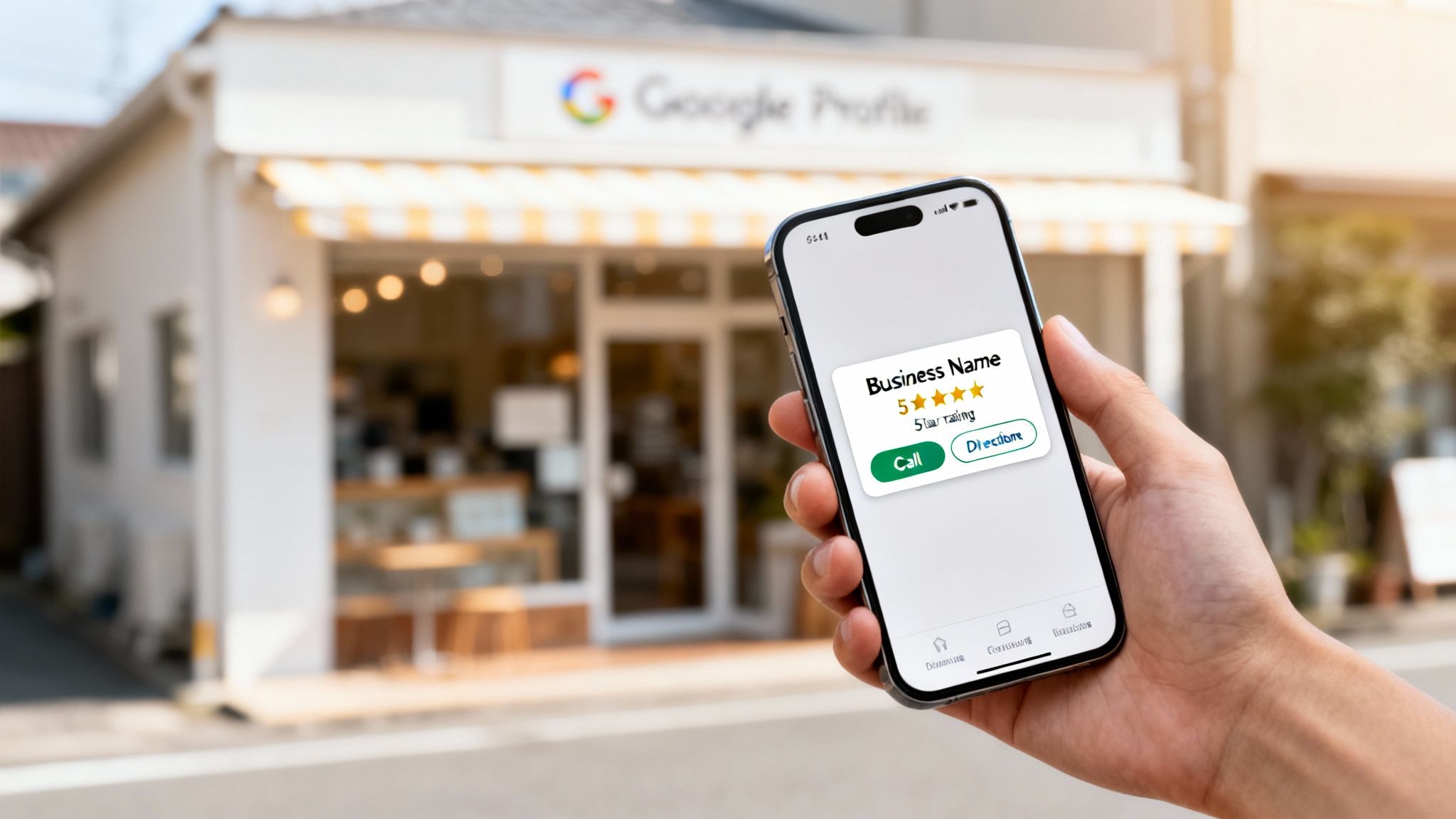
This first impression is everything. It shows your location, your hours, and most importantly, your credibility through star ratings—all before someone even thinks about clicking through to your website.
The Undeniable Impact on Australian Businesses
This isn't just theory; the numbers back it up. In the cut-throat Australian market, a well-managed Google Business Profile drives serious engagement. We're talking 400% more traffic than the average small business website.
Even better, over 50% of Australian Business Profiles get more than 1,000 views every single month. And a massive 60% of those interactions lead directly to a website visit. That's a direct pipeline of qualified, local leads knocking at your door.
This shows a massive shift in how customers behave. They don’t want to dig for information anymore. They expect answers, social proof, and contact details right there in the search results. Your profile delivers exactly that.
An optimised Google Business Profile isn’t just about being found; it’s about being chosen. It’s the first handshake, the first impression, and often the final nudge a customer needs to pick up the phone.
Google Business Profile vs Website Impact At A Glance
It's common to wonder where to focus your energy—your website or your Google profile? While both are vital, they serve different immediate purposes for attracting local customers. This table breaks it down.
| Feature | Google Business Profile (GBP) | Traditional Website |
|---|---|---|
| Primary Goal | Immediate visibility and conversion in local search. | In-depth information, branding, and lead capture. |
| First Impression | A quick snapshot: reviews, hours, location, photos. | A branded, detailed experience. |
| Customer Intent | High-intent, ready-to-act customers ("plumber near me"). | Research and consideration phase. |
| Speed to Results | Can generate calls and clicks within days of optimisation. | Takes months of consistent SEO effort to rank. |
| Maintenance | Requires regular updates (posts, photos, Q&A). | Requires technical updates and content creation. |
| Cost | Free to set up and manage. | Involves costs for domain, hosting, and design. |
Both your profile and your website are essential, but for fast, local impact, your Google Business Profile is the clear winner. It's the engine that drives immediate local traffic, while your website is the destination that closes the deal.
More Than Just a Listing
Getting your profile right is non-negotiable for local growth. It’s a cornerstone of what we call local search optimisation—the art and science of getting seen by people searching in your area. Everything from your service area to your business hours feeds directly into Google's local ranking algorithm.
Of course, your profile is just one piece of the puzzle. For a broader look at winning new clients, check out these actionable strategies to attract customers and grow your business. But always remember, your Google Business Profile is the foundation. Get that right, and you’ll be turning casual searchers into loyal clients before you know it.
Claiming And Verifying Your Digital Storefront
So, you can see how powerful a business profile on Google is. The next logical step? Taking the keys. Claiming and verifying your profile is exactly like getting the keys to your new shop—it's the official handover that proves to Google you're the rightful owner.
Once you’ve done this, you're in the driver's seat. You can manage everything customers see, from your hours to your latest project photos. Without verification, you're just a face in the crowd with no control. It’s the essential first move to unlock all the features that get local customers calling you.
The Claiming And Verification Process
Getting started is pretty simple, but you need to be precise. Google’s main goal here is to confirm your business is real and that you're the one who should be managing it online. This protects everyone—you, your customers, and Google—from dodgy or fake listings.
Think of it this way: anyone can suggest a new road name on a map, but only the council can make it official. You're becoming the council of your business profile.
Here’s a quick rundown of the steps:
- Find or Create Your Profile: Jump on Google and search for your business name and city. If a profile already exists, you should see a link that says something like "Own this business?" or "Claim this business." If nothing shows up, you'll need to create a new one from scratch.
- Enter Your Business Details: You'll be asked for your business name, category, and service area. Be ruthlessly accurate here.
- Choose a Verification Method: Google will then offer one or more ways to prove you're connected to the business.
Navigating The Verification Options
The verification method Google gives you can depend on a few things, like your business type and how long you've been on Google. The end goal is always the same: prove you operate where you say you do.
- Postcard Verification: This is the old-school, most common method. Google mails a postcard with a unique code to your business address. When it arrives (usually within 14 business days), you just log back in and pop in the code.
- Phone or Text Verification: Some businesses get the option for a quick verification via an automated call or text to the business’s official phone number. If you get this option, take it—it’s the fastest.
- Email Verification: This is sometimes offered if you use an email address on your own business domain (e.g., yourname@yourbusiness.com.au).
- Video Verification: This is a newer option where you record a short video. Google will ask you to show things like your business location, any signage, tools of the trade, and proof you have access (like unlocking the door or showing official documents). They give you clear instructions on what to capture.
Your Name, Address, and Phone number (NAP) are the three pillars of local SEO. Keeping this information 100% consistent across your Google profile, your website, and any other online directory is a massive trust signal for Google’s algorithm. Get it right, and your rankings will thank you for it.
Troubleshooting Common Roadblocks
Every now and then, you might hit a snag. A classic problem is finding out your profile has already been claimed—maybe by an old staff member or a marketing agency you no longer work with. If this happens, don't panic. You can request ownership directly from the current manager through Google.
Postcard delays are another common frustration. If your postcard goes missing in action or another method fails, just be patient and follow the prompts to get in touch with Google support. It can feel like a slow process, but getting full ownership of your profile is a non-negotiable step you can’t afford to skip. For a more detailed walkthrough, our guide on how to list your business on Google breaks these steps down even further.
The Four Pillars Of Profile Optimisation
Once you’ve claimed your digital storefront, the real work starts. A verified profile is just the beginning; optimisation is what turns that basic listing into a lead-generating machine for your service business.
Think of it like this: claiming your profile is like putting your name on the building. Optimisation is setting up the window displays, turning on the lights, and making sure the "Open" sign is flashing brightly.
It all comes down to four core pillars. Get these right, and you'll send strong signals to Google that your business is active, relevant, and the best answer for what local customers are looking for.
This all starts with claiming ownership and verifying your details—the foundation for everything that follows.
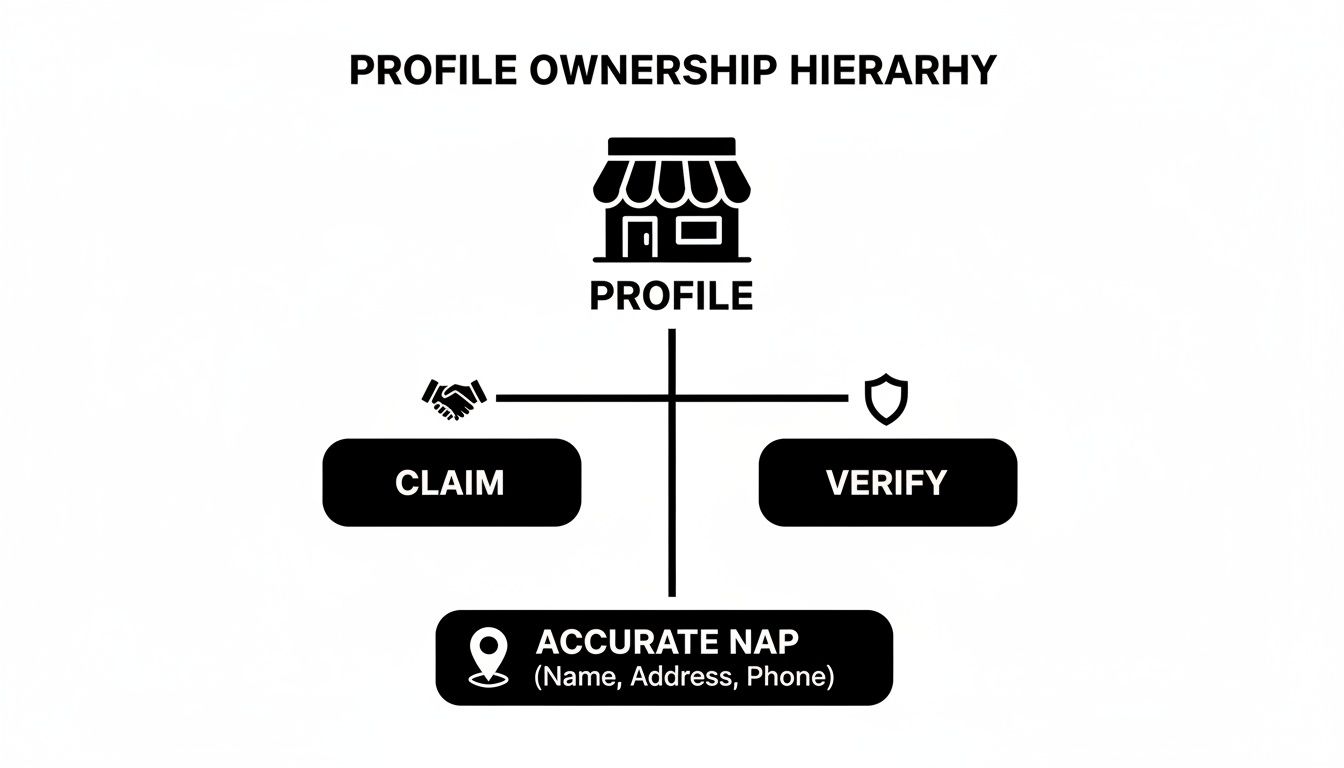
As this shows, without first claiming and verifying your profile with accurate details, any other optimisation efforts will just fall flat.
Pillar 1: Categories and Services
This is arguably the most critical piece of the puzzle for getting found. Google gives you one primary category and several secondary ones. Your primary category needs to be the most specific and accurate description of what you do. For a landscaping business, that means choosing "Landscaper," not something vague like "Home Services."
Secondary categories are your chance to capture related searches. That same landscaper could add "Garden Designer" or "Lawn Care Service." Getting this right is crucial—it tells Google exactly which search terms to rank you for. With over 4,000 category options, picking the right ones can dramatically boost your views.
Once you've set your categories, you have to flesh out your 'Services' section. List every single service you provide with clear, keyword-rich descriptions. This doesn't just inform potential customers; it gives Google even more context about your expertise.
Pillar 2: Your Business Description
Your business description is your 750-character elevator pitch. It’s your shot to tell potential clients who you are, what you do, and why you’re the best choice. Don't waste this space with generic fluff or stuffing it full of keywords.
Instead, frame it to solve a customer's problem.
- Start with what makes you different: Lead with your unique value proposition.
- List your key services: Use the terms your ideal clients would actually search for.
- Include your service area: Mention the suburbs or region you cover to double down on your local relevance.
- End with a call to action: Tell them to call, visit your website, or request a quote.
A great business description connects with the reader. It should build trust, show off your expertise, and make it clear you’re there to help—turning a simple search into a confident first call.
Pillar 3: High-Quality Photos and Videos
Visuals build trust faster than words ever can. For Australian business owners, this is a non-negotiable. Research shows that 59% of customers look at a business's photos before deciding to buy, which shows just how much impact a strong visual portfolio has.
Your goal is to upload a strategic mix of high-quality images that tell your business’s story.
- Team Photos: Show the real people behind the business. It humanises your brand and makes you more approachable.
- Your Workspace: Whether it's an office, a workshop, or just your work van, show customers your professional setup.
- Before-and-After Shots: For service businesses like cleaners, builders, or designers, these are pure gold. They offer undeniable proof of your results.
- Photos of Your Work in Progress: This is a great way to demonstrate your process and professionalism.
Make it a habit to add new photos regularly. This simple action signals to Google that your business is active and keeps your profile looking fresh for new customers.
Pillar 4: Leveraging Google Posts
Think of Google Posts as mini-blog posts or social media updates that appear right on your profile. They are a powerful—and seriously underused—tool for keeping your profile dynamic. Use them to share updates, highlight special offers, showcase a recent project, or promote a new service.
Each post can include a photo or video, up to 1,500 characters of text, and a call-to-action button like "Learn More," "Call Now," or "Book." It's a fantastic way to drive traffic directly to a specific page on your website. Since 93% of Australian consumers use Google Maps to find local businesses, active posting keeps you top-of-mind. You can dig into more stats like this by reviewing these insightful Australian local SEO statistics.
Creating a simple content schedule—even just one post a week—is one of the easiest ways to signal ongoing activity to Google. This consistent effort helps maintain and improve your local search ranking over time, making sure your business profile on Google works tirelessly to attract your ideal clients.
Building Trust With Reviews And Q&A
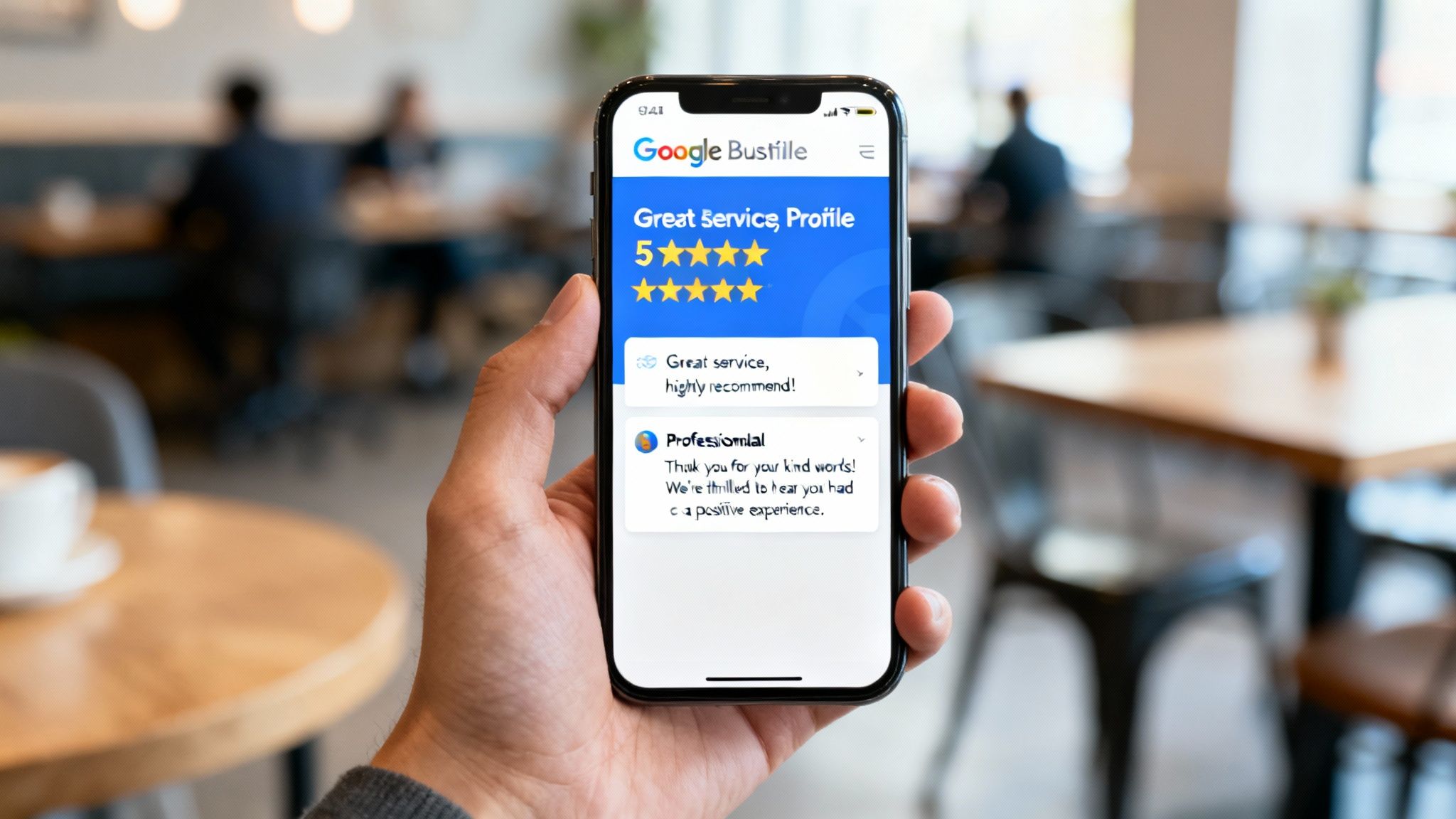
Think of social proof as today's currency for local businesses. Your business profile on Google is where customers come to check your value. Once you’ve nailed your core info, your next job is to build a rock-solid, trustworthy reputation.
This isn’t just about chasing five-star ratings. It’s about being transparent, responsive, and genuinely helpful. When you get this right, you turn curious searchers into confident clients before they even think about calling you. Your reviews and your answers to their questions are your most powerful sales tools.
The Art Of Generating Positive Reviews
The best way to get reviews is also the simplest, but so many business owners miss it: do fantastic work, then make it ridiculously easy for happy clients to say so. A pushy, desperate approach will only turn people off. Instead, you need a simple, low-key system.
The secret is timing. You need to ask for feedback right after you’ve finished a job or had a great chat with a client. That’s when their satisfaction is at its peak.
Follow these simple steps:
- Create a Direct Review Link: Jump into your Google Business Profile dashboard and generate your unique, shareable review link. This takes clients straight to the form, removing all the friction.
- Personalise Your Request: Send a quick, personal email or text. Thank them for their business and mention something specific you remember about their project. It shows you were paying attention.
- Frame it as Feedback: Instead of begging for a "good review," ask for their "honest feedback" on the experience. It feels more authentic and less like a transaction.
By folding this process into your daily workflow, you’ll create a steady stream of genuine reviews that build real credibility. For a deeper dive, check out our complete guide on how to get more Google reviews for your service business.
Responding To Every Review Professionally
Responding to reviews isn’t optional—it’s a non-negotiable part of managing your online reputation. It proves you’re engaged, that you actually care about what customers think, and that you’re a pro. This goes for the glowing five-star raves and the occasional stinker.
Here’s a simple framework for your replies:
- For Positive Reviews: Thank the customer by name. Pull out a specific detail from their review to prove you’ve read it properly. Finish by reiterating your commitment to doing great work.
- For Negative Reviews: This is where you can really shine. Reply quickly and keep it professional. Acknowledge their problem without getting defensive, show a bit of empathy, and offer to take the conversation offline to fix it. A negative review handled well can earn you more trust than a dozen positive ones.
Your response to a negative review isn’t just for that one unhappy customer. It's a public masterclass in customer service for every single prospect who reads it later.
Mastering The Questions And Answers Feature
The Q&A section on your profile is a goldmine that most businesses completely ignore. It lets anyone ask a question about your business, and—here’s the catch—anyone can answer it. If you don't take control of this space, you’re letting strangers define your business for you.
The smart move is to get in first. You can and absolutely should populate this section yourself.
Think about the top 5-10 questions you get from new clients on repeat.
- What are your hours?
- Do you offer free quotes?
- What suburbs do you service?
- Are you insured and licensed?
- How do we pay you?
Got your list? Now, post these questions on your own profile and then immediately answer them from your business account. This strategy is a game-changer for two reasons. First, it gives potential clients instant, accurate answers to their biggest questions, saving everyone time.
Second, it cements your status as the go-to expert. By proactively clearing up confusion and providing helpful info, you build a foundation of trust that helps turn searchers into leads. It’s a simple action that transforms your profile from a static listing into an active, helpful resource that works for you 24/7.
Advanced Strategies To Outrank Local Competitors
Got your Google Business Profile optimised? Great. That’s the starting line. But if you want to actually dominate your local market, you need to go beyond the basics and start using the tactics your competitors are probably ignoring.
These aren't just minor tweaks. These are the strategies that send stronger, more specific signals to Google. They show not just what you do, but where you do it and who you do it for, turning your profile into a magnet for the best local clients.
Weave Local SEO Keywords Naturally
Your business description and service list are prime real estate. Think like your customer for a second. Are they just searching for a "plumber," or are they desperately typing "emergency plumber in Parramatta" into their phone?
Stop just listing what you do; start describing where you do it.
- Weak: "We offer plumbing services."
- Strong: "We offer emergency plumbing services across Sydney's Northern Beaches, from Manly to Palm Beach."
Apply this same thinking to your Google Posts. When you show off a finished job, name the suburb. This constantly reinforces your service area and helps you pop up in those super-specific local searches. A steady rhythm of locally-focused posts keeps your profile fresh and tells Google you're the go-to authority in that patch.
The Power Of Geo-Tagged Photos
Every photo you upload from your phone can carry a hidden piece of gold: the exact GPS coordinates where it was taken. This is called a geo-tag, and it's a seriously powerful signal for local ranking.
When you upload a photo from a job you just finished in a specific suburb, that geo-tag gives Google undeniable proof that you were physically there, doing the work. Over time, a portfolio of geo-tagged images from all over your service area builds a digital footprint that Google simply can't argue with.
Most modern smartphones do this automatically, but it’s worth double-checking your camera settings to make sure location services are switched on for photos. It’s such a simple step, but it adds a whole other layer of local authority to your profile.
Use Attributes To Attract Your Ideal Audience
Attributes are the little tags you can add to your profile to highlight specific features. Some are pretty standard, like "Wheelchair accessible entrance," but others are your secret weapon for connecting with the right customers.
Think about what makes your business different and what your ideal client is looking for.
- Are you a "Women-led" business? There's an attribute for that.
- Do you offer "Online appointments"? Make sure you highlight it.
- Is your business "Veteran-led"? Add the attribute.
These small details help you cut through the noise. They let customers filter their searches and find businesses that match their needs or values, giving you an edge that isn't just about price or services.
Your business profile on Google is more than a listing; it's a dynamic tool for market positioning. Advanced features like attributes and geo-tagging are the levers you pull to move from being just another option to being the only option for your target audience.
Create A Consistent Content Cadence
An active profile is a healthy profile. Google’s algorithm loves businesses that are clearly open, active, and engaging with their community. The easiest way to show this is to get into a regular rhythm with Google Posts.
Just aim for one new post a week. It doesn't need to be a masterpiece.
- Showcase a Project: Snap a before-and-after photo and write a quick description.
- Share a Tip: Offer one small, useful piece of advice related to your trade.
- Promote an Offer: Announce a seasonal deal or a limited-time special.
- Answer a Common Question: Turn an FAQ into a quick, helpful post.
This steady drumbeat of activity keeps you top of mind for Google and shows potential customers that you’re a thriving, active business. For advanced strategies that truly outrank local competitors, partnering with a creative studio for web design, branding, and SEO can be invaluable, complementing your Google Business Profile efforts. By mastering these advanced tactics, you solidify your position not just as a participant in the local market, but as its clear and trusted leader.
How To Measure Your Profile's Performance
Optimising your profile is a great start, but if you're not measuring your efforts, you're just guessing. This is where your Google Business Profile dashboard goes from being a simple listing tool to a serious analytics powerhouse. Getting your head around these numbers is the key to making smart, data-driven decisions that actually grow your business.
Think of it like the dashboard in your car. It’s not just there to show your speed; it gives you the vital signs—fuel level, engine health, and any warning lights. Your profile's performance report does the same thing, showing you exactly how customers find and interact with you so you can fine-tune your strategy.
Understanding Key Performance Metrics
When you first jump into your profile’s performance report, Google throws a lot of data at you. It can feel a bit much, but it all comes down to a few core metrics that tell a clear story about how your business profile on Google is working for you.
Here’s what you need to zero in on:
- How customers search for you: Google splits this into ‘Direct’ and ‘Discovery’ searches. ‘Direct’ means someone typed in your exact business name. ‘Discovery’ is where the magic happens—they searched for a service you offer, like "plumber near me," and your profile popped up. A high number of discovery searches is a massive win and shows your optimisation is paying off.
- Customer actions: This is gold. It tracks high-value clicks like website visits, requests for directions, and phone calls made right from your profile. These are tangible leads and the most direct measure of your return on investment.
- Photo views: This metric shows you which of your photos are grabbing the most eyeballs. If your ‘before and after’ project shots are getting tons of views, it’s a clear signal that this kind of content is building trust and resonating with potential clients.
Your profile's performance report isn't just a list of numbers; it's a roadmap. It tells you where your customers are coming from and what they care about most, giving you clear directions on where to focus your energy next.
Creating a Simple Monthly Review Framework
You don't need to be glued to these stats every day. A quick monthly check-in is all it takes to spot trends, see what’s working, and find new opportunities. Just block out 30 minutes at the start of each month to look over the previous month's data and ask yourself these questions.
- What was our most valuable customer action? Did we get more phone calls or website clicks? This tells you how people prefer to get in touch.
- How did our discovery searches change? Did they spike after we added a new service or published a few Google Posts? This helps connect your actions to real results.
- Which photos performed the best? What can we learn from our most popular images to guide what we upload next?
- How do our numbers compare to last month? Look for steady, upward trends in clicks, calls, and views. That's the sign your hard work is paying off.
This simple review process turns raw data into actionable insights. It helps you prove the value of the time you’re putting in and ensures your strategy is always evolving based on what the numbers are telling you. By consistently measuring performance, you stop guessing and start knowing—giving you a serious edge over the competition.
Your Top Questions Answered
When you're knee-deep in managing your business, you need clear answers, not jargon. Here are some of the most common questions service business owners ask about their Google profiles, with straight-to-the-point advice.
Can I Have a Profile Without a Physical Address?
Yes, you absolutely can. This is a game-changer for service-area businesses that work at their clients' locations.
During the setup, you simply tell Google you don't have a physical storefront customers visit. Instead, you define your service area by listing the suburbs, postcodes, or even a radius you cover. Your street address stays private, just the way it should be.
What’s the Deal with Fake or Malicious Reviews?
It’s frustrating, but it happens. If you get a review that’s clearly breaking Google's rules (think spam, hate speech, or completely off-topic rants), you can and should flag it for removal.
Find the review, click the three dots, and hit "Report review." It's not a magic button—there’s no guarantee it will be taken down—but it’s the official first step. While you wait for Google's decision, always post a calm, professional public reply.
How Often Should I Update My Profile?
The short answer? Consistently. Aim to add something new at least once a week.
This doesn't have to be a huge task. It could be a quick Google Post with a special offer, a few new photos from a job you just finished, or answering a question in your Q&A section. Regular updates send a strong signal to Google that your business is active and relevant, which is exactly what you want for better local rankings.
What Is the Difference Between a Manager and an Owner?
Think of it like having the master key versus a regular key. An Owner has total control. They can edit everything, add or remove other users, and even delete the entire profile.
A Manager can do almost everything else—update business info, create posts, reply to reviews—but they can't touch user access or delete the listing. Smart move? Always have at least two Owners on the profile. That way, you'll never get locked out if one person leaves the business.
Ready to stop guessing and start getting real, measurable results from your Google Business Profile? At Homer Digital Marketing, we help service-based businesses like yours dominate local search and bring in a steady stream of the right clients. Learn more about our proven strategies and book a discovery call today.
