

Want to successfully list your business on Google? Your first, most critical step is creating a Google Business Profile. Think of it as your digital front door—it’s a free and incredibly powerful tool that puts you right in front of local customers who are actively looking for your services. Honestly, for local marketing success, this is the single most important action you can take.
Why a Google Business Profile Is Non-Negotiable
Trying to run a local business today without a Google Business Profile is like having a shop with no sign above the door. You’re basically invisible online.
When potential customers whip out their phones and search for services “near me,” Google is their first (and often only) stop. A well-managed profile makes sure you show up in those critical moments.
This is especially true here in Australia, where a staggering 97% of consumers search for local businesses online. According to Google’s own research, consumers frequently rely on search and maps to discover local businesses and compare reviews before choosing where to buy.With so many people relying on search, your visibility on Google has a direct impact on your bottom line. An optimised profile is your ticket to capturing this high-intent audience.
Dominate Local Search Results
The real prize here is getting into Google’s “Local Pack”—that little map with three business listings right at the top of the search results.
Nabbing one of those spots gives you a huge advantage over competitors who are lost on the second page. It’s not just about being seen; it’s about being trusted. Customers instinctively trust the businesses Google chooses to feature.
Setting up your profile is also a cornerstone of a much bigger strategy. To get a better sense of how it all fits together, have a look at our guide on what is local search optimization.
A Google Business Profile isn’t just a static listing; it’s an active lead-generation machine. It drives phone calls, website clicks, and foot traffic by connecting you with customers at the exact moment they need what you offer.
Ultimately, it’s the first real step in turning local searchers into loyal, paying customers.
Setting Up Your Google Business Profile From Scratch
Feeling a bit lost? Don’t worry. This part is a no-fluff, actionable walkthrough of the entire setup process. I’ll guide you from the very first click to building a solid profile that works for you from day one.
First things first, head to the official Google Business Profile page. You’ll need to sign in with the Google account you want to use to manage the business. If you don’t have one set aside for work, now’s the time to create one.
Once you’re in, the process to list your business on Google officially kicks off.
Nailing the Core Details
The first thing Google will ask for is your business name. This is crucial: use your actual, official business name—the one your customers already know. Resist the temptation to stuff keywords or locations in there; Google sees that as spammy and can penalise your listing for it.
Next up is choosing your business category, which is a massive ranking factor. Start typing your main service (e.g., “plumber,” “accountant,” “bridal shop”) and choose the most accurate option from Google’s suggestions. Be as specific as you can.
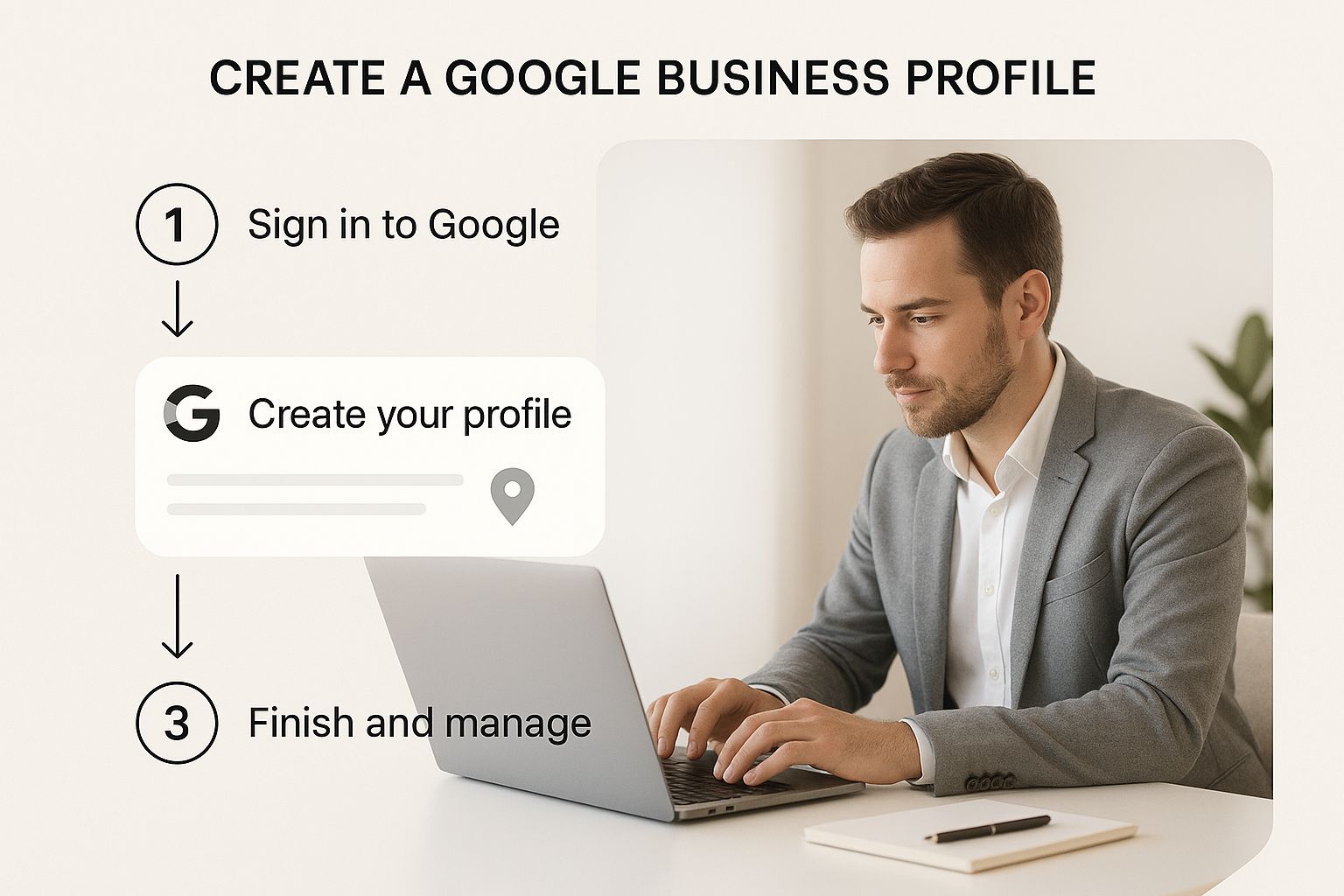
This shows just how important a methodical approach is right from the start. Getting these foundational details right sets the stage for everything that follows.
Defining Your Location or Service Area
Now it’s time to tell Google how customers find you. You’ve got two main choices here:
- Physical Location: Do you have a shopfront, clinic, or office that customers actually visit? If so, you’ll add your physical address. This is non-negotiable for businesses like cafes, retail stores, or local clinics.
- Service Area Business: Do you go out to your customers? Think mobile mechanics, home cleaning services, or consultants. Here, you’ll define a service area by listing the suburbs or postcodes you cover.
It’s absolutely critical to get this right. I’ve seen too many profiles get suspended because someone listed their home address for a service-area business. Be honest about how you operate, as it saves a lot of headaches later.
Getting these initial details locked in correctly is the bedrock of your long-term visibility. For a deeper dive into all the other elements you should be adding to your profile, check out our guide on what you should put on your Google Business Profile.
Getting Your Business Verified and Live on Google
Right, you’ve put in all your business details. Now for the final hurdle: verification. This is simply Google’s way of making sure you are who you say you are and your business is located where you claim. It’s the last checkpoint before your profile officially goes live for the world to see.
Google gives you a few different ways to get this done, and the options you’re offered really depend on your business type. The most common method, and one I see all the time, is still the good old-fashioned postcard.
Navigating the Verification Process
If the postcard is your only option, Google will pop one in the mail to your business address. Here in Australia, you can expect it to arrive in about 5-7 business days. Once it lands, just log back into your profile, punch in the unique code, and you’re good to go.
Some businesses get lucky and qualify for much faster, instant verification methods. You might be offered one of these:
- Phone Call or SMS: A code is sent straight to your registered business phone. Simple.
- Email: Google sends a verification link to an email address at your business domain (e.g., you@yourbusiness.com.au).
- Video Recording: This one’s becoming more common. You might be asked to film a quick video showing your storefront, branded vehicles, or other proof you operate from that location.
Don’t stress if your postcard goes missing in action or a code doesn’t seem to work. After a couple of weeks, you can request a new one. The key here is patience and making 100% sure your address details were correct from the get-go.
This step is absolutely critical. An unverified profile is an invisible one—it won’t show up in search results or on Google Maps. Once you’re verified, you’ll naturally start wondering how you can see your business in Google, and the great news is it should start appearing very shortly after.
Turning Your Profile into a Customer Magnet
Look, just having a Google Business Profile isn’t going to cut it. Think of it as a digital signpost—if it’s blank, no one’s going to stop. The real magic happens when you optimise it, transforming that basic listing into a machine that actively brings customers through your door.
A fully polished profile doesn’t just look professional; it performs better. It’s about actively attracting and converting people who are searching for exactly what you offer.

The numbers don’t lie. The average Australian business pulls in around 67 actions a month from their profile—we’re talking website clicks, phone calls, and direction requests. It’s a seriously powerful tool for generating leads, so every single detail you add is another chance to win someone over.
Tell a Story That Sells
Your business description is your elevator pitch. This is your first real chance to connect with a potential customer, so don’t just list what you do. That’s boring. Instead, tell them why they should pick you. What problem do you solve like no one else can? Weave in your main keywords naturally, but your top priority should be writing a compelling story that actually resonates.
Once you’ve nailed the words, it’s time for the visuals. High-quality photos and videos are completely non-negotiable in 2024. They give customers a real feel for your brand, your work, and your team before they’ve even picked up the phone.
- Show off your skills: Got a service-based business? Before-and-after photos are gold. Selling products? Show them in their best light.
- Set the scene: If you have a physical shop or office, upload photos that make it look inviting. Show people where they’ll be going.
- Put a face to the name: A team photo or a quick video introducing yourself builds trust almost instantly. People buy from people, after all.
Use Every Single Feature Google Gives You
Google has packed your profile with a bunch of tools designed to make it as useful as possible for searchers. When you use them, you’re sending strong signals to both Google and your customers that you’re an active, engaged business that cares.
I always tell my clients to think of their profile as an interactive billboard. Features like Google Posts, Attributes, and the Q&A section let you share real-time updates, highlight what makes you special, and answer common questions before they’re even asked. It’s all about making your profile the most helpful, one-stop resource for anyone searching locally.
Make sure you select all the attributes that apply to your business, like ‘wheelchair accessible’ or ‘free Wi-Fi’. These act as filters and help the right customers find you. And get into the habit of using Google Posts to share special offers, announce new products, or even just show off a recently completed project. It keeps your profile looking fresh and gives people a reason to keep coming back.
For some more hands-on strategies to get your business seen, it’s worth learning how to rank higher in Google Maps.
To help you stay on track, I’ve put together a quick checklist of the must-do items for a fully optimised profile.
Key Profile Optimization Checklist
This table breaks down the essential areas you need to focus on to make sure your profile is working as hard as you do.
| Optimisation Area | Why It Matters | Action Item |
|---|---|---|
| Business Description | Your first chance to connect and tell your brand story. | Write a compelling, keyword-rich narrative (up to 750 characters) that solves a customer’s problem. |
| Photos & Videos | Builds trust and gives a visual preview of your business. | Upload at least 10 high-quality images of your work, team, and location. Add a short introductory video. |
| Services/Products | Shows customers exactly what you offer at a glance. | Add detailed descriptions and prices for your core services or products. Keep this list updated. |
| Attributes | Helps you appear in filtered searches (e.g., “pet-friendly cafe”). | Review and select all relevant attributes that apply to your business, like accessibility or payment options. |
| Google Posts | Keeps your profile fresh and allows for timely promotions. | Publish a new Post at least once a week with offers, news, or updates. |
| Q&A Section | Proactively answers common questions and builds authority. | Pre-populate the Q&A with your own frequently asked questions and clear, helpful answers. |
Ticking off every item on this list is your fastest route to a profile that not only looks great but also actively attracts the right kind of customers.
Managing Reviews and Building Customer Trust
Your Google Business Profile isn’t just a static listing; think of it as a live conversation between you and your customers. This isn’t a “set and forget” task. The real power comes from daily management, especially how you handle reviews, which is what builds trust and keeps your profile relevant.
Reviews are a massive ranking signal for Google. But more importantly, they’re often the first thing a potential customer checks before deciding if they can trust you with their business.
Responding to Every Single Review
Replying to reviews—the good, the bad, and the ugly—is absolutely non-negotiable. When you respond, you’re not just talking to one person. You’re showing every future visitor that you’re engaged, professional, and genuinely care about the customer experience.
For positive reviews, a quick, personalised thank you does wonders. It validates their good experience and encourages them to come back.
When it comes to negative feedback, the stakes are much higher. Your goal isn’t to win an argument; it’s to publicly demonstrate your professionalism.
- Acknowledge their point: Show them you’ve heard their concern without getting defensive.
- Take it offline: Provide a direct contact method, like an email or phone number, to sort the problem out privately.
- Stay professional: Never, ever get into a public slanging match. A calm, solution-focused reply builds far more trust than a perfect five-star rating ever could.
This approach can turn a potentially damaging review into a brilliant showcase of your customer service.
Actively Asking for Feedback
You can’t just sit back and hope reviews trickle in. You need a simple, repeatable process for asking. The best time is always right after a successful job or sale when the customer’s satisfaction is at its peak.
A steady stream of recent, positive reviews is one of the most powerful factors in local search rankings. It signals to Google that your business is active, valued, and a safe bet for its users.
Making it dead simple for them is the key. An email or text with a direct link to your review page can dramatically increase your success rate. For businesses wanting to consistently build their online credibility, learning how to get Google reviews automatically can be a real game-changer. This consistent effort is how you build a stellar online reputation that directly drives more business your way.
Your Top Google Listing Questions Answered
If you’re new to the world of Google Business Profile, it’s natural to have a few questions pop up. Let’s run through some of the most common ones we hear from business owners just like you.
First up, the big one: cost. Let’s be perfectly clear—creating and managing a Google Business Profile is 100% free. Google gives you this powerful tool at no charge to help your business get found online.
Sorting Out Common Setup Issues
What happens if you discover a listing for your business already exists? Don’t stress, this happens all the time. You can simply go through Google’s process to claim it. They’ll walk you through a few verification steps to prove you’re the real owner before handing over the keys.
Another question we get a lot is from service-area businesses. How do you list your business on Google if you don’t have a physical shopfront customers visit? Easy. You can define a specific service area instead of showing a street address. This keeps your address private while telling customers exactly which suburbs or regions you cover.
Once you’ve finished the verification, your profile won’t show up instantly. It usually takes a few business days for Google to review everything and push it live. A little patience goes a long way here.
A Huge Opportunity for Aussie Businesses
Despite how powerful it is, a shocking number of local businesses in Australia haven’t even taken this first step. The data shows that around 55-56% of Australian local businesses have not yet claimed their Google Business Profile.
That’s not a problem; it’s a massive opportunity for you to get ahead of the competition. If you want to dive deeper into the local SEO scene, check out these insights from RGC Digital Marketing.
Editorial Note
Homer Digital Marketing publishes practical guides on local SEO, Google Business Profile optimisation and digital visibility for service-based businesses.
