

If you want to attract attention on LinkedIn, you need to stop thinking of your profile as just a digital CV. It's your personal landing page, and it must be optimized to immediately show people your value the second they land on it. Getting this right is the absolute first step in learning how to get noticed on LinkedIn and building a presence that actually converts.
This guide will provide actionable steps to transform your presence, ensuring you not only get seen but also build the authority that drives business growth.
Building Your Profile to Capture Attention
Think of your LinkedIn profile as the bedrock of your professional brand. Before you even think about writing a post or connecting with someone, your profile has to be sharp enough to pique interest and build instant credibility. A half-finished or generic profile just screams the wrong message and will sabotage all your other efforts to attract attention on LinkedIn.
It’s like your digital shopfront. If the window display is messy or boring, potential clients are just going to walk on by. But a polished, keyword-rich profile acts as an open invitation for them to step inside and see what you have to offer.
Craft a Compelling Headline and 'About' Section
Your headline is the most valuable piece of real estate on your entire profile. It follows you everywhere – in search results, in comments, and in connection requests. Don't waste it by just stating your job title. Instead, write a value-driven headline that answers the question, "How do I help people?"
Try this proven formula: [Your Role] | Helping [Your Target Audience] Achieve [Their Goal] with [Your Skill/Service].
So, instead of a flat "Marketing Manager," you could have: "Marketing Manager | Helping B2B Tech Startups Drive Leads & Revenue Through Strategic Content Marketing." See the difference?
Your 'About' section is where you get to tell your story. Drop the third-person narrative; it sounds stiff and impersonal. Use a conversational tone and be sure to:
- Hook them in early: Start by directly addressing a major pain point your audience faces.
- Explain your value: Clearly state who you help, the problems you solve for them, and the results you consistently deliver.
- Add social proof: Weave in key achievements, your years of experience, or specific client successes.
- Finish with a clear call-to-action: Tell people what to do next. Do you want them to connect? Book a call? Let them know.
Optimise Your Visuals for Professionalism
First impressions are almost always visual. To attract serious attention on LinkedIn, a professional profile picture and a custom banner are completely non-negotiable.
Your profile picture needs to be a high-quality headshot where you look both professional and approachable. Don't just take our word for it—research shows that profiles with photos get up to 21 times more views. Your banner, on the other hand, should be your personal billboard, reinforcing your brand message or unique value proposition.
This is your prime opportunity to visually communicate what you're all about. For a more detailed walkthrough on nailing that first impression, check out our guide on optimising your LinkedIn profile.
Showcase Your Expertise with Featured and Experience Sections
The 'Featured' section is brilliant. It lets you pin your best work—like articles, case studies, or portfolio links—right under your 'About' section. Think of it as your curated highlights reel. Use it to show tangible proof of your skills and wins.
When it comes to your 'Experience' section, don't just list your old job duties. For every role, focus on measurable achievements. Instead of saying, "Managed social media campaigns," try something like, "Drove a 150% increase in organic engagement by implementing a new content strategy." Using bold numbers and specific outcomes makes your experience feel real and impactful.
Knowing your audience is also a huge piece of the puzzle. For example, LinkedIn is a massive professional network in Australia, with approximately 17 million users. The biggest demographic is the 25-34 age group, which numbers nearly 7.9 million. This is a young, ambitious crowd actively looking for valuable connections and content. If you tailor your profile to speak their language, you can seriously boost your visibility.
Picking the Right Content Format to Win on LinkedIn
Choosing the right format for your LinkedIn posts is one of the most important decisions you'll make. It’s not a one-size-fits-all game; what sparks a lively debate in a text post might completely flop as a video. The trick is understanding what each format does best so you can build a content plan that actually hits your goals.
Some formats are built for quick, punchy engagement, while others are geared towards establishing you as a go-to expert in your field. Let's break down the heavy hitters and figure out when to deploy each one for maximum impact.
Text-Only Posts vs Posts with Images
Never underestimate the power of a well-written, text-only post. When done right, they can be incredibly compelling, relying on sharp storytelling and a killer opening line to pull readers in. These posts often feel more genuine and personal, which makes them perfect for sharing relatable anecdotes, dropping industry knowledge, or asking questions that get people talking.
On the other hand, a post featuring a single, high-quality image can be a real scroll-stopper. Our brains process visuals much faster than text, so an image gives you an instant advantage in a crowded feed. This format is ideal for showing off your company culture, celebrating a big win, or making a key piece of data pop.
This infographic breaks down how to craft headlines that grab attention, which is a crucial skill no matter which format you choose.
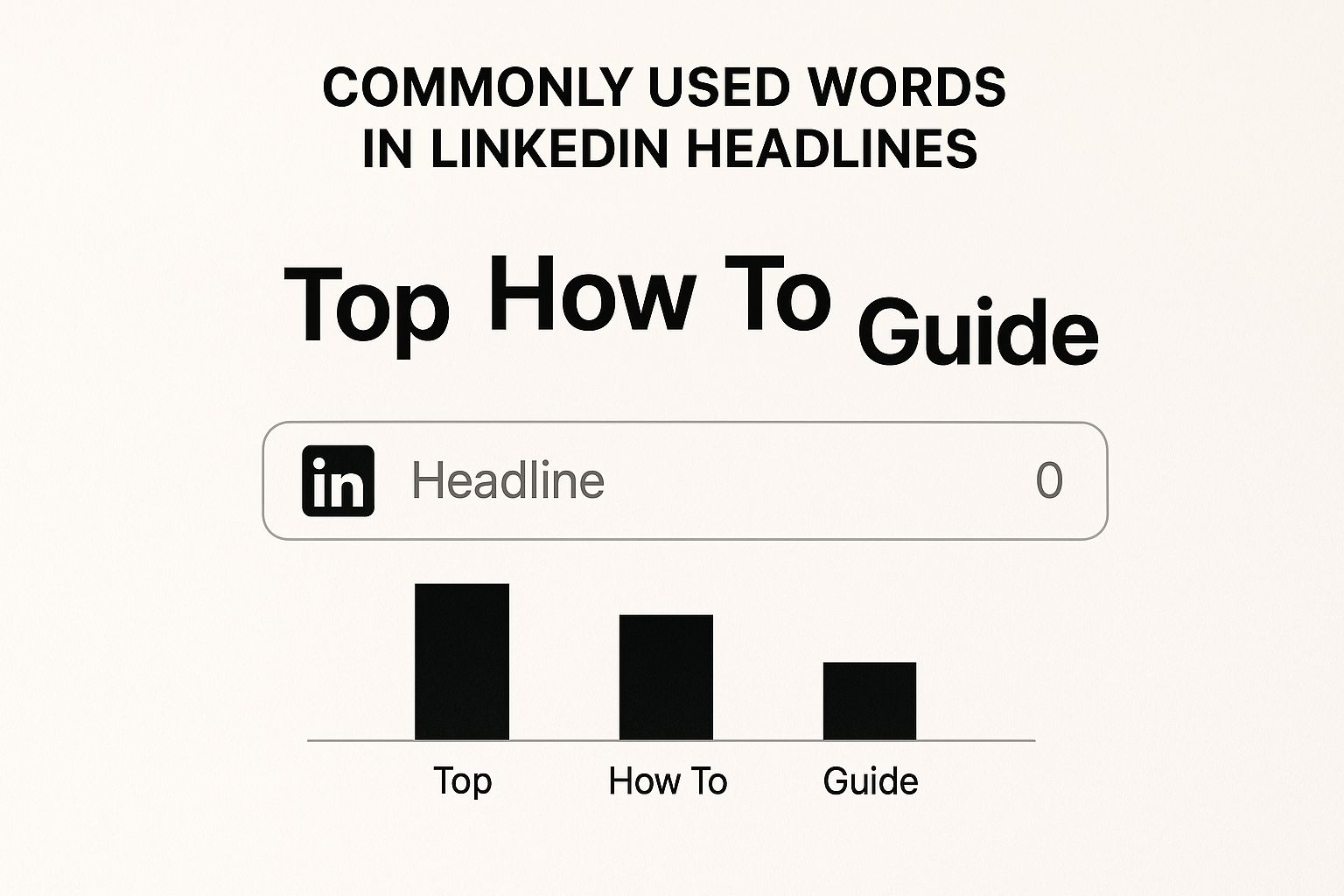
As you can see, using specific, action-focused words in your headlines is key to sparking curiosity and getting that all-important click.
Why Carousels Are King for Education
Lately, carousels (or document posts) have become a huge favourite for professionals wanting to teach their audience something valuable. Think of them as mini-presentations you can swipe through, allowing you to unpack complex ideas into easy-to-digest slides. This format is absolutely brilliant for creating how-to guides, listicles, or repurposing gold from a recent blog post or webinar.
Because carousels are interactive, they keep people on your post for longer. This sends a powerful signal to the LinkedIn algorithm that your content is high-value, and it often rewards you with a nice boost in organic reach.
Just remember to keep your slides clean. Minimal text and strong visuals are the name of the game here. You want to make it as effortless as possible for someone to swipe all the way to the end.
Building Real Connection with Native Video
If you want to build a genuine, personal connection with your audience, native video is your best bet. By uploading your video directly to LinkedIn—instead of just linking to YouTube—it will autoplay in the feed, grabbing attention instantly.
This format is unmatched for showing off your personality and conveying emotion. It lets you speak directly to your network, making it perfect for things like:
- Sharing quick tips: A 60-second video can often explain a concept far better than a lengthy text post.
- Behind-the-scenes content: Give people a peek into your workspace or team to humanise your brand.
- Client testimonials: A video testimonial just feels so much more authentic and powerful than a written quote.
Short-form videos (under 90 seconds) usually perform best, as they're a perfect match for the fast-scrolling habits of most users. And don't forget to add captions! A surprising number of people watch videos with the sound off. Getting these formats right is a core part of a winning content plan, which we cover in our deep dive into LinkedIn content strategy.
Content Format Performance Comparison on LinkedIn
So, how do you decide what to post and when? This table breaks down the different formats, comparing their typical performance and highlighting the best situations to use them for Australian professionals. It’s a handy cheat sheet to help you make smarter content choices.
| Content Format | Average Engagement Rate | Organic Reach Potential | Primary Use Case |
|---|---|---|---|
| Text-Only Post | Moderate | Moderate to High | Personal stories, quick insights, conversation starters. |
| Image Post | High | High | Announcing news, showcasing culture, highlighting data. |
| Carousel (Document) | Very High | Very High | Step-by-step guides, educational content, listicles. |
| Native Video | High | High to Very High | Building personal connection, sharing tips, testimonials. |
At the end of the day, the secret weapon is a balanced content mix. Don't get stuck in a rut using only one format. Mix it up! Experiment with text, images, carousels, and videos to discover what truly clicks with your audience. This variety not only keeps your feed fresh but also lets you tackle different goals—from sparking a conversation to cementing your status as an industry leader.
Crafting Posts That Stop the Scroll
Okay, so your profile is looking sharp and you've got a handle on what kinds of content work on LinkedIn. Now for the fun part: actually creating posts. The real magic on LinkedIn often happens in a single post. Get it right, and you can stop someone in their tracks, kick off a great conversation, and pull people back to your profile.
Every post that truly performs well nails three things: a hook that grabs attention, a body that's easy to read, and a clear call-to-action that tells people what to do next. If you can master these, you'll be creating content that doesn't just get seen—it gets remembered.
Nail the Hook in the First Two Lines
Think about how you scroll through LinkedIn. You only see the first couple of lines of any post before you have to tap "see more." This means your opening sentence is everything. If it doesn't spark instant curiosity or hit on a pain point, people will just keep on scrolling.
Your goal is to make them pause. You can do this in a few ways:
- Start with a bold or contrarian statement: "Most career advice is terrible. Here's why."
- Ask a thought-provoking question: "What's the one skill you believe every professional needs in 2025?"
- Share a surprising statistic: "Did you know that 80% of B2B social media leads come from LinkedIn?"
- Begin with a personal admission: "I made a huge mistake early in my career, and it taught me everything."
A great hook is basically a promise to your reader that the rest of the post is worth their time.
Structure the Body for Readability
Once you've hooked them, you have to deliver the goods in a way that’s easy to digest. Nobody wants to tackle a massive wall of text on their phone. This is where strategic formatting becomes your best friend.
Think of your post's body as a series of bite-sized insights. Break up your ideas into extremely short paragraphs—often just one or two sentences long. This creates white space, making the content feel less intimidating and much easier to skim.
Use formatting to guide the reader's eye and make your key points pop.
- Bullet points and numbered lists are perfect for breaking down complex ideas or steps.
- Emojis can add a bit of personality and visual flair, but don't overdo it. Keep it professional.
- Bold text is fantastic for highlighting crucial takeaways, statistics, or keywords you really want to stand out.
This kind of structure means people can grasp your message quickly, even if they're just scanning their feed.
Drive Engagement with a Smart Call-to-Action
Every post needs a purpose. Your call-to-action (CTA) is where you guide your reader towards that purpose. A classic mistake is to write a great post and then just… stop. You're leaving engagement on the table.
Instead of a generic "What do you think?", try asking open-ended questions that invite a real response. For example:
- "What's one strategy you've used to overcome this challenge?"
- "If you could give one piece of advice on this topic, what would it be?"
- "Share an example of when you've seen this work in your industry."
These kinds of questions encourage more than a simple "great post" comment; they start genuine conversations, which the LinkedIn algorithm absolutely loves. The more meaningful the engagement, the more people will see your post.
Maximise Discoverability with Hashtags
Think of hashtags as LinkedIn's filing system. They help categorise your content and show it to people interested in those topics, even if they don't follow you.
A good rule of thumb is to use between three to five relevant hashtags. A mix of broad and niche tags usually works best. For instance, if you're a marketing consultant in Australia, you might try:
- #DigitalMarketing (broad)
- #LinkedInStrategy (specific)
- #MarketingAustralia (niche/local)
This combination helps you cast a wide net while also zeroing in on a more specific, relevant audience.
Right now, LinkedIn's organic engagement in Australia is a huge opportunity, especially for professionals who want to build their presence without a massive ad budget. The user base is set to hit 13.9 million by 2028, and the algorithm rewards personal, expert-driven content. Your ability to share authentic stories and encourage employee advocacy can seriously amplify your reach and build real connections. To dig deeper, check out these social media statistics for Australia.
Using Strategic Engagement to Boost Your Visibility
Posting great content is just the first step. If you really want to attract attention on LinkedIn, you have to get involved and engage strategically. The platform’s algorithm is designed to reward interaction, which means your visibility is directly tied to how much you participate in conversations across the network.

Simply publishing a post and hoping for the best is a sure-fire way to get lost in the noise. Instead, you need to be the one fuelling the conversation, both on your own content and on others'. This shifts you from being a passive broadcaster to an active, valued member of the community.
Reactive Commenting: The Foundation of Visibility
One of the most powerful ways to get noticed is through what I call reactive commenting—leaving thoughtful, value-adding comments on other people's posts. This isn't about dropping a generic "Great post!" and moving on. It’s about genuinely contributing to the discussion.
When you leave an insightful comment, you’re actually doing two things at once. First, you’re putting your name and professional headline in front of the post author's entire audience. Second, you're showcasing your expertise and personality, which makes people curious enough to click over to your profile.
Here’s a practical framework for leaving comments that actually get results:
- Identify Key Players: Follow 15-20 influential leaders, potential clients, and industry peers whose content consistently sparks good conversation.
- Add Your Perspective: Don't just agree. Expand on a point they made, offer a different viewpoint, or ask a smart question that pushes the conversation forward.
- Share a Mini-Story: A brief, relevant personal anecdote can make your comment incredibly memorable and relatable.
Think of each comment as a mini-article—a chance to showcase your knowledge and invite a connection.
Proactive Outreach: When to Make the First Move
While commenting builds your public presence, proactive outreach is all about creating private, one-on-one connections. This means sending personalised connection requests and direct messages. But there's a very fine line between effective networking and just being spammy.
This approach is best saved for specific situations:
- Post-Interaction Follow-Up: If you've had a great back-and-forth in the comments, that's the perfect time to send a connection request. Make sure you reference the conversation to give it some context.
- Mutual Connections: When you have a few shared connections with someone, it provides a natural and warm starting point for a chat.
- Specific Business Opportunities: If you have a clear, non-salesy reason to connect (like exploring a collaboration or seeking advice), a direct but respectful message can work wonders.
Proactive outreach is much more targeted and needs a bit of finesse to be successful.
Comparing Engagement Approaches
Both reactive commenting and proactive outreach are vital, but they serve different purposes and are best used in different contexts. Knowing when to use each one is the key to a well-rounded engagement strategy.
| Engagement Type | Primary Goal | Best For | Risk Level |
|---|---|---|---|
| Reactive Commenting | Building brand awareness and authority | Getting noticed by a broad, relevant audience | Low |
| Proactive Outreach | Nurturing specific relationships and opportunities | Converting warm leads or building strategic partnerships | High (if done poorly) |
Reactive commenting is your daily workout—it builds a strong, visible presence over time. Proactive outreach is like a targeted sprint—used strategically when you have a specific goal in mind.
Extending Your Post's Lifespan
Strategic engagement also applies to your own content. When people take the time to comment on your posts, how you respond is crucial. The algorithm is watching, and lively comment sections signal that your content is valuable, prompting LinkedIn to show it to more people.
Always try to reply to comments within the first few hours of posting. More importantly, don't just "like" a comment. Ask a follow-up question to keep the conversation going. This back-and-forth dialogue can seriously extend the reach and lifespan of your post, sometimes for days.
Tapping Into LinkedIn's Advanced Features
To truly attract attention on LinkedIn, you need to move beyond the daily feed. LinkedIn has some powerful, purpose-built features that let you forge deeper connections and really cement your authority. Getting your head around when to use tools like Articles, Newsletters, or Live Events is what separates a good content strategy from a great one.
These aren't just different ways to post; each one serves a very specific purpose. An Article is for deep-diving into a topic, a Newsletter is for building a loyal following, and a Live Event is all about creating engagement in the moment. The right choice really comes down to what you're trying to achieve right now.
LinkedIn Articles for Showcasing Deep Expertise
Think of a LinkedIn Article as a blog post that lives right on the platform. It's the perfect format when you’ve got a complex idea or a detailed analysis that just won’t fit into a 3,000-character post. Plus, Articles get indexed by Google, giving them a bit of an SEO kick that your standard posts just don't have.
Use LinkedIn Articles when your main goal is to:
- Position yourself as a thought leader on a key subject in your industry.
- Share an in-depth case study complete with real results and actionable takeaways.
- Breathe new life into long-form content from your company blog by sharing it with a fresh audience.
An Article is a serious statement. It signals that you're willing to put in the effort to create genuinely valuable content, which does wonders for building trust and credibility with prospects.
Newsletters for Building a Loyal Following
A LinkedIn Newsletter is an absolute game-changer for nurturing a dedicated audience. When someone subscribes, they get a notification every single time you publish. This means your content lands directly in front of the people who are most interested in what you have to say, which is brilliant for building relationships over the long haul.
A Newsletter is fantastic for creating a sense of community. It’s less about chasing a single viral hit and more about delivering consistent value that keeps your network coming back. Think of it as your own channel for ongoing conversations.
This format really shines when you want to share weekly industry insights, regular tips, or a behind-the-scenes look at your business. It’s how you turn passive followers into an active community that actually looks forward to your next piece.
LinkedIn Live for Maximum Engagement
When it comes to creating a real-time buzz and interacting directly with your audience, nothing beats LinkedIn Live. Live video has an urgency and authenticity that pre-recorded content just can't replicate. It’s perfect for hosting Q&A sessions, interviewing other experts in your field, or running a product demonstration.
The magic of Live events is in the interaction—the real-time comments and questions drive incredibly high engagement. LinkedIn also tends to give live sessions a promotional boost to a wider network, seriously amplifying your reach. For anyone wanting to get more targeted with their outreach, our guide on leveraging LinkedIn Sales Navigator offers some great complementary strategies.
Finding Your Niche in LinkedIn Groups
Finally, don't sleep on the power of LinkedIn Groups. Joining and participating in niche industry groups puts you right in the middle of a highly relevant audience. Instead of shouting into the void of your main feed, you can have focused conversations with peers and potential clients who already share your interests. The trick is to add value, answer questions, and build relationships—not just to plug your own services.
Here in Australia, LinkedIn’s importance for B2B marketing can't be overstated. With more than 60% of the population on the platform, its professional focus naturally leads to higher trust and engagement. On top of that, LinkedIn's ad reach hits 66% of local internet users, making it an essential channel for professionals. You can dig into these stats in more detail by checking out Australia's 2025 digital report. By making smart use of these advanced features, you can get the attention of this incredibly valuable audience.
Your Top LinkedIn Questions, Answered
Even with the best plan, you're bound to run into a few tricky questions when you start getting serious about LinkedIn. That's completely normal. Getting a handle on these common sticking points is often the key to building the confidence you need to show up consistently.
So, let's clear up some of the most frequent questions I hear about getting noticed on LinkedIn. Think of this as the fine-tuning phase of your strategy, designed to help you avoid the usual traps and get the best bang for your buck.
How Often Should I Actually Be Posting?
This is probably the number one question I get asked, and the answer often surprises people. The secret isn't about posting constantly; it's about being consistent. Blasting your network with several posts a day is a fast track to being ignored.
For most service-based professionals, aiming for three to five genuinely good posts per week is the magic number. This keeps you top-of-mind without becoming background noise. It also gives you breathing room to create content that’s actually worth reading and to properly engage with the people who comment.
Seriously, one thoughtful post that starts a real conversation is worth a dozen rushed updates that get zero traction. Always choose quality over quantity.
Do Emojis and Pictures Really Make a Difference?
They absolutely do, but you have to use them smartly. Emojis can break up chunky text and add a bit of personality, making your posts feel more approachable and easier to scan. They’re great for adding tone, but go overboard and you risk looking a bit unprofessional. A light touch is best.
On the other hand, multimedia isn't just a nice-to-have; it's a scroll-stopper. Posts with images tend to pull in twice the engagement of those without. And video? It's even more powerful, bringing in an average of five times more engagement.
Adding a visual isn't just for looks. It’s a strategic decision to grab attention in a crowded feed and make people more likely to stop and interact.
Help! My Profile Is a Ghost Town. How Do I Fix It?
If your posts are met with crickets, it’s time to change tactics. Don’t just keep throwing content into the void and hoping something sticks. A "dead" profile can almost always be brought back to life, but it requires a deliberate shift from broadcasting to conversing.
Here are three practical steps you can take right now to wake up a quiet profile:
- Become a Strategic Commenter: For one full week, stop posting altogether. Instead, spend 15-20 minutes every day leaving insightful comments on posts from key players in your industry and your ideal clients. This gets your name and expertise seen by a highly relevant and active audience.
- Start Asking Questions: When you start posting again, make sure every single post ends with an open-ended question. Don’t just state a fact; invite people to share their own opinions and experiences. Instead of, "Here's a great marketing tip," try asking, "What's the best marketing tip you've ever received?"
- Engage with Your Engagers: The second someone comments on your post, reply. But don't just say "thanks"—ask them a follow-up question. This simple action turns a monologue into a dialogue, signalling to the algorithm that your content is valuable and worth showing to more people.
Reviving a low-engagement profile is all about reminding the community that you’re a contributor, not just another content machine. Making that switch is often the only thing needed to get the ball rolling again.
At Homer Digital Marketing, we know that getting noticed on LinkedIn isn't just about posting—it's about building a system that consistently brings your ideal clients to you. We specialise in crafting authority-building content and automated marketing strategies that transform your LinkedIn profile into a powerful growth engine. If you run a service-based business and you’re ready to scale, let’s talk about making your brand impossible to ignore. Learn more and book a call with us today.
