

Got that sinking feeling from a one-star review? You can absolutely remove negative Google reviews, but there's a critical catch: the review must violate one of Google's specific content policies.
This guide isn't about silencing a customer you disagree with. It's an actionable playbook for identifying and reporting content that is clearly spam, fake, off-topic, or contains prohibited language. To successfully get a review taken down, you must prove it breaks the rules, not just that it hurts your business. We'll show you exactly how.
The Real Cost of a Negative Google Review
Every business owner knows that gut-wrenching moment a one-star review appears. It feels personal, but the impact is alarmingly real, hitting your bottom line where it hurts most, especially in Australia’s competitive service industry.
More than 90% of consumers now read online reviews before they even consider contacting a local business. Your Google Business Profile has become your digital front door, and potential clients are making snap decisions based on your star rating.
Why Every Single Bad Review Matters
The damage isn't just a bruised ego. Imagine a local plumber in Melbourne trying to land a major renovation contract. The client does a quick search and finds a one-star review complaining about a messy worksite. Even if it was a one-off bad day, that review plants a seed of doubt, potentially costing the plumber thousands.
Or consider a wellness clinic in Sydney. A single comment criticizing their clunky booking system could cause a noticeable dip in new appointments from clients who prioritize convenience.
These aren’t hypotheticals; they happen daily. Here’s the breakdown:
- Trust Evaporates: Negative reviews chip away at the credibility you’ve worked so hard to build. New customers see risk instead of reliability.
- Enquiries Dry Up: A lower star rating means potential clients are more likely to scroll right past your listing and click on a competitor with a better reputation.
- Revenue Takes a Hit: Fewer enquiries and lost jobs directly translate to less money in the bank. The cost of one bad review can easily outweigh the value of the original transaction that sparked it.
Key Insight: Modern customers use reviews as their primary filter. A poor online reputation doesn't just put you on the back foot; it can knock you out of the game before you even get a chance to prove your worth.
You Have More Power Than You Think
While you can’t just delete every opinion you don’t like, you are far from powerless. The key is to stop seeing this as a battle against unhappy customers and start viewing it as a process of enforcing Google's own rulebook.
This guide is built on that exact principle. Once you know how to spot policy violations and work the reporting system, you can challenge and remove illegitimate feedback. This is the crucial first step in a solid strategy for reputation management for small business, transforming you from a passive target into an active defender of your brand.
Decoding Google's Policies to Spot Removable Reviews
Not every negative review that lands on your profile is there to stay. The secret to getting them removed is knowing the difference between a genuinely unhappy customer and a review that flat-out breaks Google's rules. This is where you can take back control.
Trying to report a legitimate, albeit negative, customer opinion is a waste of time. Google protects genuine feedback, as it should. However, the platform has a very specific set of content policies, and learning to spot violations is the single most important skill you can develop in this fight. It lets you focus your energy on takedown requests that actually have a chance of succeeding.
This flowchart maps out the core decision every business owner faces with negative feedback: either you fight back strategically or you risk letting it hurt your sales.
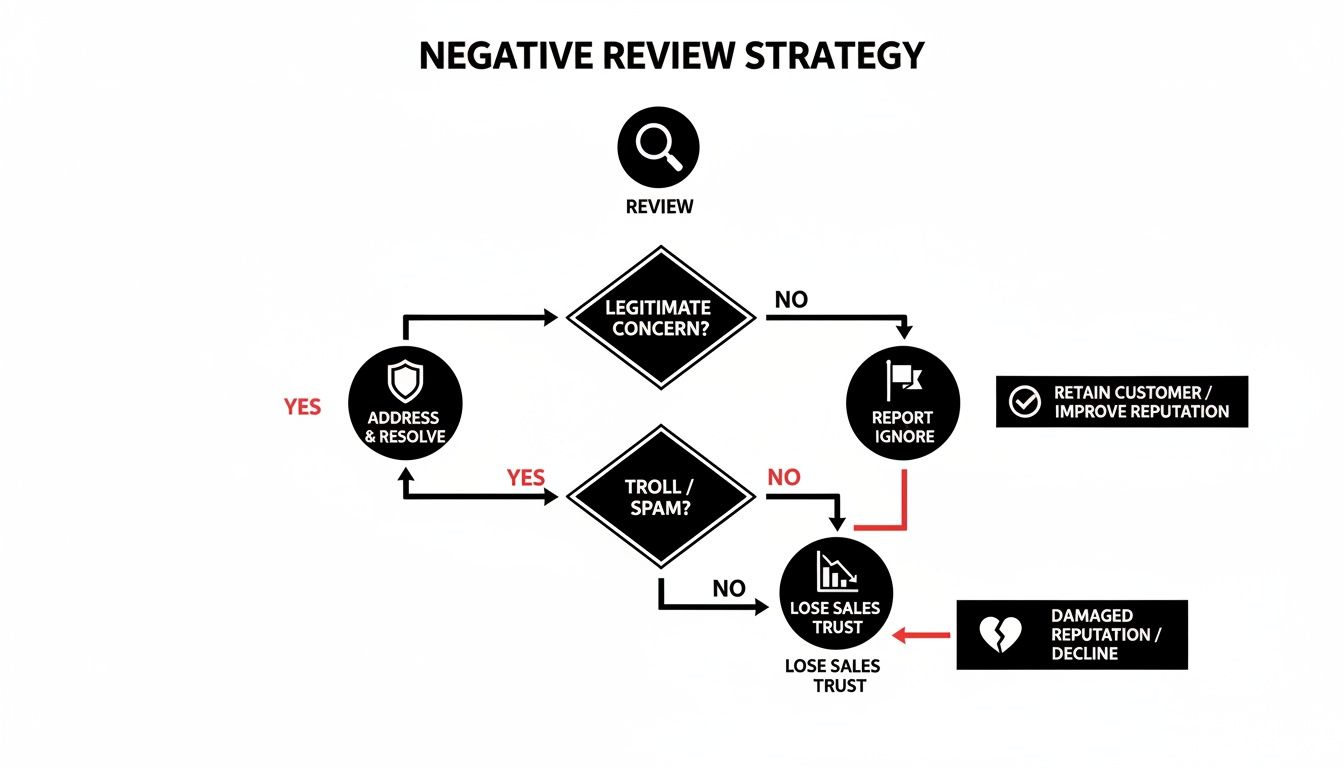
As you can see, understanding the nature of the review dictates your entire strategy. It guides you toward the most effective path forward.
To get a takedown request approved, you need to be able to tell Google exactly which rule has been broken. We've put together this quick checklist to help you identify the most common violations.
Google Review Policy Violations Checklist
Use this checklist to quickly determine if a negative review violates Google's policies and is eligible for a removal request.
| Violation Type | What to Look For | Real-World Example (AU Context) |
|---|---|---|
| Spam & Fake Content | Gibberish, repetitive text, promotional links, email addresses, or a sudden flood of 1-star reviews from new accounts. | A review for your Melbourne café that just says "best coffee best coffee best coffee" and includes a link to an online casino. |
| Off-Topic Content | Rants about politics, pricing in the industry, or complaints about things you don't control (like council parking). | A 1-star review for your Perth landscaping business complaining about the cost of petrol, not your service. |
| Restricted Content | Reviews promoting illegal products/services, containing dangerous speech, or depicting graphic violence. | A review that includes threats of violence towards your staff or promotes the sale of illicit drugs. |
| Conflict of Interest | Reviews from current/former employees, competitors posing as customers, or anyone who was paid or incentivised. | Your main competitor in Brisbane leaves a scathing 1-star review pretending to be a client you've never heard of. |
| Harassment | Personal attacks, bullying, or attempts to intimidate your business or staff members. | A review that personally insults your receptionist by name and makes baseless accusations about their character. |
| Impersonation | A reviewer pretending to be someone else (like a well-known local figure) or falsely claiming to represent your business. | Someone creates a profile named after a local Adelaide celebrity and leaves a fake negative review for your clinic. |
Keep this list handy. When a bad review comes in, your first step should be to run it against these points. If you find a match, you've got a solid foundation for a removal request.
A Closer Look at Common Violations
Spam and Fake Content
This is by far the most common and easiest category to get removed. Google wants authentic reviews from real customers who have had a genuine experience with your business. If a review doesn't meet this basic standard, it's almost certainly removable.
Keep an eye out for these red flags:
- Gibberish or Repetitive Text: Reviews filled with nonsensical characters or repeated phrases are classic spam.
- Promotional Content: If the review contains links to other websites, discount codes, or an email address, it’s a policy violation. A review is for feedback, not free advertising.
- Clearly Fake Names: While hard to prove on its own, an account named "Best Plumber Sydney" leaving a generic, non-specific comment is highly suspicious.
- Review Bombing: A sudden flood of one-star reviews from accounts with no other activity is a strong indicator of a coordinated attack.
Off-Topic Rants and Misplaced Reviews
A review must be about a customer's experience with your specific business location. Any deviation from this is a clear policy breach. This is a powerful angle when you want to remove negative Google reviews that have absolutely nothing to do with your service.
For instance, if a customer complains about the lack of parking on a public street or rants about industry pricing in general, that's off-topic. It’s not about their direct experience with you.
Similarly, if the review is clearly meant for another business—perhaps one with a similar name in another suburb—it’s not relevant to your business and can be flagged for removal. Documenting this mix-up with screenshots is your key to getting it taken down.
Conflicts of Interest
This is a big one that many business owners overlook. Google’s policy explicitly prohibits reviews that come from a conflict of interest. The whole point of reviews is to get unbiased feedback reflecting a true customer interaction.
A review should be a reflection of a genuine customer journey. When the reviewer's primary motive isn't about their experience, but rather about a personal or professional conflict, the review's integrity is compromised.
This rule is particularly useful for dealing with malicious attacks from specific people.
You can flag reviews if they come from:
- Current or Former Employees: A disgruntled ex-employee cannot leave a negative review disguised as a customer. That's a textbook conflict of interest.
- Competitors: If you can reasonably prove a review was posted by a competing business to sink your ratings, Google will take it very seriously.
- Paid-for Reviews: Any review—positive or negative—that was incentivised with money, freebies, or discounts is strictly prohibited.
To build your case here, you need evidence. An ex-employee might mention internal company information, or a competitor might use industry jargon that gives them away. Collect screenshots of their LinkedIn profile, social media posts, or any other public information that supports your claim. Proof is what makes or breaks a successful removal request.
A Hands-On Guide to Reporting Illegitimate Reviews
Okay, you've found a review that clearly breaks Google's rules. What now? It’s time to flag it for removal.
Knowing the policies is half the battle; the other half is navigating the reporting system efficiently. This isn't about writing a long-winded essay to plead your case. It’s about a quick, clean, and targeted process.
Google's moderators are swamped, looking at thousands of flagged reviews every day. A short, sharp report that points directly to the specific policy violation will always beat an emotional rant. Clarity and brevity are your best friends here.
Two Ways to Report a Review
Google gives you two main doors to knock on when flagging a dodgy review. Both get your report to the same moderation team, so it really just comes down to what’s more convenient for you.
- From your Google Business Profile Dashboard: This is the most direct and organised way to do it. Everything is managed from your central command hub.
- Directly on Google Maps: Perfect for when you’re checking your public profile and spot a review that needs to go, right then and there.
No matter which path you take, the mission is the same: pick the most accurate violation type and give a simple, clear reason why.
Reporting via Your Google Business Profile
I always recommend starting here. It’s the most professional approach. First, you’ll need to be logged into your profile. If you're not sure how, our guide on the Google Business Profile login will get you sorted.
Once you’re in, head over to the “Reviews” section in your dashboard. Scroll down to the review you want to report, click the three-dot menu right next to it, and hit “Report review.”
This next step is where it all happens. This is your one shot to remove negative Google reviews, so pay close attention. Google will show you a list of reasons for your report.
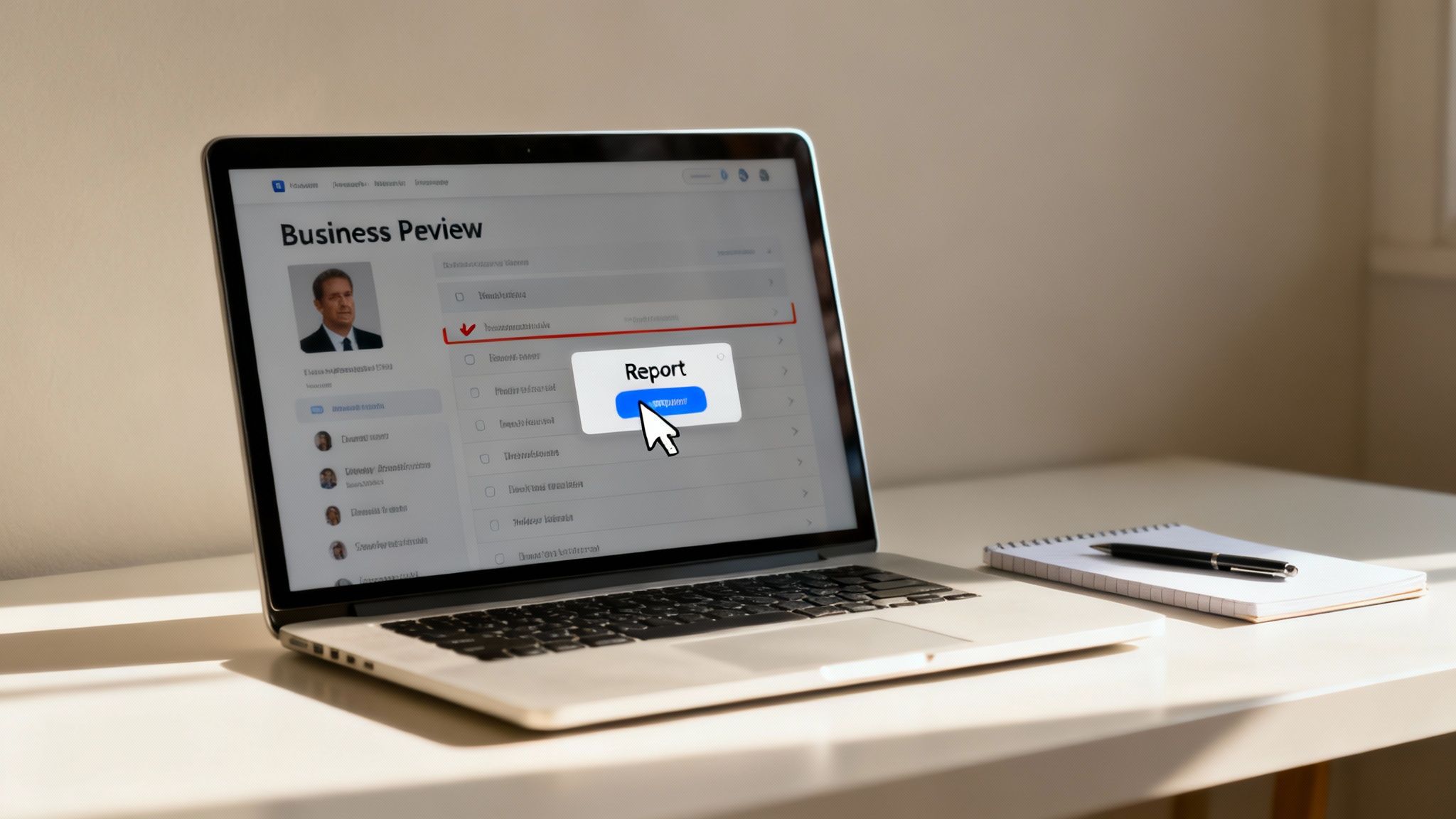
Choosing the right violation is absolutely critical. It’s what guides the moderator’s decision, so make sure it’s the most accurate fit for your situation.
How to Write Your Justification
When you report a review, your goal is to make the moderator's job as easy as possible. Think of yourself as a prosecutor presenting a clear-cut case, not a lawyer making a closing argument.
Your report should be a simple equation: This Review + This Specific Policy = Violation. Don't overcomplicate it. The moderator doesn't need the full backstory of your customer dispute, only the part that breaks the rules.
Let’s run through a common scenario. Imagine a disgruntled ex-employee leaves a fake one-star review pretending to be a customer.
- Weak Justification: "This person is lying. They never used our service and they are just angry because we had to let them go. Please remove this, it's hurting our business!"
- Strong Justification: "This review violates the Conflict of Interest policy. The reviewer, [Name], was a former employee terminated on [Date]. We have payroll records to confirm their employment."
See the difference? The second example is factual, direct, and names the specific policy. It gives the moderator everything they need to make a quick, informed decision without any guesswork.
Here are my top tips for writing a report that gets results:
- Be Specific: Name the exact policy (e.g., "Hate speech," "Spam," "Off-topic").
- Be Factual: Ditch the emotion. Stick to what you can prove.
- Be Brief: One to three sentences is all you need. Get straight to the point.
Reporting Directly from Google Maps
The process on Google Maps is almost identical. Just find your business on Maps, go to the reviews section, locate the review in question, and click the three-dot menu. Select “Report review” and follow the same prompts.
This method works just as well, but I find it's easier to keep track of multiple reports through the central dashboard in your Business Profile.
What Happens After You Click 'Submit'?
Once your report is sent, you’ll get an email confirmation from Google. Now comes the hard part: waiting. It can take anywhere from a few days to a couple of weeks for Google to make a decision.
Whatever you do, don't report the same review over and over again. It won't speed things up and can actually clog the system.
While you wait, don't let your reputation management grind to a halt. Keep encouraging your happy customers to leave positive reviews and start thinking about your next move, especially if Google denies your removal request.
What to Do When Google Denies Your Request
It’s a frustrating moment for any business owner. You’ve spotted a bogus review, flagged it, and waited, only to get that blunt email from Google: your removal request has been denied. It feels like hitting a brick wall.
For many, this is where they give up. But it absolutely shouldn't be. An initial denial from Google is often just the first step, not the final word.
Think about it: Google's frontline moderators are dealing with a massive volume of reports every single day. Nuanced cases easily get overlooked or misinterpreted. That's precisely why an escalation process exists. It’s your chance to get a second set of eyes on the review and make a much stronger, more detailed case. Don’t throw in the towel—it’s time to re-strategise.
Using the Google Review Management Tool for an Appeal
If your first flagging attempt gets knocked back, your next move is the Google Review Management Tool. This isn't just re-submitting the same form; it’s a more formal dashboard where you can manage your reports and, most importantly, appeal the decision.
Think of it as being moved from the general enquiries queue straight to a specialist's desk. Here’s how you get it done:
- Head over to the Google Review Management Tool. Make sure you’re logged into the Google account tied to your Business Profile.
- Pick the right business profile if you manage more than one.
- The tool will show you a list of reviews you've recently reported. Find the one that was denied and look for the option to appeal.
This isn’t about just clicking the button again. The appeal is your opportunity to add weight to your argument and provide the context that was missing the first time around.
Preparing a More Compelling Case for Removal
To win an appeal, you need to do more than just repeat your initial claim. You have to build a rock-solid, evidence-based case that leaves no room for doubt. The person reviewing your appeal needs to see, in black and white, exactly how the review violates a specific policy.
Here’s what your appeal should include:
- Pinpoint the Exact Policy: Don't just say the review is "fake." Be specific. For example, "This review violates the Conflict of Interest policy because it was posted by a former employee who was terminated last month."
- Provide Timestamps: If the review mentions an event on a certain day, reference that date. If you have no record of a customer with that name ever doing business with you, state that clearly.
- Attach Evidence: This is the game-changer. Compile screenshots of anything that backs up your claim. This could be a LinkedIn profile showing the reviewer works for a direct competitor, your own CRM records proving no customer with that name exists, or even public social media posts from the reviewer that reveal a clear bias.
Your goal is to make the decision as easy as possible for the human reviewer on the other end. Give them a clean, logical file that proves the violation beyond a reasonable doubt. A well-documented appeal has a much, much higher chance of success.
When to Consider a Legal Notice
Sometimes, a bad review crosses the line from unfair criticism into outright defamation. In Australia, defamation is a serious matter—it’s a false statement that causes real harm to a person's or business's reputation.
If a review contains provably false claims of illegal activity, professional misconduct, or other damaging lies, you may have grounds for legal action.
A legal concerns notice is usually the first step. This is a formal document, drafted by a solicitor, that outlines the defamatory statements, explains why they are false, details the harm they've caused, and demands the content be removed. This signals to both the reviewer and Google that you're taking this seriously. Google has a specific channel for handling legal removal requests, and a strong legal argument or a court order can often override their standard content policies.
The Power of a Professional Response
But what if your appeal is denied and legal action isn’t the right move? You still have one incredibly powerful tool left in your arsenal: your public response.
You might not be able to remove negative Google reviews every time, but you can absolutely neutralize their impact.
A strategic, professional, and empathetic response can turn a public complaint into a live demonstration of your brilliant customer service. It shows potential customers that you listen, you care, and you’re committed to making things right. Honestly, this pivot can often build more trust than if the review was never there in the first place.
This skill is more critical than ever. Recent data shows a huge wave of Google review deletions, which surged by over 600% in early 2024 compared to the previous year. This crackdown is driven by Google's sophisticated AI, which automatically removes around 98% of what it deems suspicious reviews.
The catch? Somewhere between 42-45% of these deleted reviews are actually five-star ratings, meaning your hard-earned praise can vanish, too. You can get more insights on this trend over at starworks.com.au. This volatility makes mastering the art of the public response an essential part of modern reputation management.
Building a Reputation That's Immune to Negativity
Dealing with a bad review is one thing, but the real long-game is building a reputation so solid that one negative comment barely makes a dent. The best defense isn’t just knowing how to get a dodgy review taken down; it’s about creating an overwhelming offense of positive social proof. It’s a total mindset shift from damage control to brand building.
This strategy is often called review suppression. It’s not about being shady or hiding the truth. It’s about ethically and consistently encouraging your happiest clients to share their genuine experiences. When you do that, you create a powerful stream of authentic feedback that naturally pushes any random negative comment further down the page, shrinking its visibility and impact.

Cultivating a Continuous Stream of Positive Feedback
The secret to long-term success is making review generation a standard part of how you do business. It can’t be an afterthought. The moment a client tells you they're thrilled is the golden window to ask them to share that feedback online.
Timing is everything. Don't wait weeks after a project wraps up. Ask for that review right after you've delivered a fantastic result, solved a tricky problem, or received direct praise. You’re tapping into their positive emotions when they're at their peak.
To truly insulate your business from negativity, you need a proactive strategy. Learning how to scale your content marketing efforts is a great way to amplify your positive message and strengthen your overall brand image.
Making the Review Process Effortless
The biggest roadblock for customers isn't a lack of willingness to leave a review; it’s the friction in the process. Your job is to make it ridiculously simple for them.
- Provide a Direct Link: Never just say, "Leave us a review on Google." Send them a direct link that opens the review box for your business profile. No searching, no clicking around, no excuses.
- Use Simple Email Templates: Write a short, friendly email thanking them for their business and politely asking if they'd mind sharing their experience. Keep it personal and ditch the corporate jargon.
- Leverage SMS Requests: For many service businesses, a quick text message with the review link gets a much higher open and click-through rate than an email. It’s immediate and easy.
A simple, well-timed request can dramatically lift your volume of positive reviews. For more advanced strategies and templates, check out our complete guide on how to get more Google reviews. It's a deep dive with actionable steps to supercharge your efforts.
Building a five-star reputation isn't a one-off campaign; it's a daily habit. Weaving feedback requests into your standard operating procedure creates a protective barrier of positive sentiment that shields your business from the inevitable bumps in the road.
Your Top Questions Answered: Removing Google Reviews
Here are the straight answers to the questions we get asked most by Australian business owners trying to get a handle on their Google reviews.
How Long Does It Take for Google to Remove a Review?
Honestly? It's anyone's guess. Once you’ve flagged a review in your Google Business Profile, it could be a few hours or it could be several weeks. There’s just no predictable timeline.
If your first attempt gets knocked back and you escalate it with the Review Management Tool, you’re likely looking at another five to seven business days for a response.
The big takeaway here is that you have to be patient. Your best move is to report the violation correctly, give Google clear evidence, and then immediately get back to building up your positive reputation. Don't just sit and wait.
Can I Just Pay Someone to Remove Bad Google Reviews?
Be very, very wary of any service that guarantees they can remove negative Google reviews for a fee. A lot of these operators use dodgy tactics that are against Google's rules, and you could end up getting your whole Business Profile suspended.
Plus, the ACCC is always on the lookout for fake reviews and review manipulation here in Australia. A legitimate reputation management agency will never promise a guaranteed removal. Instead, they’ll focus on two things:
- Walking you through Google’s official reporting and appeals process the right way.
- Helping you build such a strong, positive online presence that any negative feedback gets drowned out ethically.
What if the Negative Review Is True but Still Feels Unfair?
This is a tough one, and it happens all the time. If a review is based on a real customer's experience—even if you feel it’s over the top or missing context—Google almost certainly won’t take it down. In their eyes, it isn’t breaking their rules on fake or harmful content.
In this situation, your best weapon is a professional, calm, and empathetic public response.
- Acknowledge what they've said without getting defensive.
- Show that you take all feedback on board.
- Offer to take the conversation offline to sort it out directly.
This strategy shows every potential customer who reads it that you genuinely care about client satisfaction, which often does more to repair the damage than the review did in the first place.
Will Replying to a Bad Review Just Make It More Visible?
It’s a fair question, but the benefits of responding almost always crush any tiny risk. Yes, in theory, any engagement can signal relevance to Google’s algorithm, but a thoughtful reply does something much more critical: it lets you take back control of the story.
If you ignore a negative review, you’re leaving a one-sided, damaging account for everyone to see. A well-written response, on the other hand, adds crucial context, softens the blow, and highlights your professionalism. Earning back trust is far more important than worrying about a tiny, usually insignificant, algorithmic bump.
Tired of letting a couple of unfair reviews define your business? At Homer Digital Marketing, we help you reclaim your online reputation with proven strategies for Google optimisation and proactive brand building. No risky shortcuts—just a resilient, five-star reputation that attracts the clients you want.
Book a no-obligation strategy call today and let's protect the brand you've worked so hard to build.
