
In today's fast-paced professional world, continuous learning isn't just an advantage, it's a necessity. But with countless upskilling options available, how do you find the right platform to drive proven growth for your business or career? The LinkedIn Learning website stands out, offering a vast library of expert-led courses designed to elevate your professional capabilities. Yet, navigating its various access points and subscription models can be confusing.
This ultimate guide is designed to demystify the entire ecosystem. We will show you exactly how to leverage this powerful tool, whether you are an individual looking to upskill, a manager training a small team, or a large organisation investing in your workforce. We break down seven distinct pathways to access the content on the LinkedIn Learning platform, analysing the strategic value of each.
Inside this article, you will find a detailed look at each option, complete with screenshots and direct links to help you get started immediately. Our goal is to provide a clear, actionable roadmap, helping you make the most informed decision to support your professional development and business objectives. Let’s dive into the powerful learning opportunities available through LinkedIn.
1. LinkedIn Learning (consumer site)
The primary entry point for individual professionals seeking to upskill is the main LinkedIn Learning website. This platform is the core consumer-facing service, offering a vast and continuously updated library of courses tailored for personal and professional development. It's designed for solo learners who want direct access to the full catalogue and seamless integration with their professional identity on LinkedIn.
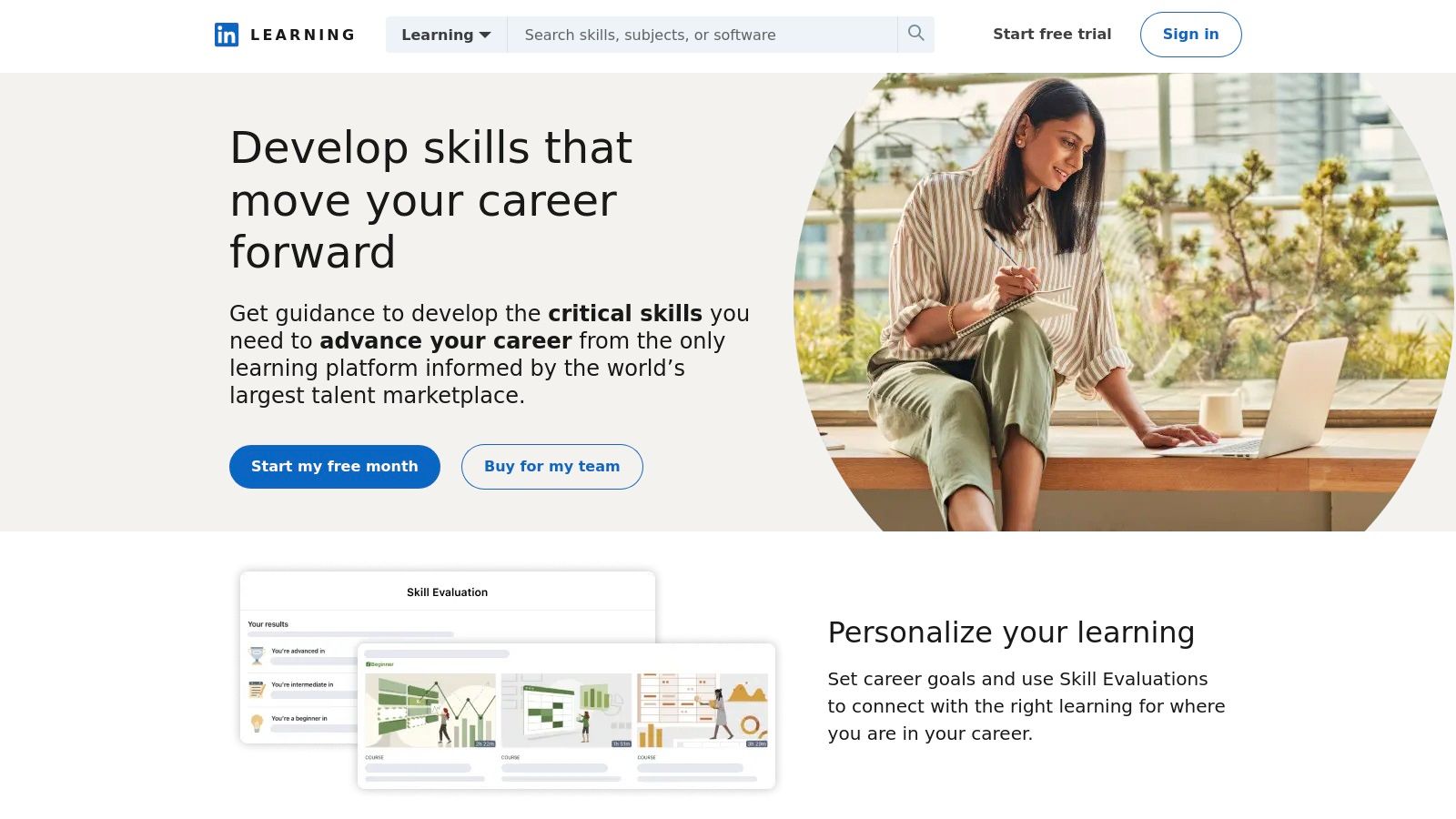
This version of the platform stands out due to its deep integration with the LinkedIn ecosystem. When you complete a course, you can add the certificate directly to your profile with a single click, showcasing new skills to your network and potential employers. The user experience is clean and intuitive, with personalised recommendations based on your job title, skills, and industry, making it easy to discover relevant content. The platform also includes robust mobile apps for both iOS and Android, which support offline viewing for learning on the go.
Key Offerings and Access
The consumer site provides multiple pathways for access. The most common method is through a LinkedIn Premium subscription, which bundles Learning access with other premium features. Alternatively, users can gain access through organisational or library licenses. A newer, evolving feature is the option to purchase select individual courses without a full subscription, offering greater flexibility for those targeting a specific skill. While a comprehensive look at the LinkedIn Learning consumer site reveals its extensive features, it's the sheer breadth of its 20,000+ expert-led courses and structured learning paths that makes it a top-tier choice for continuous professional education.
Pros:
- Seamless sign-in and profile integration with your main LinkedIn account.
- Massive catalogue with regularly added new courses across business, creative, and technology fields.
- Flexible access via Premium, organisational license, or select per-course purchases.
Cons:
- Pricing can vary significantly based on region and taxes, which are only shown at checkout.
- Some support documentation may still reference older, subscription-only policies as the platform evolves.
Website: https://www.linkedin.com/learning
2. LinkedIn Premium (includes LinkedIn Learning)
For professionals who want to pair powerful career-building tools with unlimited learning, the LinkedIn Premium subscription is the most integrated solution. This offering bundles the entire LinkedIn Learning catalogue with the enhanced networking and job-seeking features of a Premium account. It is designed for active job seekers, sales professionals, and networkers who see skill development as a core part of their broader career strategy.
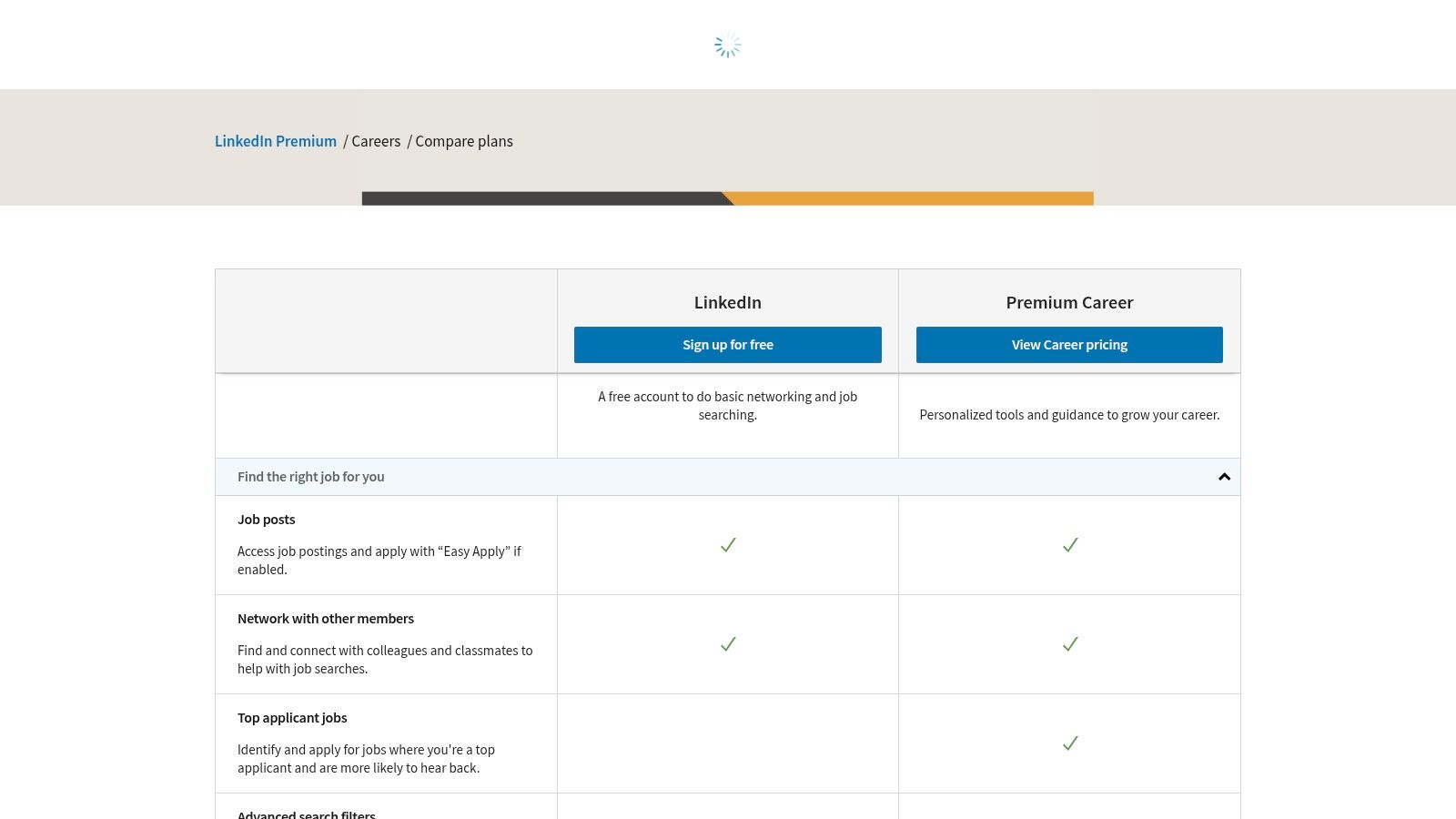
What makes this pathway stand out is the value it delivers by combining two powerful services into one monthly or annual payment. Subscribers not only get access to over 20,000 expert-led courses but also gain career-enhancing advantages like InMail credits to message recruiters directly, insights into who has viewed their profile, and advanced job search filters. The user experience is unified; learning activities and career tools exist within the same ecosystem, creating a seamless workflow for professional growth. Eligible new users can often take advantage of a one-month free trial to explore both the learning content and the premium networking features.
Key Offerings and Access
Access to this combined service is managed through the main LinkedIn website's Premium section, where users can compare different plans like Premium Career or Premium Business. It is crucial to select a plan that explicitly includes LinkedIn Learning access. The subscription model offers both monthly and annual billing, with the latter typically providing a significant cost saving. For those considering this option, you can learn more about how LinkedIn Premium elevates your professional journey and integrates learning seamlessly. If your needs change, it's also straightforward to manage your plan; for example, you can find guides on how to cancel your LinkedIn Premium subscription if you decide the full suite of tools is no longer necessary.
Pros:
- One subscription combines the full Learning catalogue with valuable career and networking tools.
- Annual billing can significantly reduce the overall cost compared to monthly payments.
- Provides a holistic solution for both upskilling and actively leveraging those new skills in the job market.
Cons:
- Pricing can vary significantly by region and is often only displayed once a user is signed in.
- Not all Premium subscription tiers include LinkedIn Learning access, requiring careful plan selection.
Website: https://premium.linkedin.com/careers/compare-plans
3. LinkedIn Learning for Teams (self-serve, 2–20 seats)
For small businesses and teams needing a structured training solution without enterprise-level complexity, the LinkedIn Learning for Teams platform is the ideal starting point. This self-serve version is specifically designed for organisations with 2 to 20 employees, allowing managers to purchase, assign, and track learning content directly. It empowers small teams with the tools to upskill efficiently and drive professional development in a coordinated way.
This version of the LinkedIn Learning website bridges the gap between individual subscriptions and full-scale corporate contracts. It provides a dedicated admin dashboard where managers can assign specific courses or learning paths, monitor team progress through analytics, and curate content relevant to team goals. The user experience is straightforward, enabling a quick rollout with a 30-day free trial and the flexibility to add or remove seats as the team evolves. This makes it a highly practical solution for agile businesses that need to adapt their training programs quickly.
Key Offerings and Access
Access is managed through a simple, self-serve checkout process directly on the LinkedIn Learning website, allowing immediate activation for up to 20 licenses. This eliminates the need for sales calls or lengthy contract negotiations. Team members get unlimited access to the entire catalogue of expert-led courses, while administrators gain powerful reporting tools to measure learning impact and ROI. The platform also offers a clear and seamless upgrade path to the full Enterprise solution when the organisation scales beyond 20 seats. For teams looking to formalise their upskilling efforts, this a powerful and accessible entry point. Mastering this tool not only boosts team skills but also enhances each member's professional brand, a key element of a successful LinkedIn profile optimisation strategy.
Pros:
- Quick and easy self-serve purchase and rollout for small to medium-sized teams.
- Includes robust admin controls, team dashboards, and reporting to track learning.
- Provides a clear, scalable upgrade path to the Enterprise plan as your team grows.
Cons:
- Strictly capped at 20 seats for self-serve; larger teams must engage with the sales department.
- Pricing is displayed in USD, so taxes and currency conversion rates may apply for international buyers.
Website: https://learning.linkedin.com
4. LinkedIn Learning for Enterprise (21+ seats, contact sales)
For large organisations, universities, and government bodies, the LinkedIn Learning for Enterprise platform provides a powerful, scalable solution for learning and development (L&D). This version is specifically engineered for businesses with 21 or more employees, shifting the focus from individual learning to strategic, organisation-wide skill development. It transforms the vast course library into a tool for closing skills gaps, driving internal mobility, and fostering a continuous learning culture.
This enterprise-grade LinkedIn Learning website is designed for deep integration into corporate ecosystems. It supports Single Sign-On (SSO) for seamless and secure employee access and offers advanced administrative controls. The platform’s key differentiator is its powerful analytics and reporting engine. L&D managers can gain deep insights into what skills are trending within their organisation, identify emerging skills gaps, and measure the direct impact of learning programs on business objectives. This data-driven approach allows leaders to build a more agile and future-ready workforce.
Key Offerings and Access
Access to this platform is managed through a custom contract, requiring direct engagement with the LinkedIn sales team. The model is built for scale and customisation, providing features unavailable on the consumer version. This includes integrations with major Learning Management Systems (LMS) and platforms like Microsoft Viva Learning, embedding skill development directly into the flow of work. Advanced reporting gives administrators a panoramic view of learning activities, popular courses, and skills being acquired across different departments, enabling a truly strategic L&D function.
The platform provides a centralised hub for managing licenses, assigning learning paths, and curating custom content collections tailored to specific team needs. This level of governance and control is essential for ensuring compliance and aligning learning initiatives with broader corporate strategy, making it the definitive choice for large-scale professional education.
Pros:
- Scales effectively to thousands of users with compliance-friendly access and SSO.
- Provides deep skills analytics and insights to guide and measure L&D strategy.
- Extensive integration capabilities with existing enterprise systems like LMS and Microsoft 365.
Cons:
- Custom pricing requires contacting a sales team, often involving a longer procurement cycle.
- Dependency on linkedin.com infrastructure means that if the main site is blocked by corporate firewalls, access to Learning can be disrupted.
Website: https://learning.linkedin.com
5. LinkedIn Learning — iOS app (Apple App Store)
For professionals who prefer learning on the go, the LinkedIn Learning iOS app provides a dedicated, mobile-optimised experience for iPhone and iPad users. This version of the platform is designed to make professional development accessible anywhere, anytime, by packaging the extensive course library into a user-friendly mobile interface. It's the ideal entry point for learners who prioritise flexibility, offline access, and the convenience of managing subscriptions through their Apple ID.
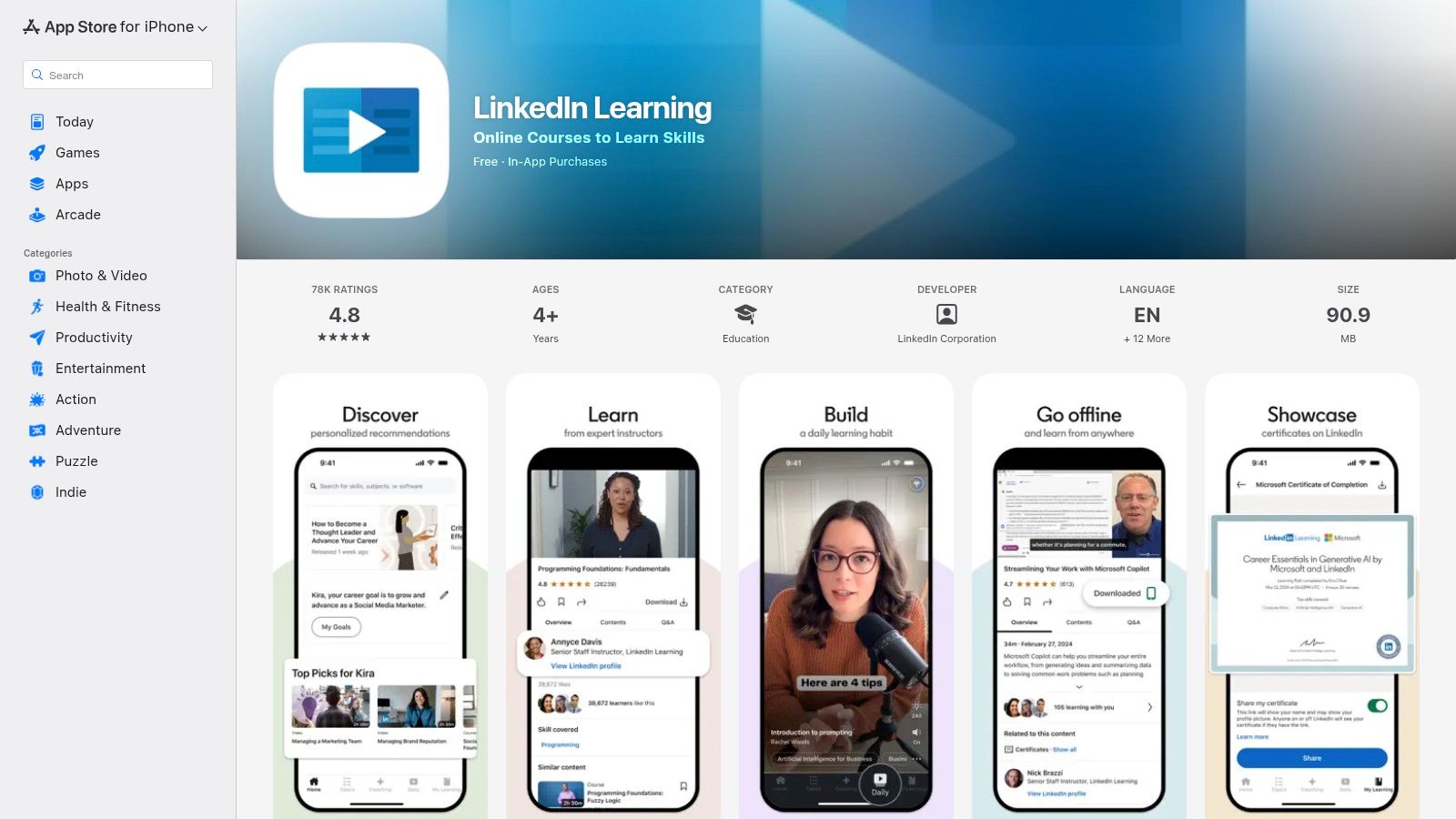
The standout feature of the iOS app is its powerful offline viewing capability. Users can download individual lessons or entire courses directly to their device, making it perfect for commuting or travelling in areas with limited internet access. The user experience is tailored for smaller screens, with mobile-friendly lesson formats and intuitive navigation. Furthermore, the integration with Apple's ecosystem allows for frictionless in-app purchases and subscription management, which simplifies the billing process for many users. The app also supports a multilingual UI, making content discovery on mobile seamless for a global audience.
Key Offerings and Access
Access to the platform via the iOS app is straightforward. Users can sign up for free trials or purchase LinkedIn Learning or Premium subscriptions directly through in-app purchases, with billing handled by Apple. This method is often preferred for its simplicity and security. The app provides full access to the same vast library of courses available on the desktop version of the LinkedIn Learning website, ensuring no compromise on content. While most features are available, it's worth noting that certain partner benefits included with a Premium subscription may require redemption via a desktop browser.
Pros:
- Frictionless billing and subscription management through Apple in-app purchases.
- Strong mobile experience with the ability to download courses for offline access.
- Content is optimised for mobile viewing, making on-the-go learning effective.
Cons:
- Some Premium partner perks must be redeemed on the desktop website rather than through the iOS app.
- App Store pricing and subscription availability can vary depending on the user's region.
Website: https://apps.apple.com/app/linkedin-learning/id1084807225
6. LinkedIn Learning — Android app (Google Play)
For professionals who prefer to learn on their Android devices, the LinkedIn Learning Android app is the dedicated portal for on-the-go education. Available on the Google Play Store, this app brings the entire course library to smartphones and tablets, optimised for a mobile-first experience. It is designed for learners who need the flexibility to download courses for offline viewing, making it ideal for commutes, travel, or areas with limited internet connectivity.
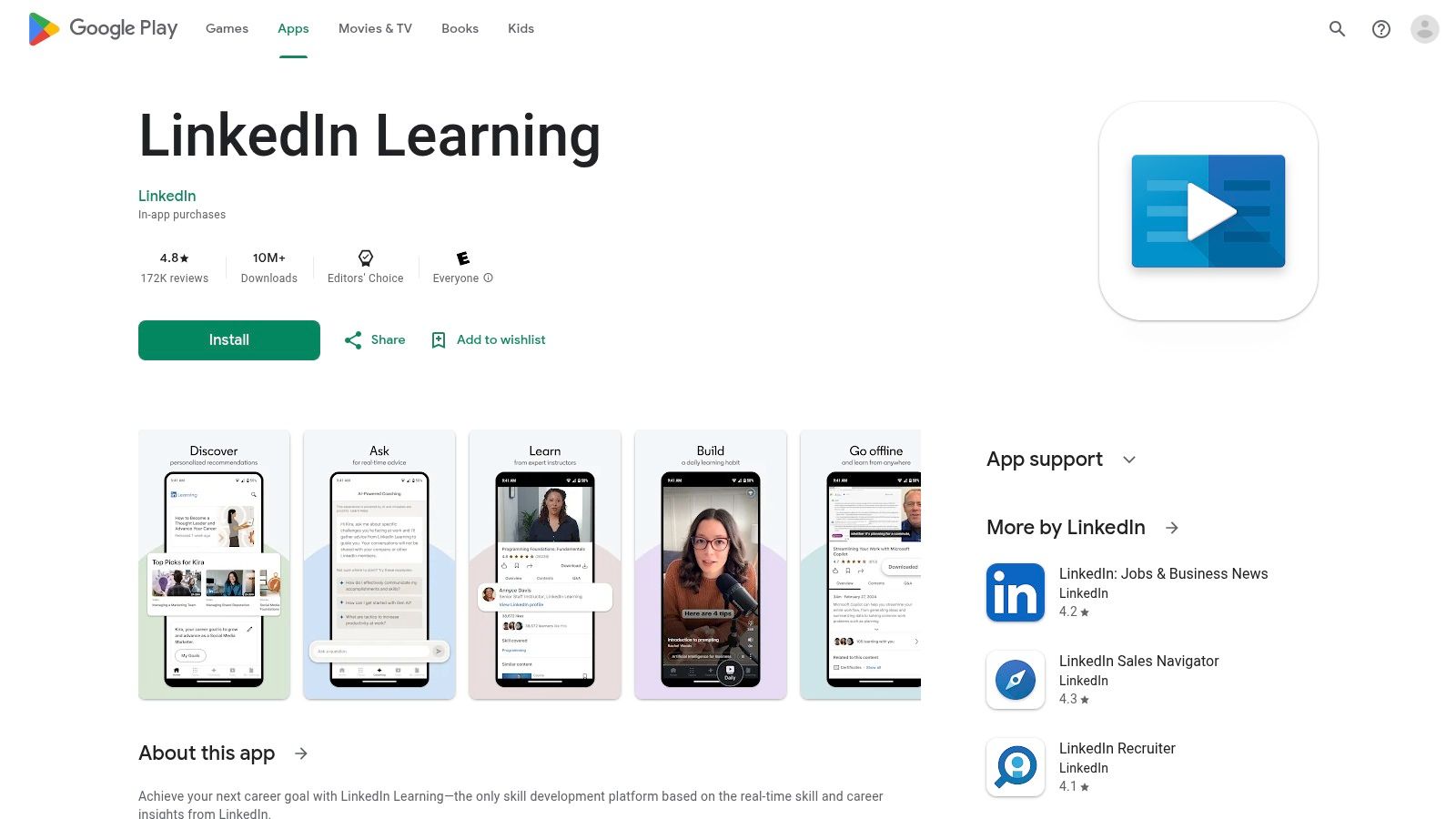
The app stands out by offering a user experience tailored for smaller screens without sacrificing core functionality. Key features like offline downloads, audio-only mode, and casting to compatible devices make learning more accessible than ever. It fully supports various sign-in methods, allowing users with personal Premium subscriptions, corporate licenses, or library memberships to access their accounts seamlessly. The app’s broad device compatibility ensures a consistent experience across a wide range of Android hardware.
Key Offerings and Access
Accessing content via the Android app is straightforward. Users can sign in with their existing LinkedIn credentials linked to a Premium subscription or use dedicated sign-in portals for their organisation or local library. For new users, the app facilitates in-app subscriptions through the Google Play Store, though pricing and availability can vary based on region. The mobile-optimised playback controls and progress syncing between devices ensure that you can pick up where you left off, whether you started a course on your desktop or another device. This powerful app on the linkedin learning website ecosystem ensures learning is never more than a tap away.
Pros:
- Excellent offline viewing capability for learning without an internet connection.
- Supports multiple sign-in options, including personal, corporate, and library accounts.
- Broad device compatibility ensures it works on a vast number of Android smartphones and tablets.
Cons:
- In-app subscription pricing and availability can differ significantly by country and region.
- Some corporate network policies may restrict app functionality or in-app purchases.
Website: https://play.google.com/store/apps/details?id=com.linkedin.android.learning
7. State Library of Queensland – free LinkedIn Learning access
For Australian professionals residing in Queensland, one of the most valuable and underutilised entry points to LinkedIn Learning is through a public institution. The State Library of Queensland (SLQ) provides its members with full, free access to the platform's extensive course library. This initiative makes high-quality professional development accessible to all Queenslanders, regardless of their ability to pay for a premium subscription. It’s a powerful community resource designed to foster statewide upskilling.
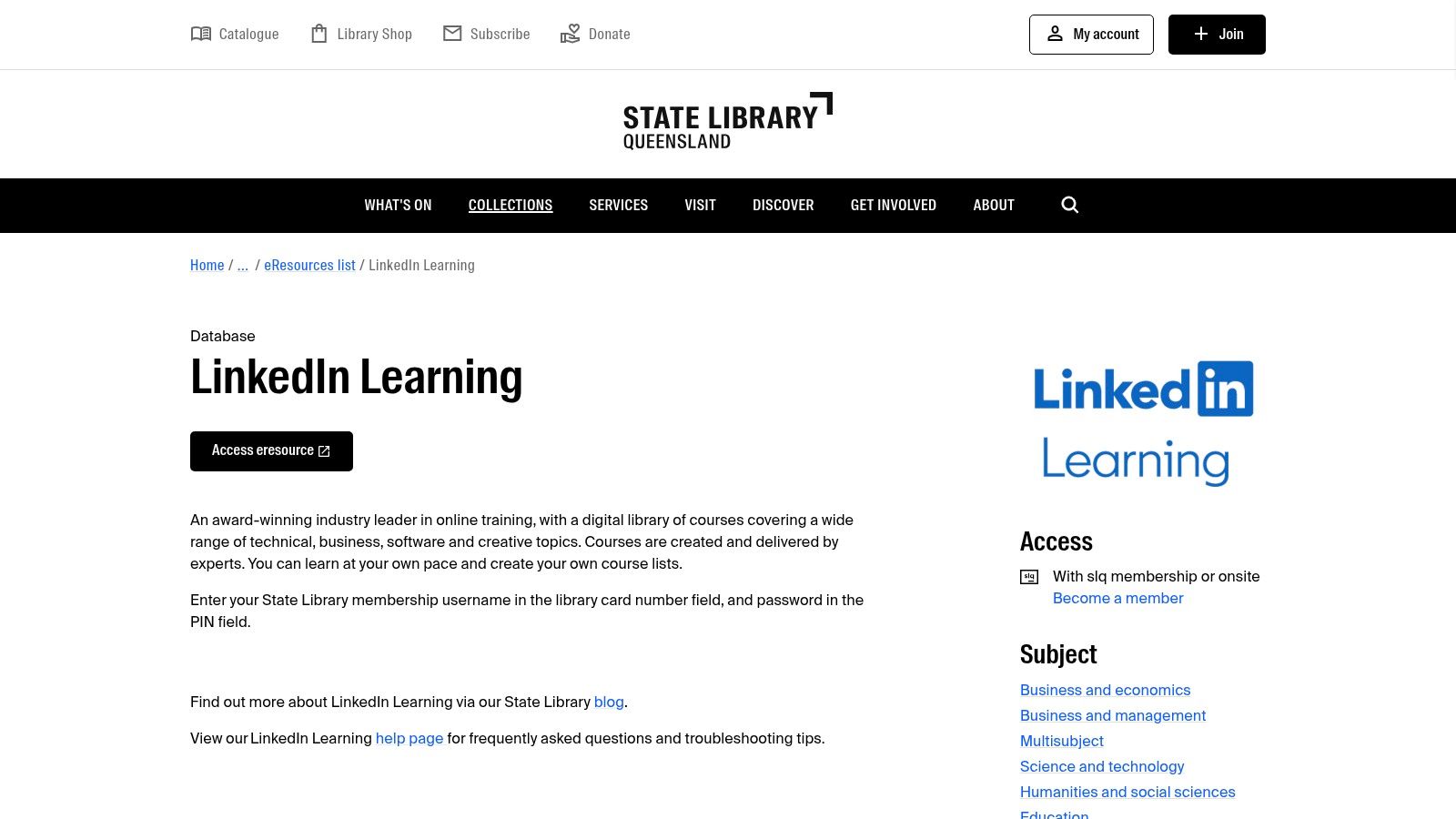
This particular linkedin learning website access route is unique because it completely decouples the learning platform from a personal LinkedIn profile. Members log in using their library card number and a PIN, which provides a layer of privacy for those who prefer not to link their training activities to their social professional identity. The service is accessible remotely from anywhere with an internet connection, including full support for the iOS and Android mobile apps for convenient, on-the-go learning. It offers a fantastic, no-cost alternative for residents looking to build new skills.
Key Offerings and Access
Access is straightforward for any Queensland resident. You simply need to sign up for a free State Library membership online, which grants you a library card number and PIN. Once registered, you can log in through the SLQ's dedicated portal. This unlocks thousands of courses across business, technology, and creative fields, available in multiple languages. While this is an incredible public service, it's important to note its primary limitation is its geographic restriction. Individuals living outside Queensland should investigate whether their own local or state library offers a similar partnership.
Pros:
- Completely free access for all eligible Queensland residents with a library membership.
- Does not require a personal LinkedIn account, offering greater privacy.
- Remote access and full mobile app functionality are supported.
Cons:
- Certificates of completion are issued without a full name and cannot be automatically added to a LinkedIn profile.
- This specific free access is limited to members of the State Library of Queensland.
Website: https://www.slq.qld.gov.au/eresources/linkedin-learning
LinkedIn Learning — 7-Option Comparison
| Item | Implementation complexity 🔄 | Resource requirements ⚡ | Expected outcomes ⭐📊 | Ideal use cases 💡 | Key advantages |
|---|---|---|---|---|---|
| LinkedIn Learning (consumer site) | Low — web/app sign‑in and browsing | Individual account; internet or offline downloads; subscription or per‑course fees | Access to 20,000+ courses and certificates; broad skill growth | Solo learners, career upskilling, mobile/offline study | Large catalog, LinkedIn profile integration, multiple purchase options |
| LinkedIn Premium (includes LinkedIn Learning) | Medium — select plan and billing | Premium subscription (monthly/annual); eligible free trial | Learning plus career/networking tools and profile insights | Users wanting learning + networking/career features | Bundles Learning with InMail/profile insights; potential cost savings annual |
| LinkedIn Learning for Teams (self‑serve, 2–20 seats) | Low–Medium — self‑serve admin setup | Per‑seat licenses (up to 20); 30‑day trial; manager/admin access | Team upskilling with basic assignments and analytics | Small teams/SMBs needing quick rollout | Fast purchase, admin controls, upgrade path to Enterprise |
| LinkedIn Learning for Enterprise (21+ seats, contact sales) | High — procurement, SSO and integrations | Custom pricing; IT integration, longer procurement cycles | Scalable enterprise learning with deep skills analytics | Large organizations, universities, government L&D programs | SSO, advanced reporting, LMS and Microsoft 365/Viva integrations |
| LinkedIn Learning — iOS app (Apple App Store) | Low — install and in‑app purchase flow | iPhone/iPad, Apple ID, in‑app subscriptions/trials | Mobile‑optimized courses with offline viewing | Learners preferring Apple ecosystem and mobile learning | Offline playback, optimized mobile UI, Apple billing convenience |
| LinkedIn Learning — Android app (Google Play) | Low — install and in‑app purchase flow | Android device, Google Play account; supports enterprise/library sign‑in | Mobile access and offline downloads across many devices | Android users, organizations using enterprise/library credentials | Broad device compatibility; supports org/library sign‑ins |
| State Library of Queensland — free LinkedIn Learning access | Low — library membership + card/PIN login | SLQ membership (QLD residents); remote app access via library credentials | Free access to thousands of courses; certificates limited in LinkedIn use | Queensland residents seeking no‑cost learning | No cost for eligible users; access without a personal LinkedIn profile |
Choosing Your Path to Professional Mastery
As we have explored, the LinkedIn Learning website is far more than a simple library of online courses. It is a powerful, multifaceted ecosystem designed to support continuous professional development for individuals and organisations of all sizes. From the solo entrepreneur leveraging a Premium subscription to a large enterprise deploying a custom curriculum, the platform offers a tailored path to upskill, reskill, and stay ahead in a rapidly evolving professional landscape.
We've analysed the distinct entry points, from free access via local libraries like the State Library of Queensland to sophisticated enterprise solutions. The key takeaway is that the most effective approach is not a one-size-fits-all solution. Instead, it requires a strategic alignment of your specific goals, whether personal career growth or organisational training, with the right LinkedIn Learning tool. Understanding the differences between a standard consumer account, the integrated Premium offering, and the team-based solutions is the first step towards transforming passive learning into an active growth strategy.
Actionable Next Steps for Implementation
To truly capitalise on the platform, consider these final strategic points:
- Define Your "Why": Before subscribing, clearly articulate your learning objectives. Are you aiming to secure a promotion, pivot careers, or master a specific software for your business? A defined goal will guide your course selection and keep you motivated.
- Audit Your Current Skills: Identify your strengths and, more importantly, your knowledge gaps. Use this self-assessment to build a targeted learning path that delivers the highest return on your time investment.
- Integrate Learning into Your Workflow: Don't treat professional development as a separate task. Schedule learning blocks into your calendar, apply new skills to projects immediately, and discuss your takeaways with colleagues or mentors to reinforce your knowledge.
- Leverage Platform Features: Go beyond just watching videos. Utilise the Q&A sections to engage with instructors, download the exercise files to practise your skills, and add completed course certificates to your LinkedIn profile to showcase your new capabilities.
By deliberately choosing your path and engaging actively with the content, the LinkedIn Learning website becomes a powerful ally in your professional journey. For business owners looking to translate these skills into tangible results, particularly in the B2B space, the learning doesn't stop with the platform. For those seeking to deepen their expertise, exploring a comprehensive B2B LinkedIn Marketing Playbook for Pipeline Growth can offer practical strategies for leveraging the platform. Ultimately, mastering this tool is about committing to a mindset of perpetual improvement, a cornerstone of success in today's competitive market.
Ready to put these insights into action but need help defining a broader digital strategy? At Homer Digital Marketing, we specialise in helping service-based businesses in Australia leverage platforms like LinkedIn to build authority, enhance their online visibility, and scale effectively. If you're ready to grow your business and attract your ideal clients, visit Homer Digital Marketing to see how we can help.
