

For service businesses in Australia, finding a steady stream of high-quality B2B leads can feel like a constant struggle. Old-school networking is a huge time-sink with patchy results, leaving too many business owners wondering where the next client is coming from. This is exactly where LinkedIn changes the game. It’s no longer just an online resume; it’s a 24/7 client-finding machine waiting to be switched on.
This actionable guide provides the proven methods you need to turn your LinkedIn presence from a passive profile into an active lead generation powerhouse.
Why LinkedIn Is a Goldmine for Australian Businesses
Imagine walking into a networking event where every single person is a potential client, a key decision-maker, or a strategic partner who could transform your business. That’s what a properly optimised LinkedIn presence gives you. It’s not a platform for job hunting—it’s a dynamic marketplace where Australian service providers can connect directly with the exact people they want to work with.
Most people see LinkedIn as a dusty corner of the internet to list their career history. That thinking completely misses the point. Instead, think of it as your hardest-working employee—one that builds your authority, nurtures relationships, and generates leads while you’re busy serving your current clients. That shift in mindset is the first step to unlocking its real value.
This infographic helps you visualise LinkedIn as a core business asset, like a rich resource waiting to be mined.
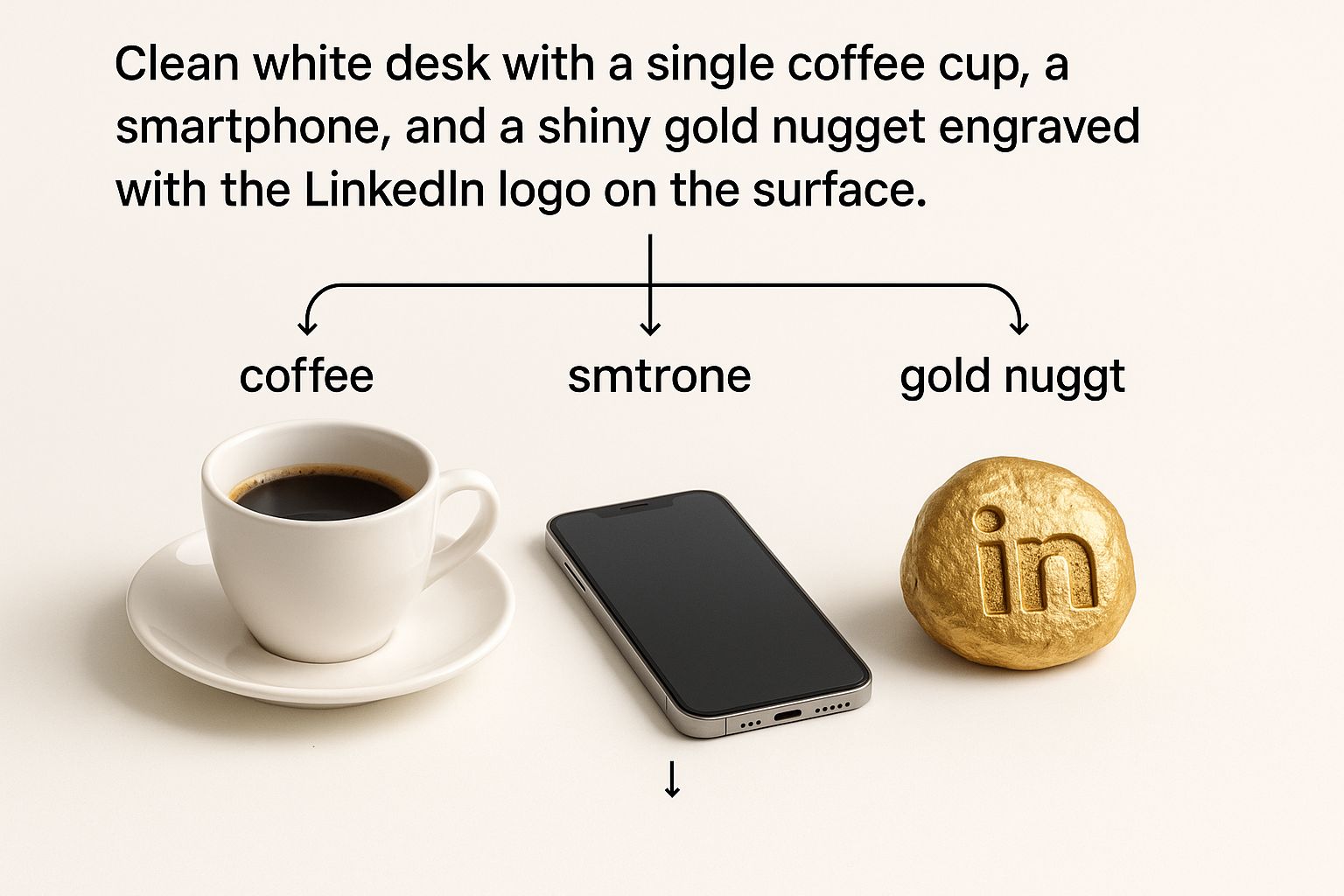
The image drives home the point that the platform isn't just another social media channel. It’s a tangible, high-value asset for your business.
Building Your Digital Authority
In the competitive Aussie market, trust is everything. A passive, set-and-forget profile does nothing to build it. But an active, strategic presence? That establishes you as a go-to expert in your industry.
When you consistently share valuable insights, jump into relevant conversations, and showcase your expertise, you stop being just another service provider. You become a trusted authority. This digital authority is what gets potential clients to seek you out, instead of you having to chase them down.
LinkedIn is the only platform where your professional expertise is the main currency. Every piece of content you share, every comment you make, and every connection you build contributes to a powerful professional brand that attracts opportunities.
A Platform Built for Business
Unlike other social media platforms designed for cat videos and holiday snaps, LinkedIn is built from the ground up for professional engagement. This creates a focused environment where business-related content isn't just tolerated—it's expected. For service businesses in Australia, this means:
- Direct Access to Decision-Makers: You can connect with CEOs, managers, and founders in your target industries with incredible precision.
- High-Intent Audience: People are on the platform in a professional mindset, making them far more receptive to business solutions and discussions.
- Powerful Targeting Tools: LinkedIn gives you sophisticated search and advertising tools to pinpoint ideal clients by industry, company size, job title, and location.
Ultimately, mastering LinkedIn means creating a predictable system for attracting the right clients. It’s about moving beyond random connections and putting a real strategy in place that delivers measurable business results. To dig deeper into the fundamentals, you might find our guide on leveraging LinkedIn for your business useful. It’s all about turning your profile into an indispensable asset for sustainable growth.
Turning Your Profile into a Client Magnet
Your LinkedIn profile is your business's digital front door. But let's be honest, most people treat it like a dusty old resume—a boring list of past jobs and qualifications.
That’s a huge mistake. For a service business owner, your profile should be your hardest-working sales page, pulling in leads 24/7. It's not about listing what you've done; it's about showing potential clients exactly what you can do for them.
The trick is to stop talking about yourself and start talking about your client. Every single part of your profile, from your headline to your job history, needs to answer one simple question in their mind: "How can this person solve my problem?" Nail this, and your profile goes from being a passive CV to an active lead-generating machine.

Crafting a Headline That Sells
Think of your headline as the most valuable bit of real estate on your entire profile. It shows up next to your name everywhere—in search results, when you comment, and in connection requests. A generic job title like "Managing Director at ABC Services" is a complete waste of that space.
Your headline should scream value. It needs to instantly tell people who you help, what problem you solve, and the result you deliver.
A powerful formula to follow is: I help [Your Ideal Client] achieve [Their Desired Outcome] through [Your Service/Method]. For example, "I help Australian builders streamline project management with automated invoicing systems." This approach immediately qualifies you to the right people and makes them want to click.
Your Professional Headshot and Banner
First impressions count, big time. A blurry, cropped photo from a family holiday just screams unprofessional. Your headshot needs to be a high-quality, clear image where you look confident and approachable. It's the first step in building that all-important digital trust. If you really want to stand out, it's worth exploring some modern strategies for creating the best LinkedIn profile pictures.
Your banner image is another goldmine people often ignore. Ditch the default blue background and create a custom banner that backs up your value proposition. You could include:
- Your business logo and tagline.
- A quick list of the services you offer.
- A bit of social proof, like a great client testimonial or logos of companies you've worked with.
- A clear call to action, like "Book a Discovery Call."
The About Section: Your Client-Focused Story
The 'About' section is your chance to really connect with potential clients. Don't write it in the third person or just list your skills. Instead, tell a story that hits on their biggest pain points.
Structure it to tackle their challenges head-on. Start by showing you understand the specific problems they're facing. Then, position your services as the obvious solution. Finish strong with a clear call to action that tells them exactly what to do next.
Key Insight: Treat your 'About' section like the script for a perfect sales chat. It should show empathy for the client's problem, present your solution with authority, and clearly map out the next step.
Turning Your Experience into Case Studies
Your 'Experience' section shouldn't just be a list of job duties. Frame each role as a mini-case study that proves you get results. For every position, especially your current one, focus on your achievements, not your responsibilities.
Use the Problem-Action-Result (PAR) framework:
- Problem: Briefly describe a challenge a client was up against.
- Action: Detail the specific steps you took to fix it.
- Result: Quantify the outcome. Use numbers and tangible results wherever you can (e.g., "Increased lead generation by 45% in six months").
This simple shift turns your work history from a passive list into compelling proof of your expertise. For a more detailed breakdown, our guide on what to include in your LinkedIn profile has extra tips to make your profile pop.
Here's a quick checklist to help you whip your profile into shape. The goal is to make every element work hard to attract and convert your ideal client.
Your LinkedIn Profile Optimization Checklist
| Profile Element | Optimization Goal | Actionable Tip |
|---|---|---|
| Profile Picture | Build trust and appear professional. | Use a high-quality, recent headshot where you look approachable. No holiday snaps! |
| Banner Image | Reinforce your brand and value proposition. | Create a custom banner with your logo, a key benefit, or a call to action. |
| Headline | Instantly communicate your value to your target market. | Use the "I help [Client] achieve [Outcome]" formula instead of a generic job title. |
| About Section | Connect with prospects by addressing their pain points. | Tell a client-focused story. Start with their problem, introduce your solution, and end with a CTA. |
| Experience | Showcase proof of your results, not just duties. | Reframe each role using the Problem-Action-Result (PAR) framework. Quantify achievements with numbers. |
| Featured Section | Highlight your best content and social proof. | Pin a top-performing blog post, a client testimonial, or a link to book a call with you. |
| Skills | Validate your expertise with endorsements. | List skills relevant to your target client's needs and ask key connections for endorsements. |
By systematically working through these elements, you're not just polishing a profile; you're building a powerful, automated tool for attracting the right kind of business.
Highlighting Your Best Work with the Featured Section
Finally, the 'Featured' section is where you can pin your most valuable content right to the top of your profile. It’s the perfect spot to show off:
- Client testimonials (either as text posts or short videos).
- Links to your best-performing blog posts or articles.
- Your lead magnet, like a downloadable guide or a checklist.
- A direct link to your website's services page.
Using this section well ensures that anyone who lands on your profile immediately sees your most compelling content and social proof, helping turn casual visitors into warm leads.
Creating Content That Actually Generates Leads
Think of your perfectly polished profile as your digital shopfront. But what good is a great shopfront if no one ever comes inside? Content is the conversation that invites them in.
Without a consistent content plan on LinkedIn, even the sharpest profile will just sit there gathering digital dust. It’s the engine that drives your visibility, builds trust, and ultimately, brings in those valuable leads.
A lot of business owners get stuck right here. They think they need to be a professional writer or a marketing guru to make it work. The good news? You don't.
The secret is to stop selling and start teaching. When you generously share what you know, you naturally position yourself as the go-to authority in your field. This "Teach, Don't Sell" mindset is the foundation of all great LinkedIn content, shifting the dynamic from you chasing clients to them seeking you out.
The Three Core Content Pillars
To beat that dreaded feeling of staring at a blank screen, you just need a simple framework. Build all your content around these three powerful pillars and you'll never run out of relevant, valuable ideas.
-
Educational Insights: This is where you share your expertise. What are the top ten questions clients always ask you? Turn each one into a post. Talk about industry trends, common mistakes people make, or simple tips that give your audience a quick win.
-
Client Case Studies & Results: Nothing builds trust faster than proof. Share anonymised stories about how you helped a client solve a specific problem. Frame it like a mini-story: here was the problem, this was the solution we brought to the table, and here was the incredible result.
-
Behind-the-Scenes & Personal Stories: People do business with people they know, like, and trust. Giving a glimpse behind the curtain makes your brand human. It could be a story about a business challenge you overcame, a lesson you learned, or what you're passionate about outside of work. It makes you relatable.
These three pillars give you an almost endless supply of ideas. Your entire content strategy can be built by simply rotating through them, ensuring a healthy mix of value, proof, and personality.
Building Your Posting Schedule
Here’s a hard truth: consistency beats frequency every single time. One of the most common mistakes is trying to post daily, only to burn out after a few weeks. Instead, create a realistic schedule you can actually stick to for the long haul.
Here’s a sample schedule that works for a busy professional:
- Monday (Educational): Kick off the week by sharing a valuable tip. It could be a common mistake you see people in your industry make and a quick explanation of how to fix it. This immediately positions you as a helpful expert.
- Wednesday (Case Study): Mid-week is the perfect time to showcase results. Post a short story about a client's success using a simple Problem-Action-Result format to make it punchy and compelling.
- Friday (Personal/Behind-the-Scenes): End the week on a more personal note. Share a reflection, a team win, or a story that connects with your audience on a human level.
Expert Tip: You don't need to create brand-new content every single time you post. Repurposing is your best friend. A single client success story can be turned into a text post, a short video, and even a longer article. Work smarter, not harder.
Ultimately, the goal of all this is to learn proven methods for how to generate leads on LinkedIn in a way that feels authentic. Every post is a seed you plant to nurture future business relationships.
Real-World Example From an Australian Business
Let's look at a hypothetical example of a buyers agent in Sydney to see this in action.
- Bad Post: "Looking for a home in Sydney? We can help you find your dream property! Contact us today for a free consultation. #sydneyrealestate #buyersagent"
This is just a sales pitch. It’s all about them and gives the reader zero value.
- Good Post: "The #1 mistake Sydney homebuyers make is getting emotionally attached before doing their due diligence. We recently had a client fall in love with a home in the Inner West, but our building inspection uncovered $50,000 in hidden structural issues. By walking away, they saved themselves a financial nightmare. Don't let a pretty facade fool you. What's your biggest fear when buying property?"
See the difference? This post tells a story, teaches a valuable lesson, and invites people to engage. It screams expertise without being salesy. This is the kind of content that builds trust and gets people reaching out to you.
Mastering Strategic Networking and Outreach

Putting out great content is a solid start, but it’s only half the battle. If you really want to unlock what LinkedIn can do for your business, you need a proactive outreach plan to build genuine relationships with potential clients and referral partners.
This isn’t about spamming people with copy-paste sales pitches. It's about leading with value and turning cold connections into warm business conversations. The goal is to stop passively waiting for leads and start actively building a pipeline of people who are the perfect fit for your services.
Pinpointing Your Ideal Prospects
Before you even think about sending a message, you need to be crystal clear on who you're trying to reach. LinkedIn's search filters are absolute gold for finding key decision-makers with pinpoint accuracy. This is where you go from hoping the right people see your content to actively finding them.
You can slice and dice your search by all sorts of criteria:
- Industry: Zero in on specific sectors like construction, finance, or healthcare.
- Job Title: Look for roles like "Director," "Founder," or "Project Manager."
- Company Size: Focus on small businesses, mid-sized firms, or large enterprises.
- Location: Narrow your search down to specific Australian cities or states.
For service businesses ready to take this up a notch, our guide on using LinkedIn Sales Navigator is a must-read. It dives deep into advanced searching and lead management to help you build highly targeted lists and keep your outreach organised.
The Art of the Connection Request
A generic connection request is the digital version of handing someone your business card and just walking away. It’s forgettable. A personalised request, on the other hand, shows you’ve done your homework and are genuinely interested in connecting.
Keep your connection note short, friendly, and focused on them. Mention a post they shared, a mutual connection, or something you admire about their company. The only goal here is to get them to click "Accept" so you can start a real conversation later.
Pro Tip: Never, ever sell in the connection request. Its only job is to open the door. Pushing a sale at this stage is the fastest way to get your request ignored.
Engaging Before You Connect
Here’s a game-changer most people skip: warming up a prospect before you send a connection request.
Instead of popping into their inbox as a complete stranger, you become a familiar face. Spend a week or two interacting with their posts. Leave a thoughtful comment, share an article they wrote, or chime in on a discussion they’re part of.
By the time you send that personalised connection request, they’ll already recognise your name. This simple act of building familiarity first massively boosts your acceptance rate and makes the whole interaction feel natural, not forced.
In Australia, this strategy is key. With around 16.99 million users as of early 2025—that's about 61.7% of the entire population—building real rapport is how you stand out. The biggest user group is aged 25 to 34, a demographic that values authentic engagement over a cold pitch. You can dig into more stats about LinkedIn's Australian user base here.
The Non-Salesy Follow-Up Message
Once they accept, the real work begins. Your first message is critical. It needs to continue that value-first approach, not suddenly pivot into a sales pitch.
Here’s a simple sequence that just works:
- The Thank You & Question: A day or two after they connect, send a simple message. Thank them, and ask a relevant, open-ended question about their business or industry.
- The Value-Add: Based on their reply, offer something helpful. It could be a blog post, a useful tool, or an industry report that speaks to a challenge they mentioned.
- The Transition to a Call: If the conversation is flowing and you sense genuine interest, that’s when you can suggest a brief call to explore their challenges in more detail.
This patient, value-driven approach builds trust and positions you as a helpful expert, not just another salesperson. It’s how you turn a LinkedIn connection into a real business opportunity.
Company Pages and Groups: Your Digital Headquarters and Networking Hub
While your personal profile is your handshake on LinkedIn, your Company Page and Groups are where you build your brand’s home and community. Ignoring them is like setting up a shop but never opening the front door or talking to anyone at industry events.
Think of your Company Page as your digital head office. It’s the official, branded space where potential clients, partners, and new hires can find out who you are and what you stand for. It adds a layer of professionalism that a personal profile just can’t match on its own.
LinkedIn Groups, on the other hand, are the 24/7 industry conferences. They're where the real conversations are happening—communities built around specific topics, sectors, or shared interests. This is your direct line into what your target audience is talking about right now.
Your Company Page: Building Your Brand’s Home Base
A Company Page makes your business real on the platform. It's the official space to showcase your services, post company news, and build a library of your best content.
To get your Company Page pulling its weight, focus here:
- Fill Out Everything: Don't skip a single field. Add your website, industry, company size, and write a compelling "About" section that speaks directly to your ideal client.
- Get Your Branding Right: Use a sharp, professional logo and a banner that instantly tells people what you do. Consistency is key.
- Post Your Best Stuff: This is the home for your top articles, case studies, and company updates. Make it a go-to resource.
- Get Your Team Onboard: When your employees link their personal profiles to the page, it instantly expands your reach and adds a human touch to your brand.
This dedicated space is crucial for building trust and giving your brand a clear, unified voice on LinkedIn.
LinkedIn Groups: Where Real Connections Happen
Groups are where the unfiltered, valuable industry chats take place. The game here isn't to sell; it's to serve. The goal is to become a trusted, helpful voice in a community of your peers and potential customers.
By consistently answering questions, sharing genuine insights, and taking part in discussions, you establish yourself as an expert. This is the slow burn of networking that pays off big time. People are naturally drawn to your profile to find out more about the person who keeps adding so much value. It's a subtle but incredibly powerful way to generate leads.
Your reputation in a LinkedIn Group is built on the quality of your contributions, not the volume of your sales pitches. Offer immense value with no expectation of immediate return, and business opportunities will follow.
The platform’s power in Australia is impossible to ignore. In early 2025, LinkedIn ads could reach 80.5% of the population aged 18 and over. With an audience split of 47.0% female and 53.0% male, it offers a balanced and professional demographic for any B2B service provider. You can dig into more social media demographics in Australia on roi.com.au. This incredible reach shows just how important it is to use every feature, especially Groups, to connect with the right people.
When you pair a rock-solid Company Page with strategic, helpful participation in Groups, you create a complete LinkedIn presence. You’re not just building brand authority—you’re building genuine connections that drive real, long-term growth.
Your Top LinkedIn Questions, Answered
Even when you have a solid plan, the little details of using LinkedIn can trip you up. Here are the direct, no-fluff answers to the questions we hear most from Australian service business owners. Let's clear the confusion so you can get on with it.
How Often Should I Be Posting?
Forget the guru advice that tells you to post daily. For most business owners, that’s a direct flight to burnout. The goal isn’t to post more, it’s to post better and be consistent.
The sweet spot for most service businesses is two to three times per week. This keeps you front-of-mind with your network without forcing you to churn out low-value content just for the sake of it.
Remember, one thoughtful, engaging post that sparks a conversation is far more valuable than five rushed updates that get ignored. Quality over quantity, always.
Is LinkedIn Premium Really Worth the Money?
If you’re serious about using LinkedIn to find clients, then yes, LinkedIn Premium (specifically Sales Navigator) is a game-changer. The free version is fine for building your presence, but Premium is where you get the tools that save you massive amounts of time.
Here's what you're really paying for:
- Advanced Search Filters: Stop scrolling endlessly. This lets you drill down and find your ideal clients with laser precision using filters the free version hides.
- Lead Recommendations: LinkedIn’s algorithm starts working for you, actively suggesting people who fit your ideal client profile.
- InMail Credits: Gives you a way to slide into the DMs of key prospects who aren't in your immediate network, without needing to connect first.
Think of it this way: if it helps you land just one extra client a year, it’s probably paid for itself several times over.
Can I Repost My Blog Content on LinkedIn?
Yes, you absolutely should. Repurposing your website blogs as LinkedIn Articles is one of the smartest ways to get more mileage out of your best content.
But what about Google’s "duplicate content" penalty? It's a common fear, but mostly a myth in this context. Google is smart enough to figure out where the original came from, especially if your website has been around for a while.
If you want to be extra safe, ask your web developer to check that your blog posts have the correct "canonical URL" set up. This is just a little tag in the code that tells search engines, "Hey, the version on my website is the master copy."
The Bottom Line: Don't let SEO myths stop you from sharing your expertise. The visibility and authority you build on LinkedIn by sharing your articles is well worth it.
What's the Ideal Length for a LinkedIn Post?
There isn't a magic word count, but the golden rule for regular posts is to keep them short and sharp. People are scrolling fast, usually on their phones, so you need to get to the point quickly.
Aim for somewhere between 50 and 200 words. That’s enough space to share a powerful idea, a quick tip, or a compelling story without losing your reader's attention. Break up your text with short paragraphs, bullet points, and the odd emoji to make it easy on the eyes.
If you have more to say, that’s what LinkedIn Articles are for. Save your deep dives and longer thought-leadership pieces for that format.
Are Hashtags Actually Important on LinkedIn?
They’re not just important, they’re essential if you want your content to be seen by people outside your immediate network. Think of them as signposts that help LinkedIn show your posts to users who are actively looking for your topics.
Here’s a simple strategy that works:
- Use 3 to 5 hashtags per post. Any more looks a bit spammy and doesn't really add extra benefit.
- Mix broad and niche tags. For example, a marketing consultant might use
#DigitalMarketing(broad) and#LeadGenForBuilders(niche). - Create your own branded hashtag. Something like
#HomerDigitalGrowthhelps you track conversations about your brand and builds a sense of community.
The right hashtags put your content in front of the right eyeballs. Globally, 49 million people use the platform's job boards every single week, showing just how active the user base is. Here in Australia, users spend about 11 minutes per session on the platform—proof that when they log on, they're engaged. You can dig into more local LinkedIn statistics here.
Ready to stop guessing and start getting clients from LinkedIn? At Homer Digital Marketing, we build marketing systems that combine a powerful LinkedIn strategy with Google visibility and smart automation to help service businesses grow predictably. Book a no-obligation discovery call today and let’s map out a plan for your business.
