

Are you struggling to turn LinkedIn into a reliable source of high-quality leads? You're not alone. Many businesses treat their LinkedIn profiles and Company Pages like online résumés, but to truly succeed with lead generation on LinkedIn, you need a fundamental shift in thinking. These aren't just digital business cards; they are your most powerful, client-attracting assets. This guide will show you how to stop telling people what you do and start showing them how you solve their biggest problems, building trust and generating leads before you ever send a connection request.
Building Your Foundation for LinkedIn Success
Before a single high-quality lead comes your way, your digital real estate on LinkedIn needs to act like a magnet for your ideal clients. Think of your profile less like a CV and more like a dedicated landing page designed for one person—your perfect customer. Every single element, from your headline to your 'About' section, must be fine-tuned to grab their attention and instantly establish your credibility.
Getting this foundation right is non-negotiable for any business serious about growth. Here in Australia, LinkedIn has become an absolute juggernaut for B2B marketing. Its advertising audience has ballooned to over 17 million users, covering more than 80% of Australians aged 18 and over. That's a staggering reach, which means your target audience is almost certainly on the platform right now. The trick, as highlighted in the Digital 2024 Australia report from We Are Social, is making sure they not only find you but are immediately impressed by what they see.
Optimising Your Personal Profile
Your personal profile is almost always the first handshake. It needs to speak directly to the pain points, challenges, and goals of your potential clients, making them feel like you truly get them.
A great place to start is with a benefit-driven headline that goes way beyond a simple job title. Instead of "Business Coach," try something like, "I Help Consultants Double Their Qualified Leads in 90 Days." See the difference? That simple tweak immediately shifts the focus from you to them. Your summary should then build on this promise, telling a compelling story about the problems you solve and the tangible results you deliver.
To get this right, here’s a quick checklist to turn your profile into a lead-generating machine.
Profile Optimisation Checklist for Lead Generation
| Profile Element | Optimisation Goal | Example Tactic |
|---|---|---|
| Profile Photo | Appear professional and approachable. | Use a high-quality headshot where you are smiling and making eye contact. |
| Banner Image | Communicate your value proposition visually. | Design a custom banner with your logo, tagline, and a call-to-action. |
| Headline | Clearly state who you help and how. | "Helping SaaS Founders Secure Series A Funding Through Strategic Financial Modelling" |
| About Section | Tell a story that builds trust and authority. | Structure it with a hook, problem, solution, and call-to-action. Use bullet points for results. |
| Featured Section | Showcase your best work and social proof. | Pin your top case study, a link to a webinar, or a client testimonial video. |
| Experience | Frame past roles around client-centric results. | Instead of listing duties, describe achievements and how they benefited customers. |
| Recommendations | Build social proof from real clients. | Actively request recommendations from happy clients that highlight specific outcomes. |
Working through these elements ensures every part of your profile is pulling its weight and speaking directly to your ideal customer.
Creating a Compelling Company Page
While your personal profile creates that crucial human-to-human connection, your Company Page is where you build your brand's authority and house your social proof. It’s the official home for your business, where you can properly showcase your services, share glowing client testimonials, and post company-wide news and insights.
A well-structured Company Page acts as a central hub. Make sure you use the "Products" or "Services" tab to clearly lay out what you offer. More importantly, encourage your happy clients to leave recommendations on the page. These act as powerful, trust-building reviews for any new prospect checking you out.
This whole foundational process is about creating a clear path for potential clients to follow.
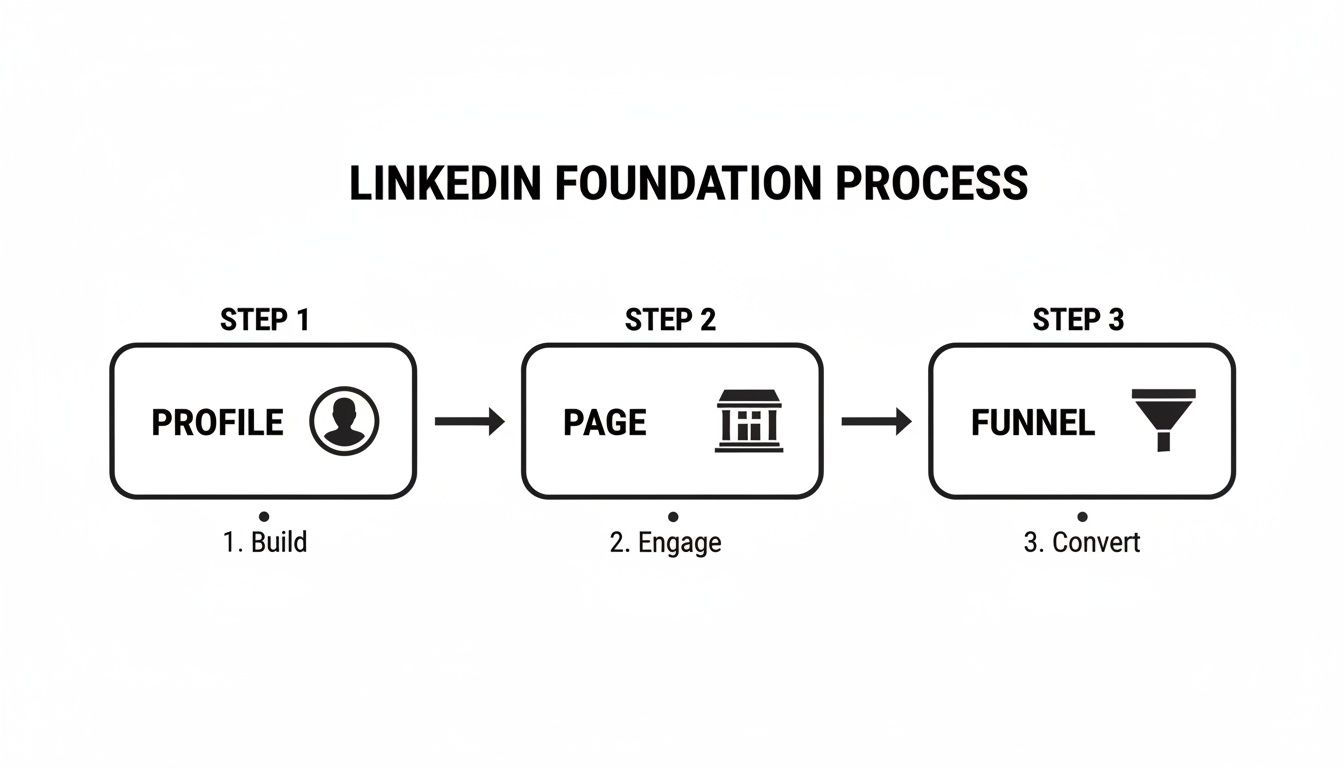
As you can see, a strong profile is what allows you to engage effectively, which in turn feeds prospects into your conversion funnel. It all works together.
The real secret here is alignment. Your personal profile, your Company Page, and all your content need to tell the same cohesive story about the value you provide. It’s this consistency that builds the trust needed for a prospect to finally take that next step with you.
Since generating leads on LinkedIn is a form of outbound marketing, it pays to understand the bigger picture. Reading a comprehensive guide to outbound lead generation can provide valuable context. When you do start reaching out, your perfectly optimised profile and page will do the heavy lifting, backing up your claims and establishing you as a credible expert right from the get-go.
How to Find and Target Your Ideal Clients on LinkedIn
Once your profile is polished and ready to go, it's time to shift gears. You've built the foundation; now we move from simply having a presence to actively hunting for opportunities. Firing off connection requests to anyone and everyone is a surefire way to get ignored. The real wins come from knowing exactly who you need to talk to and using LinkedIn's powerful tools to find them.
This whole process kicks off with a crystal-clear Ideal Client Profile (ICP). Think of your ICP as a detailed blueprint of your perfect customer, not just a vague idea. It should spell out their industry, job title, company size, location, and, most importantly, the specific headaches they're dealing with that you can solve. When you have this level of clarity, finding them on LinkedIn becomes surprisingly straightforward.
Defining Your Ideal Client Profile
Before you even think about typing into that LinkedIn search bar, you need to map out your ICP. This one step will shape every single action you take from here on out.
Get specific with these key details:
- Industry: Which sectors get the most value from what you do? (e.g., Real Estate, IT Services, Recruitment).
- Company Size: Are you best suited to helping scrappy startups, established SMEs, or massive enterprises? (e.g., 11-50 employees).
- Job Title: Who holds the purse strings or makes the final call? (e.g., "Marketing Manager," "CEO," "Director of Operations").
- Geography: Are you focused on a local area or the whole of Australia? (e.g., Sydney, New South Wales).
Nailing down these specifics saves you from wasting precious time and energy on prospects who are never going to be the right fit.
Mastering LinkedIn Search and Filters
With your ICP in hand, you can now tap into LinkedIn’s search features to build a laser-focused list of prospects. The standard search bar is more powerful than most people realise, letting you filter by keywords, connections, locations, and companies.
But the real magic happens when you learn to speak LinkedIn's language using Boolean operators. These simple commands give you an incredible amount of control.
- Quotes (""): Use these to find an exact phrase. A search for "Business Development Manager" will weed out anyone who isn't using that precise title.
- AND: This narrows things down by making sure all your keywords are included. For example, "Marketing Manager" AND "SaaS" will only show you marketing managers working in the software industry.
- OR: This broadens your search to include a few different options. A search for "CEO" OR "Founder" will pull up profiles with either of those titles.
- NOT: This is your exclusion tool. "Director" NOT "Assistant" will show you directors while filtering out any assistant director roles.
By mixing and matching these, you can build incredibly specific searches that get you right in front of your ideal clients.
Unlocking Advanced Prospecting with Sales Navigator
The free search is a fantastic starting point, but for anyone serious about lead generation, LinkedIn Sales Navigator is the professional's choice. It’s built from the ground up for prospecting, offering advanced filters, smart lead recommendations, and tools to save and manage your lists.
It lets you get so much more granular, filtering by things like years in a current role, company growth rate, or even recent job changes.
Here’s a glimpse of the Sales Navigator interface, which shows just how deep you can go with your filters.
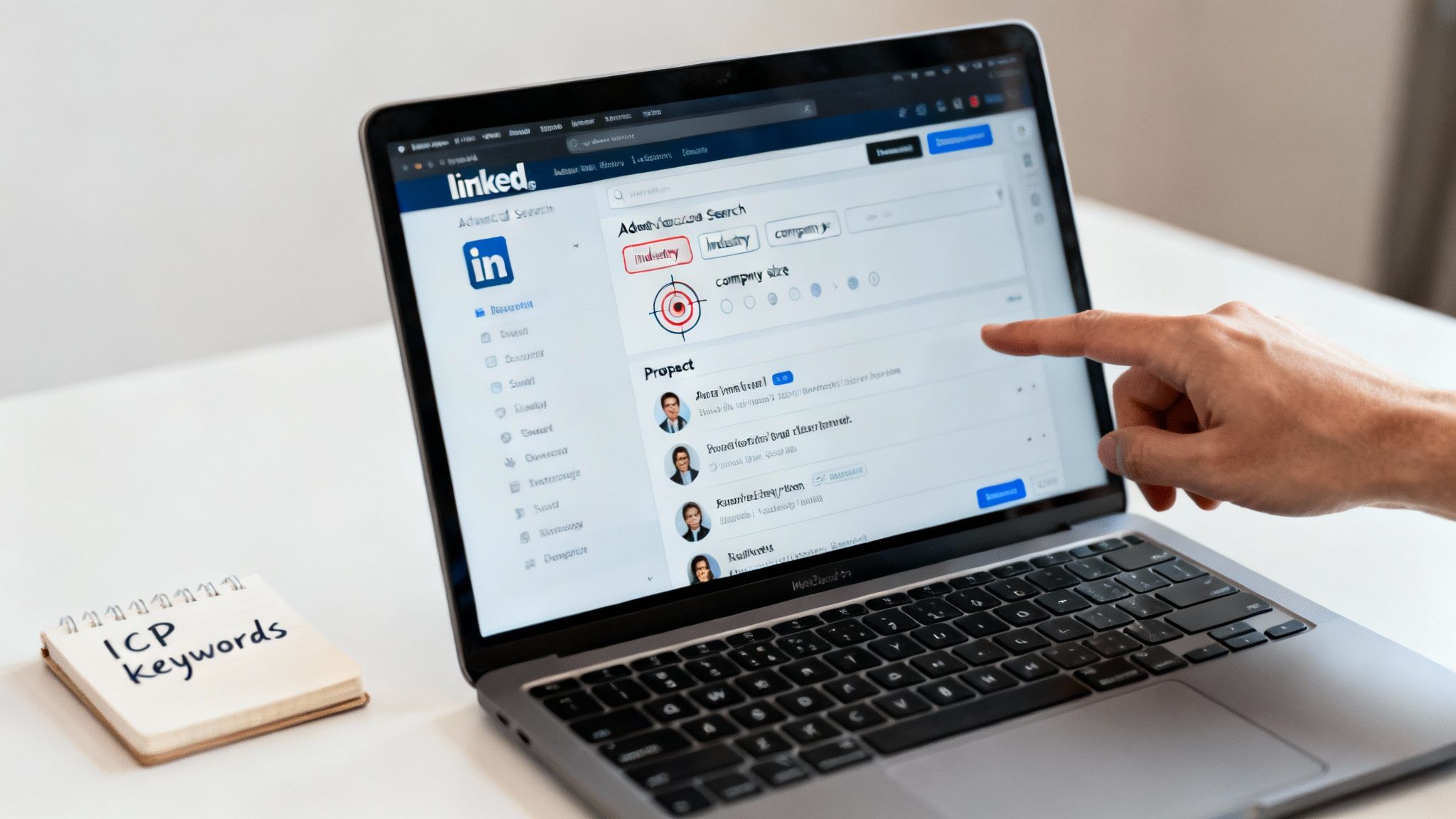
This kind of detail helps you find people who aren't just a good fit on paper, but who might also be in the perfect position to hear from you right now. If you want a deeper dive, you can learn more about getting the most from Sales Navigator with our detailed guide.
The goal isn't just to find people, but to find the right people at the right time. Researching a prospect's recent activity—like a promotion or a company announcement—before you connect gives you the perfect, personalised reason to reach out.
This little bit of homework turns a cold connection request into a relevant, timely, and welcome conversation starter, massively boosting your chances of getting a reply.
Developing a Content Strategy That Attracts Leads
So, you’ve polished your profile and you know exactly who you want to talk to. What's next? It's time to start drawing those people to you naturally. This is where your content strategy becomes your most powerful tool for lead generation on LinkedIn.
Instead of just being another salesperson in their feed, you become a trusted authority who consistently shows up with something valuable to say. A solid content plan completely flips the script—you stop chasing leads and start attracting them, because you’re solving their problems and building credibility long before you ever slide into their DMs. It’s all about giving first.
The Power of Value-Driven Content
The most effective content on LinkedIn has nothing to do with selling. It's about helping. Every single post should aim to educate, inform, or inspire your ideal clients. What are the questions they’re constantly asking? What are the biggest roadblocks they face? Your content needs to be the answer.
This approach builds a loyal following of people who genuinely see you as an expert. It's incredibly effective here in Australia, where professionals are hungry for quality information. The numbers don't lie: a staggering 80% of B2B social leads come directly from LinkedIn, and 40% of Aussie B2B marketers rate it as their top platform for sourcing high-quality leads.
Creating Your Content Pillars
Feeling overwhelmed about what to post every day? The secret is to build your strategy around three to five core "content pillars." Think of these as the main themes you'll talk about, all reflecting your expertise and hitting on your ideal client's pain points.
For service-based businesses, these pillars are absolute gold:
- Industry Insights: Share your take on the latest trends, news, or big shifts in your field. This shows you have your finger on the pulse.
- Client Success Stories: Nothing beats real-world results. Use case studies or testimonials to provide powerful social proof and make your value crystal clear.
- Practical Advice & How-Tos: Give away actionable tips, checklists, or simple guides that solve a specific problem. People love content they can use immediately.
- Behind-the-Scenes: Show a glimpse of your process, your team, or your company culture. It humanises your brand and builds a much stronger connection.
By cycling through these pillars, your content stays fresh, engaging, and consistently demonstrates your authority from all angles. For some hands-on advice, this guide on effectively posting on LinkedIn is a great resource for boosting your views and lead potential.
Proactive Engagement Is Your Content Amplifier
Just posting great content and walking away is a huge mistake. The real magic happens with proactive engagement—thoughtfully commenting on other people's posts, joining group discussions, and celebrating your network's wins. The LinkedIn algorithm absolutely loves this and rewards you by showing your profile to a much wider audience.
When you leave a thoughtful, insightful comment on a post from an industry leader or potential client, you're not just engaging with one person. You're putting your expertise and your name in front of their entire audience.
Think of every meaningful comment as planting a seed. It’s a chance to be discovered by a new prospect who already sees you as a helpful, knowledgeable expert. This approach turns your content from a one-way broadcast into a real conversation, warming up leads before you even reach out.
Mastering Outreach That Actually Gets Replies
You’ve done the hard yards: your profile is sharp, your target list is locked in, and you know exactly who you want to talk to. Now for the moment of truth in your lead generation LinkedIn playbook—making contact.
Anyone can smash the "connect" button. But starting a real conversation, one that builds a relationship and leads to actual business? That’s a different skill entirely.
The secret is to remember you're talking to a person, not just a prospect. The best outreach feels human because it is. It's about building genuine rapport first, which means throwing out the generic, self-serving pitch and making it all about them.
The Anatomy of a High-Converting Connection Request
Your connection request is your digital handshake. It’s your one shot at a first impression, so make it count.
The default "I'd like to add you to my professional network on LinkedIn" is the digital equivalent of a limp handshake. It’s lazy, forgettable, and gets you ignored. Your goal is to be memorable for the right reasons.
A great connection request is short, personalised, and gives a clear reason for connecting that has nothing to do with selling. It shows you’ve actually paid attention.
Here's what goes into it:
- A Personalised Opening: Start with something specific you have in common. A mutual connection, a shared group, or a piece of content they recently posted all work brilliantly.
- A Sincere Compliment: Mention a recent company win, an article they wrote that you genuinely enjoyed, or an interesting point they made in a comment. Authenticity is key here; people can smell a fake compliment a mile away.
- The 'Why': Briefly explain why you want to connect. Frame it around learning from them or following their insights, not pitching your services.
This simple, human approach instantly lifts you above the 90% of other requests that are just generic noise.
Crafting the Perfect Multi-Step Outreach Sequence
One message is almost never enough. A well-thought-out, multi-step sequence lets you build a connection over time without being that annoying, pushy person in their inbox. Think of it as a gentle dance: give some value, ask a thoughtful question, and guide the conversation forward naturally.
I like to think of it as a three-part conversation starter:
- The Connection Request: The personalised, no-pitch opening we just covered. This gets your foot in the door.
- The Value-Add Follow-Up (2-3 days later): Once they accept, follow up with something genuinely helpful. No strings attached. This could be a link to a relevant article, a useful industry tool, or an insightful comment on their latest project.
- The Question-Based Follow-Up (4-5 days later): Your next message can gently pivot towards a real conversation. Ask a smart, open-ended question about their industry, a challenge you suspect they're facing, or their opinion on a recent trend.
This patient, value-first approach is how you build the trust needed to eventually have a business conversation.
Effective vs. Ineffective LinkedIn Outreach
Seeing the good and the bad side-by-side really makes this click. So many people fall into the same traps that kill conversations before they even begin. Here’s a clear look at what to do—and what to avoid.
| Outreach Stage | Ineffective Approach (Avoid) | Effective Approach (Adopt) |
|---|---|---|
| Connection Request | "Hi John, I see we're both in the marketing industry. I’d love to connect and tell you about my services." | "Hi John, I saw your recent post on AI in marketing—great insights. I’m also passionate about this space and would love to follow your work." |
| First Follow-Up | "Thanks for connecting. Are you free for a 15-minute call next week to discuss how we can help you?" | "Thanks for connecting, John. Speaking of AI, I thought you might find this recent report on its adoption in Australian SMEs interesting. Hope it's useful!" |
| Second Follow-Up | "Just following up on my last message. Let me know when you're free to chat about your marketing needs." | "Hi John, hope you’re having a great week. I was just curious, what's been the biggest challenge you've seen when implementing new tech in your team?" |
The difference is night and day, right? The effective path is all about them, offering value, and starting a dialogue. The ineffective one is all about you, immediately asking for their time before you've earned any of it.
The golden rule of LinkedIn outreach is simple: Give, give, give, then ask. By consistently providing value and showing genuine interest, you earn the right to eventually talk about business. This turns a cold outreach into a warm conversation.
How to Convert LinkedIn Leads Into Sales Appointments
Getting a great conversation going in your LinkedIn DMs is a solid start, but let's be honest, it’s not the finish line. The real magic happens when you can turn that friendly chat into a genuine business opportunity. This is all about guiding that warm lead off the platform and into your world, turning their initial interest into a booked sales appointment on your calendar.
The trick is to make this transition feel completely natural, not like you're suddenly flipping a sales switch. After you’ve spent time building rapport, sharing value, and actually listening, offering the next step should feel like the most logical thing in the world. It’s about moving the relationship forward.
The Right Time to Offer a Lead Magnet
Timing is everything. Jump in too early with an offer, and you risk sounding pushy. Wait too long, and the momentum fizzles out. The sweet spot is usually after a few insightful back-and-forth messages, once you’ve built a real connection and have a good grasp of their challenges.
Your offer should feel like a direct answer to something they've shared.
- If they're struggling with processes: "You mentioned getting your team's workflow sorted out is a priority. I've actually got a '5-Step Efficiency Checklist' that you might find really useful. Happy to send it over if you like?"
- If they're curious about results: "That situation sounds almost identical to a client we helped last year. I could share a quick case study on how they hit [specific outcome]. Would that be helpful?"
- If they need more in-depth knowledge: "Funnily enough, we're running a webinar next week that dives deep into this exact topic. It'd be great to see you there if you have a spare moment."
See the difference? This isn't a sales pitch. It’s a helping hand. You’re offering a genuinely useful resource that’s tailored to their problem, which only reinforces your credibility.
The best lead magnets are practical tools that solve a very specific problem. They give your prospect a quick, immediate win, which builds their confidence in your ability to deliver real results long before they ever sign a contract.
Building Your Simple Conversion Funnel
Once they say "yes" to your resource, you need a smooth, simple path to guide them toward booking that call. The last thing you want is a clunky, confusing process. The goal here is a frictionless journey from their LinkedIn inbox to your calendar.
Here’s a straightforward funnel that just plain works:
- The Offer: Propose your lead magnet right there in the LinkedIn chat.
- The Landing Page: Send them to a clean, simple page to get the resource. All it needs is a quick reminder of the value and one crystal-clear call-to-action (CTA).
- The Thank You & CTA: The "thank you" page is your golden opportunity. Don't just say thanks and leave it at that. This is where you invite them to take the next logical step. "Glad you got the checklist! If you'd like to chat for 15 minutes about how these steps might look in your business, feel free to grab a time on my calendar."
- The Booking Tool: Link them straight to a scheduling tool like Calendly. This eliminates all the frustrating back-and-forth emails trying to find a time that works, making it incredibly easy for them to take action.
This simple flow does all the heavy lifting. It nurtures the lead, captures their contact details, and empowers them to book a meeting when it suits them, positioning you as an organised professional from the get-go.
Measuring Your Success and Avoiding Common Pitfalls
So, you've got your LinkedIn lead generation strategy running. That's great. But how do you know if it's actually working? Pouring time and effort into outreach is one thing; turning that effort into a predictable stream of clients is another game entirely. To do that, you have to look past the vanity metrics like likes and views and get real about the numbers that actually grow your business.
This is especially true here in Australia, where LinkedIn is an absolute goldmine for service-based businesses. The numbers don't lie: it's proven to be a staggering 277% more effective for generating leads than other social networks. On top of that, a huge 80% of all B2B leads from social media come directly from LinkedIn. If you want to dig deeper into the local stats, the team at Callbox Inc Australia has some great insights.
With that much potential on the table, you can't afford to just guess. You need to track what's working and what isn't.
The KPIs That Actually Matter
Let's cut through the noise. To get a clear picture of your campaign's health, you only need to focus on a handful of key performance indicators (KPIs). These are the metrics that tell the real story.
I recommend starting with these four core numbers:
-
Connection Acceptance Rate: This is your first impression score. Are people accepting your request to connect? You should be aiming for 30% or higher. If you're falling short, it's a clear signal to go back and refine your headline, profile photo, or the message you're sending with your request.
-
Message Reply Rate: Once you're connected, are people actually responding to your messages? A reply rate above 20% is a good sign that your follow-ups are hitting the mark and you're not coming across as just another spammer.
-
Qualified Leads Generated: This is where the rubber meets the road. How many of those conversations are turning into genuine, potential clients who are a good fit for your services? This number is the true test of your targeting and your ability to build real rapport.
-
Appointment Conversion Rate: Of all those qualified leads, how many are actually booking a call or meeting with you? This metric tells you how effective you are at moving the conversation from a LinkedIn chat to a spot in your calendar.
Think of these KPIs as your diagnostic tools. A low acceptance rate points to a weak first impression. A low reply rate means your messaging is off. Tracking them isn't about filling a spreadsheet; it's about knowing exactly where to focus your attention to fix the leaks in your funnel.
Common Mistakes to Sidestep
Even with the best plan, it’s easy to stumble. I see the same few mistakes trip people up time and time again, but they are completely avoidable once you know what to look for.
The biggest one? Giving up too soon. Building relationships takes time. You're not going to get a flood of leads overnight. Consistency is your best friend here, so stick with it.
Another classic error is setting up your profile and then forgetting about it. Your profile is a living, breathing document. You need to keep it fresh with new results, testimonials, and insights to show you’re active and at the top of your game.
Finally, resist the temptation to over-automate. Relying too heavily on bots and generic, templated messages is the fastest way to get ignored or, worse, flagged as spam. Personalisation is everything. Always keep a human at the centre of your outreach.
Your Top LinkedIn Lead Generation Questions, Answered
Jumping into LinkedIn lead generation can feel like you've got a mountain of questions. It's completely normal. Let's tackle some of the most common ones we hear from Australian service businesses, so you can move forward with a clear, confident plan.
How Much Time Should I Really Spend on LinkedIn Each Day?
This is a big one. The good news? You don't need to live on the platform.
Forget about spending hours scrolling. A focused 20-30 minutes each day is all you need to see real results. The secret is to use that time wisely—sending a few well-crafted connection requests, dropping thoughtful comments on your network's posts, and replying to your messages. Consistency is your best friend here; it's about building a daily habit, not running a marathon.
Is LinkedIn Sales Navigator Actually Worth the Money?
If you're serious about growing your business, then yes, absolutely. The free version of LinkedIn is fine for getting started, but Sales Navigator is like trading in a street directory for a high-tech GPS.
It's built specifically for finding prospects. The advanced search filters alone are a game-changer, letting you pinpoint your ideal clients with incredible accuracy. Add in the ability to save leads and send more InMails, and you suddenly have a much more efficient way to connect with the right people.
Think of it this way: Sales Navigator's true power isn't just in finding more leads, it's in finding the right leads faster, armed with insights that make your outreach genuinely relevant.
What’s the Magic Number for Daily Connection Requests?
Let’s clear this up: quality beats quantity, every single time. It's tempting to hit the maximum number of connection requests LinkedIn allows, but that's a surefire way to get your account flagged and ignored.
Aim for 10-15 highly personalised requests a day. This forces you to do your homework and make each request count, which skyrockets your acceptance rate and leads to far better conversations. You're trying to build valuable relationships, not just collect contacts.
Can I Just Automate All My LinkedIn Outreach?
Tread very carefully here. Automation has its place, but using it as a blunt instrument is the fastest way to burn your reputation. Nobody likes receiving a generic, robotic message, and it instantly tells potential clients you haven't done your research.
It's okay to use automation for simple tasks like viewing profiles, but your messaging must always have a human touch. Personalisation is non-negotiable. The sweet spot is blending the efficiency of smart tools with the power of genuine human connection. Don't ever sacrifice the latter for the former.
Ready to turn LinkedIn into a predictable client-attraction system for your business? At Homer Digital Marketing, we build the proven strategies and AI-powered systems that help service businesses scale. Let's build your pipeline together. https://homerdigitalmarketing.com
