

Struggling to keep your team's skills sharp in a rapidly changing market? LinkedIn Learning offers a massive online training ground with over 22,000 expert-led courses designed to plug directly into your professional world. Think of it as your company's digital campus, built to connect learning with real-world career growth and business objectives.
This guide will break down exactly what LinkedIn Learning is, whether the pricing is justified for Australian businesses, and how you can leverage its powerful features to upskill your team and drive a tangible return on investment.
What Exactly Is LinkedIn Learning?
Imagine having a career coach and an entire university library built right into the world’s biggest professional network. That’s essentially what LinkedIn Learning is. It’s a powerful tool for individuals wanting to climb the ladder and an essential training resource for businesses across Australia.
This isn't just a static library of video lectures. The platform is intelligent. It acts like a ‘personalised digital campus,’ analysing your profile, your connections, and what’s trending in your industry to recommend courses that directly align with your career goals. This means you stop wasting time on random content and start building the exact skills employers are hunting for right now.
The Three Pillars of Content
The platform neatly organises its massive catalogue of courses into three core areas, so you can find what you need whether you’re aiming for the C-suite, mastering new software, or sharpening your creative edge.
- Business: Here you’ll find all the essentials for becoming a better leader and strategic thinker. It covers everything from leadership and project management to finance and HR.
- Creative: A goldmine for anyone in design, marketing, or media. This pillar offers courses on graphic design, UX, photography, video production, and all the latest tools and techniques to stay current.
- Technology: This section is massive and constantly updated. It’s packed with courses on software development, IT networking, data science, and cybersecurity—absolutely critical for any tech professional who wants to keep their skills sharp.
A Learning Experience Tied to Opportunity
What truly makes LinkedIn Learning stand out is how it bridges the gap between learning and career advancement. When you finish a course, it’s not just a tick in a box; it's a verified achievement you can add straight to your profile with a single click. This instantly flags your new skills to recruiters and your network, turning your efforts into genuine career opportunities.
The platform transforms learning from a passive activity into an active career-building strategy. By suggesting skills based on jobs you’re interested in and showcasing your new certifications, it closes the loop between learning and earning. Every course you complete becomes a concrete step toward your next big move.
This integration is a game-changer for businesses looking to upskill their teams. A company can map out custom learning paths for specific roles or upcoming projects, ensuring everyone’s development is perfectly aligned with the company’s goals. For a deeper look at how to get the most out of it for your business, check out our complete guide on making the most of a LinkedIn Learning subscription. It’s this clever mix of top-notch content and practical application that makes it such a vital tool today.
Exploring Features That Drive Real Growth

Sure, having a massive library of courses is nice. But the real magic of LinkedIn Learning lies in how its features turn passive watching into active career growth. It’s built to make your new skills visible and valuable, especially in the competitive Australian job market. This is where it stops being just an educational tool and becomes a genuine growth engine.
The most obvious win? The professional certificates you earn. Finish a course or a full-blown Learning Path, and you get a verifiable certificate. With one click, you can add it directly to the "Licences & Certifications" section of your LinkedIn profile. Instantly, your entire network—including recruiters actively hunting for those exact skills—can see your new qualifications.
It’s a dead-simple way to turn your learning into hard proof of your commitment to staying ahead.
Your Personalised Career Roadmap
One of the platform's smartest features is its AI-powered recommendations. It’s like having a personal career coach that scans your profile, your industry, and even the skills of people in roles you’re aiming for. It analyses job descriptions you’re interested in and identifies the skills you're missing.
From there, it suggests courses that will bridge the gap between where you are now and where you want to be. It’s strategic learning—not just learning for learning's sake.
This dynamic approach is a huge reason for the platform's explosive growth. Globally, by mid-2025, LinkedIn Learning was home to over 25,000 on-demand courses. In the past year alone, users knocked over more than 800 million of them. This is mirrored in Australia, where professional LinkedIn usage is high, making these integrated features incredibly powerful.
From Theory to Hands-On Practice
Watching videos is one thing, but actually doing the work is what makes knowledge stick. LinkedIn Learning understands this, baking practical, hands-on elements into tons of its courses.
The platform excels by transforming learning from a passive to an active experience. Downloadable project files and hands-on exercises ensure that what you learn on screen can be immediately applied in a real-world context, cementing your understanding and building practical confidence.
These resources are gold for turning theory into tangible skills. For instance:
- Project Files: A web design course might give you HTML and CSS files so you can code right alongside the instructor.
- Exercise Sheets: A data analytics course could provide real datasets for you to practise running queries and creating charts.
- Quizzes and Assessments: Quick chapter quizzes ensure you've actually absorbed the key ideas before you move on.
This focus on application is critical. It means when you finish a course, you don’t just understand the theory—you’ve actually used the software or applied the strategy. For Australian service-based businesses, this is a massive advantage, allowing teams to upskill fast and bring new techniques to client work almost overnight. If you're looking to polish your own online presence, check out our guide on leveraging your LinkedIn profile.
LinkedIn Learning Pricing Plans in Australia
So, what does it actually cost to get your team skilled up on LinkedIn Learning? Let's break down the pricing plans available in Australia so you can figure out where your budget is best spent.
LinkedIn Learning keeps it fairly simple with two main streams: one for individuals and another for teams.
The image below gives you a snapshot of the most popular course categories on the platform and, more importantly, how many people actually finish them.
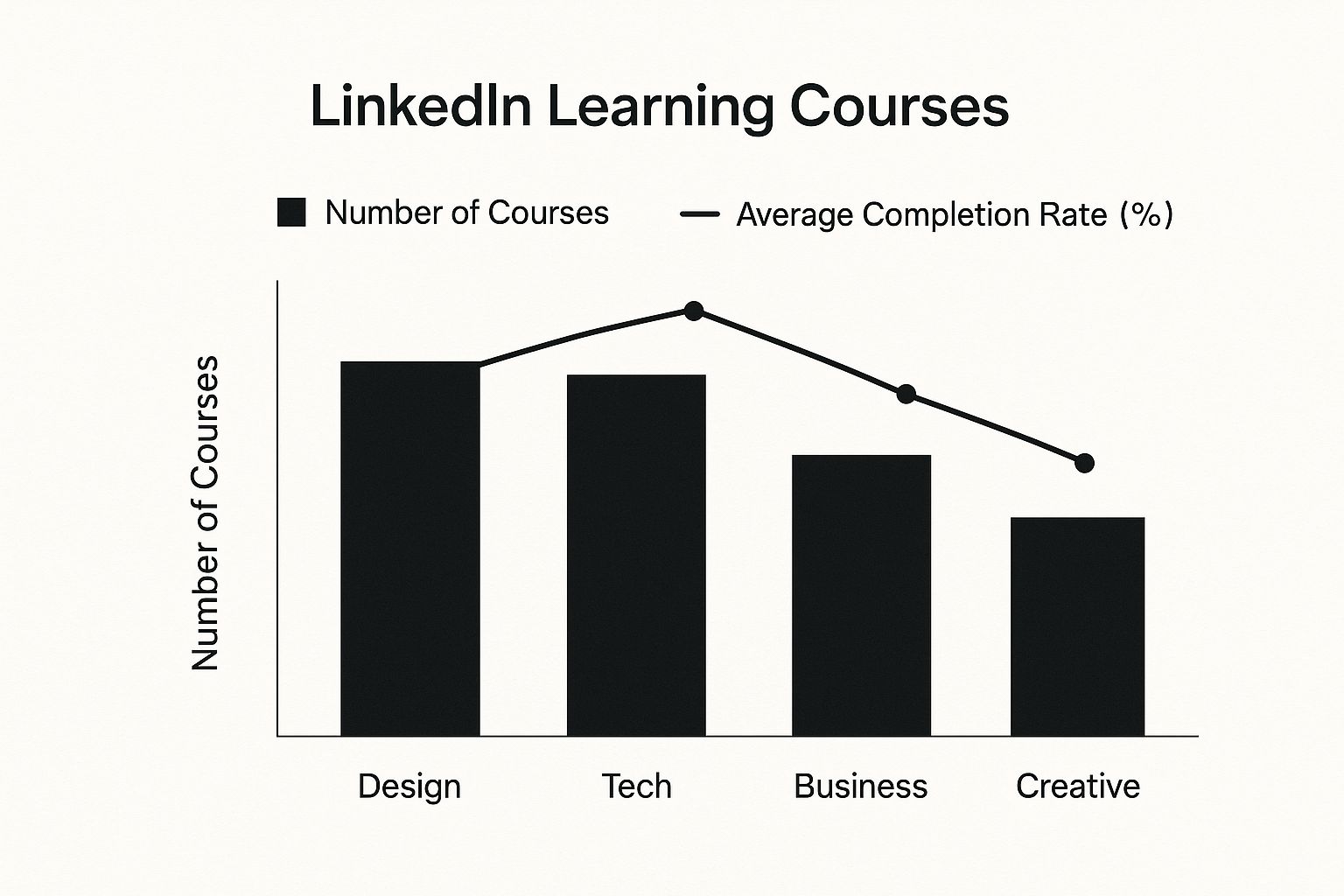
As you can see, Technology courses are the big winner, with over 8,000 available and a solid 75% completion rate. Design and Business aren't far behind, each offering around 5,000 courses with a respectable 65% of learners seeing them through to the end.
Individual Subscription Benefits
If you're a freelancer, a consultant, or just flying solo, the individual plan is for you. You can pay month-to-month or save a bit by committing to a year.
The monthly plan will set you back AU$49.99. If you opt for the annual subscription, the price drops to what works out as AU$29.99 per month, which is a pretty decent saving.
The best part? There are no lock-in contracts. You can cancel anytime, giving you complete control over your spending. For that price, you get unlimited access to every course, downloadable project files, certificates of completion, and the ability to watch courses offline.
Team Plan Features
For businesses wanting to train their crew, the team subscription is where it’s at, starting from AU$59.99 per user per month (billed annually).
This is where you unlock the good stuff for managing a team. You get advanced analytics to see who’s learning what, the ability to create custom learning paths for different roles, and easy integration with your existing Learning Management System (LMS).
There’s also a dedicated admin dashboard that gives you a real-time view of your team’s progress, helping you spot skill gaps before they become a problem.
It's also worth noting that some LinkedIn Premium subscriptions, particularly the Business tier, bundle LinkedIn Learning in at no extra cost. It’s a great way to add value if you’re already paying for Premium.
LinkedIn Learning Plans Compared
Choosing the right plan really comes down to your team's size and what you need to track. Here’s a quick side-by-side look.
| Feature | Individual Subscription | Team Subscription (Business) |
|---|---|---|
| Price | AU$49.99 monthly or an annual rate of AU$29.99/month | Starts at AU$59.99 per user/month (billed annually) |
| Core Access | Full access to all courses, certificates, and offline viewing | All individual features plus admin dashboard and analytics |
| Best Use Case | Freelancers, consultants, and solo professionals | Small to large teams needing progress tracking and custom paths |
So why do most service-based businesses end up on the team plan? It boils down to a few key features:
- Advanced Reporting: It lets you track skill development across different roles and departments.
- Custom Learning Paths: You can build training programs that align directly with specific client projects or business goals.
- LMS Integration: This is a huge time-saver, centralising all your training data and making enrolment a breeze.
“Integrating learning into our workflow boosted productivity by 30%,” says an HR manager at a Sydney agency.
Ultimately, the decision rests on scale and data. Many small teams start with individual plans for key staff and then upgrade to a Team plan once tracking progress and measuring ROI becomes a priority.
Don't forget, paying annually can lead to savings of up to 40% compared to the month-to-month option. And if you're already using LinkedIn Premium, check if Learning is included—it could be the most cost-effective route of all.
How Do You Actually Use LinkedIn Learning in Your Business?
Knowing the features is one thing, but making them work for you is a whole different ball game. For Aussie service businesses—whether you're a marketing agency, a tech consultancy, or a financial firm—LinkedIn Learning can be a serious growth engine.
It’s not just another line item in your training budget. When used correctly, it becomes a strategic investment in your team, helping you standardise knowledge, plug skill gaps, and sharpen the soft skills that actually win and keep clients.
Build an Onboarding Program That Just Works
Getting new hires up to speed without wasting everyone’s time is a massive headache. A messy onboarding process costs you money and leaves new starters feeling lost and unproductive. LinkedIn Learning fixes that.
You can map out a standard onboarding path so every single new employee gets the same high-quality training from day one. This isn't just about ticking compliance boxes; it's about embedding your company's way of doing things right from the start.
A marketing agency, for instance, could build an onboarding path covering:
- Core Software Skills: Courses on the exact project management and analytics tools your agency lives and breathes.
- Client Communication 101: Training on how you expect your team to report to and present to clients.
- Industry Basics: Foundational courses on SEO, PPC, or social media to get everyone on the same page.
An approach like this gets new people contributing faster and makes sure the quality of work is consistent across the board.
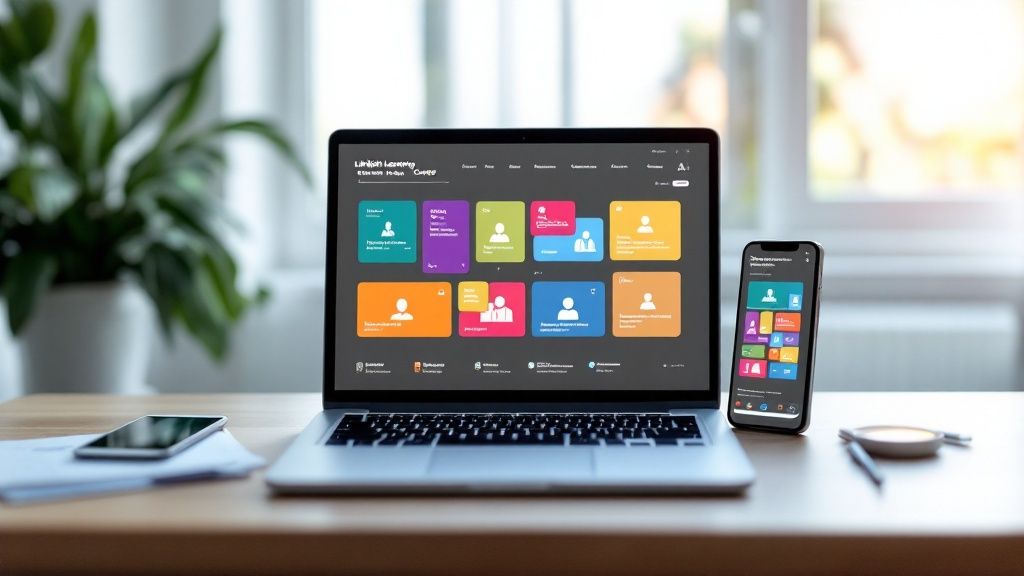
The dashboard lets you build out these training paths, assign them to new staff, and see exactly who’s completed what, making it the central hub for getting your team skilled up.
Create Custom Learning Paths for In-Demand Skills
The business world changes fast. The skills that were valuable last year are just the entry ticket today. With Custom Learning Paths, you can get ahead of the curve, training your team in high-demand areas before your competitors even know what's happening.
A tech consultancy could create a path called "AI for Business Automation." This would walk their consultants through basic AI concepts, practical machine learning applications, and the ethics involved. Likewise, a financial firm could build a path on "Cybersecurity for Financial Professionals" to give their clients peace of mind.
By creating your own Learning Paths, you’re not just training staff—you’re building a specialist team that can tackle new client demands and jump on market opportunities.
This means your training budget is spent on skills that directly fuel growth and keep you relevant.
Sharpen the Soft Skills That Win Clients
In any service business, technical skills will only get you so far. It’s the ability to communicate, negotiate, and lead with empathy that really makes a business stand out. These are often the first skills to be ignored in training, but LinkedIn Learning has them in spades.
And it matters. With Australia's professional world so connected to the platform, these skills are non-negotiable. As of January 2025, there were roughly 17,020,000 LinkedIn users in Australia—that’s 61.9% of the population. A huge chunk of those users are the very clients you’re trying to win over. You can dig into the numbers in this Australian LinkedIn user report.
You can assign courses on things like:
- Leadership and Management: To prepare your next team leaders.
- Client Negotiation: To help your team close better deals.
- Effective Communication: To make internal meetings and client presentations shine.
Investing in these areas transforms your team from just skilled workers into trusted advisors. To help them make the most of it, check out our guide on creating a powerful LinkedIn strategy for your business. At the end of the day, this focus on the whole skillset builds stronger client relationships, keeps them coming back, and makes your business far more resilient.
Integrating Learning Into Your Company's Workflow
To get any real value out of your investment, LinkedIn Learning can’t just be another perk you offer. It needs to be woven right into the fabric of your company's daily operations. For HR and IT leaders, the real win is making the platform feel like a natural extension of your existing systems, not some separate add-on.
This goes way beyond just handing out logins and hoping for the best. It's about creating a connected ecosystem where learning, performance tracking, and career development all speak the same language. The secret? Integration.
Unifying Your Learning Ecosystem
Most established businesses are already using a Learning Management System (LMS) or a Learning Experience Platform (LXP). These are your central hubs for everything from compliance training to internal docs. Trying to run LinkedIn Learning on the side just creates a clunky, disjointed experience for your team and a massive administrative headache for you.
When you connect the two, you create a single source of truth for all things training. The benefits are immediate and tangible:
- Centralised Reporting: All your learning data—from internal modules to LinkedIn courses—feeds into one dashboard. Suddenly, you have a complete picture of skill development across the entire organisation.
- Seamless User Experience: Staff can find, launch, and track LinkedIn Learning courses from the familiar interface of your existing LMS or LXP. No more jumping between platforms.
- Automated Enrolment: You can automatically assign relevant courses based on an employee’s role, department, or career path, all triggered by your main HR system.
This smooths out the whole process, boosts adoption, and makes sure the goldmine of content on LinkedIn Learning is actually being used to hit your business goals.
Making the Technical Connection
So, how does this actually work? The magic happens through Application Programming Interfaces (APIs) that let your systems talk directly to LinkedIn Learning. Think of an API as a secure translator, passing data back and forth so everything stays perfectly in sync.
LinkedIn Learning offers powerful APIs built for exactly this purpose. The process usually involves connecting your LMS/LXP via a standard like SCORM (Sharable Content Object Reference Model) or using more advanced API connections for a deeper, more customised link.
The real power of integration is in the data sync. When an employee finishes a negotiation course on LinkedIn Learning, that achievement is automatically logged in your central HR system. You get a real-time, accurate record of their upskilling journey without lifting a finger.
This data sync is a game-changer. It means you can start to draw a straight line between training and performance. Did the sales team’s completion of a new skills path lead to higher close rates a month later? Now you can actually track it.
A Practical Roadmap for Integration
Getting started doesn't have to be a huge technical mission. Your first port of call should be your LMS or LXP provider—most major platforms have pre-built connectors for LinkedIn Learning that make the process a whole lot simpler.
If a ready-made connector isn't an option, your IT team can use LinkedIn's developer documentation to build a custom API integration. The key is to focus on syncing the important stuff: course catalogues, user enrolments, and completion records. By making LinkedIn Learning a core, integrated part of your company’s development culture, you turn it from a simple content library into a strategic tool for building a more capable and agile workforce.
How to Measure Your Training ROI
Throwing money at training is easy. Proving it actually paid off? That’s a whole other ball game. To justify what you’re spending on LinkedIn Learning, you need to look past the easy wins like course completion rates. The real gold is in connecting the dots between learning and actual business results.
You have to be able to answer the big question: is our investment in upskilling making our business stronger, more efficient, and ultimately, more profitable?
Moving Beyond Completion Rates
Knowing how many staff finished a course tells you almost nothing of value. A much smarter way to look at it is to measure whether they actually learned anything and how that new skill is impacting their performance on the job.
Your first port of call should be the platform’s built-in analytics dashboard. This is where you can start tracking skill development across teams and individuals, giving you a proper picture of how your workforce is levelling up.
Here are the metrics that actually matter:
- Skill Assessments: Keep an eye on how employees do in the post-course quizzes and tests. This gives you hard data on whether the knowledge is sticking.
- Performance Improvements: This is where the rubber meets the road. Did your sales team’s close rate jump after they smashed through a negotiation skills Learning Path? That’s ROI.
- Project Efficiency: Did that project management course you assigned actually lead to projects being delivered faster or with fewer stuff-ups? Track it.
Tying Learning to Retention and Growth
A skilled, engaged team is a team that sticks around. High staff turnover costs a fortune, making employee retention one of the most critical ROI metrics you can track. LinkedIn Learning can have a huge impact here by showing your team you’re genuinely invested in their careers.
A strong learning culture isn't just a nice-to-have; it's a powerful retention tool. When people see a clear path to grow within the company, they're far less likely to jump ship.
Start monitoring these long-term indicators:
- Employee Retention Rates: Compare turnover in teams that are all over the learning platform versus those who aren’t touching it.
- Internal Promotion Rates: How many of your senior roles are being filled by people already in the business who’ve used the platform to get ahead?
This kind of data builds a rock-solid business case. It reframes your training budget from a simple expense into a strategic investment in keeping your best people.
Let's not forget, LinkedIn is a massive part of Australia’s professional world. As of 2025, the platform could reach around 17 million Aussies for advertising, and it’s a beast for recruitment. By using its learning tools to build talent from within, you can cut down your reliance on expensive and time-consuming external hiring. You can get more insights into LinkedIn's powerful role in the Australian market to see the full picture.
Ultimately, measuring training ROI is about connecting the dots. When you can draw a straight line from a specific course to better performance, higher retention, and more internal promotions, you’re not just justifying a subscription—you’re proving that LinkedIn Learning is fuelling a more capable, engaged, and profitable business.
Frequently Asked Questions About LinkedIn Learning

Even after diving into all the features, you might still have a few questions about how LinkedIn Learning works in practice. It's totally normal.
We've pulled together the most common queries we hear to help you get the clarity you need to decide if it's the right move for you and your business.
Can I Get a Certificate After Completing a Course?
Yes, absolutely. Once you finish a course or an entire Learning Path, LinkedIn Learning awards you a certificate of completion.
The best part? You can add it straight to your LinkedIn profile with just one click. It’s a brilliant way to show off your new skills to your network, clients, and potential employers, giving them solid proof of your commitment to growth.
Is LinkedIn Learning Content Available Offline?
It sure is. The platform’s mobile app is a game-changer for learning on the move.
You can easily download any video or even a whole course directly to your phone or tablet. This is perfect for your daily commute, a flight, or any time you’re without a reliable internet connection, so your learning never has to hit pause.
How Does It Differ from Platforms Like Coursera or Udemy?
The key difference is how deeply and seamlessly it’s woven into the LinkedIn professional ecosystem. While other platforms have great content, LinkedIn Learning leverages data from your profile, industry trends, and what your network is learning to suggest courses that are incredibly relevant to you.
Its real power comes from its direct link to your professional identity. It’s not just about learning a skill; it’s about helping you showcase it to the very people who can advance your career.
Plus, every one of the over 22,000 courses is taught by a vetted industry expert, ensuring a consistently high standard of quality that you can trust.
Can I Cancel My Subscription at Any Time?
Yep, you’re in complete control. For individual subscribers, you can cancel both monthly and annual plans whenever you like without any fuss or penalties.
When you do cancel, your access continues right up until the end of your current paid billing cycle. For teams and businesses, the cancellation terms are usually set out in their specific contract, which offers different kinds of flexibility for organisations.
Ready to transform your team's skills and drive real business growth? At Homer Digital Marketing, we specialise in creating strategies that help service-based businesses scale. Discover how our expertise in LinkedIn optimisation and AI-powered marketing can help you attract your ideal clients. Book a consultation with us today!
