

Alright, let's be real for a moment. If your current approach to marketing in LinkedIn feels like you're shouting into a very corporate, very quiet void, you're not alone. Most businesses treat LinkedIn like a stiff digital resume or a boring version of Facebook—and that’s a one-way ticket to getting scrolled past and completely ignored.
Why Your LinkedIn Strategy Is A Dog's Breakfast
Look, you're posting, you're connecting, and maybe you’ve even chucked a few dollars at LinkedIn Ads. But the leads aren't exactly flooding in, are they? The brutal truth is that most LinkedIn marketing fails because it’s built on the wrong foundation. People are either too salesy, too boring, or just plain invisible.
You wouldn’t show up to a black-tie dinner in board shorts, so why are you using the same old tactics from other social platforms here? This isn't just another feed to dump your content into. Here in Australia, LinkedIn is the undisputed king of B2B, and it has its own set of rules and a unique professional culture. This isn't about just being on LinkedIn; it's about being a strategic operator who understands how to play the game.
Let’s diagnose the common blunders I see every single day:
- The "Digital Resume" Profile: Your profile reads like a dusty CV from 2009. It talks all about you, your company history, and your awards. Newsflash: your ideal client doesn't care. They only care about what you can do for them.
- "Post and Pray" Content: You’re sharing generic company updates, bland industry news, or worse, just re-sharing other people's stuff without adding any real insight. This doesn't build authority; it just adds to the noise.
- The Spammy DM Slide: Firing off a generic, copy-paste sales pitch the second someone accepts your connection request is the fastest way to get blocked. It's the digital equivalent of a door-to-door salesperson barging into a boardroom meeting.
It's no wonder your efforts feel like pushing a boulder uphill. The data doesn't lie: a massive 80% of all B2B social media leads in Australia come directly from LinkedIn, and its ad audience is growing by over 13% year-on-year. The leads are there, but they're not for the lazy or the loud.
The good news? Fixing these mistakes is easier than you think. This guide is designed to shift your mindset from being a passive user to an active, strategic player. You'll soon learn how to stop being ignored and start attracting the high-value clients you deserve.
If you're keen to get a head start, check out our guide on how to attract attention on LinkedIn the right way.
Shifting Your LinkedIn Marketing From Busywork to Smart Work
Too many businesses confuse being busy on LinkedIn with being effective. This playbook is all about making the switch to smart, intentional actions that actually drive results.
| Common Mistake (The 'Busy' Approach) | Winning Strategy (The 'Smart' Approach) |
|---|---|
| Treating your profile like a resume | Optimising your profile as a client-focused landing page |
| Posting inconsistent, generic content | Building a content pillar system based on expertise |
| Sending spammy, automated connection requests | Using personalised outreach to build genuine relationships |
| Broadcasting sales pitches to a wide audience | Targeting niche decision-makers with valuable insights |
| Ignoring analytics and hoping for the best | Tracking key metrics (KPIs) to refine your strategy |
| Focusing on vanity metrics like likes and views | Measuring what matters: leads, meetings, and revenue |
We're about to turn your LinkedIn presence from a ghost town into a client-generating machine. Let's get to it.
Optimising Your LinkedIn Profile and Company Page
Right, let's talk about your LinkedIn profile. Think of it as your digital shopfront or your 24/7 salesperson. Is it currently welcoming clients in for a chat, or does it have a 'Beware of the Dog' sign hanging on the door? If it’s the latter, we’re about to give it a complete makeover.
This is where effective marketing in LinkedIn gets tactical. Most people treat their profile like a dusty old CV, but your ideal client doesn't care where you worked in 2012. They only care about one thing: can you solve their problem right now?
Nail Your First Impression: The Headline and Banner
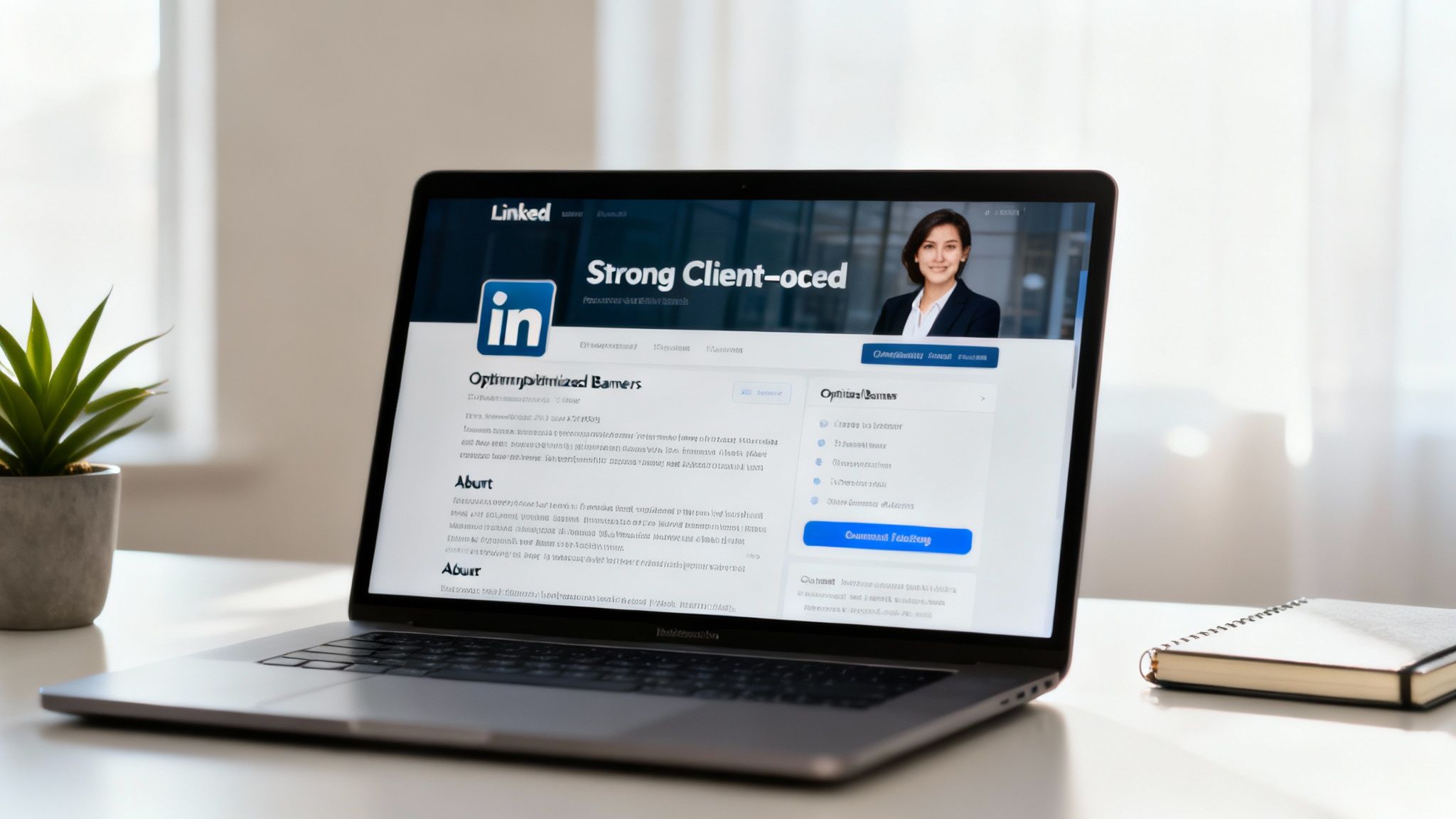
Your headline is the single most important piece of real estate on your profile. It follows you everywhere—in comments, connection requests, and search results. It’s time to ditch the bland "CEO at My Company" and swap it for a powerful, client-focused statement that screams value.
A winning headline formula is: I help [Your Ideal Client] to [Achieve X Result] by [Doing Y Method]. For example, "I Help Service-Based Businesses Get Seen & Win Clients on LinkedIn & Google". It's clear, confident, and speaks directly to a need.
Your banner image is your billboard. Please don't leave it as the default blue void. Use a tool like Canva to create a simple, on-brand banner that includes:
- Your business name or logo.
- A clear tagline that echoes your headline.
- Your website URL or a call to action.
This combo immediately tells visitors they’re in the right place.
Turn Your About Section Into a Sales Page
Your 'About' section isn't a biography; it's a conversation starter. No one wants to read a novel about your corporate journey. They want to see themselves in your story.
Here's how to structure it:
- Hook: Start with their pain point. "Tired of posting on LinkedIn and hearing crickets?"
- Agitate: Briefly explain the consequences of that pain. "It feels like you're wasting time and money on a platform that just isn't working for you."
- Solution: Introduce yourself as the guide who can help. "I help…".
- Credibility: Add a sprinkle of proof—a key result, years of experience, or a big-name client.
- Call to Action: Tell them exactly what to do next. "Book a call," "Send me a DM," or "Download my free guide."
Key Takeaway: Stop talking about yourself and start talking to your ideal client. Your profile should be a mirror reflecting their challenges and a map showing them the way out, with you as the guide.
Optimise Your Company Page for Credibility
While your personal profile builds relationships, your Company Page builds brand authority. It’s your business’s official headquarters on the platform, and neglecting it makes you look less established.
Beyond your personal profile, it's crucial for businesses to focus on mastering your LinkedIn Business Page to really maximise your brand's potential. Make sure your 'About Us' section is filled out with relevant keywords, your logo is crisp, and you're sharing company-specific updates and wins.
Encourage your team to link their profiles to the Company Page. This creates a powerful network effect and adds a huge layer of social proof and credibility to your entire operation.
Add Proof With the Featured Section
The Featured section is your personal trophy cabinet. Use it to pin your best stuff right at the top of your profile. This could be:
- A high-performing post that generated loads of engagement.
- A link to a client case study on your website.
- A video testimonial from a happy customer.
- Your main lead magnet or a link to book a consultation.
This section provides instant social proof and directs visitors to your most valuable resources.
Creating Content That Actually Starts Conversations
If your content plan is basically ‘post and pray,’ we need to have a chat. Let's be honest, the LinkedIn feed is a giant sea of corporate jargon, thinly veiled humble brags, and generic company updates. To get any real results with your marketing in LinkedIn, you can't just add to the noise; you need a proper strategy.
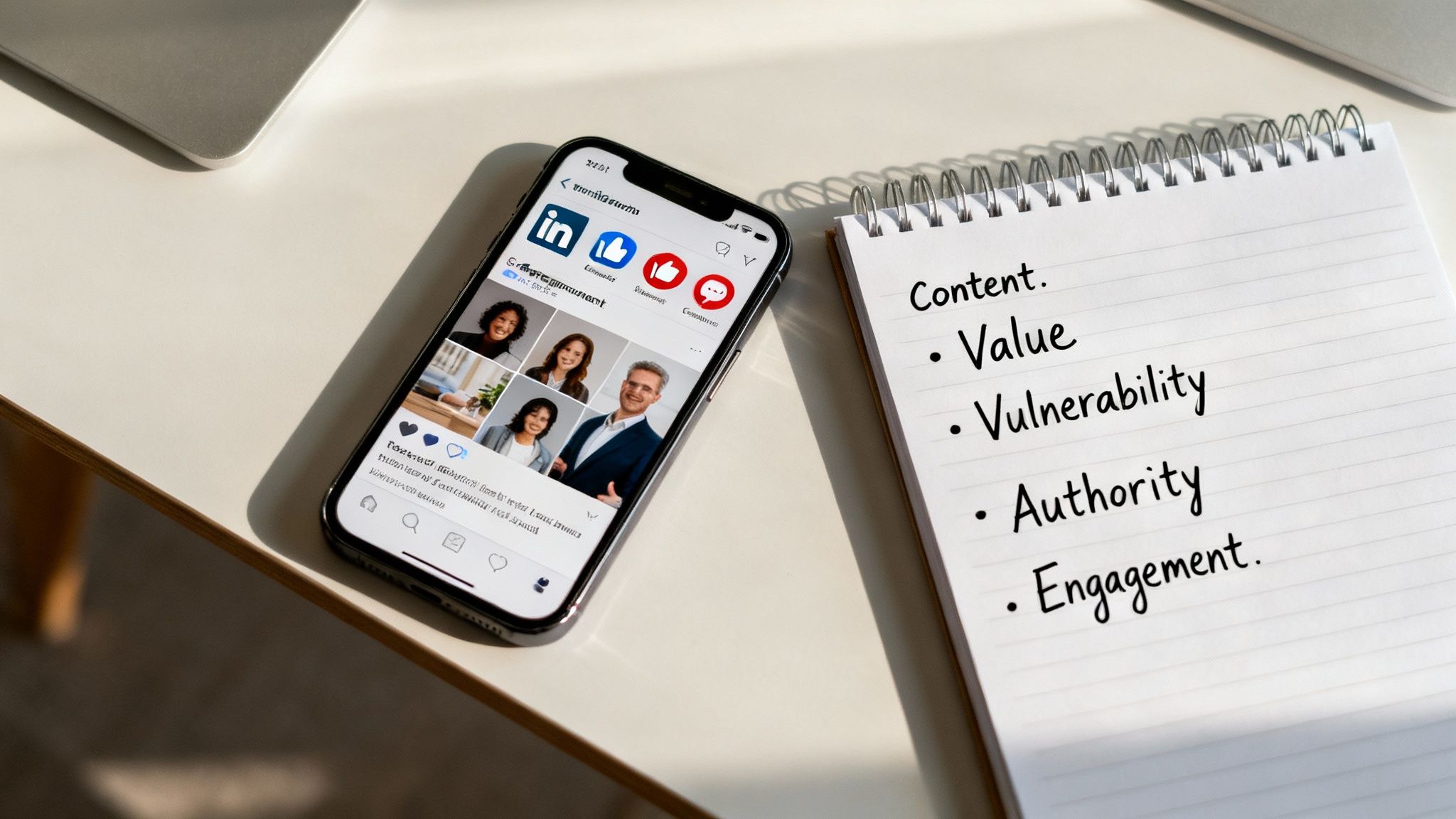
To stand out, your content has to be built on four key pillars that actually work. Forget the fluff; this is what gets results.
The Four Pillars of Killer LinkedIn Content
Think of these as the legs on your content table. If one is wobbly, the whole thing comes crashing down. You need a mix of all four to build trust, establish authority, and get people sliding into your DMs for the right reasons.
Your content mix should look something like this:
- Value (Teach): This is the practical, hands-on stuff. Think 'how-to' guides, checklists, frameworks, and actionable tips that help your audience solve a specific problem. It’s you being generous with your expertise.
- Vulnerability (Connect): Share your story—the wins, the losses, the lessons learned. This isn't about oversharing; it's about being human. People connect with people, not logos.
- Authority (Prove): This is where you back up your claims. Share client testimonials, case studies, data-driven insights, and results. It’s the proof that you can actually walk the walk.
- Engagement (Interact): Ask questions, run polls, and start conversations. This content is designed to get people talking and interacting directly with you and your brand.
It reminds me of when I started my commercial cleaning business. I wasn't the best cleaner in the world, not by a long shot. But I was the one who showed up at 1 am while everyone else was sleeping. I grew that business from $2k to $8k a month just by being disciplined and executing. It’s the exact same with content; consistent, valuable action beats a sporadic, 'perfect' post every single time.
Choosing the Right Format for the Job
Not all content formats are created equal. The trick is to match the format to the message you’re trying to send. A text-only post is brilliant for storytelling and vulnerability, while a complex process is better explained in a carousel.
Here’s a quick rundown of what to use and when:
| Format | Best For | Pro Tip |
|---|---|---|
| Text-Only Posts | Sharing stories, powerful insights, and asking questions. | Use short sentences and plenty of white space to make it easy to read on mobile. |
| Carousels (PDFs) | Breaking down complex topics, 'how-to' guides, and visual data. | Aim for 5-10 slides. Make the first slide a killer hook to get people swiping. |
| Polls | Quick engagement, market research, and starting a debate. | Keep the options simple (2-3 choices) and always add your own opinion in the first comment. |
| Video | Building a personal connection, sharing testimonials, and behind-the-scenes content. | Keep it short and add captions. 85% of videos on social media are watched without sound. |
My Two Cents: Don't get bogged down trying to master every format at once. Pick one or two that feel natural to you, nail them, and then expand. Consistency in one format is far better than inconsistency across all of them.
Ultimately, your goal is to stop the scroll. You have about three seconds to grab someone's attention before they're gone forever. This means your first line—the hook—is everything.
If you're struggling to come up with ideas that get people to stop and read, I've got something for you. To truly master engagement and ensure your content resonates deeply with your audience, explore this guide on how to post on LinkedIn for maximum impact.
Now, stop thinking about it and start doing. Your next client is waiting to see what you've got to say.
Connecting With Clients Without Being a Spammer
Let’s be honest. Nobody likes getting a cold, robotic sales pitch in their DMs two seconds after connecting. It’s the digital equivalent of a stranger trying to sell you a watch in a dark alley. Effective marketing on LinkedIn isn't about blasting out generic messages; it's about mastering the art of genuine, human connection.

This is where you stop being a pest and start being a partner. It’s about building relationships that lead to revenue, not just burning bridges and getting blocked. And it all starts with knowing exactly who you're talking to.
Finding Your People on the Platform
Before you even think about sending a connection request, you need to build a hyper-targeted list of people who actually need what you’re selling. Firing off requests to randoms is a waste of everyone's time.
LinkedIn’s search filters are your best mate here. Even the free version lets you get surprisingly granular. You can filter your search by:
- Job Title: Look for specific decision-making roles like "Marketing Manager" or "Director of Operations".
- Industry: Narrow it down to the sectors you serve best, whether it's "Financial Services" or "Construction".
- Location: Target specific cities or regions right across Australia.
- Keywords: Search for terms people might use in their profiles, like "SaaS" or "eCommerce".
But if you're serious about lead generation, LinkedIn Sales Navigator is a non-negotiable investment. It unlocks advanced filters that let you target by company size, years of experience, and even recent job changes. This is how you build a list of A-grade prospects instead of just scrolling aimlessly.
The Art of the Non-Spammy Connection Request
Once you have your list, it's time to connect. The default, empty connection request is lazy. And "I'd like to add you to my professional network" is a one-way ticket to being ignored. You must personalise it.
Your goal is to be a human, not a bot. Your short message should be built on observation and genuine curiosity.
Here’s a simple framework that works:
- The Observation: Mention something specific you noticed. "Loved your recent post on team culture…"
- The Common Ground: Find a shared connection. "…we're both in the [Industry Name] space and facing similar challenges."
- The Ask: Keep it low-pressure. "Would be great to connect and follow your insights."
My Two Cents: Never, ever, EVER sell in the connection request. The goal is simply to get the door open. That's it. The sale comes later, after you've built a bit of trust.
Following Up Without Being a Pain in the Arse
So, they’ve accepted your request. Fantastic. Now, don't immediately pounce with your sales pitch. Give it a day or two. Your first follow-up message should be about giving, not taking.
This is the value-first approach. Instead of asking for a meeting, offer them something genuinely useful.
- "Saw you're interested in [Topic]. Thought you might find this article I wrote on it useful."
- "Congrats on the new role! Here's a quick resource that helped me when I made a similar transition."
- "Noticed your company is hiring for [Role]. We created a checklist for that which might help."
This simple shift positions you as a helpful expert, not a desperate salesperson.
Warming Up Your Prospects from a Distance
Sometimes the best way into someone's inbox is by showing up outside of it first. Before you even send a connection request, spend a week or two engaging with their content.
- Leave thoughtful comments: Go beyond "Great post!" Add an insight, ask a smart question, or share a related experience.
- Share their content: If they post something brilliant, share it with your network, tag them, and explain why you found it valuable.
This simple act of engagement makes you a familiar face. By the time your connection request lands, they already recognise you. This "warming up" process dramatically increases your acceptance rate.
This isn't just theory; it’s a system. When I helped an IT firm generate a $180,000 pipeline in just 90 days, it wasn't through magic. It was through a repeatable visibility system that combined consistent content with genuine, value-led outreach. It just works.
Stop spraying and praying. Start connecting with intention, and watch your pipeline fill up with people who are actually happy to hear from you.
A Crash Course in LinkedIn Ads That Work
Alright, let's talk about pouring some petrol on your organic fire. While your organic content is busy building trust, LinkedIn Ads can put you on the fast track to the exact decision-makers you need to reach.
But let's be honest. It can be a glorious lead-generating machine or a very expensive money pit if you don’t know what you're doing. This is your no-fluff guide to getting started without losing your shirt.
Understanding the Main Ad Formats
LinkedIn has a bunch of different ad types, but for service-based businesses, there are two that really move the needle. Forget the rest for now and focus on these.
- Sponsored Content: These are the ads you see in your LinkedIn feed. They look just like regular posts, aside from the little "Promoted" tag. They're brilliant for getting your best content—a sharp case study, a webinar replay, or a killer article—in front of a wider, highly targeted audience. The goal here is brand awareness and driving traffic.
- Lead Gen Forms: This is where the magic happens. These ads also appear in the feed but have a call-to-action button that opens a pre-filled form using the user's LinkedIn profile data (name, email, job title, etc.). They can submit their details with just a couple of clicks. It's ridiculously easy.
The beauty of Lead Gen Forms is the lack of friction. Nobody has to leave LinkedIn, click through to a clunky landing page, and manually type in all their details. It's seamless, and conversion rates are often much, much higher because of it.
The Real Power Is in the Targeting
This is what you're really paying for. LinkedIn's targeting is second to none in the B2B world. You can slice and dice your audience with terrifying precision, making sure your ads only show up in front of people who can actually hire you.
You can target users based on things like:
- Job Title: "Director of Marketing," "CEO," "Head of HR."
- Company Size: Only show ads to people at companies with 11-50 employees.
- Industry: Target the "Information Technology," "Real Estate," or "Healthcare" sectors.
- Specific Company Names: Want to get in front of the entire management team at a specific competitor or dream client? You can do that.
This level of detail means you waste very little money on irrelevant eyeballs. It’s the difference between a sniper rifle and a shotgun.
My Two Cents: Don't get too clever with your targeting at first. Start with a clear, simple audience—like "Marketing Managers in the SaaS industry in Australia with 50-200 employees." You can always get fancier later.
It's also worth noting that professionals in Australia are often on LinkedIn during work hours. In fact, desktop devices accounted for 74.24% of all LinkedIn visits in Australia, while mobile was just 25.76%. This tells us you're catching people when they're in a business mindset, which is perfect for B2B ads. You can find more insights about LinkedIn user behaviour in Australia at botdog.co.
For a deeper dive into setting up campaigns, our comprehensive guide on how to run effective LinkedIn Ads has you covered.
Budgeting and Testing Your Campaign
Don't just throw a thousand dollars at a campaign and hope for the best. Start small.
Run a small test campaign with a budget of around $20-$50 per day for a week. The goal isn't to get a flood of leads immediately; it's to gather data.
Your main focus should be on your Cost Per Lead (CPL). If you spend $200 and get 5 leads, your CPL is $40. Is a lead worth $40 to your business? If yes, you've got a winner. If no, you need to tweak your ad creative, your offer, or your targeting.
This isn't about becoming an ads expert overnight. It's about empowering you to run smart, targeted campaigns that deliver a measurable return. Start small, test everything, and let the data tell you where to put your money.
Building Your LinkedIn Marketing System
Right, we’ve covered a hell of a lot of ground. But knowing what to do is one thing; pulling it all together into a system that doesn’t make you want to throw your laptop out the window is another.
A solid workflow is the secret sauce to winning on LinkedIn. It’s how you turn random acts of posting and connecting into a repeatable weekly schedule. This isn’t about spending all day on the platform. It's about smart, focused action that actually gets results.
This process flow shows the basic rhythm of a LinkedIn ads campaign, moving from precise targeting to campaign launch and finally to measuring what’s working.
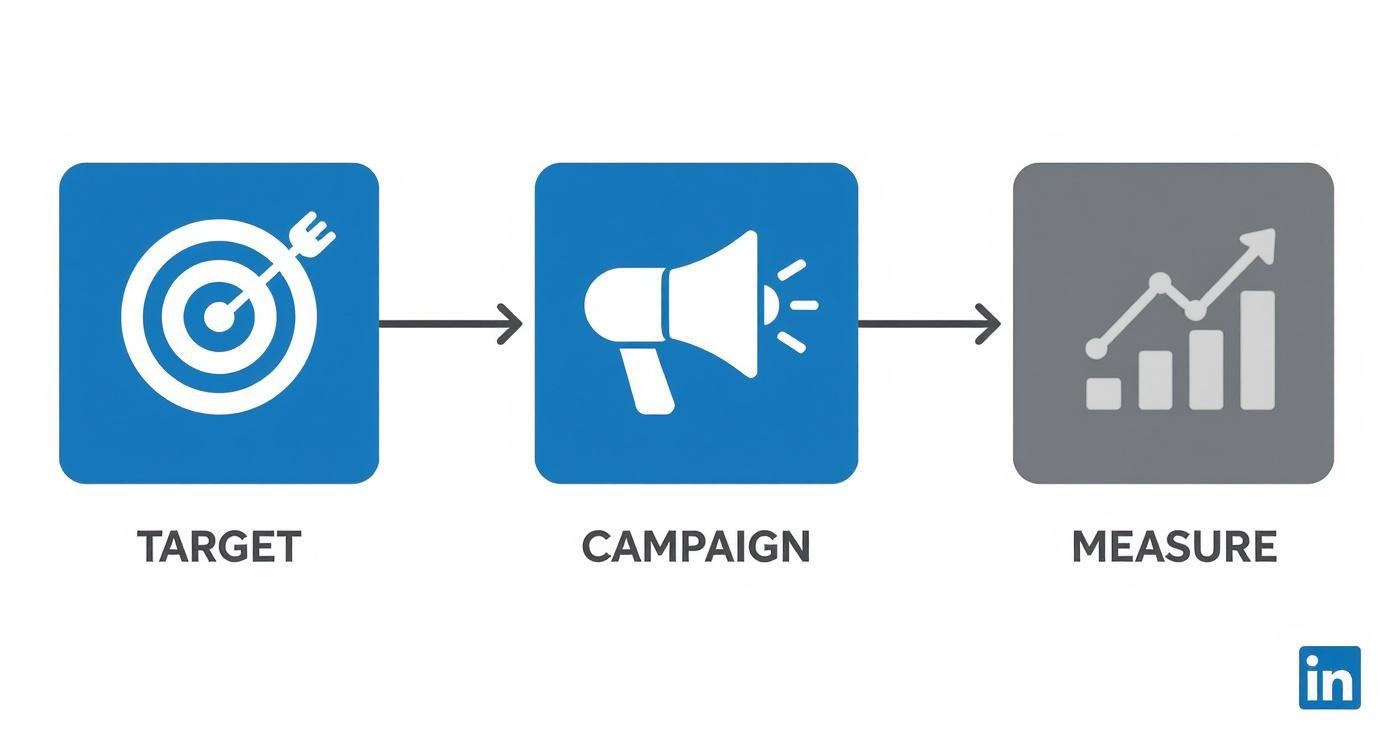
This visual just hammers home the point that success isn't random. It's a structured process: define your audience, deliver your message, and analyse the data to get better.
A Simple Weekly Workflow
Let’s map out a week. Think of this as a framework, not a straitjacket. Tweak it to fit your style and your schedule.
- Monday (Content & Engage): Schedule your key "value" post for the week. Spend 15 minutes engaging thoughtfully in your feed—comment on prospects' posts and connect with industry leaders.
- Tuesday (Outreach): Dedicate 20 minutes to sending 5-10 personalised connection requests to your ideal clients. Follow up with anyone who connected with you last week.
- Wednesday (Content & Engage): Post something a bit more personal or a quick tip. Jump into a couple of relevant groups and add some real value.
- Thursday (Outreach & Nurture): Follow up on your connection requests. Check in with a few existing connections, maybe share a useful resource with them to stay top-of-mind.
- Friday (Review & Plan): Spend 15 minutes reviewing your week. What actually worked? Check your profile views and connection acceptance rate. Jot down a couple of content ideas for next week.
Track What Actually Matters
Forget vanity metrics like likes. The numbers that move the needle for a service business are:
- Profile Views: Are more of the right people checking you out?
- Connection Acceptance Rate: A high rate means your targeting and messaging are on point.
- New Conversations Started: This is the golden metric. How many DMs are turning into real chats?
This system creates momentum. Your LinkedIn system is the same—small, consistent actions build unstoppable momentum.
By the way, if you’re finding this all a bit much and just want the playbook, I've got you. Download the Free LinkedIn Guide — the playbook to get seen, build trust, and win clients.
Now stop reading and start doing. Your future clients are waiting.
Burning Questions About LinkedIn Marketing
Still got a few questions rattling around? Good. Let's tackle some of the most common things people ask about making this whole LinkedIn marketing thing actually work.
How Much Time Should I Spend on LinkedIn Each Day?
You absolutely do not need to live on the platform. With a smart strategy, you can make a huge impact in just 30-45 minutes a day. Seriously.
Break it down: 15 minutes engaging with your feed and key prospects, another 15 on content creation or scheduling, and a final 15 minutes on targeted outreach. Consistency always, always beats intensity.
Is a Company Page Necessary for a Consultant or Sole Trader?
Yes, mate. One hundred percent. Think of your Company Page as your business's official headquarters on LinkedIn. It adds a massive layer of credibility and professionalism that you just can't get from a personal profile alone.
Your personal profile is where you build relationships (person-to-person), while your Company Page builds your brand (business-to-world). You need both working in tandem to look legit and unlock key features like running ads.
What Is the Single Biggest Content Mistake on LinkedIn?
Making it all about you. Honestly, nobody cares about your company's fifth "we're thrilled to announce" post this month. Your content should be a resource for your audience, not a highlight reel of your achievements.
The formula is simple: give, give, give… then ask. About 90% of your content should focus on solving your clients' problems, answering their questions, and teaching them something valuable. That’s how you earn their trust and, eventually, their attention.
Is LinkedIn Sales Navigator Worth the Investment?
If you're serious about lead generation on LinkedIn, then it's a resounding yes. The advanced search filters alone are worth the price of admission.
The ability to build hyper-specific lead lists, send more InMails, and gain deeper insights saves an incredible amount of time. It allows for a level of targeted prospecting that you simply cannot do with the free version. It pays for itself with one good client.
Feeling like you need the whole playbook to get started? You might like this. Download the Free LinkedIn Guide — the playbook to get seen, build trust, and win clients.
Now go on, get out there and make it happen. No excuses.
