

Feeling the pressure to generate more high-quality leads for your business? If you're not using LinkedIn effectively, you're leaving a massive opportunity on the table. But before you even dream of sending connection requests or posting content, we need to talk about your LinkedIn profile. Think of it less like a CV and more like a high-converting landing page. It’s the foundation for effective lead generation on LinkedIn.
An unoptimised profile is like a leaky bucket. You can pour leads in all day long, but they’ll just slip right through. Get this right, though, and your profile does the heavy lifting for you, warming up prospects before you’ve even said hello. This guide promises to show you exactly how to turn LinkedIn into a predictable source of ideal clients.
Turn Your Profile Into A Lead Generation Magnet
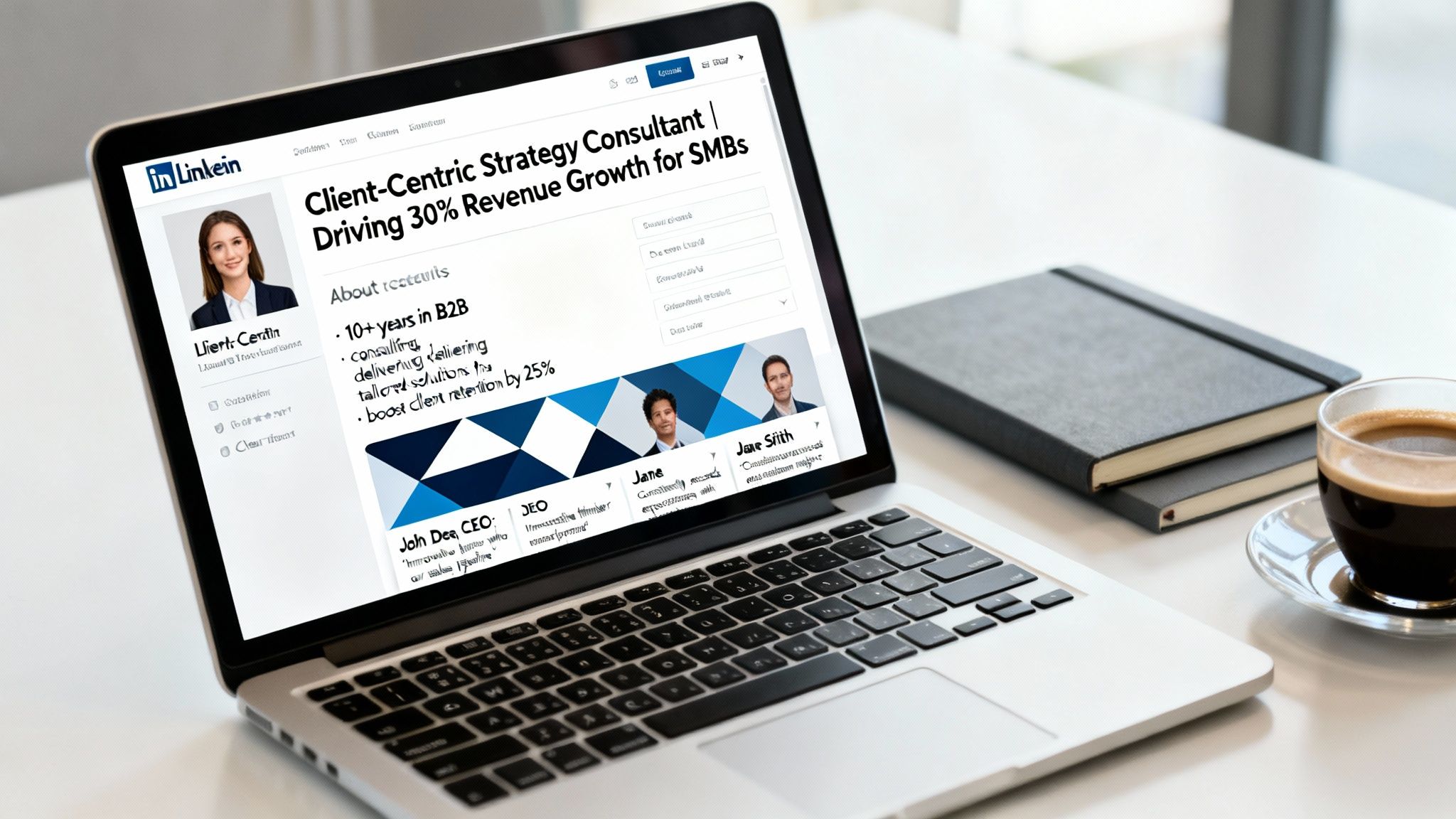
A killer profile makes people want to connect with you. It builds trust and positions you as the expert from the second they land on your page. This shift in mindset—from resume to sales asset—is what separates the pros from the amateurs and turns profile views into actual, qualified leads.
Craft A Headline That Speaks To Your Client
Your headline is the most valuable bit of real estate on your entire profile. Why? Because it follows you everywhere—search results, connection requests, comments, you name it. Yet most people waste it with a generic job title like "CEO at Company X" or "Business Consultant."
Instead, your headline needs to instantly tell your ideal client what you do for them. It should call out their pain point and promise a better future.
Here's a simple formula that works wonders:
- I help [Ideal Client] to [Achieve Desired Outcome] through [Your Unique Method].
So, a boring "Marketing Consultant" headline transforms into: "I Help Service-Based Businesses Generate Qualified Leads Using LinkedIn Content Systems." See the difference? One is about you; the other is about them. It immediately attracts the right people and repels the wrong ones.
Key Takeaway: Stop describing your job title. Start describing the results you get for your clients. Your headline is your mini-pitch, make it count.
Transform Your 'About' Section Into A Compelling Narrative
This is where you build a real connection. Please, don’t write it in the third person or just list your skills like it’s a shopping list. Your 'About' section should tell a story that guides a prospect from their current problem to your solution.
A high-converting 'About' section needs these four things:
- A Hook: Kick off with a question or statement that hits right at your ideal client's biggest headache.
- Empathy & Authority: Show them you get it. You understand their struggles because you've helped others just like them. Throw in some social proof here, like, "I've helped over 50 real estate agents double their monthly viewings…"
- Your Process: Briefly touch on how you solve their problem. What's your unique approach?
- A Clear Call to Action (CTA): End by telling them exactly what to do next. Do you want them to book a call? Visit your website? Send you a message? Don't leave them guessing.
If you want to go deeper on this, our guide on a LinkedIn profile makeover breaks down every section with actionable steps and examples.
Leverage Your Banner and Featured Section
First impressions are everything, and on LinkedIn, visuals do a lot of the talking. Your banner image shouldn't be an afterthought. It needs to be professional and reinforce the promise you made in your headline. Use it to show off your business tagline, website, or even a compelling photo of you in action.
And then there's the 'Featured' section. This is your personal portfolio. It's where you prove you can walk the walk.
Pin your best assets here to build instant credibility:
- A link to a powerful case study on your website.
- A killer client testimonial video.
- Your most popular LinkedIn article or post.
- A link to download a valuable freebie or lead magnet.
Think of this section as the evidence that backs up every claim you make. It’s your chance to show, not just tell, making your profile a silent, 24/7 salesperson for your business.
Develop A Content System That Attracts And Nurtures Leads

Let’s be honest: random posts get random results. If you want a predictable stream of inbound leads flowing from LinkedIn, you need to ditch the sporadic posting and build a deliberate content system. A good system does the heavy lifting for you, establishing your authority and warming up prospects long before you ever jump on a call.
The goal isn't to live on LinkedIn. It’s to create high-impact content efficiently, so you have a magnetic presence that draws your ideal clients in, rather than you constantly having to chase them down.
And the opportunity in the Australian market is huge. By early 2025, LinkedIn's ad audience in Australia hit 17 million users. That’s a 13% year-on-year jump, covering over 80% of Aussies aged 18 and up. Australians are also some of the most engaged users globally, meaning a smart organic content system can capture serious attention.
The Four Content Pillars Of Authority
To build genuine trust and guide someone from a stranger to a paying client, your content needs to cover four key areas. Think of them as the four legs of a table—if one is missing, the whole thing gets wobbly. A balanced mix makes sure you’re educating, connecting, proving your worth, and selling in a way that feels valuable, not pushy.
You should be rotating through these pillars:
- Educational Posts: Solve a specific, nagging problem for your ideal client. You’re not giving away the entire farm, but you are demonstrating your expertise by sharing frameworks, how-to tips, or busting common myths. This positions you as the go-to expert.
- Personal Stories: People do business with people they know, like, and trust. Share a lesson you learned the hard way, a challenge you overcame, or your honest take on an industry trend. This stuff builds a human connection and makes you relatable.
- Case Studies & Social Proof: This is where you prove you can walk the talk. Share client wins, testimonials, or hard data that shows your results. It answers the prospect’s biggest unspoken question: "Can they actually do what they say they can do?"
- Direct Offers & Calls to Action: Don't be afraid to ask for the business. This is where you directly invite engagement—promoting a webinar, offering a free strategy call, or announcing a new service. It gives your interested followers a clear and easy next step to take.
Expert Tip: The real magic is in the mix. I always recommend an 80/20 split: about 80% value-driven content (educate, stories, proof) and just 20% direct offers. This builds massive goodwill and stops you from burning out your audience with constant sales pitches.
Maximise Your Reach Through Content Repurposing
Trying to come up with fresh, brilliant content every single day is a direct path to burnout. The secret to consistency isn't creating more, it's repurposing smarter. A single great idea can easily be transformed into multiple pieces of content, extending its life and reaching different people who prefer different formats.
For example, one core insight can become:
- A short, punchy text-only post highlighting the main takeaway.
- An engaging carousel (or document post) breaking the idea down into 5-7 visual slides.
- A quick 30-60 second video where you explain the concept directly to the camera.
- A detailed LinkedIn Article that expands on the idea with more depth and examples.
This "create once, distribute many" approach saves you a massive amount of time while keeping your feed active and valuable. You’re not reinventing the wheel every day; you're just showing off your best ideas in different, engaging ways.
Create A Simple And Consistent Posting Schedule
On LinkedIn, consistency is what separates the professionals from the hobbyists. Having a simple schedule takes the daily guesswork out of "what on earth should I post today?" and ensures you’re hitting all your content pillars.
Here’s a practical, straightforward weekly content schedule that works wonders for service businesses.
Weekly Content Pillar Schedule For Service Businesses
A sample weekly schedule to ensure balanced and consistent content that builds authority and attracts leads.
| Day | Content Pillar Focus | Example Post Idea for a Consultant |
|---|---|---|
| Monday | Educational | "3 costly mistakes businesses make when trying to scale their marketing…" |
| Wednesday | Case Study / Social Proof | "Here’s how we helped a client achieve a 150% ROI in 90 days. We focused on…" |
| Friday | Direct Offer / Engagement | "I have 2 spots open for a free strategy session next week. Comment 'Me' below if you want one." |
This simple three-post-per-week schedule is completely manageable and highly effective for building momentum. You can use LinkedIn’s native scheduling tool to batch-create your content, writing a whole week's worth of posts in a single sitting.
That frees up your time to focus on what really matters: engaging with comments and nurturing the leads your content brings in.
Mastering Outreach That Builds Real Connections
You’ve got a powerful profile and a solid content system humming along. That’s the foundation. Now it’s time to shift gears from attracting leads to actively pursuing them with smart, strategic outreach.
This is where so many service business owners get it wrong. They fall back on generic, sales-heavy connection requests that basically scream, "I want to sell you something." Unsurprisingly, these get ignored or deleted on sight.
Effective lead generation on LinkedIn isn't about blasting a template to hundreds of people. It’s about being thoughtful, personal, and human. The real goal is to start genuine conversations that can naturally lead to a sales call, not to force a pitch in the very first message. This relationship-first approach delivers far higher quality connections and much better results in the long run.
Finding Your Ideal Clients With Precision
Before you even think about sending a message, you need to know exactly who you're targeting. Firing off random connection requests to people in your industry is a complete waste of time. You have to pinpoint the decision-makers who are actually dealing with the problems you solve.
This is where LinkedIn Sales Navigator becomes an absolute game-changer.
Sure, the free version of LinkedIn has search filters, but Sales Navigator takes your targeting to a whole new level. It lets you build incredibly specific lead lists using criteria that the standard platform just doesn't offer.
You can zero in on prospects by:
- Company Size: Focus on the businesses that fit your ideal client profile, whether that’s a small startup or a massive enterprise.
- Industry: Pinpoint specific sectors, like recruitment, IT services, or real estate.
- Job Title: Find the exact decision-makers, such as "Head of Marketing" or "Chief Financial Officer."
- Geography: Target prospects within a particular city, state, or even country.
- Years in Role: Identify newly appointed leaders who might be looking to shake things up and bring in new partners.
Using these advanced filters means you can build a curated list of high-potential prospects. It ensures every connection request you send is going to someone who is a genuinely good fit for your services. To really squeeze every drop of value from this tool, check out our deep-dive guide on using LinkedIn Sales Navigator for lead generation.
The Psychology Of A Connection Request That Gets Accepted
Your connection request note is your first impression. That generic, pre-filled "I'd like to add you to my professional network" is lazy and it just doesn't work. The key is to make it personal and relevant to them.
You’ve got 300 characters to spark their curiosity and give them a solid reason to click "Accept."
The goal is simple: show you’ve done a tiny bit of homework. Reference something specific that creates an immediate point of connection. It could be a recent post they shared, a mutual connection you both trust, their company's latest news, or their activity in a shared industry group.
Pro Tip: Never, ever sell in the connection request. The only goal of this first touchpoint is to get the connection accepted. Pitching here is the fastest way to get ignored.
Here’s how this looks in the real world for different industries:
- For an IT Services Provider: "Hi [Name], I saw your company's recent article on cloud security and found your points on data encryption really insightful. I’m also passionate about this space and would love to connect."
- For a Recruitment Agency: "Hi [Name], I noticed we're both connected to [Mutual Connection Name]. I specialise in placing top talent in the tech industry and am always keen to connect with hiring managers like yourself."
- For a Real Estate Buyer's Agent: "Hi [Name], I saw you recently engaged with a post about the Brisbane property market. As an expert in this area, I'd appreciate connecting with other local professionals."
Each example is brief, personal, and gives a clear, non-threatening reason for reaching out.
Crafting A Follow-Up Sequence That Builds Relationships
Once someone accepts your request, the real work starts. Whatever you do, don't immediately jump in with a sales pitch. The aim is to warm them up with a value-driven follow-up sequence designed to build rapport and gently guide the conversation towards business.
A simple but highly effective three-message sequence can look like this:
- The Thank You & Value Add (Day 1): A few hours after they connect, send a simple thank-you message. Then, offer a piece of valuable content with no strings attached. This could be a link to an insightful article, a relevant case study, or a short video tip.
- The Gentle Probe (Day 3-5): Ask a thoughtful, open-ended question related to their industry or role. This shifts the dynamic from you talking at them to you engaging with them. The goal is to kickstart a real conversation.
- The Soft Ask (Day 7-10): If they've responded positively, you can now transition to a soft call to action. Suggest a brief chat to discuss a specific challenge you've noticed they might be facing.
This patient, value-first approach shows you’re interested in them as a professional, not just as a sales target. It builds trust and makes the eventual move to a sales call feel natural and welcome, not forced.
For those times you need to take the conversation off-platform, mastering the techniques for finding emails on LinkedIn is another crucial skill. Australian B2B marketers are all over this strategy, with 89% using LinkedIn actively and 40% calling it their number one channel for high-quality leads.
Using LinkedIn Ads And Lead Gen Forms For Faster Growth
Organic content is your long game. It builds trust, authority, and a loyal following over time. But when you need to hit the accelerator and generate leads now, LinkedIn Ads are your best friend.
Paid ads let you skip the line. You can bypass the slow, steady build of organic reach and put your message directly in front of the exact decision-makers you want to work with. It's all about precision and speed.
For service-based businesses in Australia, the single most powerful tool in the paid advertising toolbox is LinkedIn Lead Gen Forms. These are clever little forms that pop up right inside the LinkedIn app, pre-filled with a user’s profile information. This simple feature completely changes the game for getting conversions.
Just think about it. The biggest hassle with any online form, especially on a mobile, is actually filling it out. Lead Gen Forms wipe out that friction, letting a busy professional signal their interest in your service with just a couple of taps.
Why Lead Gen Forms Crush Landing Pages
The numbers don't lie. LinkedIn Lead Gen Forms have an incredible average conversion rate of 13%. Now, compare that to a typical landing page, which limps along at an industry average of just 2.35%. You’re looking at a tool that’s over five times more effective at capturing leads. You can find more stats on this in a great breakdown of LinkedIn's lead generation effectiveness.
For Aussie coaches, consultants, accountants, and real estate agents, this is a massive advantage. It means fewer people dropping off and more high-intent leads captured right when their interest is highest—all without ever leaving the platform.
The Bottom Line: By keeping users on LinkedIn instead of sending them to an external landing page, you slash the friction and capture more qualified leads. It’s the shortest path from an ad to a new prospect in your sales pipeline.
Here’s a quick rundown of how the two approaches stack up for busy business owners trying to decide where to focus their energy and budget.
Organic Outreach Vs Linkedin Ads Comparison
| Feature | Organic Outreach | LinkedIn Ads with Lead Gen Forms |
|---|---|---|
| Speed to Results | Slow and steady (months) | Fast (days to weeks) |
| Cost | "Free" (time-intensive) | Paid (budget-controlled) |
| Targeting | Broad, network-based | Hyper-specific (job, industry, size) |
| Scalability | Limited by your time | Highly scalable with budget |
| Effort Required | High, consistent effort needed | Set up, then monitor/optimise |
| Best For | Building long-term authority & trust | Generating qualified leads quickly |
Ultimately, you need both. But if immediate lead flow is the goal, paid ads with Lead Gen Forms are the clear winner for getting runs on the board fast.
Setting Up Your First Campaign
Throwing money at LinkedIn and hoping for the best is a recipe for disaster. A successful paid campaign comes down to three things: razor-sharp targeting, ad copy that stops the scroll, and an offer they can't ignore.
First, you need to know exactly who you're talking to. This is where LinkedIn's ad platform really shines.
You can build your ideal client profile using powerful filters like:
- Job Title: Go after specific roles like "Marketing Director" or "CEO."
- Company Size: Focus on businesses with 11-50 employees or larger corporations.
- Industry: Choose sectors like "Professional Services" or "Real Estate."
- Location: Zero in on prospects in Sydney, Melbourne, or any other specific region.
Once you’ve locked in your audience, your ad needs to grab their attention. The copy has to be short and punchy, hitting a specific pain point. Don't list your features; lead with a benefit.
For example, instead of, "We offer accounting services," try, "Struggling with cash flow? We help tradies save an average of 10 hours a month on bookkeeping."
Your visual should be clean and professional. Avoid cluttered, busy images. Often, a high-quality headshot or a simple graphic with a bold headline is all it takes to stand out in the feed.
If you’re ready to get into the nitty-gritty of setting up your first campaign, our detailed guide on creating effective LinkedIn Ads walks you through it step-by-step. This focused approach makes sure every dollar you spend is reaching the right people, maximising your return from day one.
How To Automate And Scale Your Lead Generation System
Consistency is the engine of any decent lead generation system on LinkedIn, but let's be real—your time is your most valuable asset. If you're manually managing every connection request, follow-up message, and data entry task, you're on a fast track to burnout.
The secret to sustainable growth isn't about working harder. It's about building a smart, scalable system that does the heavy lifting for you.
This means bringing in automation to handle the boring, repetitive tasks while you keep the essential human touch. It’s about creating an efficient machine that brings in a predictable stream of qualified leads every month, freeing you up to focus on what actually matters: high-value conversations and closing deals.
Integrating LinkedIn Leads With Your CRM
A messy lead management process is where good opportunities go to die. When your LinkedIn leads are just sitting in your inbox or a chaotic spreadsheet, follow-ups get missed and valuable prospect data gets lost forever.
For that reason, integrating your LinkedIn activity with a Customer Relationship Management (CRM) system isn't just a nice-to-have; it's non-negotiable if you're serious about scaling.
Think of this integration as the central nervous system for your entire sales process. The moment a prospect shows interest, their details are automatically sent straight into your CRM.
This gives you a few powerful advantages:
- No More Lost Leads: Every single conversation and connection gets captured. Nothing slips through the cracks.
- Seamless Follow-Up: You can set automated reminders and see the entire conversation history in one place.
- Deeper Insights: A CRM helps you actually understand your sales pipeline, track conversion rates, and see which lead sources are your most valuable.
Tools like Zapier can connect LinkedIn Lead Gen Forms directly to popular CRMs like HubSpot, Salesforce, or Pipedrive. It creates a smooth, automated workflow from the very first touchpoint.
Safe And Effective Automation Tools
LinkedIn automation can be a game-changer, but you have to be careful. The platform’s algorithm really doesn't like aggressive, spammy behaviour. The goal here is to use tools that assist your outreach, not replace genuine interaction completely.
The right tools can safely handle routine tasks, like sending personalised connection requests to a pre-vetted list of prospects you've built in Sales Navigator. This alone can free up hours of manual work every week, letting you focus on the far more critical task: having meaningful conversations with people who connect and respond.
Crucial Insight: The best way to use automation is to let it handle the first point of contact. Once a prospect accepts your request or replies to a message, the automation stops. That's when a real human—you—should step in to build a genuine relationship.
Tracking The Metrics That Matter
You can't improve what you don't measure. To build a system that actually scales, you need to track a few key performance indicators (KPIs) to see what's working and what isn't. Forget vanity metrics like likes and views; we're focused on the numbers that directly impact your bottom line.
A simple tracking framework helps you see the whole process. Think of it like this basic three-step ad flow.
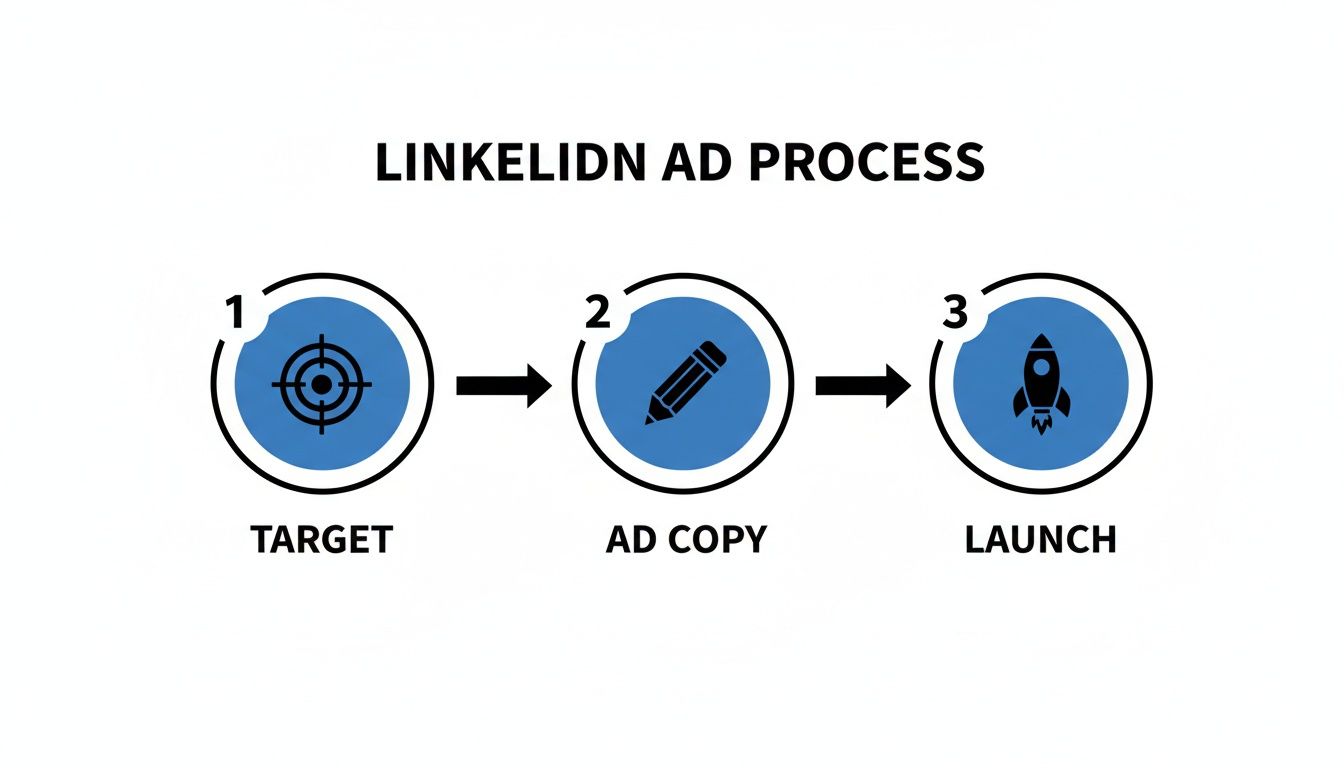
This just boils the process down to its core parts—Target, Ad Copy, and Launch—and reminds you that all successful campaigns start with precision.
Here are the essential metrics to track weekly:
- Connection Request Acceptance Rate: What percentage of your requests get accepted? If it's low (below 20%), it’s a sign your targeting or your connection message needs a rethink.
- Reply Rate: Of the people who connect, how many actually reply to your first follow-up message? This tells you how compelling your opening line is.
- Meetings Booked: This is the ultimate metric. How many of these conversations are turning into qualified sales calls?
By keeping a close eye on these numbers, you can systematically tweak your targeting, messaging, and offers. This data-driven approach turns your lead generation from a guessing game into a predictable, scalable process that fuels real business growth.
Answering Your Top LinkedIn Lead Generation Questions
Jumping into LinkedIn lead generation always brings up a few key questions. I get it. Business owners want to know what it really takes to get results, without the fluff. So, let’s clear the air and tackle the most common queries I hear.
How Much Time Should I Realistically Invest Daily?
Consistency beats intensity, every single time. You don’t need to live on LinkedIn, but you do need to show up regularly. Aim for a manageable 20-30 minutes a day. That’s it.
Here’s how to break down that time for maximum impact:
- Engage (10 mins): Drop thoughtful comments on posts from ideal clients and leaders in your industry.
- Connect (10 mins): Send out 5-10 personalised connection requests to people you actually want to talk to.
- Message (5 mins): Follow up with new connections and reply to anyone who has reached out.
A focused 20 minutes every day will get you far more traction than a frantic three-hour session once a week. It’s all about building consistent momentum.
Is A Free Account Enough To Start?
Absolutely. You can build an incredibly powerful lead generation engine with a free LinkedIn account. In fact, I recommend starting there.
By optimising your profile, sharing valuable content, and engaging with your network, you can generate serious inbound interest without spending a cent. A free account forces you to focus on quality over quantity, which is exactly where the gold is.
When Should I Upgrade To Sales Navigator?
You upgrade to Sales Navigator when your organic outreach hits a ceiling and you need more firepower. It’s time to invest when you find yourself manually digging through profiles for hours or struggling to find the right decision-makers efficiently.
Consider upgrading when:
- You’re consistently hitting your weekly connection request limits.
- You need to build hyper-specific lead lists using advanced filters like company size, seniority, or recent job changes.
- You're ready to dedicate a serious, structured effort to outbound prospecting and need the extra tools to do it right.
How Do I Measure The ROI Of My Organic Efforts?
Tracking the return on your time is simpler than you might think. Don’t get lost in vanity metrics. Focus on the numbers that directly link your activity to real business outcomes.
Each month, just track these four things:
- Profile Views: Are more of the right people checking you out?
- New Connections: Is your network growing with potential clients?
- Inbound Messages/Enquiries: How many people are starting a conversation with you?
- Meetings Booked: This is the big one. How many chats are turning into actual sales calls?
By keeping an eye on these numbers, you’ll see exactly how the time you’re spending on LinkedIn is translating into tangible results for your business.
Ready to turn these insights into a predictable stream of ideal clients? Homer Digital Marketing builds the AI-powered marketing systems that help service businesses scale. Let's create a strategy that gets you real results. Learn more at https://homerdigitalmarketing.com.
