
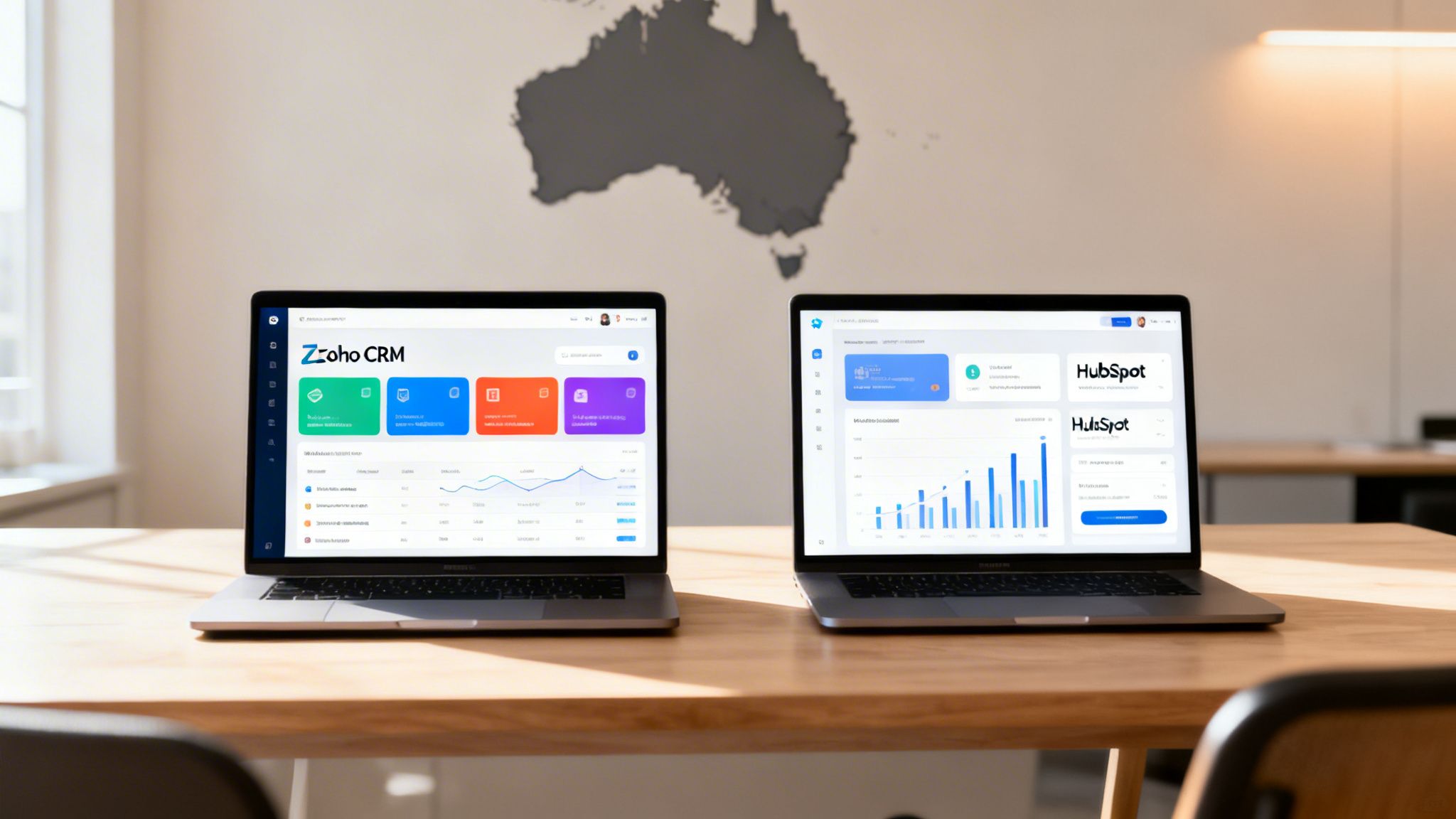
Struggling with disorganised client data, missed leads, and workflows that just don’t work? If that sounds familiar, you’re not alone. For Australian service businesses evaluating their options for 2026, choosing the right Customer Relationship Management (CRM) platform is one of the most critical decisions you'll make. This guide promises a solution by providing a clear, in-depth comparison.
This research cuts through the noise and directly compares the two biggest players in the game: CRM software Zoho and HubSpot. We’re providing a straight-up, neutral analysis built to help service-based businesses like yours make an informed choice.
A Quick Comparison: Zoho vs. HubSpot
Before we get into the nitty-gritty, let's start with a high-level look at how CRM software Zoho stacks up against its biggest rival, HubSpot. This is framed for Australian service businesses, focusing on what really matters: pricing, customisation, ease of use, and the broader ecosystem. Think of this as your quick guide to figuring out which platform’s philosophy aligns better with your business. Are you after Zoho's all-in-one affordability, or is HubSpot's super-slick user experience more your speed? Let's find out.
| Decision Factor | Zoho CRM | HubSpot CRM | Homer Digital Marketing's Verdict |
|---|---|---|---|
| Pricing Model | User-based pricing with incredibly affordable all-in-one bundles (Zoho One). | A great free core CRM, but advanced features are tied to expensive, contact-based pricing. | Zoho is far more budget-friendly for small teams, especially if you have a large contact list. |
| Customisation | Extremely flexible. You can build custom modules, fields, and workflows for just about anything. | More structured and guided. Customisation is possible but not nearly as granular. | Zoho is the clear winner for any business with unique processes or that needs the CRM to adapt to them. |
| Ease of Use | It's functional and powerful, but the sheer depth of features means there's a steeper learning curve. | The industry benchmark for user experience. It's incredibly intuitive and easy for anyone to pick up. | HubSpot is unmatched when it comes to usability and getting your team on board quickly. |
| Ecosystem | A vast, tightly integrated suite of over 50 business apps through Zoho One, covering everything from finance to HR. | A focused ecosystem of "Hubs" for Marketing, Sales, Service, and Operations that work seamlessly together. | Zoho offers a much broader, more integrated business suite right out of the box. |
Overview of Zoho: The All-in-One Business Operating System
So, what exactly is Zoho CRM? To get it, you have to look past the CRM itself and see the bigger picture. Zoho isn’t just one tool; it’s the core of a huge suite of connected apps called Zoho One, which many call an "operating system for business."

This ecosystem bundles over 50 applications into one platform, covering everything from sales and marketing to finance and operations. For a service-based business, the value is obvious: one subscription, one login, and one system to run almost your entire company. This all-in-one approach hits two major pain points for Australian SMEs head-on: spiralling software costs and data that’s all over the place. Instead of paying for separate tools for invoicing, project management, and email marketing, Zoho One gives you everything under one affordable roof.
Overview of HubSpot: The Inbound Marketing Powerhouse
HubSpot, on the other hand, is all about delivering a world-class, intuitive experience. Its focus is on powerful, easy-to-use marketing and sales tools. They prioritise getting teams up and running fast, which makes it a fantastic option if you need a system that just works out of the box. As an independent research platform, Homer Digital Marketing created this guide to help you make an informed decision based on what your business actually needs, not on marketing hype. A good CRM is all about making your client relationships better. When done right, it gives you a 360-degree view of every customer, from their first click on your website to ongoing support calls. This is the key to increase customer satisfaction and build a loyal client base.
Globally, Zoho has a massive footprint with 185,822 customers. That puts it right behind Salesforce (327,297 customers) and just ahead of HubSpot (179,843 customers). You can discover more insights about CRM market share to see exactly how these platforms compare. In Australia, Zoho has also seen massive momentum, hitting a compound annual growth rate of 22.33% over the past three years. You can get the full story on Zoho's growth in Australia by reading the complete analysis on IT Brief.
Feature Comparison: Zoho vs. HubSpot for Service Businesses
Choosing a CRM isn't about ticking off a generic feature list. It's about finding a system that actually solves the real-world problems your service business faces every day. A feature is useless if it doesn't fit your workflow.
Let's cut through the noise and do a practical, side-by-side comparison of CRM software Zoho and HubSpot. We'll look at how they handle the things that matter for an Australian service business: getting leads, managing your pipeline, marketing, and keeping clients happy. This will show you which platform genuinely fits the way you work.

Lead and Pipeline Management
For any service business, the journey from initial enquiry to a paid invoice is everything. Both Zoho and HubSpot handle this, but they do it in very different ways.
Zoho CRM is all about endless customisation. You can build sales pipelines, stages, and data fields from the ground up to match your specific process, no matter how unique. This is a game-changer for niche services with non-standard sales cycles. Think of a buyer's agent. With Zoho, they could create custom modules to track property inspections, contract negotiations, and finance approvals—all as distinct but linked records under a single client deal. That level of granular control is where Zoho shines.
HubSpot, on the other hand, gives you a beautifully structured and visual pipeline. Its drag-and-drop interface is famously simple, making it incredibly easy for your team to pick up and run with. While you can customise your deal stages, you don't get the same deep, module-level customisation as Zoho. For a marketing consultant following a standard "prospect > qualified > proposal > won" process, HubSpot's simplicity is a huge win.
Marketing Automation Capabilities
This is where the philosophical differences between the two platforms really show. Both have tools to automate your email marketing and nurture leads, but their approach and complexity are worlds apart.
Zoho's power comes from its massive ecosystem. Its marketing tools, mainly in Zoho Campaigns and Marketing Automation, can talk to everything else. For example, you can set up a rule where a support ticket logged in Zoho Desk automatically pulls a client out of a promotional email sequence in Zoho Campaigns. This stops you from sending awkward marketing to a client who has an active problem.
HubSpot’s marketing automation is all tightly woven into its Marketing Hub. Its visual workflow builder is best-in-class, making it simple to map out complex nurture sequences based on a lead's website activity, email clicks, or form fills. It’s built for inbound marketing from the ground up, designed to help you attract and convert leads with content. But, getting that same cross-department automation as Zoho often means upgrading to a pricey plan.
Customer Service and Support Tools
Once you've won the client, keeping them is all about great service. Both platforms offer strong tools to manage customer support.
Zoho gives you a dedicated and seriously powerful help desk app called Zoho Desk. It integrates perfectly with the CRM, letting you manage support tickets, build a knowledge base, and track client satisfaction. A standout feature is its ability to automatically prioritise tickets based on a customer's CRM status—so your high-value clients get faster responses.
HubSpot’s Service Hub does similar things, offering ticketing, a knowledge base, and customer feedback surveys. Its "shared inbox" is a particularly strong feature, letting your team tackle customer emails and live chats all in one collaborative space. The interface is clean and dead simple, which means your support staff can get started with minimal training.
Pricing Comparison: A Breakdown for Australian Businesses
Looking at the price of a CRM isn't just about the monthly fee. For Australian businesses, the real figure is the total cost of ownership—what you’ll pay as you add staff, grow your contact list, and bolt on essential features.
The biggest difference between Zoho CRM and HubSpot comes down to two completely different pricing philosophies. Zoho charges based on the number of users, while HubSpot’s costs are tied to your marketing contact list. This single distinction will make or break your budget as your business grows.

Zoho's Straightforward Per-User Model
Zoho’s pricing is famously transparent and budget-friendly, making it a favourite for small and medium businesses. You pay a set fee for each person on your team, which makes it incredibly simple to forecast your costs. The real game-changer is the Zoho One bundle. For a flat per-user fee, you get access to over 50 of Zoho's applications. This model is perfect if you have a huge customer or lead database but a small internal team.
HubSpot's Contact-Based Tiers
HubSpot's free CRM is fantastic for getting your feet wet. But the moment you need proper marketing or sales tools, you have to upgrade to their paid "Hubs," where your bill is based on how many marketing contacts you have. While the platform is beautiful to use, the costs can spiral quickly as your database grows. This model works best for businesses that generate high-value leads and have a very clear return on their marketing spend.
Pros and Cons at a Glance
| Platform | Pros | Cons |
|---|---|---|
| Zoho CRM | Affordable Scalability: Per-user pricing and the all-in-one Zoho One bundle offer incredible value. Deep Customisation: Build custom modules and workflows to perfectly match unique business processes. Integrated Ecosystem: Over 50 apps work together seamlessly, eliminating data silos. |
Steeper Learning Curve: The sheer number of features can be overwhelming for new users. Less Polished UI: While functional, the user interface isn't as slick or intuitive as HubSpot's. |
| HubSpot CRM | Exceptional Ease of Use: Industry-leading user interface makes for quick team adoption with minimal training. Powerful Inbound Tools: Best-in-class for content marketing, lead nurturing, and automation workflows. Great Free CRM: The free tier is robust and a perfect starting point for new businesses. |
Expensive at Scale: Contact-based pricing can become very costly as your database and needs grow. Less Customisable: More rigid structure that may not suit businesses with non-standard processes. |
Which Platform Is Best for Your Business?
Choosing between Zoho CRM and HubSpot isn’t about which platform is “better.” It’s about which one is better for you. Both are excellent tools, but they’re built for different business philosophies and budgets.
Choose Zoho if:
- You Have Unique or Niche Processes: A trades business, for example, might need custom fields for job site management, safety checks, or equipment tracking. Zoho lets you build custom modules from scratch to manage pretty much any process you can think of.
- You're on a Tighter Budget but Need to Scale: If you have a massive contact database but a small team, Zoho’s per-user pricing model will be significantly more predictable and affordable than HubSpot’s contact-based tiers.
- You Want a True All-in-One Solution: The Zoho One bundle consolidates everything, gets rid of data silos, and simplifies your tech stack.
Choose HubSpot if:
- You Prioritise Ease of Use and Fast Team Adoption: If you need your team up and running yesterday with almost no training, HubSpot’s intuitive interface is second to none.
- You're Laser-Focused on Content and Inbound Marketing: A B2B consultancy that grows through blogging, SEO, and lead nurturing will find HubSpot’s integrated Marketing Hub is built precisely for that strategy.
- You Value a Polished User Experience and Will Pay for It: For businesses where CRM is a primary driver of revenue, the higher price tag on HubSpot can be a smart investment for its proven workflows and usability.
Expert Insights & Analysis
The real decision comes down to aligning the platform’s core strengths with your own operations, growth plans, and what you’re willing to spend. For businesses that need deep operational control, an all-in-one system, and affordability, Zoho is the clear winner. It’s designed for owners who want to shape their software to fit their unique business processes, not the other way around. HubSpot is for businesses that prioritise a world-class user experience, a powerful inbound marketing engine, and are happy to invest more for a polished, ready-to-go system.
The Australian customer relationship management market, valued at USD 1.97 billion in 2024, is forecast to hit USD 5.01 billion by 2033. This growth is being driven by small and medium businesses adopting flexible, cloud-based CRMs that can grow with them. Understanding how these tools help with long-term growth is critical, especially when you start looking at specialised customer retention software.
Ultimately, the best way to choose the right platform is to first understand your own processes. To get clear on your operational needs before you commit, learn more about what customer journey mapping is in our article.
Frequently Asked Questions (FAQ)
Okay, you’ve looked at the features and the pricing. But there are always those last few nagging questions before you pull the trigger on a new CRM. We get it. These are the common queries we hear all the time from Australian service businesses.
Can Zoho CRM actually handle e-commerce?
Absolutely. Zoho is built to play nicely with e-commerce platforms. You can connect your online store, whether it’s Shopify or WooCommerce, and synchronise customer data, order history, and even abandoned carts right into your CRM. This creates a single, unified view of every customer, allowing you to automate follow-ups and supercharge your customer support.
Is it a nightmare to migrate from another CRM to Zoho?
Migrating to a new CRM sounds like a headache, but Zoho has done a pretty good job of making it straightforward. The platform has built-in data import tools that handle CSV and XLS files, letting you map your old data fields to the new ones in Zoho. If you’re moving from a more complex system like Salesforce, Zoho has dedicated migration wizards. A small business with a clean dataset can probably handle this in-house.
How good is Zoho’s AI compared to the big guys?
Zoho’s built-in artificial intelligence, Zia, is a surprisingly powerful and affordable tool—especially for small and medium businesses. Zia handles predictive analytics, suggests the best time to contact a lead, analyses email sentiment, and automates heaps of routine data entry tasks. While it might not have the enterprise-level power of Salesforce's Einstein, Zia delivers incredible value and practical insights perfect for the SME market.
Conclusion: Making the Right Choice
The choice between CRM software Zoho and HubSpot is a pivotal one for any Australian service business. There is no single "best" platform—only the one that best aligns with your budget, processes, and growth strategy.
- Zoho is the undisputed champion for businesses seeking an affordable, all-in-one platform with deep customisation. It’s for the business owner who wants to build a system that fits their operations perfectly.
- HubSpot excels for businesses that prioritise ease of use, a polished user experience, and a world-class inbound marketing engine. It’s for teams who need to get up and running fast on a proven system.
By analysing your needs against the detailed comparison in this guide, you can confidently select the CRM that will not just manage your customer relationships, but actively help you grow.
Homer Digital Marketing is an independent research platform and does not provide marketing services. Agencies interested in editorial review or placement opportunities within our rankings can contact us. If your organisation would like to enquire about editorial inclusion or research collaboration, please contact the editorial team.
