
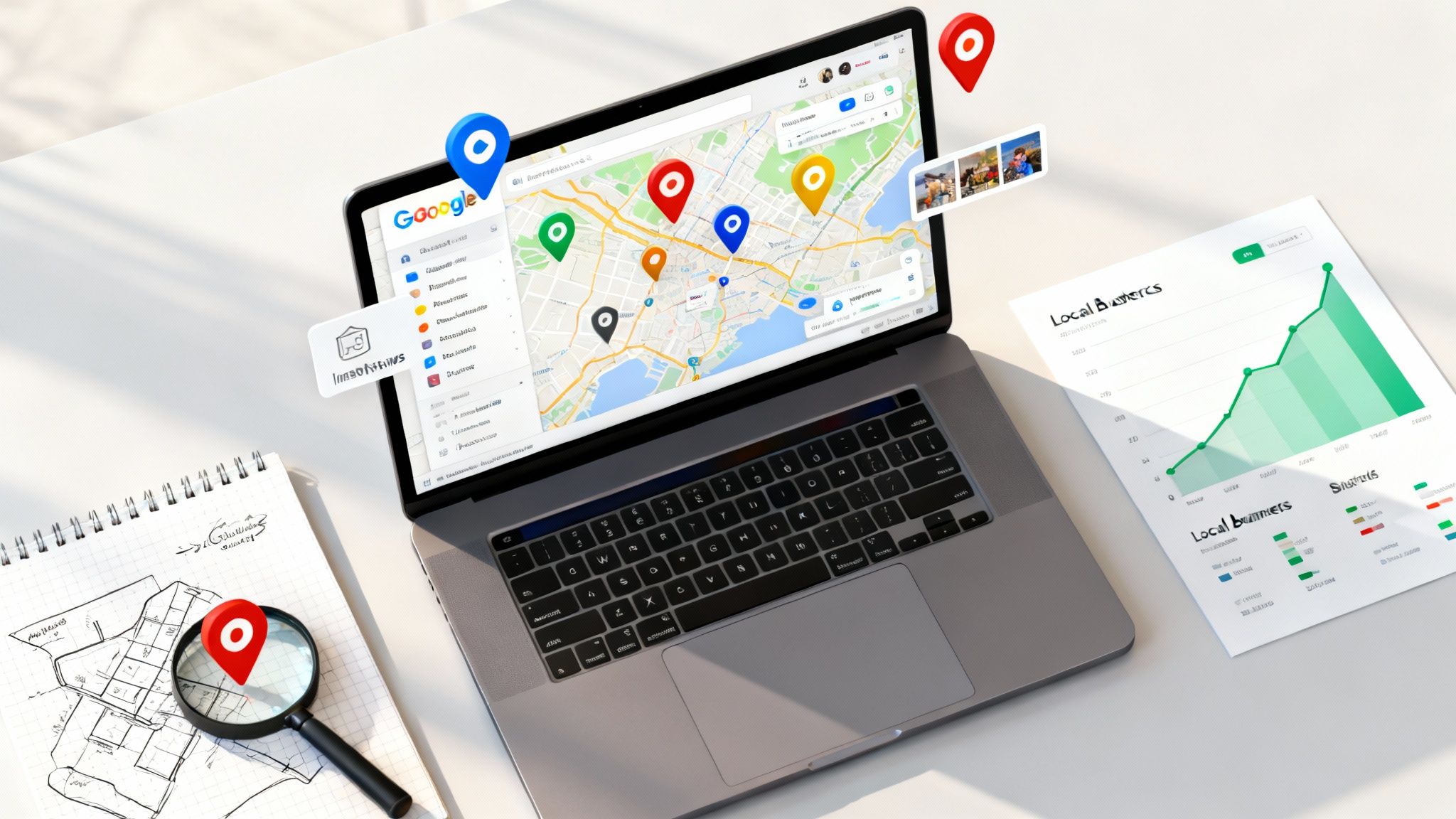
For service-based businesses in Australia, simply existing online isn't enough. Your ideal clients are searching for solutions right now, but are you truly visible where it matters most? Many businesses still overlook the immense power hiding within Google Maps, treating it as a simple navigation tool rather than the client-attraction powerhouse it has become. This perception leaves a significant opportunity on the table, allowing more strategically-minded competitors to capture local market share. It’s time to move beyond seeing your business as just a digital pin on a map.
This ultimate guide delivers a clear solution. We will dissect twelve essential Google Maps features, revealing actionable strategies that transform your online presence into a beacon for high-intent local customers. You will learn not just what these features are, but how to implement them to generate leads, build trust, and solidify your authority. From optimising your Business Profile to leveraging augmented reality for customer convenience, each point is designed to be directly applicable.
Prepare to move beyond basic navigation. This listicle provides the blueprint for leveraging the full suite of Google Maps tools to drive tangible business growth. By the end, you will have a comprehensive understanding of how to dominate your local service area, ensuring that when potential clients search, your business is the one they find, trust, and choose.
1. Google Business Profile Optimization
Your Google Business Profile (formerly Google My Business) is the digital front door to your local business. It's the information-rich panel that appears in Google Maps and the local search results, giving potential customers a snapshot of who you are, what you offer, and why they should choose you. For any service-based business targeting local clientele, mastering this free tool is not just an option; it's the foundation of modern local SEO.
It acts as a centralised hub where you manage how your business information is displayed. This includes your address, phone number, operating hours, and website link. More importantly, it’s an interactive platform for customer engagement through reviews, photos, Questions & Answers, and direct messaging. A well-optimised profile signals to Google that your business is active, credible, and relevant to local search queries, directly influencing your visibility on google maps.
Strategic Breakdown and Analysis
A complete and active profile is one of the most significant ranking factors for the Google Maps "local pack". Google prioritises businesses that provide a comprehensive and helpful user experience.
- Information Completeness: Profiles with complete and accurate information are favoured by Google’s algorithm. This includes filling out every possible section, from primary category to service attributes and accessibility options.
- Engagement Signals: Responding to reviews, answering questions, and publishing regular Google Posts all signal to Google that you are an active and engaged business owner. This user activity is a powerful ranking factor.
- Visual Trust: High-quality photos and videos of your team, work, and premises build immediate trust and give customers a reason to choose you over a competitor with a barren profile.
Key Strategic Insight: Think of your Google Business Profile not as a static listing but as a dynamic, interactive mini-website. Its primary function is to convert searchers on Google Maps into customers by providing them with all the information they need to make a decision, without ever having to click through to your actual website.
Actionable Takeaways for Service Businesses
To truly leverage its power, it's crucial to understand how to create and set up your Google My Business profile for maximum impact. Here are specific tactics to implement:
- Optimise Your Service Areas: Don't just list your physical address. Define a precise service area by listing the suburbs, postcodes, or cities you serve. This tells Google exactly where you operate, improving your visibility in searches from those locations.
- Leverage Google Posts Weekly: Use Google Posts to share updates, offers, and recent projects. For a real estate agent, this could be a "Just Listed" property; for an IT company, it could be a post about a new cybersecurity service. These posts appear directly in your profile on Google Maps and search results, grabbing immediate attention.
- Cultivate and Respond to All Reviews: Actively encourage satisfied customers to leave reviews. Promptly and professionally respond to every single review, both positive and negative. A thoughtful response to a negative review can often win over more new customers than a dozen five-star ratings.
By treating your Google Business Profile as a primary marketing channel, you transform your presence on google maps from a simple pin on a map into a powerful customer acquisition tool. Learn more about optimising your Google Business Profile with Homer Digital Marketing.
2. Google Street View
Google Street View is the immersive feature within google maps that provides panoramic, street-level imagery from locations across the globe. It allows users to virtually explore cities, neighbourhoods, and natural wonders from their computer or mobile device. For service-based businesses, Street View is more than just a novelty; it’s a powerful tool for providing context, building trust, and giving potential clients a tangible sense of your location and its surroundings before they ever visit.
This feature is created using images captured by specially designed camera cars, trekkers, and other equipment. The result is a seamless, 360-degree interactive experience that allows a real estate agent to showcase a property’s neighbourhood to an international buyer, or a consultant to show a prospective client the accessibility and parking situation near their office. It grounds your digital pin on the map in a real-world context, bridging the gap between online search and physical reality.

Strategic Breakdown and Analysis
Street View imagery directly impacts a potential customer's perception and decision-making process. An outdated or unappealing view can be a deterrent, while a current, professional view can build immediate confidence and answer logistical questions visually.
- Pre-Visit Familiarisation: Customers often use Street View to scout a location before visiting. They look for parking, assess the building's appearance, and get a feel for the area. A clear and professional exterior view can positively influence their decision to engage with your business.
- Building Credibility and Trust: A well-maintained storefront or office visible on Street View adds a layer of legitimacy to your business. It proves you have a physical presence and take pride in your premises, which is especially important for high-trust service businesses like accountants or wellness practitioners.
- Contextual Marketing: The imagery provides environmental context. A bridal shop can benefit from appearing in a charming, boutique-lined street, while an IT company’s presence in a modern business park can signal professionalism and scale. This context is part of your brand story.
Key Strategic Insight: Your business's Google Street View is the first virtual handshake you have with many potential customers. It's an uncurated, authentic glimpse into your physical world that can either reinforce or undermine the polished image you present on your website and Google Business Profile.
Actionable Takeaways for Service Businesses
Instead of leaving your Street View presence to chance, you can take proactive steps to ensure it works in your favour and enhances your visibility on google maps.
- Request an Imagery Update: If your Street View image is outdated (e.g., shows a previous business, scaffolding, or a poorly maintained exterior), you can request an update. While Google controls the schedule, businesses can also hire a Google-trusted photographer to create and upload a professional 360-degree virtual tour, which appears on your profile and gives you full control over the visual narrative.
- Scout Locations for Clients: For service businesses that travel to clients, like mobile automotive services or consultants, use Street View to preview a client's location. This allows you to identify potential challenges like parking restrictions or difficult access points ahead of time, ensuring a smoother and more professional service delivery.
- Enhance Your Website and Proposals: Embed a Street View of your location directly on your website’s contact page. For proposals, a real estate agent could include a Street View link to show a property’s curb appeal and street context, providing a richer, more interactive experience for prospective buyers.
3. Google Maps API for Developers
The Google Maps Platform is a powerful suite of APIs and SDKs that allows developers to embed the rich, dynamic functionality of google maps directly into their own websites, mobile apps, and internal business applications. For service businesses, this goes beyond a simple map embed. It unlocks the ability to create custom, location-aware experiences that can streamline operations, enhance customer service, and provide a significant competitive advantage.
From displaying real-time service vehicle locations to visualising customer data across a city, the platform offers a toolkit to solve complex logistical and marketing challenges. It enables businesses like property management firms, delivery services, and field technician companies to build tools tailored to their unique needs. By integrating Google's powerful mapping, routing, and places data, you can build applications that improve efficiency and offer customers a seamless, interactive experience.
Strategic Breakdown and Analysis
Leveraging the Google Maps API allows businesses to transform standard location data into strategic business intelligence and superior customer-facing features. The value lies not just in displaying a map, but in what you can build on top of it.
- Customised Visualisation: The API allows for complete customisation of map styles, markers, and data overlays. A real estate agency could create a map showing properties for sale, colour-coded by price bracket, with clickable icons revealing listing details.
- Operational Efficiency: APIs like the Directions and Distance Matrix API can calculate the most efficient routes for a fleet of service vehicles, factoring in real-time traffic. This directly translates to fuel savings, more jobs completed per day, and improved punctuality.
- Enhanced User Experience: For a customer, seeing their delivery driver's location on a live map (like in ride-sharing apps) provides transparency and reduces support queries. This is a powerful tool for building trust and satisfaction.
The following infographic summarises the key platform features that make this technology accessible.
This pay-as-you-go model, combined with a generous free monthly credit, lowers the barrier to entry for small and medium-sized businesses to start building powerful, location-based tools.
Key Strategic Insight: View the Google Maps API not as an IT expense, but as an investment in a custom operational or marketing tool. Its true power is in creating bespoke solutions that solve your specific business problems, whether that's optimising delivery routes, visualising sales territories, or providing customers with an unparalleled interactive experience.
Actionable Takeaways for Service Businesses
Integrating the Google Maps Platform requires development resources, but the strategic payoff can be immense. Here are specific ways service businesses can leverage its capabilities:
- Build a Dynamic Store/Service Locator: Go beyond a simple list of locations. Use the API to build a locator on your website that shows the nearest service centre based on the user's current location, displays operating hours, and provides one-click directions.
- Create a Project Showcase Map: A construction company or landscaper can create an interactive portfolio map. Potential clients can explore a map of their city, clicking on pins to see photos and case studies of completed projects in their own neighbourhood, building powerful social proof.
- Optimise API Calls for Cost Control: To keep costs low, work with your developer to implement smart strategies. This includes caching data (storing results temporarily so you don't have to request them repeatedly) and only loading the map or making an API request when a user actually interacts with it.
By harnessing the Google Maps API, you can weave the power of google maps into the very fabric of your business operations and customer interactions, creating efficiencies and experiences that set you apart. To explore the full potential, consult the official Google Maps Platform documentation.
4. Google Maps Location Sharing
Google Maps Location Sharing is a feature that allows users to share their real-time geographical position with selected contacts. This functionality transforms the map from a static navigation tool into a dynamic platform for coordination and safety, allowing trusted individuals to see your live location, travel speed, and even your phone's battery life, directly within the google maps interface.
For service-based businesses, particularly those with mobile teams, this feature offers a practical, no-cost solution for logistics and team management. It provides a simple way for field technicians, delivery drivers, or consultants to share their ETA with clients or their location with a central dispatch office. This enhances customer service by providing transparency and improves operational efficiency by making it easier to coordinate team members on the move.
Strategic Breakdown and Analysis
The power of this feature lies in its simplicity and integration into an app that nearly everyone already uses. It leverages real-time data to solve common coordination and safety challenges for both personal and professional use.
- Operational Transparency: For a service business, knowing where your team members are in real time is crucial. A plumber can share their location with the office to confirm they are en route to the next job, or a delivery driver can share their progress with a customer awaiting a package.
- Enhanced Customer Experience: Instead of a vague arrival window, a service provider can share a temporary location link with a client. This allows the customer to see the technician's approach on google maps, reducing anxious calls and improving satisfaction.
- Team Safety and Coordination: For teams working in remote or multiple locations, like real estate agents showing properties or event staff at a large venue, location sharing ensures everyone's whereabouts are known, which is vital for both safety and efficient collaboration.
Key Strategic Insight: View Location Sharing not just as a social feature, but as a lightweight, free fleet management and customer communication tool. It builds trust with clients through transparency and streamlines internal logistics without the need for specialised, expensive tracking software.
Actionable Takeaways for Service Businesses
To integrate this feature into your operations, focus on creating clear protocols for its professional use. Here are specific tactics to implement:
- Set Up a Central Dispatch "Contact": Create a dedicated Google account for your office or dispatch manager. Have all field staff share their location with this single account during work hours. This centralises team tracking, making it easy to see who is closest to an urgent job request.
- Use Temporary Sharing for Client ETAs: Train your team to share their location with clients for a limited duration, such as one or two hours, when they are heading to a job. This provides the client with a precise, visual ETA without giving them permanent access to your employee's location.
- Establish Clear Usage Policies: Create a straightforward policy outlining when and how employees should use location sharing. Define its use for work purposes only, specify the hours it should be active, and reassure staff about privacy outside of work hours to ensure buy-in and proper use.
By strategically using the Location Sharing feature in google maps, your service business can significantly improve its operational agility and the level of service it provides to customers.
5. Google Maps Offline Maps
Google Maps Offline Maps is a critical feature that transforms your mobile device into a reliable GPS navigator, even without an internet connection. It allows you to download detailed map areas, including streets, points of interest, and navigational data, directly onto your phone’s storage. For any service business professional travelling through areas with unreliable mobile reception, or for international travel where data roaming is expensive, this feature ensures you can always find your way to a client’s location.
This functionality is more than just a convenience; it's a vital tool for ensuring business continuity and professionalism. Imagine a real estate agent showing properties in a new development with no mobile service, or a consultant driving to a rural client. Offline maps provide seamless turn-by-turn navigation, search capabilities for saved locations, and an overview of the area, all without using a single byte of mobile data. This preparation demonstrates reliability and foresight, crucial traits for any service-based business using google maps.
Strategic Breakdown and Analysis
The ability to function without an internet connection is a powerful strategic advantage, safeguarding against the unpredictability of mobile networks and saving on data costs. Google prioritises user accessibility, and this feature is a prime example of that commitment.
- Reliability in Unconnected Areas: For service professionals like mobile mechanics or rural property inspectors, connectivity is not guaranteed. Offline maps eliminate the risk of getting lost, ensuring you arrive on time and maintain a professional image.
- Cost Efficiency: International business travel often involves prohibitive data roaming charges. By downloading maps over Wi-Fi before a trip, you can navigate an entire city or region for free, significantly reducing operational expenses.
- Performance and Speed: Accessing map data from your device's local storage is often faster than fetching it from the internet, leading to quicker route calculations and a smoother, more responsive navigation experience.
Key Strategic Insight: View Offline Maps not just as a backup, but as a primary planning tool. Proactively downloading maps for all scheduled appointment locations and their surrounding areas is a simple procedure that mitigates risk, enhances efficiency, and ensures you are never at the mercy of poor mobile signal strength.
Actionable Takeaways for Service Businesses
To integrate Offline Maps into your daily operations, focus on preparation and smart storage management. This ensures the feature is always ready when you need it most.
- Prepare Before You Go: Before leaving for a client meeting in a new or remote area, connect to Wi-Fi and download the map of the entire region. Search for the destination, tap the location's name, select the three-dot menu, and choose "Download offline map." Adjust the rectangle to cover the entire potential travel area.
- Manage Your Map Library: Downloaded maps expire after about 30 days to ensure data remains current. Regularly connect to Wi-Fi and update your offline maps from the app's menu. This prevents being caught with an expired map when you need it. Delete old maps of areas you no longer service to free up valuable phone storage.
- Combine with Other Offline Tools: For a complete offline toolkit, pair Offline Maps with a downloaded client list, contact numbers, and relevant project files. This creates a self-sufficient mobile workstation that is immune to connectivity issues, allowing you to operate effectively anywhere.
By mastering Offline Maps, you turn your smartphone into an unerringly reliable navigation device, reinforcing your professionalism and ensuring your service delivery on google maps is never compromised by a lost connection.
6. Google Maps Live View (AR Navigation)
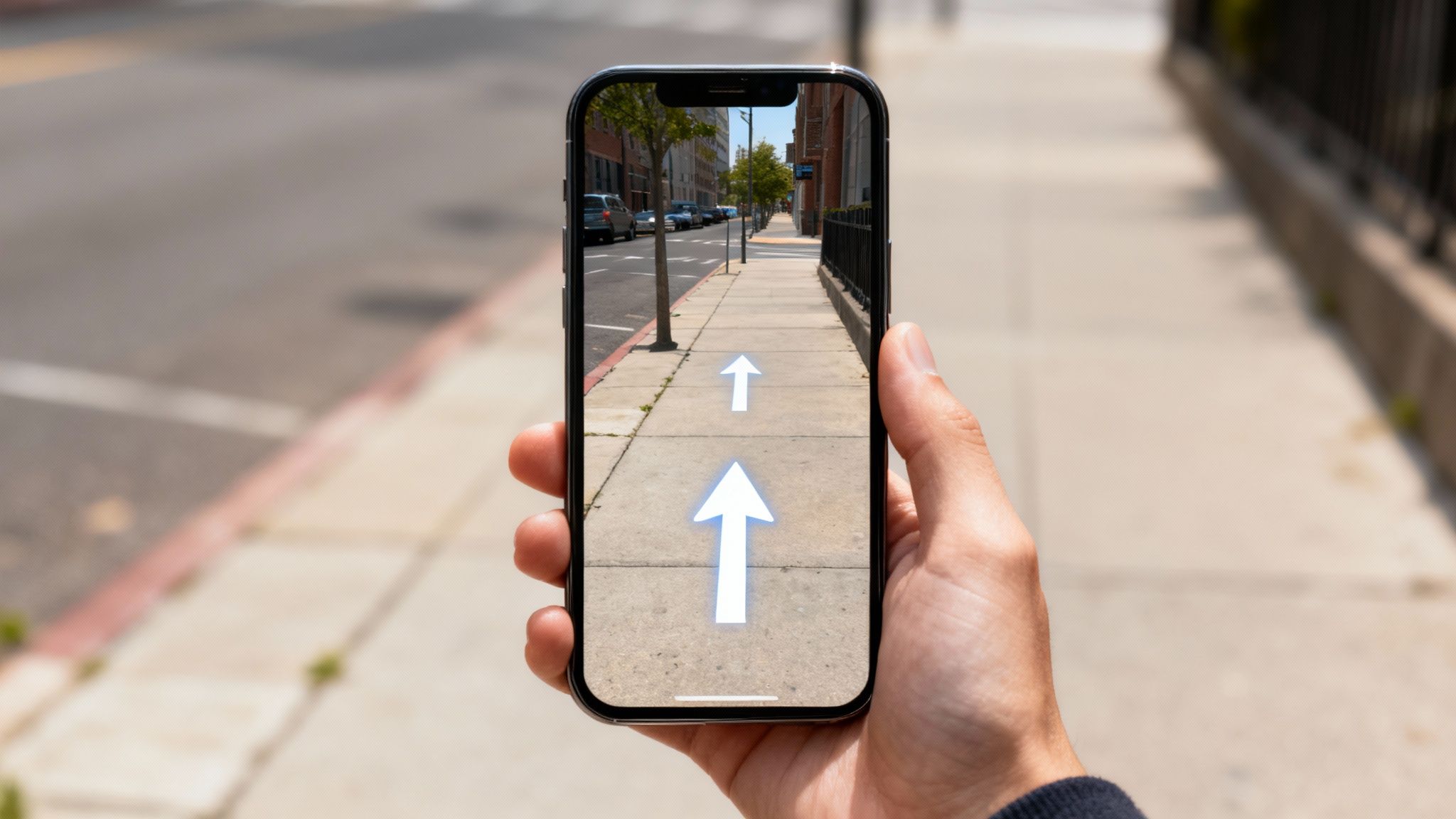
Google Maps Live View is a cutting-edge augmented reality (AR) feature designed to eliminate pedestrian navigation guesswork. It overlays huge digital arrows, street names, and distance markers directly onto a real-world view through your phone's camera. By using your phone’s GPS combined with powerful computer vision to analyse your surroundings against Street View imagery, it determines your precise location and orientation with incredible accuracy, making it far easier to get your bearings in complex urban environments.
This feature is a game-changer for anyone on foot, especially tourists trying to decipher confusing intersections in Tokyo or commuters trying to find the correct exit in a sprawling underground train station. It transforms the abstract nature of a 2D map into an intuitive, real-time guide, showing you exactly where to turn. For anyone who has ever emerged from a subway station completely disoriented, Live View is the solution, helping you navigate with confidence on google maps.
Strategic Breakdown and Analysis
Live View’s brilliance lies in its ability to solve the "last 50 metres" problem, where traditional maps can become ambiguous. It bridges the gap between the digital map and the physical world, enhancing user confidence and reducing the cognitive load of navigation.
- Precise Orientation: Its primary function is to orient the user instantly. By matching what your camera sees with its vast Street View database, Google can tell you which way to walk far more reliably than a spinning compass icon.
- Contextual Information: The feature provides just-in-time information. It doesn’t just show a blue line; it places a giant arrow pointing down the correct street and labels landmarks, ensuring you can’t make a mistake.
- Indoor Navigation: The technology has expanded to certain indoor venues like airports and shopping centres. This allows users to find gates, baggage claims, or specific stores within large, complex buildings where GPS is unreliable.
Key Strategic Insight: Live View is not designed for continuous use while walking. Its strategic purpose is to provide quick, confident orientation at key decision points, such as when you start a journey, exit public transport, or reach a complex intersection. It’s a tool for quick checks, not a constant heads-up display.
Actionable Takeaways for Service Businesses
While not a direct marketing tool, understanding how customers use Live View can inform how you manage your physical presence and provide directions. A business that is easy to find is more likely to be visited.
- Verify Your Pin Location: The accuracy of Live View depends on the accuracy of your business pin on google maps. Double-check that your pin is placed directly on your entrance, not in the middle of the building or carpark. This ensures the AR arrows guide customers right to your door.
- Provide "Live View-Friendly" Directions: When giving verbal or written directions, incorporate recognisable landmarks that Live View might use. For example, say "We are opposite the big clock tower" instead of just giving a street address. This helps customers confirm their location using both your advice and the AR view.
- Use It For Event Coordination: If your business hosts events, workshops, or client meetings at off-site locations, you can use Live View to create simple visual guides. Take screenshots of the Live View navigation at key turns and include them in your event reminder emails to ensure attendees arrive without any stress or confusion.
7. Google Maps Navigation and Traffic
While seemingly basic, the core Navigation feature is a powerful client engagement tool. When a customer uses Google Maps for directions to your business, it sends a positive "prominence" signal to Google's local search algorithm. This data indicates that your business is a popular, real-world destination, which can help boost your visibility in the "local pack" and map results over time.
Real-time traffic data, a key component of this feature, ensures that the directions provided are the most efficient. This functionality directly benefits your customers by helping them avoid delays and arrive on time for their appointments, improving their overall experience before they even walk through your door. For your own mobile teams, using this feature is essential for optimizing routes, saving fuel, and maximizing the number of service calls they can complete in a day.
Strategic Breakdown and Analysis
The strategic value here is twofold: enhancing customer experience and generating positive SEO signals.
- Customer Experience: Providing accurate, traffic-aware directions reduces client frustration and tardiness. A smooth journey to your location sets a positive tone for the entire service interaction.
- Local SEO Signals: Increased usage of navigation to your business address reinforces its relevance and popularity for your service category within a specific geographic area.
- Operational Efficiency: For any business with staff on the road, optimizing routes with real-time traffic is a direct cost-saving measure that improves productivity.
Key Strategic Insight: Actively encourage customers to use Google Maps for directions. This simple act turns every appointment into a micro-signal that strengthens your local SEO authority and tells Google your business is a point of interest.
Actionable Takeaways for Service Businesses
- Include a "Get Directions" Link: Add a direct link to Google Maps navigation on your website's contact page and in your appointment confirmation emails. This makes it effortless for clients to start their journey.
- Train Your Team: Ensure all your mobile employees use Google Maps navigation for their daily routes. This not only improves their efficiency but also generates consistent activity signals associated with your business operations.
- Monitor Local Traffic for Scheduling: Use the "Depart at" or "Arrive by" feature in Google Maps to plan appointments more effectively, factoring in typical traffic patterns to provide clients with more realistic timeframes.
8. Google Maps Reviews and Q&A
Google Reviews are a cornerstone of local search rankings and customer trust. They are one of the most influential factors potential customers consider when choosing a service provider. A high star rating and a steady stream of positive, recent reviews directly impact your visibility on google maps and can be the deciding factor between you and a competitor.
The Questions & Answers (Q&A) feature is an often-underutilized tool for proactive customer service. It allows anyone to ask a question about your business, which can be answered by you or by other customers. By actively managing this section, you can address common queries, correct misinformation, and highlight key selling points before a potential client even needs to contact you.
Strategic Breakdown and Analysis
Reviews and Q&A function as a powerful form of social proof and a direct line of communication with your market.
- Ranking Factor: The quantity, velocity, and quality of your reviews are significant local SEO ranking signals.
- Conversion Tool: According to BrightLocal research, 87% of consumers read online reviews for local businesses. Positive reviews are a powerful conversion tool.
- Content Generation: The Q&A section builds a user-generated FAQ page directly on your profile, providing valuable, keyword-rich content that can help you rank for long-tail search queries.
Key Strategic Insight: Treat your Google Reviews and Q&A section as an active marketing channel. Your engagement here—or lack thereof—sends a strong message to both customers and Google about how much you value your client relationships.
Actionable Takeaways for Service Businesses
- Proactively Seed Your Q&A: Don't wait for customers to ask questions. Add your own common questions (e.g., "Do you offer free quotes?" or "What parking is available?") and answer them yourself. This pre-emptively provides helpful information.
- Implement a Review Generation System: Create a simple, automated process to ask every satisfied customer for a review. This could be via a follow-up email or SMS with a direct link to your Google review page.
- Respond to Every Review: Make it a policy to respond to every single review, positive or negative, within 24 hours. Thank customers for positive feedback and address negative feedback professionally and constructively. This shows you are engaged and value customer input.
9. Google Maps Lists
Google Maps Lists allow users to save, organize, and share groups of places. While often used for personal travel planning (e.g., "Places to visit in Paris"), businesses can leverage this feature for creative marketing and customer service. You can create curated lists that highlight your projects, recommend complementary local businesses, or create neighbourhood guides featuring your location.
For example, a wedding planner could create a list of "Top Melbourne Wedding Venues" that includes their preferred partners. A real estate agent could create lists like "Best Family Parks in the Northern Suburbs" or "Top Cafes Near Our New Listings" and share them with clients. This positions your business as a knowledgeable local expert, providing value beyond your core service.
Strategic Breakdown and Analysis
Lists are a content marketing tool that lives directly within google maps, adding a layer of local authority and shareability to your brand.
- Content Marketing: Lists allow you to create valuable, location-based content that is useful for your target audience.
- Partnership Building: Creating lists that feature other non-competing local businesses can be a great way to build goodwill and cross-promotional relationships.
- Shareability: These lists are easily shareable via a link, making them perfect for including in newsletters, blog posts, or social media updates.
Key Strategic Insight: Google Maps Lists transform you from just a business at a location to an expert on the location. They provide a platform to demonstrate your local knowledge and build community, which fosters trust and brand loyalty.
Actionable Takeaways for Service Businesses
- Create a Project Portfolio List: If your work is visible, like a landscaper or a home builder, create a public list titled "[Your Company] Project Showcase" with pins at the locations of your best work (with client permission, of course).
- Develop a "Local Guide" List: Create a list that is helpful for your clients. A financial advisor could create a list of "Best Lunch Spots for Business Meetings Near Our Office." Share this with clients when scheduling appointments.
- Collaborate with Other Businesses: Partner with complementary businesses to create a joint list. A personal trainer, a healthy cafe, and a sports apparel store could create a "Local Health & Wellness Guide" list, with each business promoting it to their respective audiences.
10. Google Maps Messaging
The Google Maps Messaging feature allows customers to initiate a text-based chat directly with your business from your Google Business Profile. This provides a low-friction communication channel for potential clients who may prefer messaging over making a phone call. It's an excellent tool for answering quick questions, providing quotes, or scheduling appointments.
In today's fast-paced world, offering instant, convenient communication can be a significant competitive advantage. Activating and promptly responding to messages signals to both customers and Google that you are accessible and responsive, which can improve customer satisfaction and even contribute positively to your local ranking.
Strategic Breakdown and Analysis
Messaging meets the modern consumer's expectation for immediate and convenient communication.
- Reduced Friction: It provides an easy way for potential customers to get in touch without having to switch apps or make a phone call.
- Lead Generation: Many initial inquiries that come through messaging can be converted into qualified leads and paying customers.
- Responsiveness Signal: Google tracks your average response time. A fast response rate is a positive signal that can enhance your profile's standing.
Key Strategic Insight: Treat Google Maps Messaging with the same urgency as a phone call. A delayed response can mean a lost lead, as the customer will likely have messaged your competitors as well.
Actionable Takeaways for Service Businesses
- Turn On Messaging and Set Up Alerts: Activate the feature in your Google Business Profile dashboard and ensure notifications are enabled on your phone so you never miss a new message.
- Create Welcome Message Automations: Set up an automated welcome message to greet customers instantly. This can manage expectations by providing your typical response time or answering a very common initial question.
- Develop Templated Responses: For frequently asked questions (e.g., about pricing, services, or availability), create a set of pre-written template responses to ensure you can reply quickly, consistently, and accurately.
11. Google Maps Popular Times & Live Visit Data
The "Popular Times" feature uses aggregated, anonymized location data from users to show how busy a place typically is at different times of the day and week. "Live Visit Data" takes this a step further by showing how active the location is right now, in real-time. While commonly associated with restaurants and retail stores, this data can be incredibly useful for service businesses with a physical location.
For a client, this information helps them plan their visit to avoid long waits, such as at a walk-in tax advisory office or a busy physiotherapy clinic. For the business owner, this data provides valuable insights into peak hours, allowing for better staff scheduling and resource allocation.
Strategic Breakdown and Analysis
This data-driven feature enhances customer convenience and provides actionable business intelligence.
- Customer Convenience: It empowers customers to choose the best time to visit, improving their experience and managing their expectations regarding potential wait times.
- Operational Insights: Analyzing popular times data can help you identify trends in customer traffic, informing decisions about staffing levels, opening hours, and promotional timing.
- Building Trust: The transparency of sharing this data shows that you are a well-established business with a steady flow of customers, which can act as social proof.
Key Strategic Insight: Popular Times data is a free source of market research. Regularly review your trends to understand customer behavior and optimize your operations for maximum efficiency and client satisfaction.
Actionable Takeaways for Service Businesses
- Advise Clients Using the Data: When booking appointments, your front-desk staff can reference the Popular Times chart to advise clients on the best times to arrive if they want to avoid a crowded waiting room.
- Optimize Staffing Schedules: Use the data to ensure you have more staff on hand during your historically busiest periods and potentially reduce staffing during quiet times to manage costs.
- Plan Marketing Initiatives: If you want to drive more traffic during your slow periods, use the data to identify those times and run special offers or promotions specifically for those hours.
12. Google Maps Accessibility Information
Adding detailed accessibility information to your Google Business Profile is a crucial feature for ensuring your business is welcoming and available to everyone. This includes details such as whether you have a wheelchair-accessible entrance, lift, seating, toilet, or parking. Making this information clear and easy to find is not just a matter of compliance; it's a powerful statement about your company's values and commitment to inclusivity.
For a significant portion of the population, including people with disabilities, older adults, and parents with prams, this information is not a minor detail—it's a determining factor in whether they can visit your business at all. By proactively providing these details on google maps, you remove uncertainty and make it easy for everyone in the community to choose your services.
Strategic Breakdown and Analysis
Accessibility information broadens your potential customer base and enhances your brand reputation.
- Expanded Market: You make your business a viable option for customers with specific accessibility needs, as well as their families and caregivers.
- Enhanced Brand Image: Demonstrating a commitment to inclusivity and social responsibility builds a positive brand reputation and fosters community trust.
- Improved User Experience: Providing this information directly on your profile saves potential customers the time and effort of having to call and ask, reducing friction in their decision-making process.
Key Strategic Insight: Accessibility is not just about physical accommodations; it's about information. The simple act of filling out these attributes on your profile provides immense value and shows that you have considered the needs of every potential customer.
Actionable Takeaways for Service Businesses
- Conduct an Accessibility Audit: Walk through your premises from the perspective of a person with mobility challenges. Honestly assess your entrance, pathways, restrooms, and service counters, then update all relevant attributes in your Google Business Profile.
- Use Photos to Showcase Accessibility: Don't just list the features—show them. Upload high-quality photos of your wheelchair ramp, accessible parking spaces, and spacious interiors to visually confirm the information you've provided.
- Train Staff on Accessibility: Ensure your team is aware of the accessible features of your location and is prepared to assist customers who may have questions or require support. This ensures the in-person experience matches the promise made on your digital profile.
Your Roadmap to Local SEO Success Starts Here
We've journeyed through the multifaceted world of Google Maps, exploring far more than just its point-A-to-point-B navigation. From the immersive power of Street View to the critical business hub of your Google Business Profile, it's clear that this platform is not merely a tool; it's a dynamic ecosystem where local commerce thrives. For service-based businesses across Australia, mastering Google Maps is no longer a peripheral marketing task, it is the central pillar of a robust local SEO strategy.
The features we've detailed, such as Offline Maps, Live View AR, and real-time Location Sharing, all contribute to a seamless and trustworthy user experience. When a potential client can effortlessly find your location, visually verify your storefront with Street View, and see glowing reviews all in one place, you remove friction and build immediate credibility. This integration is the secret sauce behind turning a casual search into a confirmed appointment or a loyal customer.
Synthesising Your Google Maps Strategy
The core takeaway is that each element of Google Maps works in concert. A standalone feature offers utility, but a synchronised strategy delivers powerful results. Let's distil the most crucial actions you need to prioritise:
- Optimise Your Digital Front Door: Your Google Business Profile is paramount. The meticulous optimisation of your details, from accurate service areas to compelling photos and consistent NAP (Name, Address, Phone number) information, is non-negotiable. This is your foundation.
- Cultivate Social Proof: Proactively generating and responding to reviews is the engine of your reputation on Google Maps. Positive reviews directly influence your visibility in the local pack and provide the social proof necessary to convert searchers into clients.
- Leverage Every Feature: Encourage clients to use navigation to find you, as this sends positive signals to Google. Ensure your Street View is up-to-date and accurate. These small details collectively enhance user trust and tell Google that your business is active and legitimate.
By implementing the tactical breakdowns discussed throughout this article, you move beyond simply existing on the platform. You begin to strategically leverage Google Maps as an automated client acquisition channel, guiding ideal customers from discovery to your doorstep with precision and authority. To truly maximize your presence and gain local dominance, consider these 8 Essential Steps for Dominating Local Maps SEO, which provide a deeper dive into the technical nuances of ranking higher in local search results.
Ultimately, your success on Google Maps hinges on a commitment to providing value and accuracy at every digital touchpoint. It’s about building a comprehensive, user-centric presence that not only pleases the algorithm but, more importantly, serves the needs of your local community. The roadmap is clear, and the tools are at your disposal. Now is the time to take control, optimise your presence, and watch as Google Maps becomes one of the most powerful drivers of growth for your service business.
Ready to stop guessing and start scaling your local visibility? Homer Digital Marketing specialises in transforming your Google Maps presence into a predictable, automated client-attraction system. Let us handle the complexities of local SEO so you can focus on delivering exceptional service. Book a no-obligation strategy session with us today and let's put your business on the map, literally.
