

Ever launched a Facebook ad campaign only to see your stunning creative get awkwardly cropped, your text become unreadable, or your visuals turn blurry? It’s a common frustration that undermines even the most brilliant marketing strategies. In the competitive, fast-scrolling environment of social media feeds, the difference between an ad that captivates and converts versus one that gets instantly ignored often comes down to pixels. Mastering the correct facebook advertising sizes is not just a technical task; it's the fundamental first step to a successful campaign.
Getting the dimensions wrong can lead to a cascade of negative outcomes. Your ad may be automatically rejected by Meta's platform, or worse, it could run with distorted visuals that damage your brand's credibility. This directly translates to wasted ad spend, a poor user experience, and critically, a lower return on investment. Every placement, from the main Feed to Stories and Marketplace, has unique ad specs designed to maximize visibility and engagement on different devices. An image optimized for a desktop's right column will fail spectacularly in a vertical mobile Story.
This comprehensive guide eliminates the guesswork. We will break down every critical ad format, providing the precise dimensions, technical specifications, and strategic best practices you need to ensure your creative is optimized for every placement. While this article focuses specifically on paid advertising formats, getting your organic content right is just as crucial. For a comprehensive understanding of all optimal visuals, you might also find this A Complete Guide to Facebook Post Size a valuable resource. Let's dive in and make certain every dollar you invest is supported by pixel-perfect creative that demands attention and drives results.
1. Facebook Feed Image Ad (1080 x 1080 px)
The square 1:1 aspect ratio image ad is the undisputed workhorse of Facebook advertising, and for good reason. It stands as the most versatile and widely adopted format, designed to display seamlessly in both desktop and mobile News Feeds. This universality makes the 1080 x 1080 pixel square the go-to standard for most advertisers. Its dimensions deliver optimal quality and clarity across all devices without compromising on load times, a critical factor for retaining user attention.
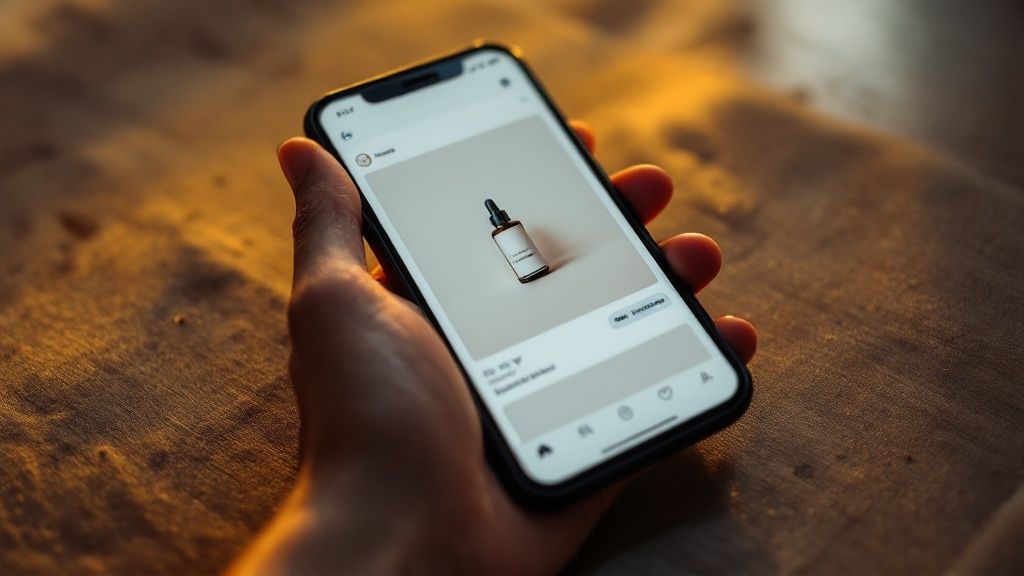
This format's power lies in its simplicity and effectiveness. It occupies a significant portion of the mobile screen, grabbing attention as users scroll. When considering the most effective facebook advertising sizes, the 1:1 ratio provides a balanced canvas that works exceptionally well for a wide array of content. Whether you're a real estate agent showcasing a property, a consultant promoting a webinar, or a bridal shop displaying a new dress, the square format frames your subject perfectly. This consistency across placements simplifies campaign creation and ensures your brand message is always presented professionally.
Why It's an Essential Format
For businesses aiming for broad reach with a single creative asset, the square image ad is invaluable. It removes the guesswork of optimizing for different feed layouts. For example, a landscape image can appear too small on mobile, while a vertical image gets awkwardly cropped on desktop. The 1:1 ratio neatly solves this dilemma, offering a consistent user experience everywhere. This adaptability is key for businesses like recruitment agencies advertising a role or automotive services promoting a special offer, ensuring the core message is always clear and centered.
Actionable Tips for 1:1 Image Ads
To maximize the impact of your square feed ads, follow these best practices:
- Centre Your Focus: Keep the most critical visual elements and text well within the central part of the image. This safe zone prevents key information from being obscured by profile icons or call-to-action buttons.
- Use High-Contrast Colours: The Facebook feed is a visually busy environment. Use bold, contrasting colours to make your ad pop and stop users from scrolling past.
- Test Images with Faces: Creatives that feature authentic human faces often generate higher engagement and click-through rates. They create a personal connection that stock imagery can't replicate.
- Ensure Mobile Readability: Any text overlay must be large and clear enough to be easily read on a small mobile screen. Use concise copy to convey your message quickly. For more details on optimizing your online advertising strategy, you can explore the value of placing ads on the internet.
- Upload at Full Resolution: Always use the full 1080 x 1080 pixel resolution to ensure your image appears crisp and professional, especially on high-DPI retina displays.
2. Facebook Stories Ad (1080 x 1920 px)
Facebook Stories ads are the mobile-native, full-screen vertical format designed for maximum immersion. Using a 9:16 aspect ratio and 1080 x 1920 pixel dimensions, these ads appear between organic user Stories, taking over the entire screen for a brief, engaging, and distraction-free experience. This format is one of the fastest-growing and most effective placements, tapping into the ephemeral, in-the-moment nature of Stories content that millions of users consume daily.
The power of Stories ads lies in their ability to feel less like a traditional advertisement and more like native content. Businesses from e-commerce brands showcasing new arrivals to service providers promoting a time-sensitive webinar can leverage this format. Because it fills the entire mobile screen, it commands the user's undivided attention, making it an incredibly potent tool for storytelling and driving direct action. When considering a full-funnel strategy for facebook advertising sizes, the vertical Stories format is non-negotiable for capturing top-of-funnel attention and bottom-of-funnel conversions.
Why It's an Essential Format
For any business targeting a mobile-first audience, Stories ads are indispensable. The vertical format is how users naturally hold and interact with their phones, making the ad experience seamless and intuitive. Unlike feed ads, which compete with other posts, a Stories ad owns the screen for its duration. This makes it perfect for businesses that rely on strong visuals, such as real estate agents giving a quick property tour, bridal shops showing a dress in motion, or an IT company using a short animation to explain a complex service. The ephemeral nature also creates a sense of urgency, encouraging immediate action.
Actionable Tips for 9:16 Stories Ads
To maximize the impact of your full-screen vertical ads, follow these best practices:
- Design for Sound-Off Viewing: A significant portion of Stories are viewed without sound. Use clear captions or bold text overlays to ensure your message is understood even when muted.
- Front-Load Your Message: You only have a few seconds to capture attention. Place your key message, brand logo, and call-to-action within the first 3 seconds before users tap away.
- Stay Within the Safe Zone: Keep critical text and logos away from the very top and bottom of the creative to avoid being obscured by the interface elements. The central 1080 x 1420 pixel area is your safest bet.
- Use Interactive Elements: Boost engagement by incorporating native Stories features like polls, quizzes, or question stickers directly into your ad creative. This encourages user participation and makes the ad more memorable.
- Create Mobile-First Content: Avoid simply cropping a horizontal video. Shoot or design your creative vertically from the start to ensure it looks professional and is optimized for the 9:16 viewing experience.
3. Facebook Carousel Ad (1080 x 1080 px per card)
The Facebook Carousel Ad is a dynamic and interactive format that lets advertisers display up to 10 images or videos, known as "cards," within a single ad unit. Each card can have its own headline, description, and unique link, making it a powerful tool for multi-faceted storytelling or product showcases. Users can swipe horizontally through the cards, creating an engaging experience that encourages deeper interaction than a static image. The standard size for each card is a 1:1 aspect ratio at 1080 x 1080 pixels, ensuring a consistent and clean look across mobile and desktop feeds.
This format excels at guiding a user through a narrative or displaying a range of options. For instance, an e-commerce brand might use a carousel to display related product recommendations based on a user's browsing history. Similarly, a real estate agent can showcase multiple photos of a single property, from the kitchen to the backyard, all within one ad. This versatility makes the carousel an essential component when considering effective facebook advertising sizes, as it packs a significant amount of information into a compact, scrollable space.
Why It's an Essential Format
The carousel's strength lies in its ability to tell a more comprehensive story or present a diverse collection without overwhelming the user. For businesses with multiple products, features, or selling points, it’s an ideal solution. A car rental company could use each card to feature a different vehicle class, while a consultant could detail a step-by-step process for their service. This format allows businesses to demonstrate value and variety in a single, cost-effective placement, often leading to higher engagement and lower conversion costs.
The following infographic provides a quick reference, summarising key performance metrics that highlight why carousel ads are so effective.
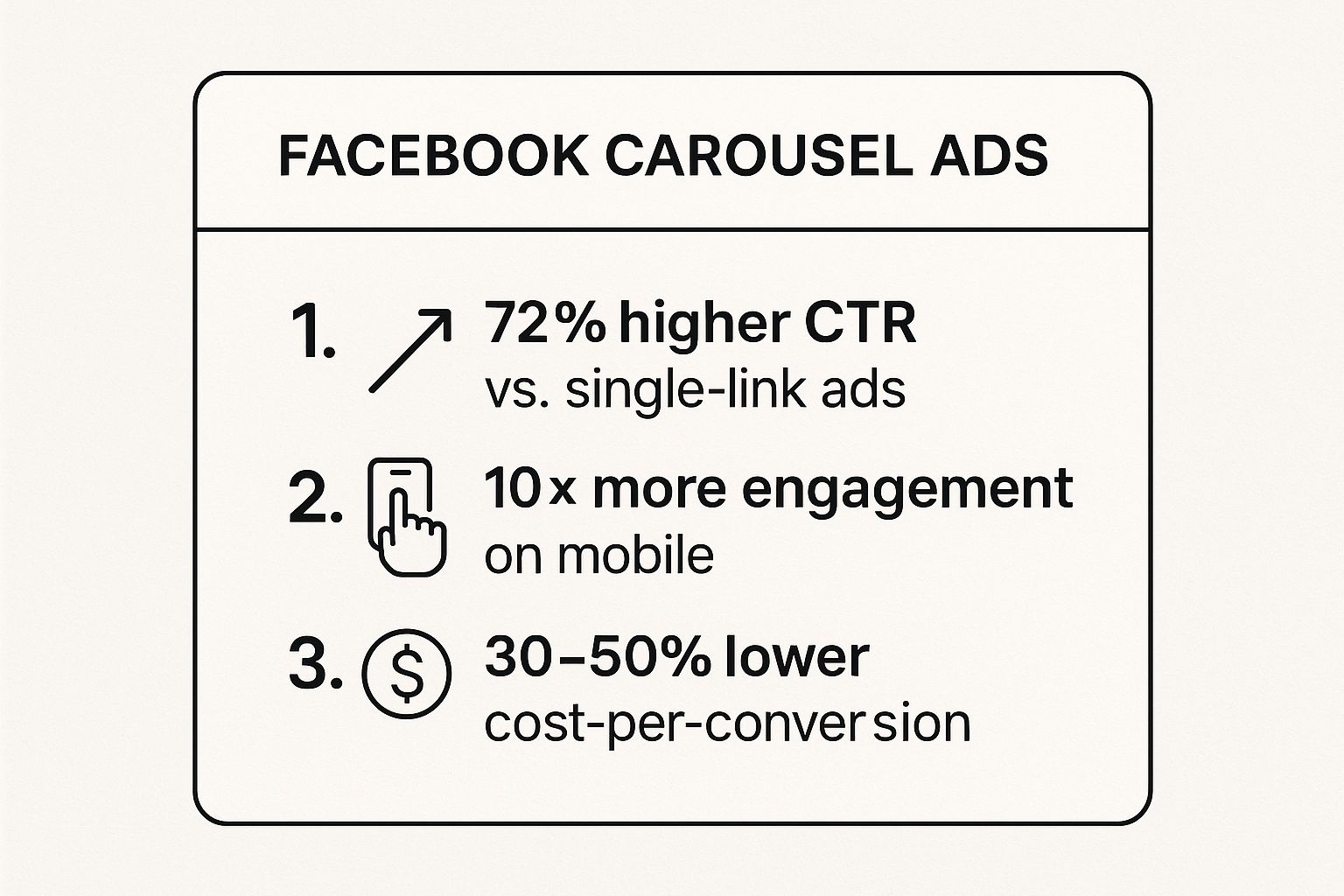
These statistics demonstrate that the interactive nature of carousel ads can significantly boost click-through rates and engagement while often reducing the cost per conversion, delivering a stronger return on ad spend.
Actionable Tips for 1:1 Carousel Ads
To create high-performing carousel ads, follow these strategic tips:
- Use the First Card as a Hook: The initial card must be compelling enough to grab attention and motivate users to swipe for more. Use your most striking image or a provocative question.
- Tell a Sequential Story: Guide users through a narrative. For example, a marketing agency could use a carousel to tell a step-by-step tutorial story across multiple cards, making complex information digestible.
- Maintain Visual Consistency: Ensure a consistent brand aesthetic, colour palette, and style across all cards to create a seamless and professional viewing experience.
- Let Facebook Optimise: Enable the "Automatically show the best performing cards first" option. Facebook's algorithm will analyse which cards get the most engagement and reorder them to maximize performance.
- Include a Clear CTA on Each Card: Since users might not swipe through every card, make sure each one can stand alone with a clear call-to-action that directs them to the most relevant landing page.
- Limit to 5-6 Cards: While you can use up to 10 cards, engagement often drops off. Sticking to 5 or 6 cards typically yields better completion rates and keeps your message focused.
4. Facebook Video Feed Ad (1080 x 1080 px)
Just as its static image counterpart, the square 1:1 video ad is a dominant force in the Facebook Feed. By combining the versatility of the square format with the engaging power of motion, the 1080 x 1080 pixel video ad has become an essential tool for advertisers. It offers the perfect balance between landscape and vertical formats, providing excellent visibility on both mobile and desktop while auto-playing in users' feeds to immediately capture attention.
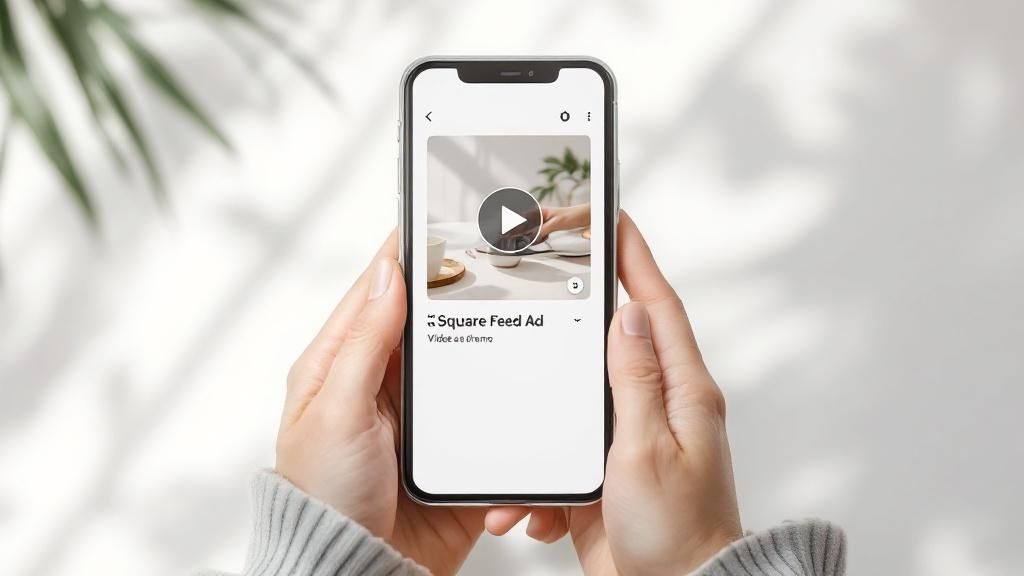
The strength of this format lies in its ability to tell a story quickly and effectively. Brands like Tasty have mastered this, using overhead cooking demonstrations to generate millions of views, while GoPro showcases user-generated adventure clips to inspire action. The square aspect ratio maximizes screen real estate on mobile devices, ensuring your message isn't just seen but felt. This makes it an ideal choice among the various facebook advertising sizes for businesses wanting to demonstrate a product, like a consultant showcasing a new software or a bridal shop featuring a dress in motion.
Why It's an Essential Format
In a feed saturated with static images, video provides an immediate pattern interrupt that stops the scroll. The 1:1 ratio ensures this video looks great everywhere, from a large desktop monitor to the smallest mobile screen, simplifying the creative process. It's particularly powerful for service-based businesses, such as a real estate agent offering a virtual property tour or a wellness practitioner demonstrating an exercise, as it allows for a more dynamic and personal connection with the audience. This format is built for impact in a sound-off environment, conveying a message visually before a user ever unmutes.
Actionable Tips for 1:1 Video Ads
To ensure your square video ads deliver results, apply these proven strategies:
- Hook Viewers Immediately: You have less than three seconds to capture attention. Start with your most compelling visual, a surprising question, or dynamic movement to stop users from scrolling.
- Design for Sound-Off: With around 85% of Facebook videos being watched without sound, captions are non-negotiable. Burn them directly into your video to ensure your message is always understood.
- Keep It Brief: For feed placements, aim for videos under 15 seconds. This length is optimized for user attention spans and is more likely to be watched to completion.
- Brand Early and Often: Place your logo or a key product shot within the opening frames to build brand recognition, even if viewers don't watch the entire video.
- Optimise Your Thumbnail: The thumbnail is what users see before the video auto-plays. Test different eye-catching images to encourage clicks and views.
- End with a Clear CTA: Tell your audience exactly what to do next, whether it’s "Learn More," "Shop Now," or "Book a Consultation."
- Ensure Proper Sizing: To ensure your video content meets the precise specifications without quality loss, consider using specialized tools to resize videos for Facebook.
5. Facebook Right Column Ad (1200 x 628 px)
The Facebook Right Column ad is a desktop-exclusive placement that often flies under the radar in a mobile-first world. While smaller and less prominent than News Feed ads, this format provides a unique opportunity to reach highly engaged desktop users, often at a lower cost-per-click. The recommended image size is 1200 x 628 pixels with a 1.91:1 aspect ratio, which is then scaled down to fit neatly in the right-hand sidebar of the Facebook interface. This placement is a strategic tool for advertisers targeting users during work hours or for campaigns where a desktop experience is preferred.
The power of the Right Column ad lies in its persistent visibility and its ability to complement a broader campaign strategy. Unlike a feed ad that disappears as a user scrolls, a Right Column ad stays in view, offering a subtle but constant brand reminder. This makes it an excellent choice for B2B marketers, such as SaaS companies reaching professionals at their desks, or financial services firms retargeting prospects who have already shown interest. When evaluating facebook advertising sizes, this format’s value is in its efficiency and targeted application rather than its screen dominance.
Why It's a Strategic Format
For businesses with a significant desktop audience, ignoring the Right Column is a missed opportunity. It is particularly effective for retargeting campaigns, as it keeps your brand top-of-mind for users who have already visited your website or engaged with your content. For example, an IT company can use this placement to serve ads to decision-makers who recently downloaded a whitepaper. Its lower cost also allows for budget-efficient brand reinforcement, making it a smart supplementary placement to a primary News Feed campaign. Exploring the monthly cost of advertising for a small business can help you see how formats like this fit into an optimized budget.
Actionable Tips for Right Column Ads
To get the most out of this compact ad space, your creative needs to be clear and direct:
- Prioritise Simplicity: The display size is small, so use a simple, clean image with a single, clear focal point. Avoid cluttered designs or small text that will be illegible.
- Use Bold Colours: Your ad will compete with notifications and other sidebar elements. Use bright, high-contrast colours to grab attention and stand out from the rest of the page.
- Focus on Retargeting: This placement excels with warm audiences. Target users who have already shown interest in your service or product for higher conversion rates.
- Write a Concise Headline: You have limited space for text. Craft a short, punchy headline and a clear value proposition that communicates your offer immediately.
- Target B2B Users: Schedule your campaigns to run during business hours (e.g., 9 am to 5 pm on weekdays) to reach professionals when they are most likely to be at their desktops.
6. Facebook Marketplace Ad (1080 x 1080 px)
Facebook Marketplace has evolved from a simple peer-to-peer platform into a powerful commercial hub, and ads placed here tap directly into a high-intent audience. These ads appear natively within the Marketplace feed as users are actively browsing to buy, making them highly effective for driving sales. The recommended 1080 x 1080 pixel square format ensures your ad blends in perfectly with organic listings, creating a non-disruptive user experience that captures the attention of motivated shoppers.
The strength of this ad placement lies in its context. Unlike the general News Feed, users in Marketplace are in a "buying mode," actively searching for products and services. This makes it an ideal format for businesses like local car dealerships showcasing their latest inventory, furniture retailers promoting specific items, or e-commerce stores wanting to boost their product visibility. By using the optimal facebook advertising sizes for this placement, your ad looks professional and feels like a natural part of the shopping journey, increasing its chances of conversion.
Why It's an Essential Format
For any business selling physical products or local services, Marketplace is a goldmine of engaged potential customers. This placement allows you to reach people who are already looking to make a purchase, often within a specific geographic area. For example, a home improvement store can target DIY enthusiasts searching for building materials, or a real estate agent can advertise a rental property to people browsing local listings. The 1:1 ratio provides a clean, mobile-friendly canvas to display your product clearly, along with crucial information like price and location, which users expect to see in this environment.
Actionable Tips for Marketplace Ads
To make your Marketplace ads convert, tailor your creative to the platform's unique audience and interface:
- Display Pricing Prominently: Users on Marketplace expect to see the price upfront. Including it directly on your ad creative builds trust and pre-qualifies clicks from serious buyers.
- Use Clean, High-Quality Images: Present your product against a simple or white background to make it stand out, mimicking the style of successful organic listings.
- Showcase Products in Use: Use lifestyle imagery to help potential customers visualise how your product fits into their lives. A bridal shop, for example, could show a dress on a model rather than a mannequin.
- Emphasise Deals and Scarcity: Highlight special offers, discounts, or limited stock to create a sense of urgency, which is highly effective in a transactional environment like Marketplace.
- Leverage Catalogue Sales Campaigns: For e-commerce businesses with many products, connect your product catalogue to run dynamic ads that automatically show relevant items to users.
7. Facebook In-Stream Video Ad (1200 x 628 px)
Facebook In-Stream video ads are the platform's answer to traditional TV commercials, appearing as mid-roll or pre-roll placements within other video content on Facebook Watch. These ads capture an already engaged audience, as viewers are actively consuming video when the ad plays. The standard landscape 16:9 aspect ratio, with a minimum size of 1200 x 628 pixels (though 1920 x 1080 px is recommended), is designed for a full-screen, cinematic experience that matches the context of the surrounding content.
This format is exceptionally powerful for capturing the attention of a highly engaged viewer. For instance, a movie studio can promote a new trailer during entertainment clips, or a gaming company can showcase a new release during popular gaming streams. Unlike feed ads that users can scroll past, in-stream ads command the viewer's full attention for their duration, making them a premium choice for impactful brand messaging and one of the most effective facebook advertising sizes for video-centric campaigns.
Why It's an Essential Format
In-stream video ads are essential for businesses that want to reach an audience in a high-engagement, lean-back viewing environment. The mindset of a user watching Facebook Watch videos is different from someone scrolling the news feed; they are settled in for entertainment or information. This makes it an ideal placement for businesses like automotive services showcasing a new car model or a major brand running a brand awareness campaign during a popular creator's show. It allows your ad to be associated with content the viewer already enjoys, creating a positive brand connection.
Actionable Tips for In-Stream Video Ads
To ensure your in-stream video ads are effective and not disruptive, follow these guidelines:
- Hook in the First 3 Seconds: You must capture attention immediately before the viewer tunes out. Start with compelling action, a surprising visual, or a direct question.
- Design for Sound-On: Unlike feed videos, most in-stream ads are viewed with the sound on. Use this to your advantage with clear audio, voiceovers, and impactful music.
- Keep It Concise: While you can run longer ads, the sweet spot is often between 5 and 15 seconds. Deliver your core message quickly and memorably.
- Use the Landscape Format: Stick to the 16:9 ratio to provide a seamless, full-screen experience that doesn't feel out of place with the primary video content.
- Include Clear Branding: Since viewers are a captive audience, ensure your logo and brand colours are visible throughout the video to maximize brand recall.
- Target Relevant Content Categories: Align your ads with content categories that match your audience's interests. A financial consultant, for example, could target videos related to business and entrepreneurship.
8. Facebook Collection Ad (1080 x 1080 px hero image)
The Collection Ad is a powerful, mobile-first format designed for e-commerce and retail businesses aiming to create a seamless shopping journey. It combines a primary "hero" creative, either a 1080 x 1080 px image or a video, with a dynamic grid of four product images pulled directly from a catalogue. This format acts as a digital storefront window, inviting users to browse and buy without ever leaving the Facebook app, making it a critical tool among facebook advertising sizes for driving direct sales.
When a user taps on this ad, it opens an "Instant Experience", a full-screen, fast-loading destination that showcases a larger collection of products. This immersive environment drastically reduces friction between discovery and purchase. For example, a local bridal shop could use a stunning lifestyle photo of a bride as the hero image, with a grid below showing the dress, veil, shoes, and bouquet. A tap opens an Instant Experience where the user can explore the entire wedding collection, transforming a simple ad into an engaging catalogue.
Why It's an Essential Format
For businesses with a product catalogue, the Collection Ad is unparalleled for creating a rich, browseable experience. It bridges the gap between passive brand awareness and active product consideration by showcasing multiple items at once. This is perfect for brands promoting a new season's outfits or building an entire shoppable room concept. The format's ability to drive conversions by simplifying the path to purchase makes it indispensable for any direct-to-consumer strategy, from automotive services showcasing car accessories to IT companies selling hardware packages.
Actionable Tips for Collection Ads
To create high-performing Collection Ads that convert browsers into buyers, follow these best practices:
- Tell a Story with Your Hero: Use an aspirational hero image or video that shows your products in a lifestyle context. This creates an emotional connection that a simple product shot cannot.
- Create Themed Collections: Group products logically within your Instant Experience. Organize them around themes like "New Winter Arrivals," "Gifts Under $50," or "Top-Rated Skincare" to guide the user's journey.
- Ensure Visual Consistency: Your product grid images should complement the hero visual and maintain consistent styling, such as background colour and lighting, for a professional, polished look.
- Optimise the Instant Experience: Customise your Instant Experience layout for smooth, intuitive scrolling. Use a mix of single images, carousels, and product sets to keep users engaged.
- Test Video Heroes: A short, captivating video as your hero creative can significantly outperform a static image by grabbing more attention in the busy mobile feed.
Facebook Ad Sizes Comparison Table
| Ad Format | Implementation Complexity 🔄 | Resource Requirements ⚡ | Expected Outcomes 📊 | Ideal Use Cases 💡 | Key Advantages ⭐ |
|---|---|---|---|---|---|
| Facebook Feed Image Ad | Low | Low | Consistent visibility; good engagement | Versatile for most advertisers, Instagram | Versatile; high visibility; easy repurpose |
| (1080 x 1080 px) | across mobile and desktop | product shots, promotions | Works well on multiple placements | ||
| Facebook Stories Ad | Medium | Medium to High | High engagement; immersive full-screen | Mobile-first, brand launches, interactive | Captures full attention; growing format |
| (1080 x 1920 px) | experience; fast message delivery | campaigns, ephemeral content | Native mobile experience; interactive elements | ||
| Facebook Carousel Ad | Medium to High | Medium to High | Higher CTR and engagement; multichannel offers | E-commerce catalogs, storytelling, testing | Multiple products in one ad; auto-optimization |
| (1080 x 1080 px per card) | cost-effective campaign | campaign variants | Flexible linking; sequential storytelling | ||
| Facebook Video Feed Ad | Medium | Medium | 67% higher engagement; better storytelling | Product demos, tutorials, brand awareness | Motion attracts attention; favored by algorithm |
| (1080 x 1080 px) | than static images | campaigns | Works on mobile and desktop | ||
| Facebook Right Column Ad | Low | Low | Lower cost per click; steady desktop visibility | B2B marketing, retargeting, budget campaigns | Cost-effective niche targeting; persistent view |
| (1200 x 628 px) | but lower engagement | Good supplementary placement | |||
| Facebook Marketplace Ad | Low to Medium | Low to Medium | High intent conversions; native shopping feel | E-commerce, local sales, retail | Reaches buyers in shopping mindset; price display |
| (1080 x 1080 px) | but smaller reach | Trust-building, lower competition | |||
| Facebook In-Stream Video Ad | Medium | Medium to High | Captive audience; premium brand storytelling | Brand awareness, video-first campaigns | Guaranteed views; sound-on impact |
| (1200 x 628 px) | with higher completion rates | High completion; premium placement | |||
| Facebook Collection Ad | High | High | Immersive shopping; 3x conversions; high ROI | E-commerce, retail, lifestyle categories | Combines storytelling and product discovery |
| (1080 x 1080 px hero image) | seamless mobile shopping experience | Instant load; visually rich, higher engagement |
Transform Your Ad Specs into Ad Success
Navigating the landscape of Facebook advertising sizes can feel like learning a new language. From the immersive vertical canvas of Stories to the compact efficiency of the Right Column, each placement has its own unique grammar and syntax. However, as this comprehensive guide has demonstrated, mastering these specifications is not just a technical exercise; it's the foundational step in crafting a compelling and effective advertising strategy. You've now got the blueprint for every major ad format, from Feed and Carousel to In-Stream Video and Marketplace.
The true power of this knowledge lies not in memorizing pixel counts, but in understanding the why behind them. A 1:1 aspect ratio for a Feed ad is designed for optimal mobile screen real estate, while a 9:16 vertical video for Stories is built to command a user's full attention. By respecting these native formats, you create a seamless, non-disruptive user experience that feels less like an advertisement and more like valuable content. This is the key to stopping the scroll and earning that crucial first moment of engagement.
From Technical Specs to Strategic Triumphs
Let's distill the core principles we've covered into actionable takeaways. Moving forward, your approach to Facebook advertising sizes should be strategic, not just reactive.
-
Placement-First Creative: The most significant shift you can make is to stop creating one-size-fits-all assets. Instead, design your creative with the primary placement in mind. If your goal is to capture attention in the fast-paced Stories feed, start with a vertical video. If you're showcasing a product range, lead with a Carousel-first mindset. Adapting a single image for every placement is a recipe for mediocre results.
-
Embrace the Mobile-Centric World: The vast majority of Facebook users will see your ads on a mobile device. This means your designs must be legible, impactful, and clear on a small screen. Use large, bold fonts, high-contrast colours, and ensure your key message can be understood in three seconds or less, even with the sound off. The 4:5 vertical aspect ratio for Feed ads is your best friend here, as it takes up more vertical space than a standard 1:1 square.
-
Consistency is Key, Not Uniformity: While your creative assets should be optimized for each placement, your brand message and visual identity must remain consistent. A user might see your ad in their Feed, then later as an In-Stream video. The visual cues, colours, and tone should be instantly recognizable, reinforcing your brand and building trust across the platform.
Your Action Plan for Implementation
Knowledge without action is just information. To turn this guide into tangible results for your business, here are your immediate next steps:
- Audit Your Current Creatives: Review your existing ad campaigns in Facebook Ads Manager. Are you using the optimal Facebook advertising sizes for each placement? Identify any ads that are being cropped awkwardly or are using a one-size-fits-all approach.
- Prioritise Your Top-Performing Placements: Analyse your data. Where are you getting the best results? Double down on optimising for these placements first. If Stories are driving the most conversions, dedicate resources to creating exceptional 1080 x 1920 px video content.
- Create a Reusable Template System: Work with your designer or use a tool like Canva to create templates for the most common sizes you use (e.g., 1080×1080, 1080×1350, 1080×1920). This will streamline your creative process and ensure brand consistency and technical accuracy every time.
Ultimately, mastering Facebook advertising sizes is about removing friction. It's about ensuring your message is delivered with maximum clarity and impact, no matter where your ideal customer encounters it. Think of these specifications not as restrictive rules, but as the framework upon which you can build creative, engaging, and high-converting campaigns that drive real growth for your business.
Tired of wrestling with ad specs and want an expert team to turn your digital advertising into a powerful client-acquisition system? At Homer Digital Marketing, we specialize in implementing these best practices to build high-performance campaigns that attract your ideal clients and scale your service business. If you're ready to get real, measurable results, book an honest conversation about your goals with Homer Digital Marketing today.
