

Alright, let's have a real chat. You know you should be using LinkedIn for marketing, but let's be honest, it often feels like yelling into a cyclone, right? You post, you pray, and… crickets. It’s bloody frustrating trying to figure out what actually moves the needle when you're busy running a business, whether you're a consultant in Melbourne or a real estate agent in Sydney. What if you had a clear, actionable roadmap and the right tools to turn LinkedIn from a time-suck into a predictable client-generating machine?
That's exactly what this guide is for. Forget the generic advice and fluffy tips. We're about to unpack 12 of the absolute best resources that will help you finally nail your LinkedIn for marketing strategy, from profile optimisation and content creation to lead generation systems that actually work. This isn't just a list; it's a battle-tested breakdown of the platforms and courses that will transform how you approach the platform. We'll explore everything from setting up your first simple ad campaigns to integrating your efforts with Google for better SEO visibility.
To ensure your LinkedIn marketing efforts yield maximum results, it’s vital to understand and implement a robust content distribution strategy across all your channels, ensuring your hard work gets seen by the right people. In this listicle, each resource is detailed with practical implementation steps, honest assessments of its limitations, and screenshots to guide you. We’ve done the heavy lifting to help you find the best tools for your specific needs, so you can stop guessing and start getting real, measurable results. No fluff, just the good stuff. Let's get into it.
1. Homer Digital Marketing
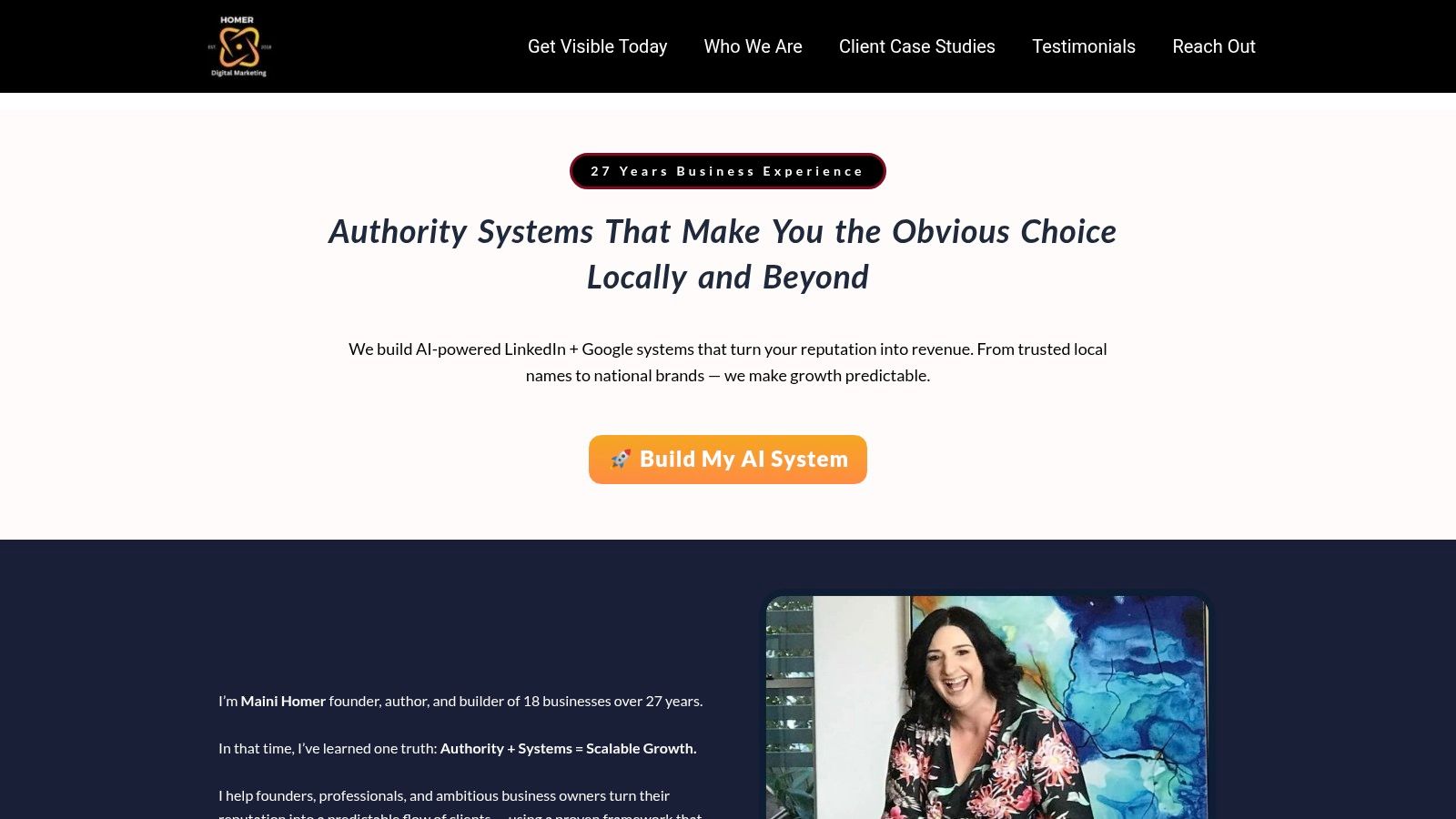
Homer Digital Marketing delivers a robust, AI-powered system designed to turn your professional reputation on LinkedIn and Google into predictable revenue. This isn't about ad-hoc marketing tasks; it's a comprehensive, done-for-you service that builds an end-to-end client acquisition machine for established, service-based businesses. Led by founder Maini Homer, an entrepreneur with 27+ years of experience, the agency’s approach is systematic and results-focused, making it a standout choice for those serious about using LinkedIn for marketing.
Core Strengths & Methodology
The agency’s strength lies in its proven three-part “Authority Growth Engine,” a framework meticulously designed to convert attention into clients.
- Visibility: It starts with optimising your LinkedIn profile and Google Business Profile with strategic keywords to ensure you’re found by high-intent prospects. This foundational step is crucial for establishing discoverability.
- Authority: Next, they build your credibility with done-for-you content creation (12 posts per month in the Accelerator package) and strategic outreach sequences. This combination positions you as a trusted expert in your field.
- Automation: Finally, the system integrates with an all-in-one CRM (GoHighLevel) to automate lead nurturing, follow-ups, and review requests, enabling you to scale your client relationships without friction.
This integrated approach sets them apart from agencies offering piecemeal services. Instead of just managing one channel, they build a cohesive system where LinkedIn and Google work together to generate a consistent flow of leads.
Proven Results & Guarantees
Homer Digital Marketing provides compelling social proof and tangible client outcomes. They cite specific wins like growing a client's LinkedIn network from 240 to 5,000 connections in six months and turning a $1,250 campaign into $15,000 in sales. They also stand behind their work with powerful, risk-reducing guarantees:
- 90-Day Delivery Promise: They commit to building your complete system in 90 days, or they’ll work for free until it’s done.
- 60-Day Campaign Guarantee: Their Authority Accelerator package comes with a promise of "More Leads & Conversations" within 60 days.
- Escrow Payment Option: You can choose to release funds only when you are satisfied with the deliverables, adding a layer of financial security.
Who It’s For & Pricing
This service is best suited for growth-focused service businesses (like coaches, consultants, and agencies) already generating at least $10K per month. It’s for owners who want a fully managed system, not a DIY solution. Pricing is not publicly listed, as packages are tailored during a consultation. While this lack of transparency may be a hurdle for some, it reflects their customised, high-touch approach.
2. LinkedIn Marketing Solutions (Campaign Manager)
If your organic reach feels like you're shouting into the void, it might be time to put some money where your mouth is. LinkedIn’s own Campaign Manager is the native, self-serve advertising platform designed for B2B marketers who want serious control over their campaigns. It’s where you go when you’re ready to move beyond just posting and start strategically targeting your ideal clients with paid ads. This is the big leagues of LinkedIn for marketing, allowing you to get hyper-specific with who sees your content.
Why It's a Go-To for B2B
What makes Campaign Manager stand out is its unparalleled access to LinkedIn’s professional data. You can target users based on their job title, industry, company size, seniority level, and even specific skills. This firmographic targeting is a goldmine for service-based businesses that need to reach decision-makers directly. The platform offers a variety of ad formats, including Sponsored Content, Video Ads, and Sponsored Messaging (InMail), all mapped to specific marketing objectives like brand awareness, lead generation, or website conversions.
Getting Started & Practical Tips
The platform operates on a pay-as-you-go model with a low daily budget threshold (around AU$15), making it accessible for small businesses. However, be prepared for a learning curve; the interface can be complex for first-timers. My advice? Start with a small, highly targeted audience and a single objective, like driving traffic to a lead magnet. Monitor your campaigns closely and don't be afraid to tweak your targeting and creative. For a deeper dive, our comprehensive guide on how to use LinkedIn Ads can walk you through the process step-by-step.
Website: https://business.linkedin.com/advertise
Key Features:
- Best-in-Class B2B Targeting: Unmatched access to professional data for precise audience segmentation.
- Multiple Ad Formats: Choose from Sponsored Content, Video, Carousel, Sponsored Messaging, and more to suit your goals.
- Direct Control: Manage your budget, bids, and campaign performance directly within LinkedIn.
Limitations:
- Higher Costs: Expect higher CPC (Cost Per Click) and CPM (Cost Per Mille) compared to platforms like Facebook.
- Learning Curve: The interface and options can be overwhelming for beginners.
3. LinkedIn Marketing Labs
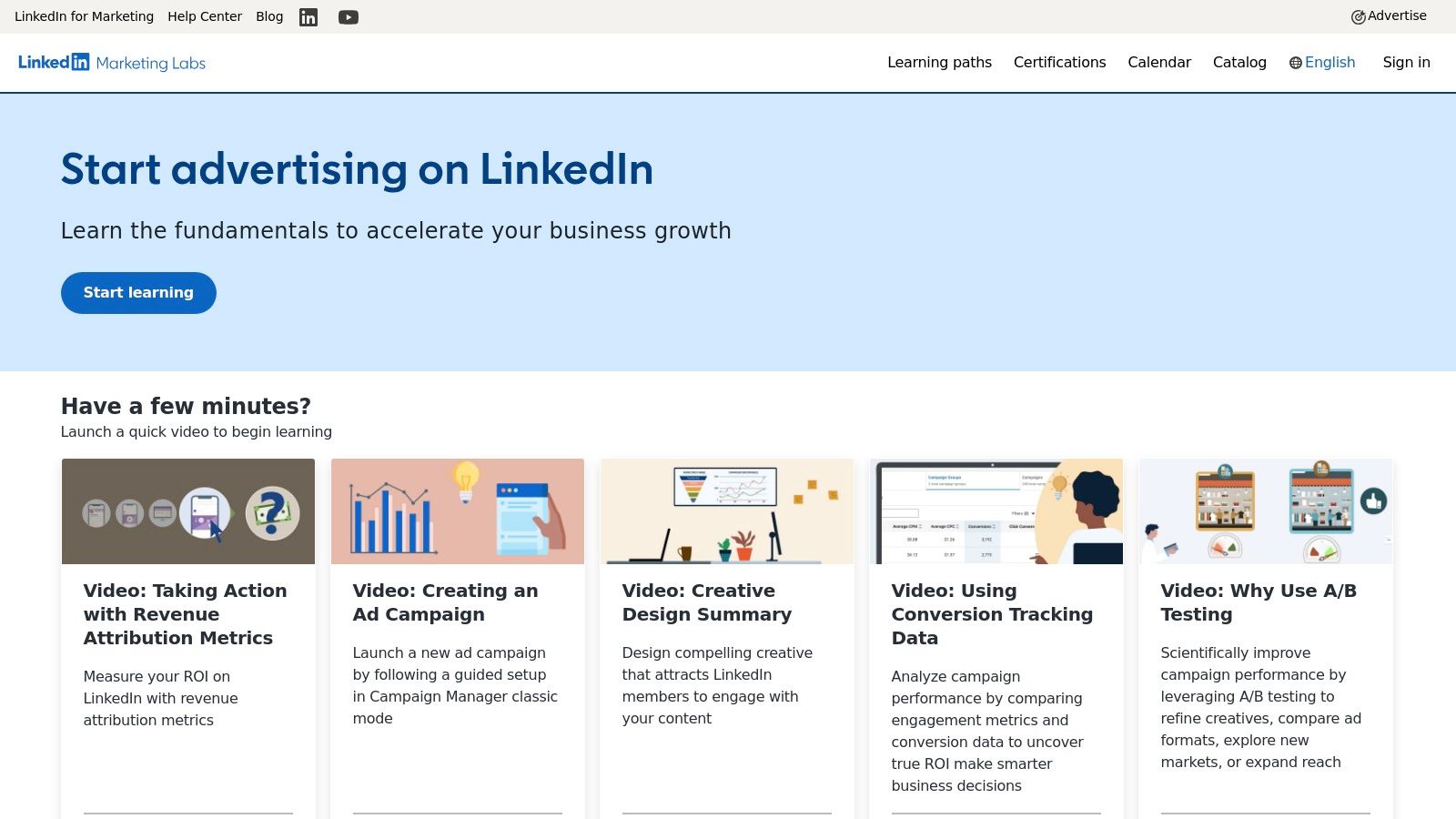
If you're going to learn about LinkedIn for marketing, why not learn directly from the source? LinkedIn Marketing Labs is the platform's official, free learning centre. It’s designed to turn you from a tentative beginner into a confident marketer who understands the ins and outs of the platform. Think of it as your free university degree in LinkedIn advertising, complete with official certifications you can proudly display on your profile to boost your credibility.
Why It's a Go-To for B2B
Unlike generic marketing courses, everything here is tailored specifically for the LinkedIn ecosystem. The content is created by the people who built the tools, so you're getting the most accurate, up-to-date information possible. The learning paths are structured logically, guiding you from fundamentals to advanced strategy and creative best practices. Earning an official certification isn't just a vanity metric; it demonstrates to potential clients and partners that you have a verified, foundational understanding of how to leverage the platform effectively.
Getting Started & Practical Tips
Access is free, but you'll need to log in with your LinkedIn profile and create an account on their Skilljar-hosted platform. The courses are self-paced, so you can fit them around your schedule. I recommend starting with the "LinkedIn Marketing Fundamentals" certification to get a solid base. Don't just rush through to get the certificate; use the practice exams to genuinely test your knowledge. The real value isn’t the badge, it’s the practical knowledge you can immediately apply to improve your marketing campaigns and generate better results.
Website: https://training.marketing.linkedin.com
Key Features:
- Official Certifications: Gain LinkedIn-recognised credentials in Fundamentals, Strategy, and Content & Creative.
- Guided Learning Paths: Structured courses take you from beginner to advanced concepts logically.
- Free and Self-Paced: Learn directly from the source at no cost and on your own schedule.
Limitations:
- LinkedIn-Centric: The content is exclusively focused on LinkedIn, lacking broader, cross-channel marketing context.
- Separate Platform: Requires creating a separate account on Skilljar, which is linked to your LinkedIn profile.
4. LinkedIn Learning – B2B Marketing on LinkedIn
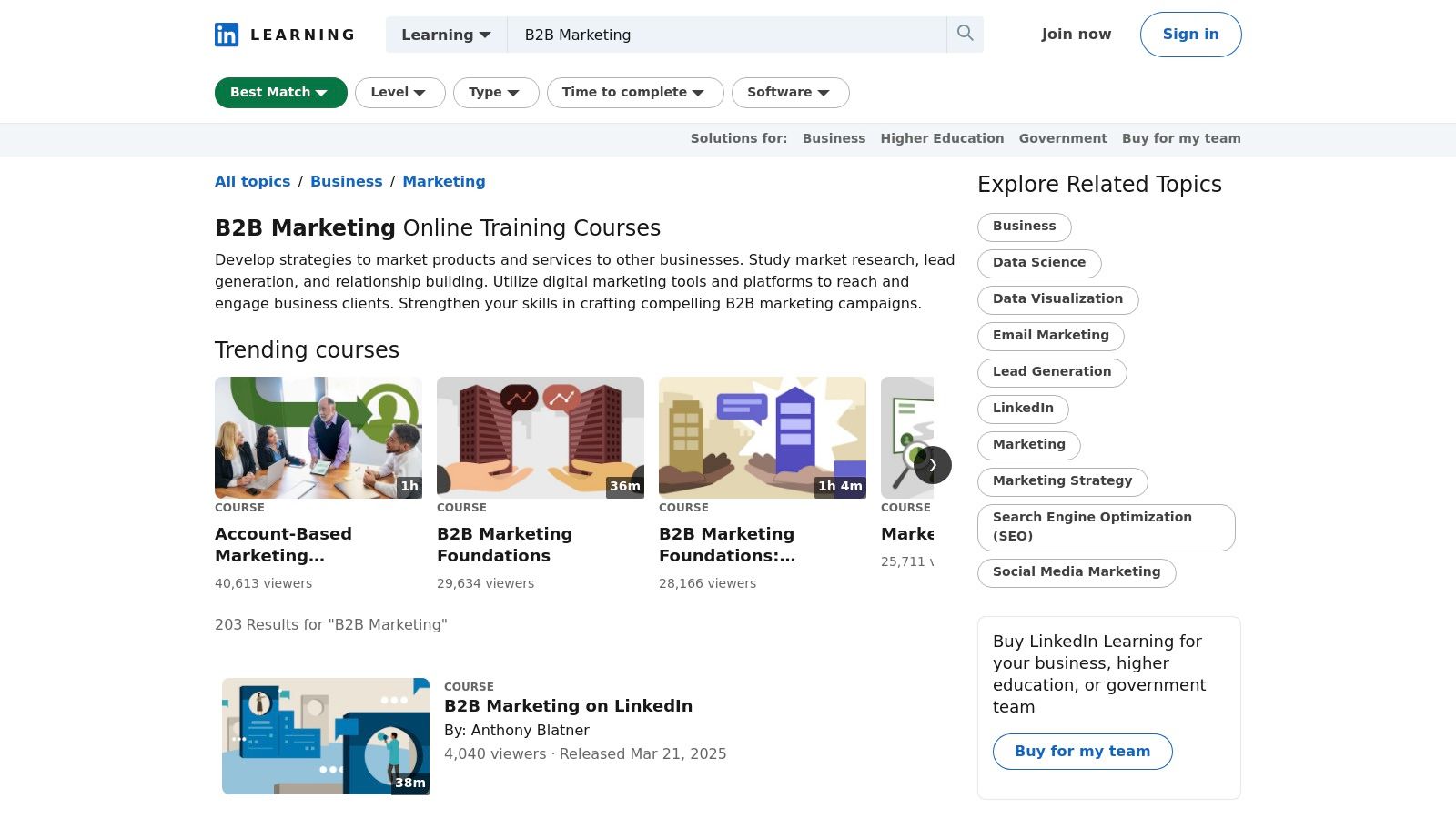
If you’re the type who learns best by watching and want to get up to speed fast, LinkedIn’s own learning platform is a brilliant starting point. Specifically, their suite of courses on B2B marketing provides a direct-from-the-source overview of how to leverage the platform. Forget sifting through endless YouTube videos; this is curated, structured learning designed to give you the foundational playbooks for organic, paid, and even Sales Navigator tactics. It’s a time-efficient way to grasp the essentials of LinkedIn for marketing.
Why It's a Go-To for B2B
The biggest advantage here is context. The lessons are created specifically for the LinkedIn environment, so every strategy is directly applicable. The courses are broken down into bite-sized videos, making it easy to fit learning into a busy schedule. Plus, you get downloadable resources and a certificate of completion you can proudly display on your profile, which instantly adds a layer of credibility. It's an excellent way to build confidence before you start investing serious time or money into campaigns.
Getting Started & Practical Tips
Most LinkedIn users can access these courses via a one-month free trial of LinkedIn Premium, making it a no-brainer to test out. I recommend blocking out a few hours to power through a relevant course and absorb the core concepts. Focus on a course that addresses your immediate goal, whether that’s optimising your profile or understanding campaign setup. While these courses provide a solid foundation, for a deeper and more personalised strategy, you can explore our insights on using LinkedIn Learning to complement the platform's resources.
Website: https://www.linkedin.com/learning/topics/b2b-marketing
Key Features:
- Platform-Specific Playbooks: Learn strategies developed specifically for the LinkedIn ecosystem.
- Bite-Sized Video Lessons: Easily digestible content that fits into any schedule.
- Certificate of Completion: Showcase your new skills directly on your LinkedIn profile.
Limitations:
- Subscription Required: Access is tied to a LinkedIn Premium subscription after the free trial ends.
- Introductory Level: The content is more foundational and may lack the depth of specialised, multi-week programs.
5. Hootsuite
When you’re juggling multiple social platforms or scaling your team’s efforts, managing LinkedIn organically can feel like trying to herd cats. Hootsuite is one of the original and most mature social media management platforms, allowing you to centralise your LinkedIn marketing activities. It’s the go-to tool for service-based businesses that need to streamline scheduling, monitor conversations, and collaborate with team members, all from a single dashboard. This is how you professionalise your LinkedIn for marketing workflow without losing your mind.
Why It's a Go-To for B2B
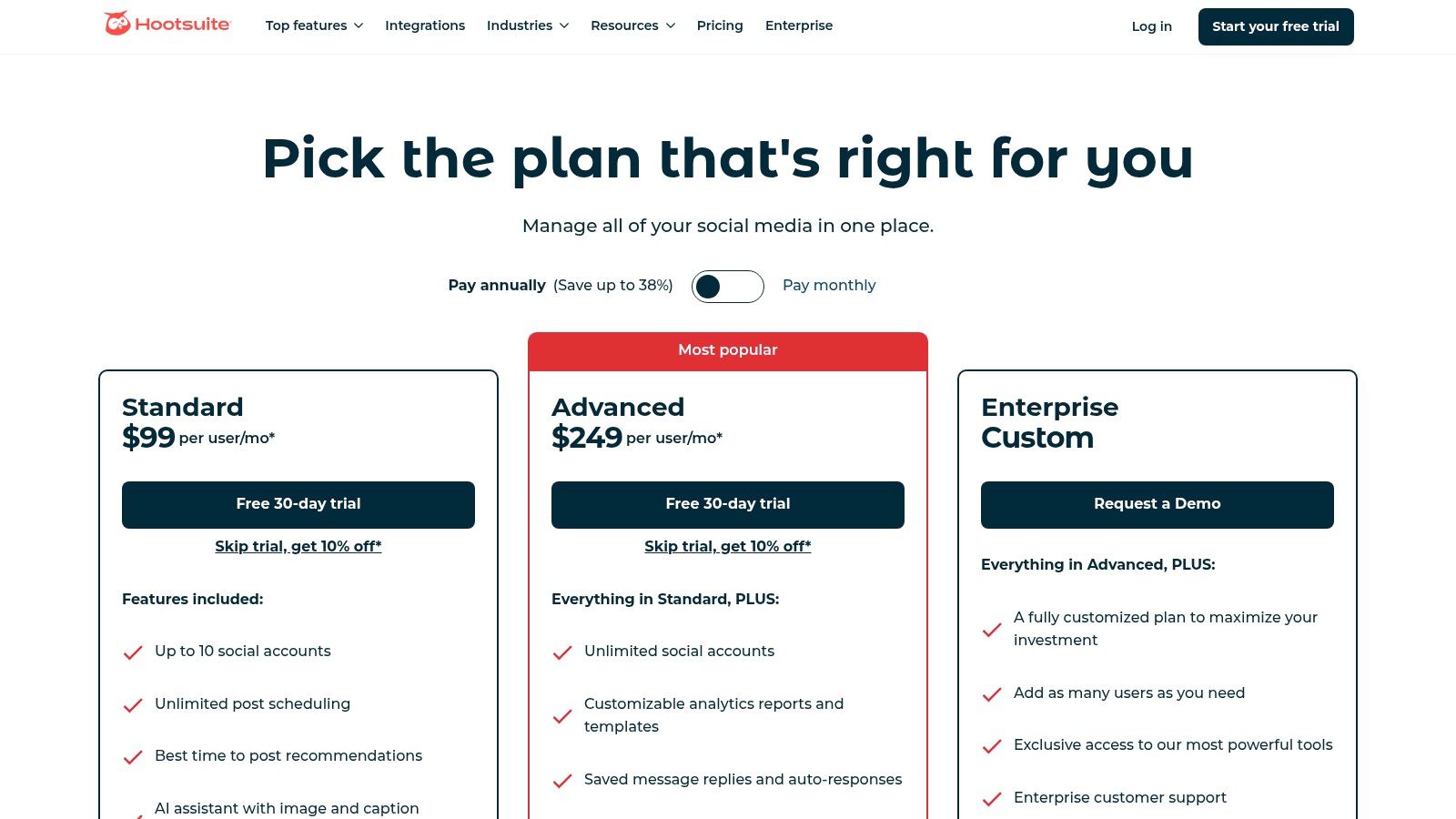
Hootsuite's strength lies in its all-in-one functionality and robust team features. You can schedule posts for your LinkedIn Page and profile weeks in advance, using its "Best Time to Publish" feature to maximise engagement. The integrated asset library and Canva templates make creating on-brand content a breeze. Its unified "Inbox" lets you manage comments and messages without having to live inside the LinkedIn app, ensuring you never miss an opportunity to engage with a potential lead. It simplifies the entire content process, from creation to analytics.
Getting Started & Practical Tips
Hootsuite offers a 30-day free trial, which is plenty of time to see if it fits your workflow. The interface is quite intuitive, but its extensive documentation and support are a big help. My tip is to set up custom monitoring streams for keywords, hashtags, and mentions of your competitors. This turns the platform from a simple scheduler into a powerful listening tool. Be mindful of the per-user pricing, as it can get pricey for larger teams. To get the most out of platforms like these, you'll need a solid strategy, which you can learn more about with our social media marketing services.
Website: https://www.hootsuite.com/plans
Key Features:
- Advanced Scheduling: Plan and bulk-schedule posts with recommendations for optimal posting times.
- Team Collaboration: Assign tasks, manage approvals, and control permissions for team members.
- Unified Social Inbox: Manage comments and direct messages from LinkedIn and other platforms in one place.
Limitations:
- Can Be Expensive: The per-user pricing model can become costly as your team grows.
- Add-on Costs: More advanced features like in-depth analytics and social listening often require more expensive plans or add-ons.
6. Sprout Social
For businesses scaling their social media efforts beyond a one-person show, Sprout Social is the heavy-duty command centre you need. It’s a premium, all-in-one social media management platform that moves past simple scheduling and into serious team collaboration, reporting, and analytics. If you’re managing multiple client accounts or have a dedicated marketing team, this tool provides the structure and insights necessary to professionalise your entire LinkedIn for marketing strategy, from publishing to performance analysis.
Why It's a Go-To for B2B
Where Sprout Social really shines for B2B is its robust reporting and collaboration features. You can manage a unified social inbox, assign tasks to team members, and create sophisticated approval workflows before content goes live on LinkedIn. On higher-tier plans, the competitive analysis and paid performance reports give you a clear view of your organic and paid efforts side-by-side, helping you make smarter budget decisions. It provides the data-driven backbone that larger teams require to justify their marketing spend and refine their approach.
Getting Started & Practical Tips
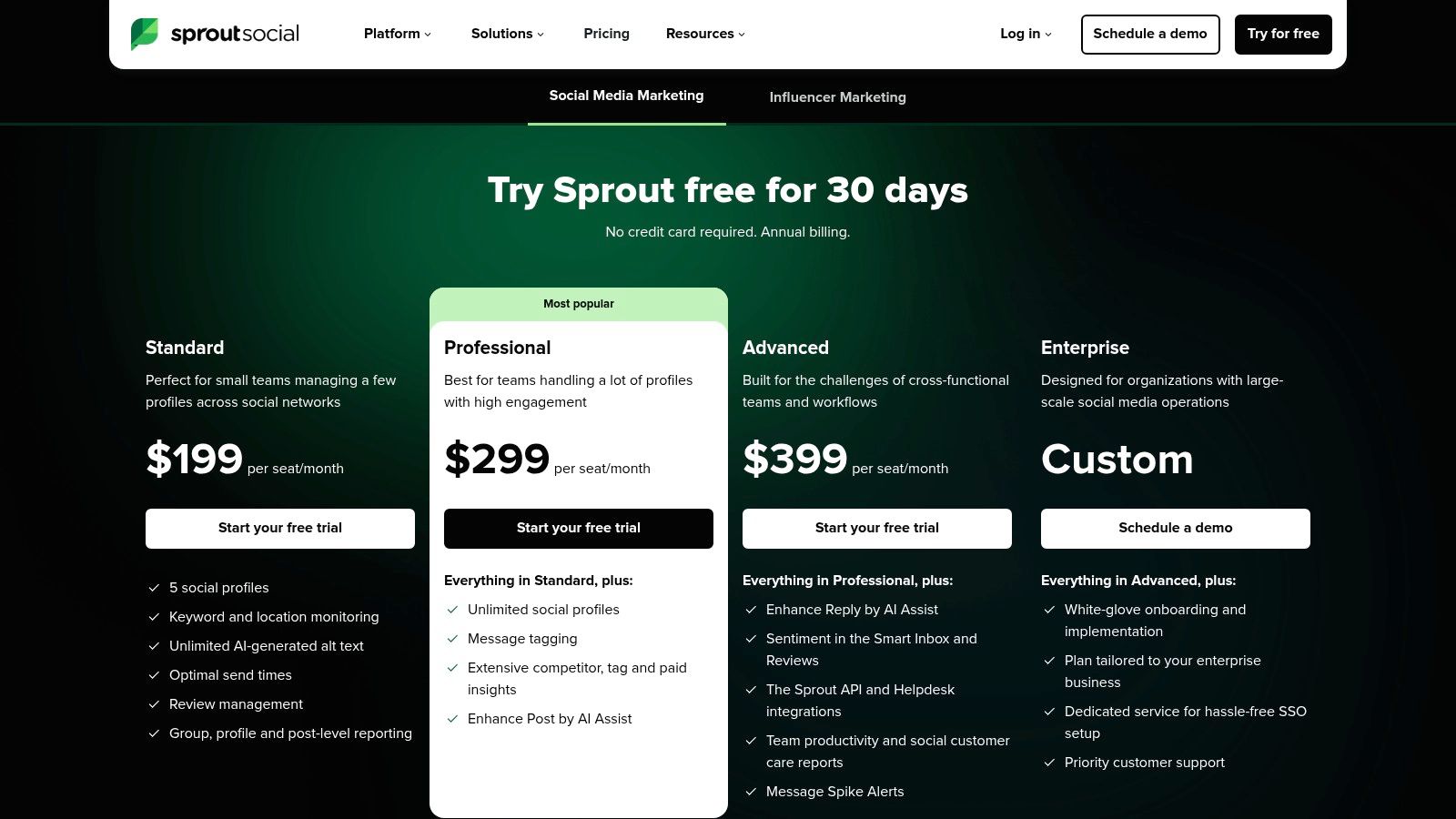
Sprout Social is a premium product with pricing that reflects its enterprise-level capabilities, starting at a significant per-user cost. This makes it less suitable for solopreneurs or small businesses just starting out. The best way to see if it’s a fit is to leverage their 30-day free trial. Use this period to test the LinkedIn-specific features thoroughly: schedule a mix of content, use the social inbox to manage engagement, and run a few key reports. This will give you a clear idea of the ROI before you commit.
Website: https://sproutsocial.com/pricing/
Key Features:
- Unified Smart Inbox: Manage all LinkedIn comments and messages from one collaborative dashboard.
- Advanced Reporting: In-depth organic, paid, and competitor performance analytics.
- Team Collaboration Tools: Content approval workflows, task assignment, and user-level permissions.
Limitations:
- High Price Point: Per-seat pricing is more expensive than many competitors, making it a significant investment.
- Tiered Features: Some of the most valuable reporting and competitive analysis tools are locked behind higher-priced plans.
7. Buffer
For small businesses and solo operators who find enterprise-level schedulers a bit of overkill, Buffer is a breath of fresh air. It’s a simple, intuitive, and budget-friendly scheduling tool that strips away the complexity without sacrificing core functionality. If your primary goal is to consistently post content to your LinkedIn Page or personal profile without getting lost in a labyrinth of features, Buffer is your go-to for effective LinkedIn for marketing automation. It’s designed for efficiency, not exhaustive data analysis.
Why It's a Go-To for B2B
Buffer’s main appeal is its sheer simplicity and affordability. The clean user interface makes it incredibly easy to set up a posting schedule, queue up content, and get on with your day. Its built-in AI assistant is a handy feature for brainstorming ideas or polishing up captions when you're short on time. For service-based business owners who just need a reliable tool to maintain visibility on LinkedIn without a steep learning curve or hefty price tag, Buffer hits the sweet spot perfectly.
Getting Started & Practical Tips
Buffer offers a generous free plan that lets you connect up to three channels (including a LinkedIn Page or profile) and schedule 10 posts per channel. This is an excellent way to test the waters. Paid plans like the Essentials tier (around AU$10 per channel/month) unlock unlimited scheduled posts and better analytics. My advice is to use the "Create Space" feature to draft and save post ideas. This turns Buffer into a simple content repository, helping you organise your thoughts before committing them to the calendar.
Website: https://buffer.com/pricing/
Key Features:
- Simple Scheduling: An uncluttered interface for queuing and scheduling posts to LinkedIn Pages and profiles.
- AI Assistant: Built-in tools to help generate content ideas and refine post captions.
- Affordable Pricing: A generous free tier and scalable per-channel pricing model ideal for small teams.
Limitations:
- Basic Analytics: Reporting is less detailed compared to more advanced platforms like Agorapulse or Sprout Social.
- No Advanced Features: Lacks social listening, competitor analysis, or deep inbox management tools.
8. Semrush Social (Social Toolkit)
For business owners who wear both the SEO and social media hats, juggling platforms can feel like a digital circus act. Semrush Social is designed for those who want to consolidate their efforts. It integrates LinkedIn scheduling, analytics, and competitor tracking directly into the broader Semrush suite, making it a powerhouse if you're already using their tools for keyword research or competitor analysis. This is a practical approach to LinkedIn for marketing that connects your social performance to your wider digital footprint.
Why It's a Go-To for B2B
The biggest advantage of the Semrush Social Toolkit is its ability to provide a holistic view of your marketing. You can schedule your LinkedIn posts alongside content for other platforms, but the real magic happens when you connect social data with SEO insights. Analysing how your LinkedIn content drives traffic and comparing your social engagement against your competitors' gives you a strategic edge. It helps you answer the question: "Is my LinkedIn activity actually helping my Google rankings and overall brand visibility?"
Getting Started & Practical Tips
Access to the Social Toolkit is included with a standard Semrush subscription, but the number of profiles you can manage and posts you can schedule varies depending on your plan. If you're only managing your own LinkedIn profile, the entry-level plans are sufficient. The interface can feel a bit clunky if social media is your only focus, as it’s built within a much larger SEO ecosystem. My advice is to leverage its cross-channel reporting features; create a custom dashboard that tracks both your LinkedIn engagement metrics and the referral traffic it sends to your key website pages.
Website: https://www.semrush.com/kb/1544/social-toolkit-pricing-and-limits
Key Features:
- All-in-One Dashboard: Schedule and publish to LinkedIn while managing your SEO and content marketing workflows.
- Competitor Analysis: Track your rivals' social media activity and benchmark your performance against theirs.
- Integrated Reporting: Combine social media analytics with website traffic data for comprehensive insights.
Limitations:
- Plan-Based Limits: The number of social profiles and scheduled posts is restricted by your subscription tier.
- Overkill for Social-Only Users: The interface can be complex if you don't need the other SEO and PPC tools.
9. Canva + LinkedIn Ads App
Let's be honest, not every service business owner is a graphic designer. If the thought of firing up complex software to create a simple ad creative makes you want to throw your computer out the window, Canva’s LinkedIn Ads app is your new best mate. This brilliant integration, from the Aussie-founded design powerhouse, lets you create professional-looking ad visuals using optimised templates and then push them directly into your LinkedIn Campaign Manager. It closes the gap between idea and execution for anyone using LinkedIn for marketing ads.
Why It's a Go-To for B2B
The magic here is in the workflow. It eliminates the tedious download-and-re-upload dance that kills momentum when you’re trying to launch a campaign. You can design an image or video ad using Canva’s ridiculously easy drag-and-drop interface, knowing the dimensions are already perfect for LinkedIn. Once you’re happy with it, you connect your LinkedIn ad account and send the creative straight to your Campaign Manager’s media library. It’s a massive time-saver, empowering non-designers to produce high-quality, on-brand ad assets without the headache.
Getting Started & Practical Tips
The app is available for all Canva users, including those on the free plan, which is a huge win. To get started, simply search for the "LinkedIn Ads" app within Canva and connect your LinkedIn profile that has advertising permissions. My tip is to create a set of branded templates within Canva first. This ensures all your ads have a consistent look and feel, reinforcing your brand identity with every campaign you run. Just remember, this is purely for creative asset delivery; you still need to manage the targeting, budget, and campaign setup within LinkedIn Campaign Manager itself.
Website: https://www.canva.com/linkedin-ads/
Key Features:
- Direct-to-LinkedIn Export: Send finished creatives directly to your Campaign Manager media library.
- Optimised Templates: Access a huge library of templates with LinkedIn-specific dimensions for images and video.
- User-Friendly Interface: Incredibly easy for non-designers to create professional ad visuals quickly.
Limitations:
- Creative Only: The integration doesn't manage ad targeting, budget, or performance.
- Requires Ad Account: You must have an active LinkedIn ad account with the correct permissions to connect it.
10. HubSpot Academy – LinkedIn Marketing Course
If you're just dipping your toes into the world of LinkedIn for marketing, the sheer volume of advice can feel overwhelming. Before you spend a dollar, it pays to get the fundamentals right. HubSpot Academy offers a fantastic, free course that serves as the perfect launchpad. It’s a concise, no-fluff training program designed to take you from zero to confident in under two hours, covering the essential pillars of building a presence, creating content, and understanding the basics of paid ads.
Why It's a Go-To for B2B
This course stands out because it’s both free and vendor-neutral, focusing on practical, actionable steps rather than pushing a specific software. It’s organised into four bite-sized lessons taught by recognised industry experts who break down how to optimise your Company Page, develop an organic content strategy, and get familiar with Campaign Manager. For service-based business owners or small marketing teams, it’s an efficient way to establish a baseline of knowledge across the entire team without any financial investment.
Getting Started & Practical Tips
Access is completely free; you just need to sign up for a HubSpot Academy account. The course is self-paced, so you can knock it over in an afternoon or spread it out. My advice is to treat it like a workshop. Have your LinkedIn Company Page open in another tab and implement the suggestions as you learn them. While the course provides a high-level overview, it gives you the confidence to start experimenting. It won’t make you an ads guru, but it will demystify the platform and give you a solid strategic foundation to build upon.
Website: https://academy.hubspot.com/courses/linkedin-marketing
Key Features:
- Structured Learning: Four lessons covering LinkedIn Pages, content strategy, and an introduction to advertising.
- Free Certification: Includes quizzes to test your knowledge and a certificate upon completion to add to your profile.
- Expert Instructors: Taught by credible marketing professionals, including experts from LinkedIn.
Limitations:
- Beginner-Focused: The content is a high-level overview and doesn't dive deep into advanced advertising tactics or complex strategies.
- No Hands-On Ad Management: It explains the concepts but doesn't walk you through building and managing campaigns in real-time.
11. Coursera – LinkedIn Ads: Master B2B Lead Generation
If you're ready to tackle LinkedIn Ads but the thought of Campaign Manager's complexity makes you break out in a cold sweat, a structured course can be a lifesaver. This specific Coursera offering is designed to demystify the platform, focusing squarely on B2B lead generation. It’s a guided tour through the essential components of a successful campaign, from setting up your account correctly to tracking conversions. Think of it as the instruction manual you wish LinkedIn provided, helping you build a solid foundation in LinkedIn for marketing before you spend your first dollar.
Why It's a Go-To for B2B
Unlike generic digital marketing courses, this one lives and breathes B2B. It hones in on the exact challenges service-based businesses face, like mastering niche targeting and crafting compelling ad copy for professional audiences. The curriculum walks you through setting up conversion tracking, a non-negotiable step for measuring ROI, and explores different bidding strategies to help you get the most bang for your buck. It’s a practical, step-by-step learning path that prioritises actionable skills over fluffy theory.
Getting Started & Practical Tips
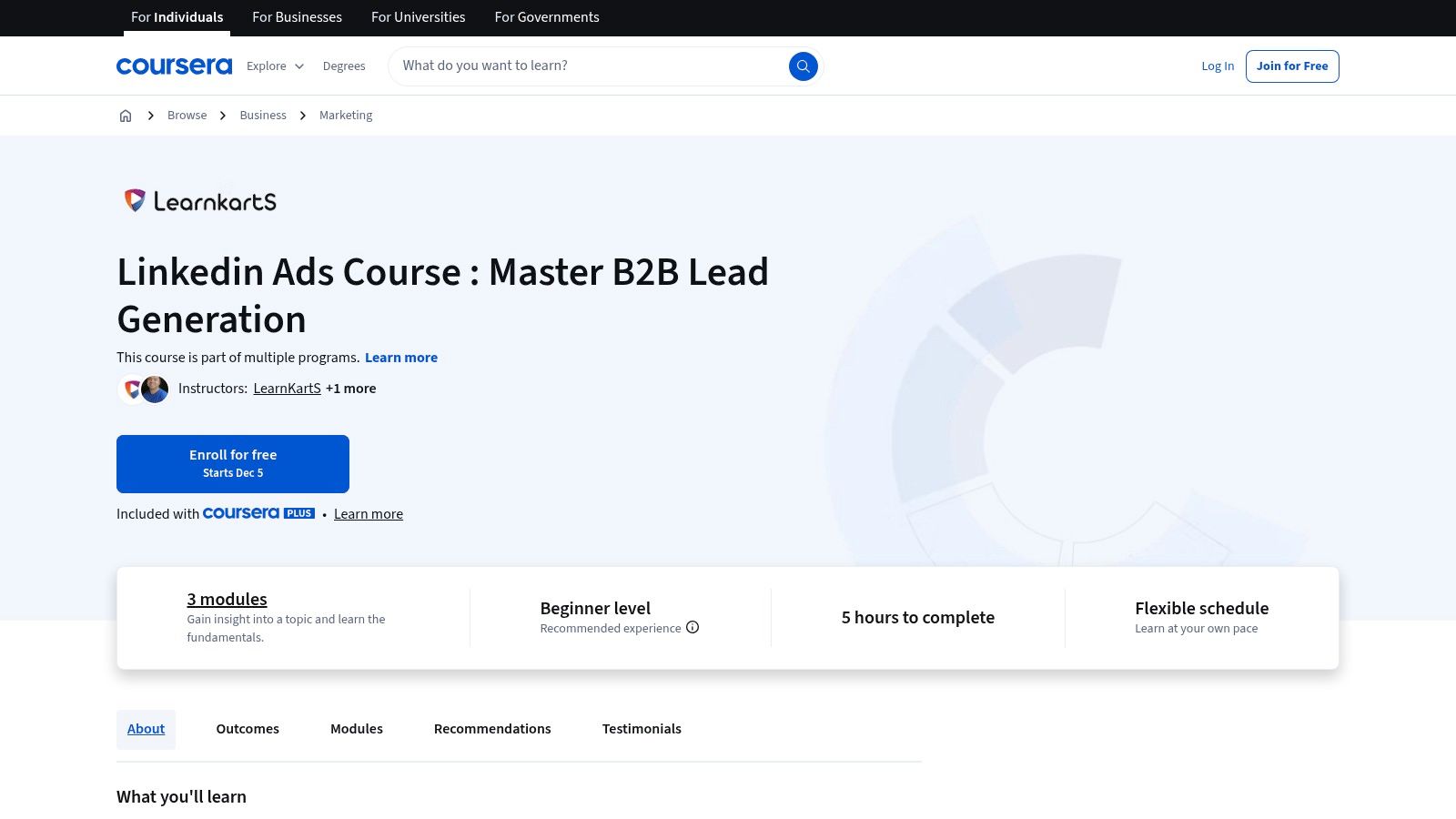
The course offers flexible scheduling, and you can even audit the content for free if you don't need the certificate. For those who want the credential, there's a fee involved. My advice is to follow along with your own LinkedIn Ads account open in another tab. Apply the lessons in real-time by building a draft campaign as you progress through the modules. This hands-on approach will cement the learning far more effectively than just passively watching videos.
Website: https://www.coursera.org/learn/linkedin-ads-certification-course
Key Features:
- Structured B2B Focus: Covers ad account structure, targeting, retargeting, and conversion tracking with a B2B lens.
- Practical Skill Building: Teaches bidding strategies and optimisation tips you can apply immediately.
- Flexible Learning: Offers a self-paced schedule with an audit option and a paid certificate to add to your profile.
Limitations:
- Unofficial Certification: The certificate is from Coursera, not an official LinkedIn certification.
- Potential Overlap: Some content may be similar to free resources available in LinkedIn's own Marketing Labs.
12. LinkedIn Business Blog – How to Advertise on LinkedIn
When you’re ready to dip your toes into paid ads, it makes sense to go straight to the source. LinkedIn’s own Business Blog is the official playbook, offering step-by-step articles and best practices directly from the platform’s creators. Think of it as the instruction manual that came with your powerful new B2B advertising machine. It’s a crucial free resource for understanding the fundamentals before you start spending money on LinkedIn for marketing campaigns.
Why It's a Go-To for B2B
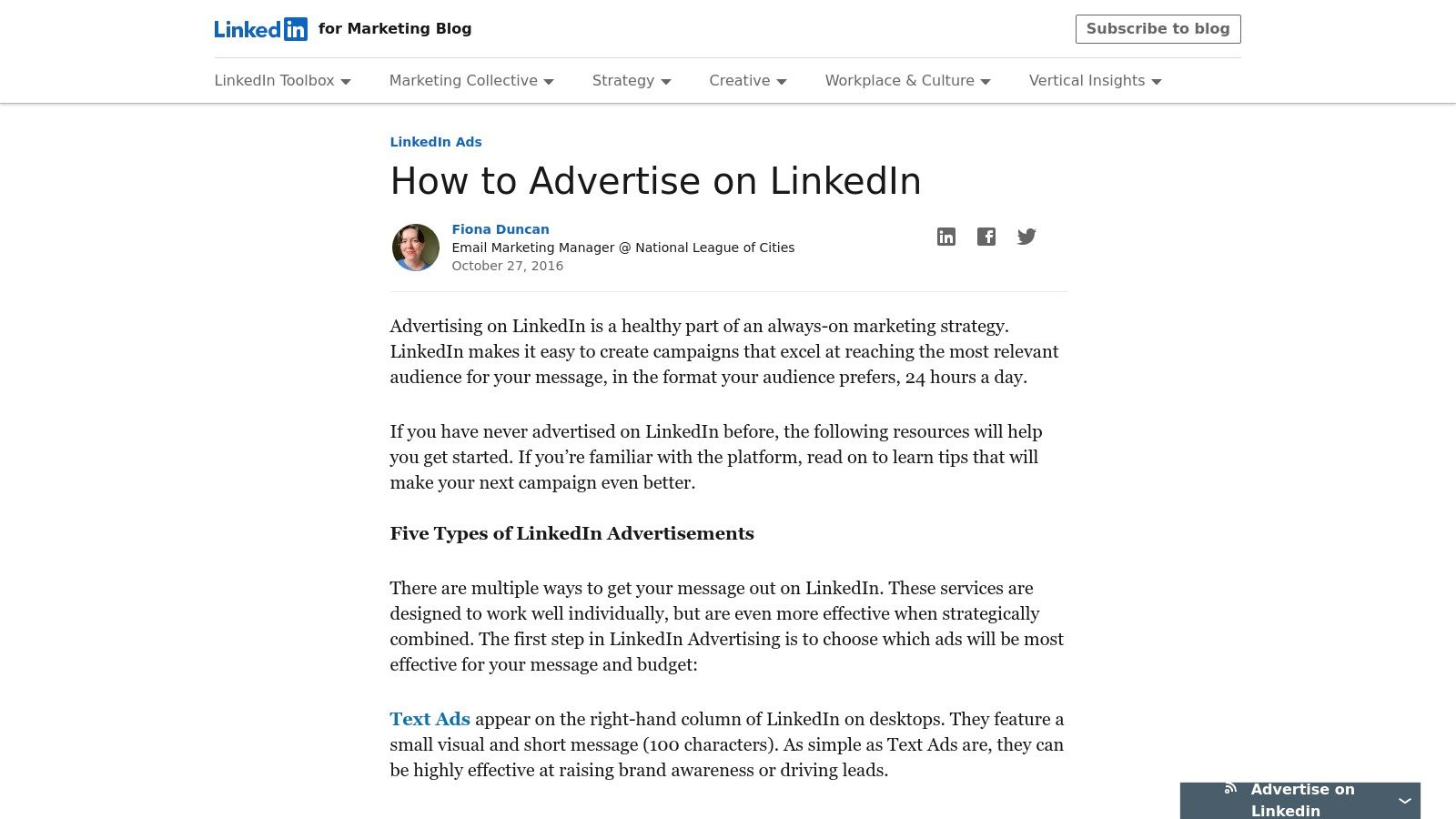
This isn't just another company blog; it’s a living reference library for anyone using Campaign Manager. The content details every ad format from Sponsored Content to Sponsored Messaging, helping you map your business goals to the right campaign type. It provides the foundational knowledge needed to navigate the complexities of budgeting, bidding, and targeting. The blog also links out to product documentation, case studies, and webinars, giving you a well-rounded, first-party perspective on what works.
Getting Started & Practical Tips
The blog is completely free and accessible to anyone. While it provides excellent strategic overviews, it often skews more towards high-level guidance than granular, hands-on walkthroughs. My advice is to use it as your starting point to understand the "what" and "why" behind LinkedIn Ads. Read the key articles on ad formats and objectives, then turn to a more tactical tool or guide when you're ready to build your first campaign. It’s about building a solid knowledge base first.
Website: https://www.linkedin.com/business/marketing/blog/linkedin-ads/how-to-advertise-on-linkedin
Key Features:
- Official Guidance: First-party, up-to-date information directly from LinkedIn.
- Comprehensive Overviews: Detailed explanations of ad types, objectives, and Campaign Manager setup.
- Resource Hub: Connects to case studies, webinars, and in-depth product documentation.
Limitations:
- Guidance, Not a Tool: It's a resource to learn from; you still need to execute campaigns in Campaign Manager.
- Strategic Focus: Can be less of a step-by-step tactical guide and more of a strategic overview.
LinkedIn Marketing — 12-Resource Comparison
| Solution | Core offering ✨ | Quality / Results ★ | Best for 👥 | Price / Value 💰 |
|---|---|---|---|---|
| Homer Digital Marketing 🏆 | AI-powered LinkedIn + Google systems; Authority Growth Engine (Visibility → Authority → Automation) ✨ | 5★; case studies: 240→5k connections; $1.25k→$15k; 800 subs/60d; 110M+ Google views 🏆 | 👥 Service-based businesses $10K+/mo (coaches, consultants, real estate, wellness, accounting, recruitment) | 💰 Tailored packages; staged programs; 90-day guarantee, escrow & campaign guarantees |
| LinkedIn Campaign Manager | Self-serve ads: Sponsored Content, Video, Messaging; firmographic targeting ✨ | 4★; best-in-class B2B targeting & reporting | 👥 B2B marketers & advertisers needing precise job/firmographic targeting | 💰 Pay-as-you-go bids; budget control (from ≈$10/day) |
| LinkedIn Marketing Labs | Official guided courses + certs (ads strategy & creative) ✨ | 4★; up-to-date official guidance & certifications | 👥 Marketers seeking official training & credentials | 💰 Free; certification included |
| LinkedIn Learning – B2B Marketing | Bite-size video lessons + resources; practical LinkedIn tactics ✨ | 3★; quick platform-specific playbook | 👥 Individuals & small teams wanting fast upskilling | 💰 Free trial then subscription |
| Hootsuite | Scheduling, publishing, social inbox, basic listening; team workflows ✨ | 4★; mature tool for scaling organic publishing | 👥 Teams managing multi-channel social with workflows | 💰 Subscription per user; 30-day trial; can scale costly |
| Sprout Social | Publishing, inbox, advanced analytics & team collaboration ✨ | 4★; strong reporting & paid/organic insights | 👥 Mid-market & enterprise teams needing reporting | 💰 Higher per-seat pricing; 30-day trial |
| Buffer | Simple scheduler, basic analytics, AI captioning ✨ | 3★; easy & budget-friendly for posting | 👥 Individuals & small teams wanting low-cost scheduling | 💰 Free tier; affordable paid tiers per channel |
| Semrush Social (Social Toolkit) | LinkedIn publishing + analytics integrated with SEO tools ✨ | 4★; good for consolidated SEO+social workflows | 👥 SEO-focused teams wanting cross-channel insights | 💰 Add-on to Semrush plans; tier limits apply |
| Canva + LinkedIn Ads App | Design templates & direct export to Campaign Manager ✨ | 3★; streamlines creative → ad workflow | 👥 Non-designers & teams needing quick creatives | 💰 Free/Pro/Business Canva plans; requires ad account |
| HubSpot Academy – LinkedIn Course | Short practical course, quizzes, certificate ✨ | 4★; vendor-neutral, practical starter training | 👥 Teams & marketers launching LinkedIn presence | 💰 Free; certificate included |
| Coursera – LinkedIn Ads Course | Structured ad setup, targeting, bidding & tracking ✨ | 3★; focused skill-building with certificate | 👥 Learners wanting step-by-step ad mastery | 💰 Audit free; paid certificate/subscription |
| LinkedIn Business Blog – How to Advertise | Official docs & how-tos; case studies & best practices ✨ | 4★; first-party reference & updates | 👥 Advertisers needing official guidance & feature notes | 💰 Free reference documentation |
Your Turn: Stop Tinkering and Start Selling
Alright, you've made it to the end. We've just unpacked a treasure trove of tools and resources designed to transform your approach to LinkedIn for marketing. From the high-level strategy offered in courses by LinkedIn Learning and HubSpot Academy to the on-the-ground, day-to-day management power of platforms like Hootsuite and Sprout Social, you now have a comprehensive toolkit at your fingertips. We've covered everything from optimising your profile and targeting the right audience to building a content machine and nurturing leads until they're ready to buy.
The common thread weaving through all these resources, from the analytical depth of Semrush to the creative ease of Canva, is potential. The potential to stop guessing and start implementing a system. The potential to move from being a passive observer on the platform to an active, authoritative voice in your industry. But potential without action is just a pipedream. It’s the difference between knowing what to do and actually doing it.
From Knowledge to Action: Your Next Steps
Information overload is a real threat, so let's cut through the noise. Your goal isn't to master all twelve of these resources overnight. It’s about choosing the right starting point based on your biggest bottleneck right now.
- If you're struggling with consistency: Your first port of call should be a content scheduler like Buffer or Hootsuite. Automating the act of posting frees up mental energy to focus on the quality of your content.
- If your content feels invisible: Dive into resources like LinkedIn Marketing Labs or our Homer Digital Marketing guides. The issue isn't the algorithm; it's likely a misalignment between your content, your hooks, and your audience's needs.
- If you have no idea who you're talking to: Before you spend a cent on ads or an hour on content, clarify your ideal client. Tools like LinkedIn Sales Navigator are brilliant for this, allowing you to build hyper-targeted lead lists.
- If you're ready to scale with ads: Start with the LinkedIn Campaign Manager and supplement your knowledge with the Coursera or HubSpot courses. Don’t just throw money at the platform; learn the fundamentals of B2B ad strategy first.
The most powerful strategy is the one you can stick to. It reminds me of how I scaled an IT firm's pipeline to $180,000 in just 90 days. It wasn't about finding a single secret hack or a magic bullet tool. It was about applying a proven visibility system, day in and day out, with relentless consistency. That’s the real secret sauce: pairing the right tool with disciplined execution.
Don't Just Post, Create Impact
To truly maximise your impact and stop tinkering, consider new approaches like learning how to create videos for LinkedIn, directly transforming your professional insights into engaging visual content. Video is no longer a "nice-to-have"; it's a critical component of building trust and demonstrating expertise at scale.
If you find yourself constantly staring at a blank screen, wondering what on earth to post, let's fix that right now. It's the most common hurdle, and it's the easiest one to solve with the right system. Grab your free 30-Day LinkedIn Content Playbook and never run out of post ideas again. (https://homerdigimarketing.com/lm/30-day-content)
You have the map. You have the tools. Now, it's time to start the engine. Pick one thing from this guide and implement it today. Not tomorrow, not next week. Today. The perfect moment will never arrive. The only thing that separates the thriving service businesses from the struggling ones is the willingness to take decisive action.
Stop waiting, start doing. You’ve got this.
Feeling overwhelmed and need a proven system to turn all this knowledge into actual clients? Homer Digital Marketing specialises in building end-to-end LinkedIn lead generation machines for service businesses just like yours. If you're ready to stop tinkering and start selling with a clear, actionable plan, let's talk. Homer Digital Marketing
